
 AI Tools Review Editorial Team
Note: This article is based on extensive research of publicly available information, developer documentation, user reports, and expert analyses from the AI automation community. Insights are compiled from multiple verified sources.
Quick answer:
AI browser automation agents use large language models to control web browsers autonomously - filling forms, scraping data, navigating workflows, and completing multi-step tasks that previously required manual effort or brittle scripted selectors. In 2026, tools like Claude Computer Use, OpenAI Operator, and open-source frameworks like Browser Use have made this practical for real workloads. The technology is powerful but still faces challenges with anti-bot detection, dynamic page layouts, and authentication flows.
What are AI browser automation agents?
For years, browser automation meant writing fragile scripts. You would target a button by its CSS selector, pray the website did not redesign overnight, and spend more time maintaining your automation than it saved. Selenium, Puppeteer, and Playwright solved specific problems well, but they demanded developers who could anticipate every edge case.
AI browser automation agents take a fundamentally different approach. Instead of following a rigid script, they look at the page the way a human does - reading text, interpreting layouts, understanding what buttons do based on their labels and position. When a website changes its design, the agent adapts. When an unexpected popup appears, it handles it.
The shift became practical in late 2024 when Anthropic released Claude Computer Use, allowing Claude to control a desktop environment including web browsers. Since then, the field has accelerated rapidly. OpenAI launched Operator for consumer-facing browser tasks, Google integrated browser capabilities into Gemini, and a thriving open-source ecosystem has emerged around frameworks like Browser Use, Skyvern, and LaVague.
Key distinction:
Traditional automation (Selenium, Puppeteer) follows explicit instructions: "Click the element with id=submit-btn." AI browser agents follow intent: "Submit the contact form with these details." The agent figures out how to achieve the goal, regardless of how the page is structured.
This matters because the web is messy. Pages load differently based on location, device, login state, and A/B testing variants. A CSS selector that works today might break tomorrow. An AI agent that understands the page semantically is far more resilient than one that relies on brittle element targeting.
How AI browser agents actually work
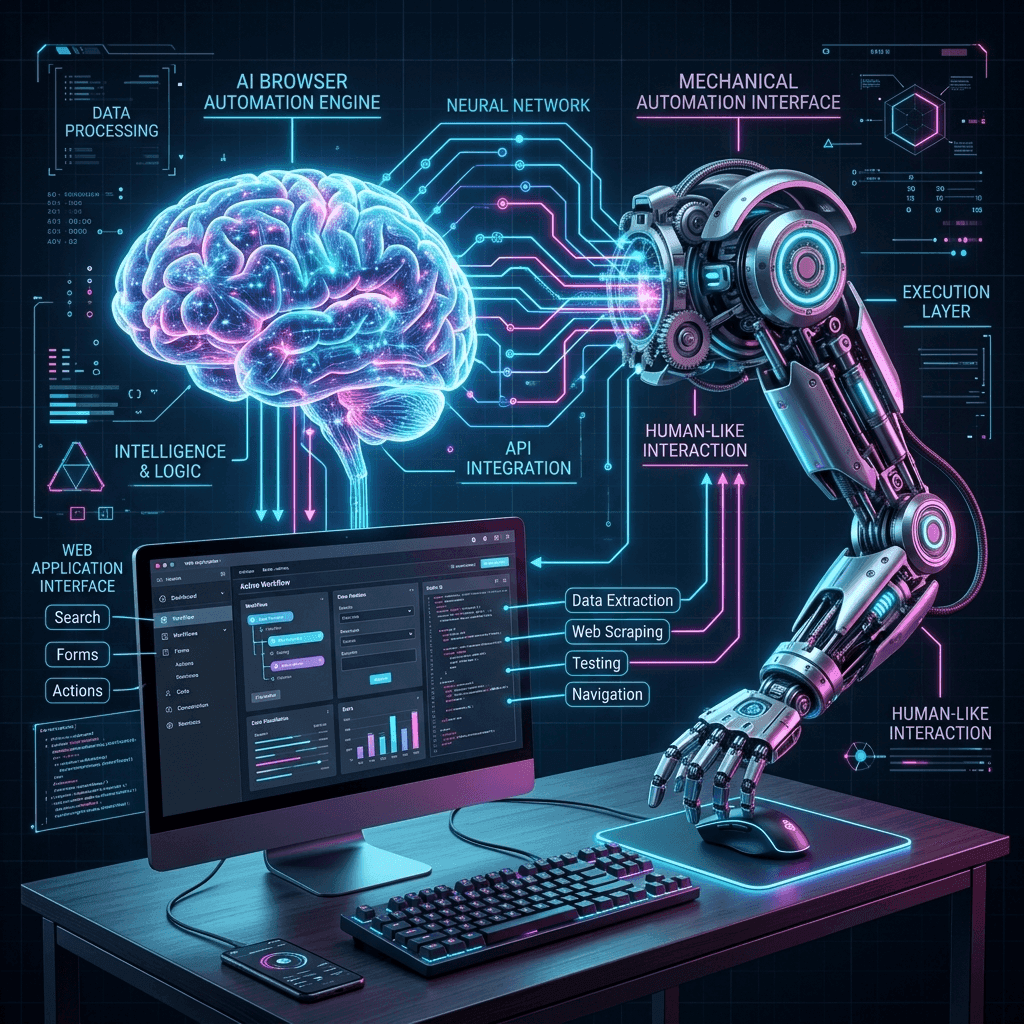
At their core, AI browser agents follow an observe-think-act loop. The agent takes a screenshot or reads the DOM, sends that information to a large language model, receives an action to take (click, type, scroll, navigate), executes it, and then observes the result. This cycle repeats until the task is complete or the agent determines it cannot proceed.
There are two primary architectural approaches emerging in 2026:
Vision-first agents
These agents primarily work from screenshots. Claude Computer Use is the most prominent example. The LLM receives an image of the screen and decides where to click based on visual understanding. This approach handles any application - not just web browsers - and works even when the DOM is obfuscated or dynamically generated. The downside is that screenshots are computationally expensive to process and can miss elements that are not currently visible on screen.
DOM-first agents
These agents read the page's accessibility tree or a simplified version of the DOM. Browser Use, Skyvern, and most open-source frameworks take this approach. It is faster (text is cheaper to process than images), more precise (you get exact element references), and better at handling content below the fold. The trade-off is that some pages have poor accessibility markup or use shadow DOM elements that are harder to parse.
The most capable agents in 2026 use a hybrid approach - reading the DOM for structured data extraction and speed, but falling back to vision when the DOM is unreliable or when dealing with non-standard UI elements like canvas-rendered applications.
Technical Dossier: Agentic Browser Orchestration
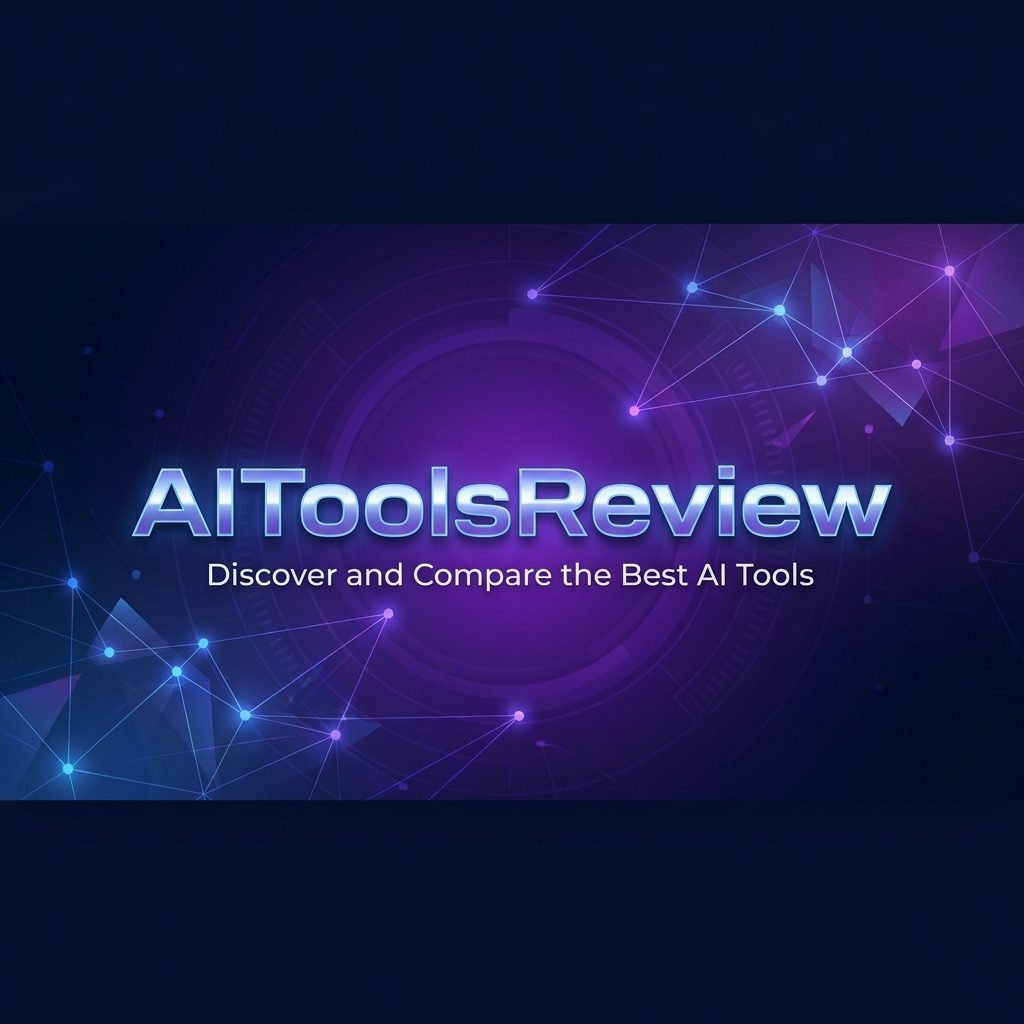
Modern browser orchestration has moved beyond simple "point-and-click" automation. The latest Unified Execution Engines (UEE) leverage a multi-layered stack to ensure reliability across complex web applications:
- Predictive DOM Mapping: AI agents build a semantic map of the entire application state, allowing them to anticipate page transitions before they happen.
- Shadow DOM Penetration: Specialized parsers allow agents to interact with encapsulated web components that were previously "invisible" to traditional scrapers.
- Latency-Adaptive Inference: On-device sub-models handle low-level UI interactions (scrolling, hover states) while the cloud-based frontier model orchestrates the high-level task logic.
| Approach | Speed | Accuracy | Flexibility | Cost |
|---|---|---|---|---|
| Vision-first | Slower | High (visual) | Any application | Higher |
| DOM-first | Faster | High (structured) | Web only | Lower |
| Hybrid | Moderate | Highest | Web + desktop | Variable |
Long-running tasks and session persistence

One of the most significant developments in early 2026 has been the move from short, single-action browser tasks to long-running automation that can span minutes or even hours. This is where the technology has shifted from novelty to genuinely practical.
The challenge with long-running browser tasks is that things go wrong. Pages time out. Sessions expire. CAPTCHAs appear mid-flow. The network drops briefly. An agent that cannot recover from these interruptions is useless for anything beyond simple, quick tasks.
Modern browser agents address this through several mechanisms:
- Checkpoint systems - The agent periodically saves its progress, so if something fails, it can resume from the last known good state rather than starting from scratch.
- Error recovery loops - When an action fails, the agent does not immediately abort. It re-evaluates the page state, considers alternative approaches, and retries with a different strategy.
- Session management - Browser cookies, local storage, and authentication tokens are preserved across agent restarts, preventing the need to re-authenticate constantly.
- Progress reporting - The agent communicates what it has done and what remains, letting humans monitor complex tasks without needing to watch every step.
According to developer reports, Claude Computer Use sessions can now maintain context for extended periods, handling workflows like processing a batch of invoices, populating a CRM from a spreadsheet, or migrating content between platforms - tasks that involve dozens or hundreds of individual browser actions.
Important limitation:
Long-running tasks are significantly more expensive than quick actions. Each step in the observe-think-act loop consumes API tokens. A 200-step workflow using a vision-based agent could cost several pounds in API fees. Always estimate costs before running extended automations.
The three hardest problems in browser automation
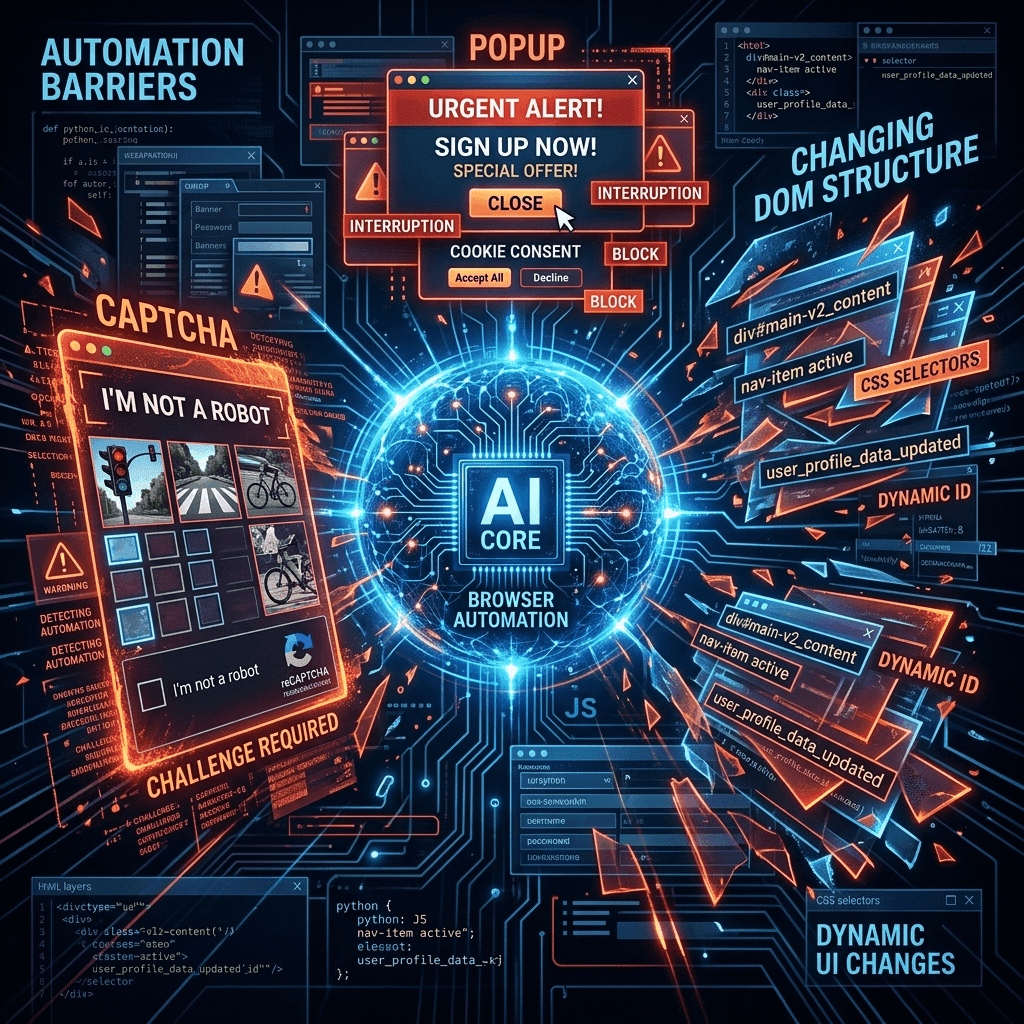
Despite rapid progress, AI browser agents consistently struggle with three categories of problems. Understanding these limitations is essential before relying on browser automation for critical workflows.
1. Anti-bot detection
Websites increasingly deploy sophisticated bot detection. Cloudflare, PerimeterX, DataDome, and similar services analyse browser fingerprints, mouse movements, typing patterns, and request timing to distinguish humans from automated systems. AI agents trigger these defences because their interaction patterns differ from human behaviour - perfectly straight mouse movements, unnaturally consistent typing speeds, and predictable navigation timing.
CAPTCHAs remain particularly problematic. While some AI agents can solve basic image CAPTCHAs, the latest reCAPTCHA v3 and hCaptcha Enterprise systems use behavioural analysis that is very difficult for agents to pass. Most responsible browser automation tools deliberately refuse to solve CAPTCHAs, treating them as a signal that the website does not want automated access.
2. Dynamic page layouts
Modern web applications change constantly. A/B tests alter button positions. Single-page applications render content asynchronously. Infinite scroll pages load data on demand. Pop-ups, cookie banners, and notification prompts obscure the elements an agent needs to interact with.
AI agents handle this better than scripted automation because they can visually interpret pages, but they still struggle with timing. Knowing when a page has finished loading - especially with JavaScript-heavy applications that fetch data after the initial render - requires patience and heuristics. Click too early and you hit the wrong element. Wait too long and the task takes forever.
3. Authentication flows
Logging into websites is straightforward for humans but surprisingly complex for agents. Multi-factor authentication requires access to a phone or authenticator app. OAuth flows redirect through multiple domains. Some sites use device fingerprinting that flags new browser instances. Single sign-on (SSO) often involves pop-up windows that the agent cannot see or interact with.
The practical solution most teams adopt is a hybrid approach: a human handles authentication manually, and the agent operates within the authenticated session. Some tools support pre-configured browser profiles with saved cookies, letting the agent skip login entirely for sites the user has already authenticated with.
AI browser automation tools compared
The market for AI browser automation has grown substantially since late 2024. Here is how the leading tools compare based on published documentation and community reports.
| Tool | Approach | Pricing | Best for | Open source |
|---|---|---|---|---|
| Claude Computer Use | Vision-first | API pricing (per token) | Complex multi-step workflows | No |
| OpenAI Operator | Hybrid | Included with ChatGPT Pro | Consumer tasks | No |
| Browser Use | DOM-first | Free (OS) + LLM Costs | Developer automation, custom agents | Yes (MIT) |
| Skyvern | Hybrid | From £38/month | Enterprise form filling, extraction | Yes (AGPL-3.0) |
| MultiOn | Vision-first | API-based pricing | API-driven browser tasks | No |
| Browserbase | Infrastructure | From £36/month | Hosting headless browser sessions | Partial |
Based on community feedback, Claude Computer Use is generally considered the most capable agent for complex, multi-step workflows that require genuine understanding of page context. OpenAI Operator is the most accessible for non-technical users. Browser Use has become the go-to choice for developers who want full control over their automation pipeline and prefer open-source tooling.
Developer tip:
If you are building browser automation into a product, consider using Browserbase or a similar headless browser hosting service rather than running browsers on your own infrastructure. Managing Chrome instances at scale introduces significant operational complexity around memory management, session isolation, and concurrent execution limits.
Real-world use cases that actually work

The gap between what is demonstrated in product launches and what actually works in production is significant. Based on user reports and developer community discussions, here are the categories of tasks where AI browser agents reliably deliver value today.
Data extraction and monitoring
Pulling structured data from websites that do not offer APIs is one of the strongest use cases. An agent can navigate to a competitor's pricing page, extract current prices, and save them to a spreadsheet - even when the page layout changes between visits. Property monitoring, job listing aggregation, and product price tracking are all reported to work well.
Form filling and data entry
Repetitive form filling across multiple websites is a natural fit. Insurance quote comparisons, job applications, government form submissions, and CRM data entry from external sources are commonly reported successful use cases. The agent reads source data (from a spreadsheet or document), navigates to the target form, maps fields intelligently, and submits.
Testing and quality assurance
AI browser agents are increasingly used alongside traditional testing frameworks. Rather than writing test scripts, QA teams describe test scenarios in natural language. The agent navigates the application, performs the described actions, and reports whether the expected outcomes occurred. This is particularly useful for exploratory testing where rigid scripts would be impractical.
Content migration
Moving content between platforms - from WordPress to Webflow, from one CRM to another, from legacy systems to modern tools - is a time-consuming process that agents handle effectively. The agent reads content from the source, navigates to the destination, and creates or updates records. This works especially well when the source platform lacks an export function.
Use cases that still struggle:
Financial transactions (payments, trades), anything requiring CAPTCHA solving, tasks on sites with aggressive anti-bot measures, and real-time interactions (live chat, bidding) remain unreliable. Always maintain human oversight for high-stakes actions.
Building your own browser automation agent
For developers who want to build custom browser automation, the open-source ecosystem provides solid foundations. Here is a practical overview of the main approaches.
Using Browser Use (Python)
Browser Use is the most popular open-source framework for building AI browser agents. It wraps Playwright for browser control and supports multiple LLM backends (Claude, GPT-4, Gemini, and local models). The framework handles DOM extraction, action execution, and error recovery out of the box.
A basic setup involves installing the package, configuring your LLM provider, and writing a task description in natural language. The framework translates the task into a series of browser actions, executes them, and returns results. For more complex workflows, you can define custom action handlers, add pre- and post-processing steps, and implement retry logic.
Using Claude Computer Use (API)
Anthropic's Computer Use API gives Claude direct control over a virtual desktop or browser session. You provide screenshots and Claude returns coordinates for clicks, text to type, and keyboard shortcuts to press. This is lower-level than Browser Use but more flexible - it works with any application, not just web browsers.
The recommended setup is to run a containerised browser (using Docker) that Claude can control via the API. Anthropic provides reference implementations that handle the screenshot-action loop, but developers are responsible for managing the browser lifecycle, handling authentication, and implementing safety guardrails.
Using Playwright with LLM orchestration
The most lightweight approach is to use Playwright or Puppeteer directly with an LLM for decision-making. You write the browser control code yourself but delegate the "what to do next" decisions to an LLM. This gives maximum control at the cost of more development effort. It works well when you need browser automation for a specific, well-defined workflow rather than general-purpose browsing.
Architecture recommendation:
For most projects, start with Browser Use or a similar framework. Only build from scratch with Playwright + LLM if you have specific requirements that the frameworks cannot accommodate. The observe-think-act loop is deceptively tricky to get right, and existing frameworks have solved many edge cases you would otherwise discover the hard way.
Security, ethics, and rate limiting

AI browser automation raises legitimate concerns that responsible practitioners need to address. The technology is powerful, and with that comes responsibility.
Respecting terms of service
Many websites explicitly prohibit automated access in their terms of service. While enforcement varies, ignoring these terms creates legal risk. Before automating interactions with any website, review their ToS and robots.txt file. When in doubt, contact the site operator. Some services offer API access that is both more reliable and explicitly permitted.
Rate limiting and resource consumption
An AI agent can make requests far faster than a human, potentially overwhelming a website's infrastructure. Responsible automation includes deliberate rate limiting - adding delays between requests, respecting HTTP 429 responses, and distributing load over time. A good rule of thumb is to make requests no faster than a human would browse the same pages.
Data privacy
When an AI agent accesses personal data on a website - contact information, financial records, health data - that data passes through the LLM provider's API. Consider whether this complies with applicable data protection regulations (GDPR, UK Data Protection Act). For sensitive data, prefer local models or ensure your LLM provider has appropriate data processing agreements in place.
Human oversight
The most important safety practice is maintaining human oversight for consequential actions. An agent that fills out a form incorrectly wastes time. An agent that submits a payment incorrectly costs money. An agent that sends an email to the wrong person causes real harm. Design your automations with confirmation steps for any action that has irreversible consequences.
What comes next for browser agents
Based on current trajectories and announcements from major AI companies, several developments are likely over the remainder of 2026:
- Multi-agent orchestration - Rather than a single agent handling an entire workflow, teams of specialised agents will collaborate. One agent handles authentication, another extracts data, a third validates results. This mirrors how human teams divide complex work.
- Persistent browser profiles - Agents will maintain long-lived browser sessions with saved cookies, preferences, and authentication states, eliminating the need to re-authenticate for every task.
- Standardised action protocols - Emerging standards like the Model Context Protocol (MCP) are creating common interfaces between AI agents and web services, reducing the need for visual interpretation entirely.
- Cost reduction - As model inference becomes cheaper and more efficient, the per-task cost of browser automation will drop substantially, making it viable for high-volume, low-value tasks.
- Better anti-bot coexistence - Rather than an adversarial relationship, browser agents and anti-bot services will likely develop authentication standards that allow verified automated access whilst blocking malicious bots.
The broader trajectory is clear: browser automation is moving from a developer tool to an everyday productivity feature. Within the next year, most knowledge workers will have access to some form of AI-powered browser automation through their existing tools - whether through ChatGPT, Claude, or built into their operating system.
Last updated: 8 March 2026. This article is regularly updated as new tools and capabilities are released. Browse more AI insights.