
 AI Tools Review Editorial Team
Quick Answer:
Claude Code mods are plugins made of JavaScript or TypeScript functions that run inside Claude Code (v2.1.287 or later). They can rewrite prompts, hold or deny tool calls, add slash commands and draw panes and bands in the terminal and Desktop app. They are not sandboxed, so treat each one as code running with your own permissions.
For two years, customising Claude Code has meant working around it: a shell script on a hook, a skill file, an MCP server. Mods change the direction. Your code now sits in the agent loop and decides what happens next.
This guide is based on Anthropic's own documentation and the first wave of coverage. It sets out what a mod is, what it can touch, how to install one safely and how it differs from the tools you already use. Where something is only reported, we say so. The video below is the creator coverage that prompted this piece.
Julian Goldie SEO covers the Claude Code mods launch. Creator commentary, so check specifics against Anthropic documentation.
Executive Summary
What changed: around 01/10/2026 Anthropic announced mods for Claude Code through the @ClaudeDevs account, with the feature arriving in Claude Code v2.1.287. Anthropic describes a mod as a plugin that changes how Claude Code looks and behaves, made of JavaScript or TypeScript event handlers that Claude Code calls when an event happens.
- What they can do: rewrite a prompt before it reaches the model, block, retry or answer a tool call, approve or deny permission requests, redact secrets from tool output, add commands and replace or add interface elements.
- Where they run: in the Claude Code CLI and the Code tab of the Claude Desktop app. Hooks also run in the VS Code extension, in claude -p, the Agent SDK and cloud sessions, but only the terminal and Desktop app draw a mod's interface.
- How you get one: install it as a plugin from a marketplace, or describe it to Claude and let Claude write and hot-reload it. Anthropic also publishes sample mods such as token-weather, blast-radius and replay-theater.
- The catch: mods are not sandboxed. Anthropic says plainly that a mod is code that runs with your permissions.
- Built in: some of Claude Code's own features are now mods, including /diff, the AGENTS.md loader and telemetry.
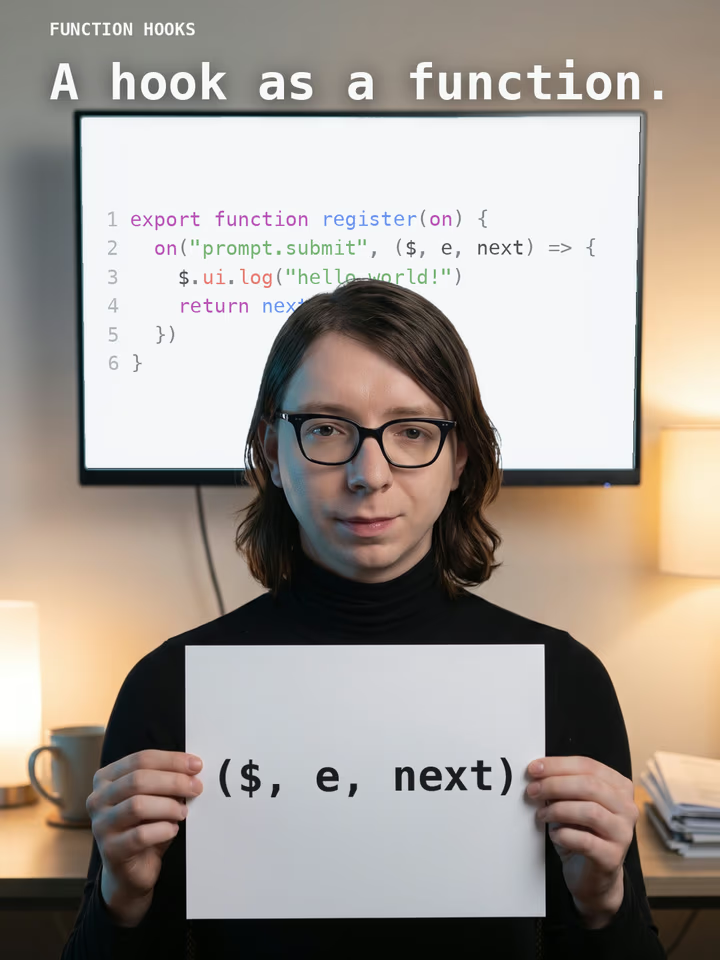
Our view: mods are the most significant extensibility change to Claude Code since plugins. They turn the agent into a platform you can reshape rather than a tool you can only configure. They also widen the attack surface, so the trust model matters as much as the feature list. This follows the Function Hooks proposal we covered in September, which described very similar ideas.
What Exactly Is a Mod?
A mod is a plugin with an extra: an entry file called the hooks module. When Claude Code loads the plugin it reads hooks/hooks.json, and a modules key in that file points to your code. Having that key is what makes a plugin a mod. The module exports a register function; Claude Code calls it once when the mod loads and hands it a function named on. Each call to on registers a hook for one named event.
A small mod has three files: .claude-plugin/plugin.json (the ordinary plugin manifest), hooks/hooks.json (which points to your code) and hooks/register.js (the code). According to the documentation, you do not need Node.js, a bundler or a build step, because Claude Code loads .js and .ts files directly. Accepted extensions include .mjs, .cjs, .jsx, .mts, .cts and .tsx.
The hook model: observe, rewrite, answer
Claude Code runs your hook before it acts on the event, so the hook decides what happens next. Anthropic describes three choices. A hook can observe, noting what is happening and letting it continue unchanged. It can rewrite, changing the event before it continues. Or it can answer, handling the event itself so the usual behaviour does not run, for example by refusing a command.
The pattern will be familiar to anyone who has written Express or Koa middleware. Each hook receives $ (the mods API), e (the event, as deeply frozen plain data) and next (the next handler). Calling next(e) passes the event on; calling it with a modified copy rewrites it; returning an object without calling next answers the event.
A complete example: counting tool calls
Anthropic's overview includes a full working mod. It counts the tool calls Claude makes and shows the count beside the spinner, so the spinner reads something like Thinking · tool calls: 3… while Claude works. This is the documentation's example, reproduced for explanation:
// hooks/register.js
let calls = 0

export function register(on) {
  on('tool.call', async ($, e, next) => {
    calls += 1
    $.ui.invalidate('ui.render')
    return next(e)
  })

  on('ui.render', { component: 'Spinner' }, async ($, e, next) => {
    return next({ ...e, props: { ...e.props, suffix: ' · tool calls: ' + calls + '…' } })
  })
}
Two hooks share one variable. The tool.call hook increments the counter, asks Claude Code to redraw, and lets the tool run as normal. The ui.render hook, filtered to the Spinner component, keeps Claude Code's own spinner and appends the count. Because hooks in one mod share the variables in its file, what one records another can display.
Note the design constraint hiding in this example: a hook can do nothing outside its own code except through the mods API. To draw, add a command, call a model, read a file, start a process or make a network request, it must call a method on $. That is deliberate, and it is why Claude Code can list what a mod does before you install it.
The Event Surface: What a Mod Can Hook
The reference documentation (current as of Claude Code v2.1.289) groups events by what they concern. The breadth is the real story, because it shows how deep a mod can reach.
| Group | Example events | What a hook can do |
|---|---|---|
| Tools | tool.call, tool.check, tool.describe | Allow, deny or answer a tool call; decide allow/ask/deny; rewrite a tool's description or defer it behind tool search |
| Prompts | prompt.submit, prompt.compose, prompt.section, prompt.context, skill.prompt | Rewrite or drop a prompt, edit the system prompt section by section, add context blocks, change skill text |
| Commands and config | command.run, command.describe, config.set | Add commands that run without a Claude turn; deny or rewrite /config changes |
| Turns | turn.start, turn.step, turn.complete | Follow a turn, change the model or effort for one request, or show a line under the answer |
| Session | session.start, session.compact, session.send, session.receive | React to session start and end, skip compaction, exchange messages with other sessions |
| Subagents | agent.offer, agent.spawn | Withhold a subagent type, choose a teammate's model or refuse to start one |
| Interface | ui.render, ui.press, ui.input, ui.select | Draw panes and bands, replace Claude Code's own rows, respond to buttons and typed input |
| Other mods | plugin.register, engine.create | Refuse another mod before it loads or change the API it receives |
| Telemetry | telemetry.log, telemetry.mark | Deny or inspect usage records (needs an explicit filter in installed mods) |
Existing settings hooks also appear as events named classic.<Event>, such as classic.Stop, and every mods API method doubles as an event, so one mod can intercept the calls made by mods that run after it. For interface work, Anthropic documents named render sites, including Pane, AbovePrompt, Spinner, ToolUse, ToolResult, AskUserQuestion and PromptHint.
Guarding and changing tool calls
The most immediately useful event is tool.call. A hook can return next(e) to let the call through, { deny: reason } to refuse it with a message Claude sees, or { result } to answer without running the tool. A separate tool.check event fires when Claude Code decides whether a call may run, after tool.call and any settings-file PreToolUse hooks, and returns allow, ask or deny.
That makes two patterns easy. One is a safety net: hold a risky shell command, show what it would change and offer proceed or cancel buttons. The other is policy: refuse a category of tool call across every project, in code you can test.
Rewriting prompts and the system prompt
On the prompt side, prompt.submit hooks can rewrite text, attach context or drop a prompt with a reason. prompt.compose and prompt.section go further, exposing the system prompt as named sections that a mod can edit or omit. That is powerful for teams that want consistent house rules, and it is also exactly the kind of access that makes mods sensitive. A mod that edits the system prompt can change how Claude behaves in ways you will not see in the transcript.
Drawing in the Interface
The feature with no counterpart among hooks, skills or MCP servers is interface drawing. A mod can add a pane beside the transcript, a band above the prompt, or replace parts Claude Code draws itself, such as a tool call's row, the spinner or the dialog Claude uses to ask questions. Anthropic notes that mods cannot restyle the permission prompt or change what it shows you, which is a sensible guardrail.
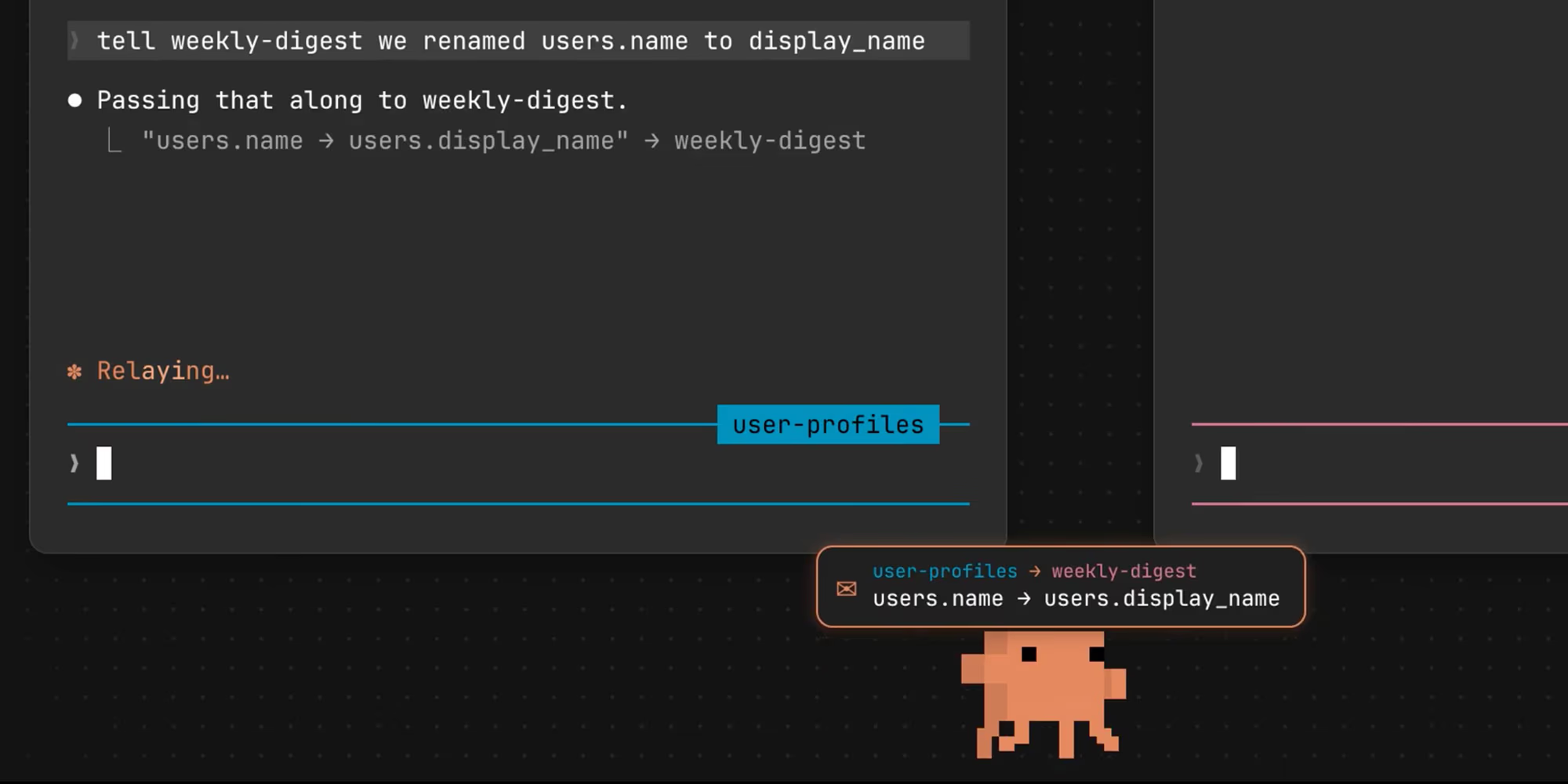
Interface elements include Box, Text, Button, Link, Code, Markdown, Input and Select in both the terminal and the Desktop app, plus Svg on Desktop only and Raster and Image in the terminal only. Anthropic maintains an interface gallery with screenshots of most elements. Three examples from that gallery follow.

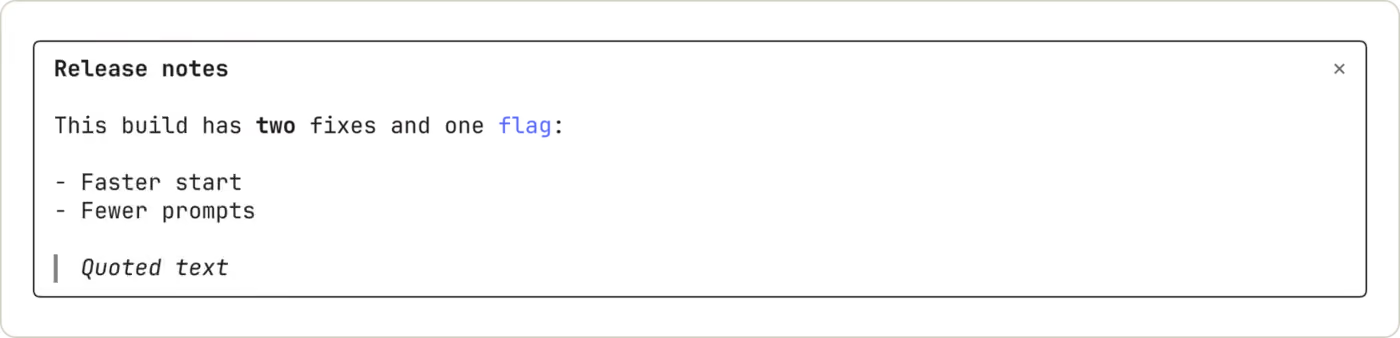

Stateful interfaces are supported too. A mod keeps values in its own variables, in reactive $.state, or in $.store, a key-value store shared by every session on the machine (4 MiB of JSON in total). Redraws triggered through $.ui.invalidate are throttled to ten a second, or thirty in the terminal for the visible pane, so a mod cannot flood the display.
The Mods API: What a Mod Can Reach
Everything beyond the event itself goes through $. The documentation lists namespaces for the interface ($.ui), commands, tools and agents, model calls ($.model), prompts and turns, the session ($.session), configuration, settings, environment variables, the filesystem ($.fs), the shared store, state, timers ($.clock), HTTP ($.http), processes ($.process), MCP ($.mcp), audio and telemetry.
Several capabilities are worth singling out:
- Commands without a turn:
$.command.registeradds a slash command whose function runs at once, even while Claude is working, and spends no tokens. - Model calls:
$.model.complete,forkandclassifylet a mod call a model on your plan or API key. The defaultmaxTokensis 1,024 and the cap is 64,000 or the model's output limit. - Session messaging:
$.session.sendand thesession.receiveevent let mods exchange messages between sessions, which builds on the behaviour we described in our cross-session messaging article. - Processes and network:
$.process.run(30 seconds by default, ten minutes at most) and$.http.fetchgive a mod the same reach as any script you run. - Subagents:
$.agent.spawnand theagent.spawnevent let a mod start or constrain subagents and agent-team teammates.
Limits keep misbehaving hooks in check. A hook gets 10 seconds of its own execution time per event (50 milliseconds for prompt.edit), a .catch handler gets one second, file reads and writes are capped at 4 MiB, and pane, command and tool names are limited to letters, digits, underscores and hyphens up to 64 characters. Claude Code skips a hook that exceeds its time limit.
Mods Already Built Into Claude Code
One sign that Anthropic is serious: several shipping features were rebuilt as mods. In /plugin, the Installed tab lists them under Built-in, and you cannot update or uninstall them.
| Name in /plugin | What it does |
|---|---|
| cc-plugin-agents-md | Loads AGENTS.md as project instructions |
| cc-plugin-diff | Takes over /diff and draws its pane in interactive terminal sessions |
| cc-plugin-plugin-authoring | Gives Claude the plugin-authoring skill for writing mods |
| cc-plugin-sec-default | Guards what your organisation manages from user-installed mods |
| cc-plugin-telemetry | Sends the analytics records Claude Code and its built-in mods log |
| cc-plugin-you-should-know | A side agent that watches longer tasks and shows a note when it spots something you might miss (disabled by default) |
The source of several of these is public in the mods directory of the Claude Code repository, including diff, agents-md, sec-default and telemetry, each with tests. They make good reading if you want to see how Anthropic writes mods itself. Settings and flags that stop installed mods, such as disableAllHooks and --safe-mode, do not stop built-in mods.
Sample Mods You Can Try
Anthropic shares three sample mods in the claude-code/mods directory of its claude-code-playground repository, published as they are and without support:
- token-weather: draws a forecast of your context window above the prompt.
- blast-radius: holds a risky shell command such as
rm -rfor a force push, shows what it would change and offers buttons to proceed or cancel. - replay-theater: adds a
/replaycommand that steps through the file edits Claude made in the last turn.
To try one, clone the repository and load the mod's directory for a single session with --plugin-dir, which also reloads the hooks module when you save. To keep one, add the clone's directory as a marketplace and install from it. Because the marketplace points at your clone, the mod stops loading if you move or delete the folder.
Or skip the repository and ask Claude. Anthropic documents a workflow in which you describe a mod in a session, Claude writes it using the bundled plugin-authoring skill and the mod hot-reloads. That is the route the creator coverage emphasises, and it is the fastest way to prototype. It is also the route most likely to produce a mod you have not read line by line, so review generated code before you keep it.
Security: What a Mod Can Reach
Anthropic's trust section is unusually blunt, and worth quoting in substance. Once loaded, a mod can:
- Act on your machine as you: read and write files anywhere your account can, start programs and make network requests.
- Read your secrets: environment variables and settings files, including an API key kept in either.
- See your session: every prompt you send and every tool call Claude makes.
- Change your session: rewrite a prompt or tool call, submit a prompt as though you typed it, or message another of your sessions.
- Act without asking you: approve a tool call before you are asked.
- Spend your usage: call a model on your plan or API key.
Mods are not sandboxed. If you enable Claude Code's sandboxing, it isolates the Bash commands Claude runs, but a process a mod starts runs outside it. A mod that approves tool calls can approve one that an ask rule would prompt for, or one that your own PreToolUse hook blocked. The documentation lists when such a mod can even approve a call a deny rule refuses, which is why organisations have a setting to control that.
Inspect before you install
Anthropic provides a practical check. Get the plugin's files, for example by cloning its repository, then run claude plugin validate ./some-mod. The output includes hooks: and calls: lines that list the events the mod handles and what it asks Claude Code to do, such as fs.read or http.fetch, without running it. A mod that asks for network access when it claims only to draw a chart deserves a closer look. A telemetry hook in an installed mod must carry an explicit { to: 'collector' } filter or it fails validation.
The honest summary is that the plugin ecosystem now inherits all the supply-chain concerns of any package manager, with the difference that the code runs inside an agent that already has access to your repositories. We covered a related class of risk in our piece on hallusquatting and agent supply-chain security.
Controls for Teams and Enterprises
For organisations, Anthropic has built the control plane alongside the feature. Administrators use managed settings. A built-in guard called sec-default loads ahead of every mod a person installs, on machines with managed settings or for users signed in on a Team or Enterprise plan. Options include:
allowManagedModsOnly: only the organisation's mods and those built into Claude Code load. Users' settings hooks keep running.allowModsToOverrideDenyRules: whether a user-installed mod may approve a call that a deny rule refuses (off by default).prependPluginsandappendPlugins: lists of plugin ids that run before or after user-installed mods, in order. A mod in either list can usenext.toto skip to a later tier.allowManagedHooksOnly,disableAllHooksanddisableSideloadFlags: blunter tools, the last of which rejects--plugin-dirand--plugin-url.
A plugin.register hook lets a policy mod refuse another mod at load time, using the same list of events and calls that claude plugin validate prints. In practice a security team can write a short mod that rejects any plugin requesting process.run or outbound HTTP, then prepend it for everyone. That is a considerably stronger story than most editor-extension ecosystems offer.
Mods vs Settings Hooks, Skills and MCP Servers
Anthropic's own comparison table is the best summary, adapted here:
| Mod | Settings hook | Skill | MCP server | |
|---|---|---|---|---|
| What it is | Functions Claude Code calls in its own process | Shell command, HTTP request or prompt on a lifecycle event | A SKILL.md of instructions Claude reads | An external process that gives Claude tools |
| Can draw in the interface | Yes | No | No | No |
| What you write | JavaScript or TypeScript | A script plus a settings.json entry | Markdown | A server in any language |
| Pick it when | You want a pane, a band, a custom command or to rewrite an event | You want to block, allow or log with a script you already have | You keep pasting the same instructions | Claude needs to reach an external system |
The important guidance is to reach for the lightest tool that works. If you keep pasting the same instructions, a skill is enough. If you need Claude to call a service, use MCP. If a shell script that blocks a command does the job, a settings hook is simpler and safer. Reach for a mod when you need to change the agent's behaviour from the inside or show something in the interface. A single plugin can ship all four.
Where Mods Run, and Where They Do Not
| Environment | Hooks run | Interface appears |
|---|---|---|
| claude in a terminal (including editor terminals and the JetBrains plugin) | Yes | Yes |
| Code tab of the Desktop app (not WSL) | Yes | Yes, except terminal-only elements |
| WSL session in the Desktop app | No (plugins unavailable) | No |
| VS Code extension chat panel | Yes | No |
| claude -p and the Agent SDK | Yes | No |
| Remote Control from claude.ai or mobile | Yes, on your machine | In the terminal on your machine |
| Cloud session | Yes, for plugins that reach the cloud session | No |
Version matters. Terminal use needs Claude Code v2.1.287 or later, while the Desktop app bundles its own copy and supports mods from v2.1.286. The reference describes the feature as of v2.1.289, and a ui.fault event for failed client elements needs that build. If you set CLAUDE_CODE_ENABLE_FUNCTION_HOOKS during early access, remove it; v2.1.287 and later ignore it, so setting it to 0 will not keep mods off. A mod that draws should check which app it is in and fall back to a transcript line where nothing can draw.
Practical Use Cases Worth Building
Based on the documented capabilities, these are the patterns most likely to pay off. None of them has been independently benchmarked; they are directions suggested by the API rather than reported results.
- Secret redaction: a
tool.callor result hook that scrubs high-entropy strings from tool output before the model sees them. - Cost and context awareness: a band that charts context usage from
$.session.usage(), which returns tokens, window and percent plus rate-limit percentages. - Team conventions: a
prompt.sectionmod that adds house style or compliance wording to the system prompt for every developer. - Review gates: hold destructive commands and show a preview, as blast-radius does.
- Routing by task: a
turn.stephook that sends simple requests to a cheaper model and complex ones to a stronger one. - Notifications: a
turn.completehook that plays a sound or sends a message when a long task ends.
Testing is built in. claude plugin test runs files ending in .test.ts or .test.tsx without starting a session, with a five-second default per test. That matters, because a mod that sits in the agent loop deserves the same discipline as production middleware.
Limitations and Open Questions
- No sandbox: the largest issue. Everything depends on trusting the author and the marketplace.
- Invisible changes: a mod can alter prompts and system prompt sections, so behaviour may differ between machines in ways that are hard to spot.
- Surface differences: interface drawing works only in the terminal and Desktop app, so mods that depend on a pane degrade elsewhere.
- Young ecosystem: there are three sample mods and a handful of community projects. Quality and maintenance will vary, and Anthropic ships its samples without support.
- Version drift: the TypeScript declarations on GitHub can be older than your installed build. Anthropic advises trusting the copy Claude Code writes for your version.
- Unverified claims: some third-party summaries list additional community mods and numbers; we could not confirm those against primary sources, so we have not repeated them.
Getting Started in Five Steps
- Update to Claude Code v2.1.287 or later and run
/pluginto see the built-in mods. - Clone
claude-code-playgroundand loadtoken-weatherwith--plugin-dirto see the loop in action. - Run
claude plugin validateon it and read thehooks:andcalls:output. - Ask Claude for a tiny mod, such as the tool-call counter, and read the generated code before keeping it.
- If you manage a team, decide on
allowManagedModsOnlyand a policy mod before developers start installing their own.
The Bottom Line
Mods make Claude Code programmable from the inside. The design is thoughtful: event-based, middleware-shaped, testable, with time limits, a validate command that lists what code will do and an enterprise guard on day one. For developers, it opens genuine new ground, from safety gates to custom panes to model routing, and the sample mods show how little code that takes.
The trade-off is trust. Nothing here is sandboxed, and a mod sees your prompts, your secrets and your tool calls. Treat mods like any dependency that runs with your credentials: read them, validate them, prefer sources you know, and use the organisational controls if you are responsible for more than your own laptop. We will update this page as the marketplace and community mods mature.
Sources
- Anthropic: Mods overview (Claude Code documentation): definition, example mod, trust model, built-in mods, comparison table, where mods run.
- Anthropic: Mods reference: events, API namespaces, render sites, elements, limits and settings (as of v2.1.289).
- AI Weekly: Anthropic launches Claude Code mods: launch report and security quote.
- AI Catchup: Claude Code mods let developers customise the CLI and desktop app: installation and the You Should Know mod.
- Julian Goldie SEO on YouTube: creator coverage embedded above.
Interface images: Anthropic Claude Code documentation (interface gallery). Hero: video thumbnail from the embedded Julian Goldie SEO video.
Last updated: 06/10/2026. Sourced from Anthropic's Claude Code documentation, which is versioned and may change. We have not built or load-tested a mod ourselves; code shown is from Anthropic's documentation.
Get the free guide: Claude vs ChatGPT, Gemini & Grok
A 20-page playbook covering everything you need to choose and use the big four AI models in 2026, full cost and feature comparisons, what each is best (and worst) at, and how-tos for images, vectors, building a website, Claude Code and more.