
 AI Tools Review Editorial Team
Quick Answer:
Cowork's agentic capabilities come bundled with Claude Pro (£14/month annual), Max (£80-160/month), and Team Premium (£120/seat) plans, exactly as before. The only real change is structural: since 16 September 2026, Anthropic has been merging Cowork into the main Claude chat interface, so there's no separate app, tab or fee to think about, and no more Mac-only restriction. This guide covers what changed and what each plan still costs.
What changed on 16 September 2026:
Anthropic folded the standalone Cowork desktop app into ordinary Claude chat. Claude now decides automatically whether a task needs a quick answer or an agentic, multi-step run, rather than you switching to a separate mode. The rollout started with Pro and Max (web, desktop and mobile), with Team and Free plans following in the weeks after, and Enterprise on a 30-day admin notice period. Claude Code remains a separate, terminal-based product. Source: Anthropic, "Claude Cowork and chat are now one Claude".
How Much Does Claude Cowork Cost?
Claude Cowork is not sold as a standalone product. Instead, it is included in Anthropic's paid subscriptions. The minimum cost to access Cowork is £14 per month (billed annually).
| Plan | Cowork Access | Monthly Cost | Who It's For |
|---|---|---|---|
| Free | ❌ No | £0 | Casual chat users |
| Pro | ✅ Yes (Standard limits) | £14/mo (annual) | Freelancers & Individuals |
| Max 5x | ✅ Yes (High limits) | £80/mo | Power Users |
| Team Premium | ✅ Yes (High limits) | £120/seat/mo | Collaborative Teams |
Is Claude Cowork Free?
Not yet, though that's changing. The agentic capabilities are not currently available on the free tier.
Due to the significant computing power required to run autonomous agents, the merged Cowork experience is restricted to paid plans for now, Pro, Max and Team Premium. Anthropic has said Free plan support is coming in the weeks after the Pro/Max rollout that began 16 September 2026. Free users can currently access Claude Sonnet 5 for standard chat (the default free-tier model since 30 June 2026), but not the agentic, multi-step features.
Bottom line:
If you want Cowork and you're an individual, Claude Pro at £14/month (paid annually) is your most affordable route in.
A Quick Bit of Backstory: How Cowork Came to Be
To understand what Cowork is and why it exists, it helps to know where it came from.
In late 2024, Anthropic launched Claude Code, a terminal-based tool designed for software developers. It was meant to help programmers automate repetitive coding tasks. Engineers loved it. But then something unexpected happened: people started using it for everything except coding.
Boris Cherny, who leads Claude Code at Anthropic, documented the phenomenon with evident surprise: users were doing vacation research, building slide decks, cleaning up emails, cancelling subscriptions, recovering wedding photos from old hard drives, and, remarkably, controlling their ovens.
Rather than steering people back to "proper" use cases, Anthropic recognised something important: the power wasn't really about coding. It was about having an AI that could actually do things on your computer, not just talk about them.
So they built Cowork: the same underlying technology, wrapped in a friendly interface that anyone can use. No terminal. No coding knowledge. Just point Claude at a folder, describe what you want done, and let it work.
Perhaps the most remarkable detail? According to Anthropic, Claude Code wrote all of Cowork's code. The team built it in about ten days, spending more time on product decisions than writing individual lines of code. The industry is genuinely in an era where AI tools are building their own successors.
For the full story on what Cowork can do and how it works under the hood, see the in-depth guide: What is Claude Cowork?
Claude Pro: The Best Value Entry Point
For most people who want Cowork, Claude Pro is the sweet spot. It's the most affordable way to get access, and it includes a lot more besides.
What You Get With Pro
- Cowork for desktop file automation
- Claude Code for terminal-based development (if you want it)
- 5x more usage than the free tier
- Extended thinking for complex reasoning
- Memory across conversations so Claude remembers your context
- Google Workspace integration for email, calendar, and docs
- Remote MCP connectors for connecting third-party tools
- Unlimited Projects to organise your work
- Research for deep-dive investigations
- Access to all Claude models, including Opus 5.5
What Pro Costs
| How You Pay | Monthly | Annual Total | You Save |
|---|---|---|---|
| Annual (recommended) | £14/month | £168/year | About £24 vs monthly |
| Monthly | £16/month | £192/year | , |
If you know you'll stick with Claude for a year, the annual plan is the better deal. But monthly billing gives you flexibility if you're not sure yet.
Is Pro Enough for Cowork?
For most people, yes. Pro's usage limits are generous enough for regular Cowork tasks, organising files, processing documents, compiling research. You can run multiple sessions a day without trouble.
Where you might hit limits: if you're running Cowork constantly throughout the day, processing huge batches of files, or using extended thinking heavily on complex tasks. In that case, Max might be worth considering.
Claude Max: For Power Users
If you find yourself regularly bumping against Pro's limits, or Cowork is central to your daily workflow, Max removes that friction.
Max 5x (£80/month)
- 5x more usage than Pro (25x more than Free)
- Everything in Pro
- Generous Opus 5.5 access
- Higher output limits
- Priority access
- Early access to new features
Max 20x (£160/month)
- 20x more usage than Pro (100x more than Free)
- Same features as Max 5x
- Substantially higher caps
- Built for all-day professional use
Max is a significant investment, £80-160/month is real money. But if you're using Cowork professionally, the maths can work out quickly.
Say a Cowork automation saves you 3 hours of manual work each month. If your time is worth £30/hour, that's £90 of value, more than covering the Max 5x subscription. For heavy users, the productivity gains compound fast.
Team Plans: Not All Seats Include Cowork
Here's where it gets a bit more nuanced. If you're subscribing for a team, you need to know that not all Team seats include Cowork.
Team Standard (£20/seat/month)
Standard seats give your team:
- Claude chat on web, mobile, and desktop
- All Pro-level chat features
- Shared Projects, Central billing, Admin controls
- SSO, Domain capture, Enterprise search
- Integrations (Microsoft 365, Slack, etc.)
What Standard doesn't include: Cowork and Claude Code.
Team Premium (£120/seat/month)
Premium seats include everything above, plus:
- Claude Cowork for desktop automation
- Claude Code for development work
- Higher individual usage limits
Pro Tip: Mix and Match
You don't have to put everyone on Premium. A team of 10 might have 7 people on Standard (£140/month) and 3 power users on Premium (£360/month). This saves £700/month compared to everyone on Premium.
How Team Plan Billing Works
Understanding exactly how you'll be billed for Team plans is crucial for budgeting. Here's the complete breakdown of pricing, proration, and billing cycles.
Team Plan Pricing
Team plans have a minimum requirement of five members. You'll be charged at the beginning of your billing cycle.
| Seat Type | Annual Billing | Monthly Billing |
|---|---|---|
| Standard | £20/month per member (approx $25) | £24/month per member (approx $30) |
| Premium | £100/month per member (approx $125) | £100/month per member (approx $125) |
Prices shown are approximate GBP conversions. Visit claude.ai/upgrade to see current pricing for your location.
Proration Rules
Adding members or upgrading seats:
You will be charged the prorated amount immediately.
Removing members:
You will not receive an immediate credit or refund. The seat becomes available to assign to another member.
Extra Usage
If extra usage is enabled on your account, your bill may include charges for usage beyond seat limits. This can be useful for teams that occasionally need burst capacity without upgrading all seats permanently.
Billing Examples
Annual Plan Example
January 1 (subscription start date): Your annual plan has 10 standard seats.
Amount charged: £3,000 (£20 × 10 seats × 12 months) due on January 1st.
April 1: You upgrade five standard seats to premium seats. Since there are 275 days remaining in your subscription year, the prorated cost for the seat upgrades is:
(£100 × 5 seats × 12 months) × (275 days ÷ 365 days) = £4,109.59
Your payment method will be charged £4,109.59 on April 1st for the seat upgrades for the remainder of the subscription year. (Taxes not included in this example.)
Monthly Plan Example
January 1 (first day of billing cycle): Your Team plan has 10 standard seats.
Amount charged: £240 (£24 × 10 seats) due on January 1st.
January 15: You upgrade five standard seats to premium seats. Since there are 16 days remaining in January, the prorated cost for the seat upgrades is:
(£96 × 5 seats × 16 days) ÷ 31 days in January = £247.74
Your payment method will be charged £247.74 on January 15th for the seat upgrades in January. (Taxes not included in this example.)
Important Note:
The "Projected total" displayed on your Billing page is not inclusive of taxes. Your actual charge will include applicable taxes based on your location.
For complete details on Team Plan billing, see the official guide: How is my Team plan bill calculated?
Enterprise: For Larger Organisations
Enterprise plans include Cowork access along with custom usage quotas, enhanced context windows, advanced security (SSO, SCIM, audit logs), compliance features, and network controls. Pricing is custom, contact Anthropic's sales team.
Quick Clarification: Cowork vs Claude Code
| Claude Cowork | Claude Code | |
|---|---|---|
| Who it's for | Everyone | Developers |
| Interface | Visual desktop app | Terminal/command line |
| Main uses | File organisation, docs, research | Coding, debugging, git |
| Works with | Any files & desktop apps | Code & dev workflows |
Think of it this way: Cowork is Claude Code's capabilities made accessible to everyone. Same underlying AI agent, friendlier packaging. If you're a developer, you'll probably use both.
Update: The Mac-Only Limitation Is Gone
This used to be the biggest caveat on this page: the standalone Cowork desktop app only ran on macOS. As of the 16 September 2026 merger, that's no longer true, the agentic capabilities are now part of the same Claude app you already use on web, desktop and mobile, on any platform.
- ✅ Web (any operating system)
- ✅ macOS desktop app
- ✅ Windows desktop app
- ✅ Mobile (iOS and Android)
If you held off on Pro or Max because you were on Windows, that's no longer a reason to wait. The rollout is gradual (Pro and Max first, Team and Free following), so if you don't see agentic capabilities in your account yet, it's a staged-rollout timing issue, not a platform limitation.
Comparing Your Options
| Option | Monthly | Annual | Cowork | Best For |
|---|---|---|---|---|
| Pro (annual) | £14 | £168 | ✅ | Most individuals |
| Pro (monthly) | £16 | £192 | ✅ | Want flexibility |
| Max 5x | £80 | £960 | ✅ | Regular heavy use |
| Team Premium | £120/seat | £1,440/seat | ✅ | Teams |
Cowork Pricing vs Competitors
| Feature | Claude Pro (Cowork) | GitHub Copilot | Microsoft 365 Copilot |
|---|---|---|---|
| Monthly Cost | £14-16 | $10 (£8) | £25/user |
| Desktop Automation | ✅ Full Agent | ❌ IDE only | ⚠️ Office Apps only |
| Deep Coding | ✅ (via Claude Code) | ✅ | ❌ |
Checked on 23 September 2026, current since Anthropic began merging Cowork into Claude chat on 16 September 2026. Prices shown in GBP (approximate conversions from USD). Check claude.com/pricing for the latest pricing.
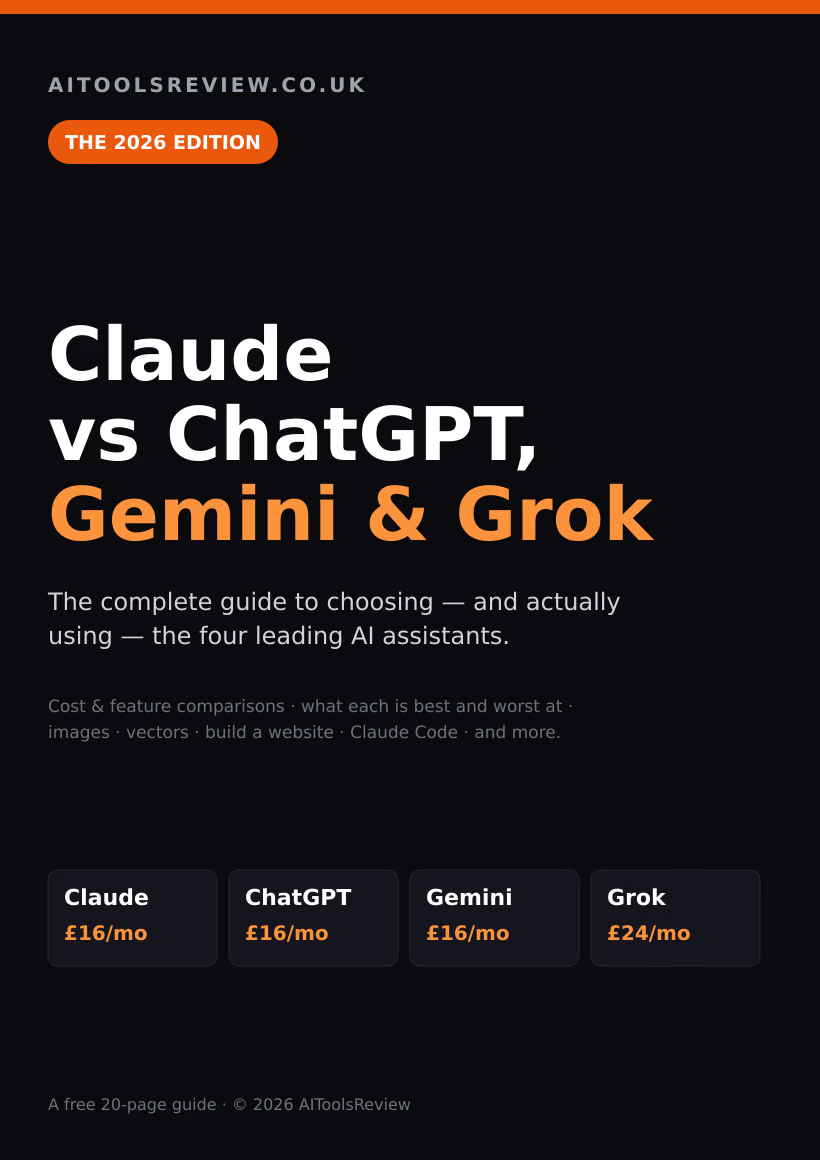
Get the free guide: Claude vs ChatGPT, Gemini & Grok
A 20-page playbook covering everything you need to choose and use the big four AI models in 2026, full cost and feature comparisons, what each is best (and worst) at, and how-tos for images, vectors, building a website, Claude Code and more.