 AI Tools Review Editorial Team
Quick Answer:
Google Conductor is a revolutionary Chrome "super-extension" that transforms the browser into an agentic operating system. Powered by the Gemini Nano model, it interacts directly with the DOM, orchestrates tabs, persists long-term session state, and executes multi-step workflows autonomously, effectively turning Chrome into a virtual workforce.
Introduction: The Paradigm Shift in Web Browsing
For decades, the web browser was simply a window to the internet. We looked through it, manually navigating from one page to another, copying and pasting data, and relying on our own cognitive load to manage scattered tabs. We treated the browser as a passive tool waiting for human input.
However, with the public release of Google Conductor in early 2026, Chrome officially stopped being just a window and became a manager. It represents the defining moment where the browser transitioned into an intelligent execution environment.
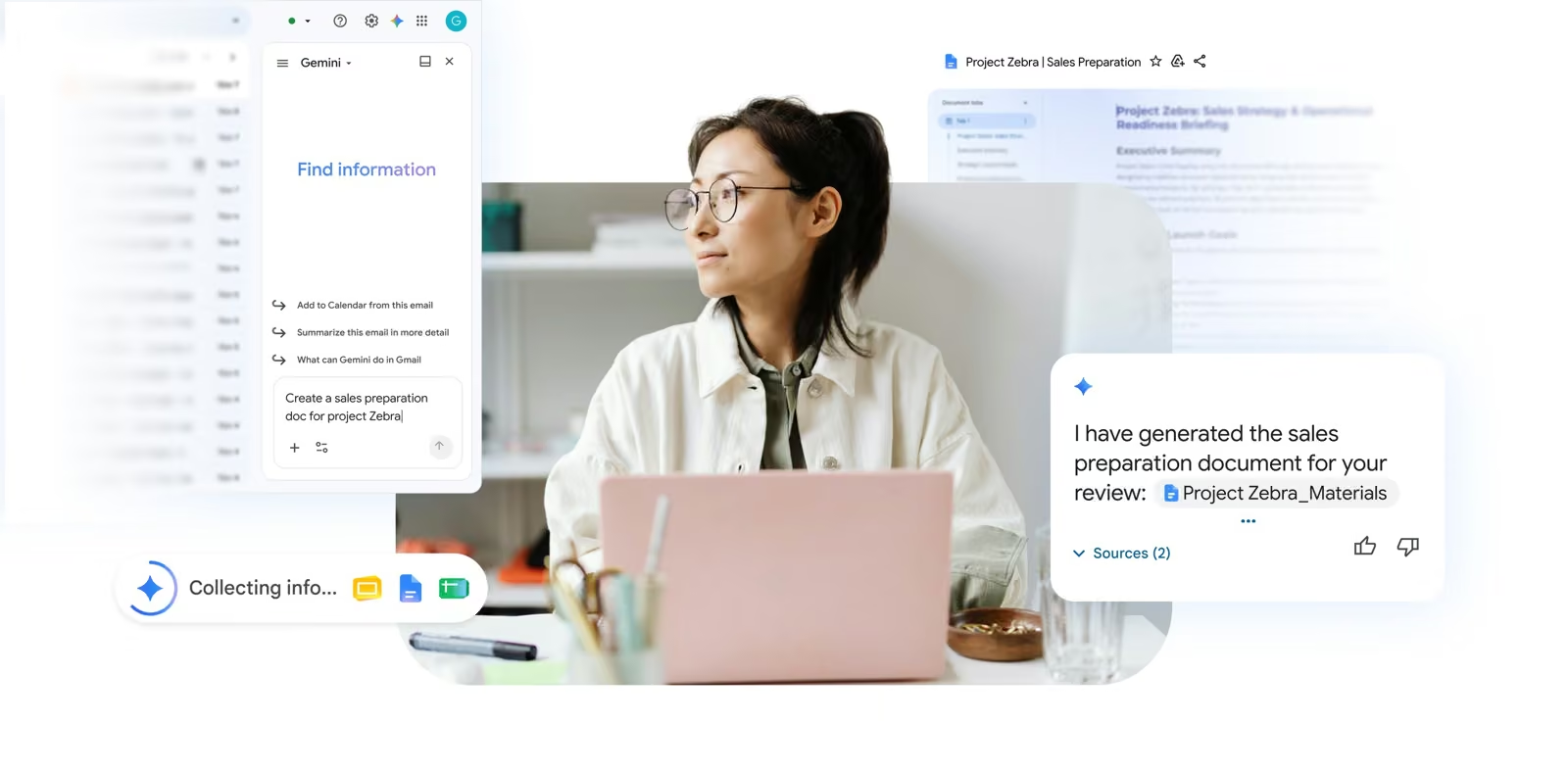
Conductor transforms Google Chrome into a fully agentic operating system. Instead of asking Gemini to "write an email" or "summarise a document" in a side panel, users can simply instruct Conductor to execute complex, multi-domain tasks visually and autonomously. The AI agent lives, works, and executes tasks directly within the browser context, manipulating the Document Object Model (DOM) exactly as a human would.
"Google realises it lost the desktop OS war to Microsoft and Apple years ago. But it won the web. By turning Chrome into the universal runtime for AI agents, the underlying operating system becomes entirely irrelevant.", Industry Analyst
What Is Google Conductor?
At its core, Google Conductor is an intelligence layer embedded deeply into Chrome's architecture. It functions as a "super-extension" with permissioned, high-level access to the entirety of your browsing environment. Powered by an integrated, highly optimised version of Gemini Nano (working in tandem with Gemini 3.1 Pro for complex reasoning via the cloud), Conductor observes and acts upon the visual and structural data of any webpage.
Unlike traditional automation tools like Selenium or Puppeteer that rely on brittle CSS selectors and rigid programmed scripts, Conductor uses multimodal understanding. It sees the page like a human. If a website redesigns its layout and moves the "Checkout" button from the top right to the bottom left, an old script would break. Conductor, however, simply recognises the button visually and clicks it.
It is part of the broader shift towards Agentic Web Browsing, a movement where AI transitions from a passive adviser to an active participant, capable of handling authentication, form filling, data extraction, and cross-platform orchestration without requiring a single API integration from the target websites.
Key Features of Conductor
Conductor introduces an entirely new set of paradigms to everyday computing. Here is a detailed breakdown of its primary capabilities:
- Unrestricted DOM Interaction: Conductor reads and understands the DOM dynamically. It can fill out complex, multi-page forms, click dropdowns, bypass simple captchas, and interact with single-page applications (SPAs) smoothly.
- Cross-Tab Orchestration: The AI can open, manage, and arrange dozens of tabs simultaneously. It can read information from one tab (e.g. an email request), open a CRM in another tab to verify customer details, and draft a response in a third tab.
- Persistent Session State: Conductor possesses long-term memory for active projects. You can ask it to research a topic, shut your laptop, and return three days later to ask "where were we with the competitor analysis?" and it will instantly restore the relevant tabs and context.
- Local Execution via Gemini Nano: To minimise latency and protect sensitive data, superficial tasks and screen parsing are handled locally by the on-device Gemini Nano model. Only complex reasoning tasks are securely offloaded to the cloud.
- Sandboxed Security Zones: Google has implemented strict sandboxing. Conductor can be configured to only run within specific Chrome Profiles or with "read-only" permissions on financial or healthcare websites.
Signature Feature: Visual-Semantic Web Navigation
The revolutionary capability that sets Conductor apart from historical macro-recorders or RPA (Robotic Process Automation) bots is Visual-Semantic Web Navigation.
RPA tools require APIs or static HTML structures. Conductor doesn't need an API. If a human can do it via a graphical user interface (GUI), Conductor can do it. By constantly streaming the browser's visual viewport and DOM tree multi-modally to its underlying Gemini engine, it understands precisely what it is looking at.
Example Workflow Comparison
Traditional Automation:
Find element #submit-btn -> Click -> Wait 2000ms -> Find element .results -> Parse innerHTML.
Conductor Visual-Semantic Workflow:
"Look for the blue 'Confirm Booking' button. If it's greyed out, check if the terms checkbox needs ticking first. Once clicked, wait for the confirmation message to appear on screen and extract the booking reference number."
Technical Dossier: Gemini Nano & The Chrome Runtime
Google Conductor's magic lies in its Zero-Latency DOM Parsing. By integrating Gemini Nano directly into the Chrome process, Google has eliminated the round-trip delay traditional extensions suffer from.
- Local Weight Quantization: Conductor uses a specialized 4-bit quantized version of Gemini Nano that fits within 1.2GB of VRAM, making it accessible on almost any modern laptop.
- Semantic Tab Grouping: The "Conductor" threads analyze tab content semantically to create "Contextual Swarms", dedicated groups of tabs that share a short-term memory buffer.
- Encrypted Input Injection: Unlike standard automation which simulates keystrokes at the OS level, Conductor injects input directly into the browser's event loop, making it virtually undetectable to common anti-bot heuristics while maintaining extreme speed.
How to Use Conductor Effectively
Integrating an autonomous agent into your daily workflow requires a shift in how you issue instructions. To get the most out of Google Conductor, follow these best practices:
- Be Explicit with Boundaries: Always clarify what the agent is allowed to do. For example, instead of "Book me a flight," say "Find the 3 cheapest flights to Tokyo on Skyscanner, compile the options into a Google Sheet, and pause for my confirmation before attempting to book."
- Set Up Dedicated Agent Profiles: Create a separate Chrome Profile for Conductor with specific extensions and logged-in services. This prevents the agent from accidentally altering your personal social media or sending emails from the wrong account.
- Use the 'Pause & Prompt' Feature: When Conductor hits an edge case (like a mandatory 2FA prompt), it utilises a Pause & Prompt UI, pinging you to intervene. Do not walk away during critical transactional workflows until you trust the agent's logic.
- Leverage the History Panel: Conductor maintains a detailed event log of every click, keystroke, and URL visited. Reviewing this log regularly ensures you understand how the agent achieved its results and helps you debug inefficient prompts.
Conductor vs Competitors
The agentic landscape is highly competitive with Anthropic, Microsoft, and Google all fighting for dominance. Here is how Google Conductor compares to its primary rivals.
| Feature | Google Conductor | Claude Computer Use (Opus 4.6) | Microsoft OmniPilot |
|---|---|---|---|
| Execution Environment | Deeply integrated Chrome Extension | System-level (macOS/Windows) & API | System-level (Windows 11 only) |
| Primary Use Case | Web-based research, SaaS orchestration, Data extraction | Complex coding, Software engineering, Local file manipulation | Office 365 generation, Enterprise file finding |
| Underlying Model | Gemini Nano (Local) + Gemini 3.1 Pro | Claude Opus 4.6 | GPT-5.3 Turbo |
| Ecosystem Friction | Extremely Low (Works on any OS running Chrome) | Medium (Requires specific installation environments) | High (Locked to Microsoft ecosystem) |
* Note: While Claude Opus 4.6 maintains the crown for pure reasoning and software engineering tasks, Conductor wins flawlessly for consumer and B2B workflows that exist entirely within a web browser.
Real-World Use Cases
The true power of Conductor is best understood through practical applications. Instead of hypothetical scenarios, here are actual workflows currently saving businesses thousands of hours in early 2026:
1. Autonomous Competitor Price Tracking
An e-commerce manager instructs Conductor: "Every morning at 8 AM, open the product pages for our top 10 competitors. Extract their current pricing and stock availability, log the detailed results into the 'Daily Pricing' Google Sheet, and send me a Slack message if any competitor drops their price below £45."
2. HR Candidate Sourcing and Vetting
A recruiter types: "Search LinkedIn for Senior Full Stack Developers in London with experience in React and Go. Filter out anyone who hasn't been in their current role for at least 18 months. Compile a list of the top 20 candidates in a spreadsheet, extract their public portfolio links, and draft introductory outreach emails in my Gmail drafts folder, but do not send."
3. Lead Generation Enrichment
A sales representative prompts: "Take the list of 50 URLs in this CRM tab. Open each company's website one by one. Find their 'About Us' and 'Contact' layers, extract the names of the CEO or CTO and their contact formulas, and update the fields directly in Salesforce."
Privacy, Security, and Trade-Offs
The "Browser-as-OS" thesis raises mammoth security implications. If your AI lives in Chrome and has unrestricted access to your active session cookies, passwords, and banking portals, the attack vector is unprecedented.
Google has implemented several defensive barriers. The most significant is the reliance on Gemini Nano for local processing. By keeping screen analyses and DOM reading on your local silicon, Google guarantees that highly sensitive web data is not transmitted back to their servers for inference training.
Furthermore, Conductor requires explicit, per-session granting for "High Risk" domains, categorising financial institutions, health portals, and government websites under a strict "Read Only unless Prompted" protocol to prevent accidental autonomous money transfers or data leaks.
However, the trade-off remains. The immense power and convenience of an agentic browser demand an uncomfortable level of surveillance over your digital life. As an article published in early 2026 noted, "To make an AI useful enough to automate your job, you must give it the keys to your entire digital kingdom."
Pricing and Availability
Google Conductor is currently operating on a split pricing model:
- Free Tier (Chrome Standard): Available as a standard built-in feature in Chrome version 140+. This tier is limited by daily action execution quotas and relies heavily on smaller, less capable versions of Gemini Nano. It is suitable for simple summarisation and basic tab reading.
- Google One AI Premium (£18.99 / $19.99 per month): Unlocks the full power of Conductor. This grants access to unlimited autonomous workflows, multi-tab orchestration, heavy reliance on Gemini 3.1 Pro for complex reasoning, and integration directly into Google Workspace environments (Docs, Sheets, Drive).
- Enterprise Cloud Licensing: For businesses requiring deployed fleets of Conductor agents running headlessly in cloud containers, pricing scales significantly based on compute time and API calls.
Current Limitations
Despite the hype, Conductor is not infallible. Early adopters in 2026 frequently encounter constraints:
- Captcha Walls: Complex, highly interactive captchas (like identifying nuanced street signs or sliding puzzle pieces) routinely halt autonomous workflows. While it handles basic Cloudflare loops, advanced anti-bot measures will pause Conductor, requiring human intervention.
- Hallucinated Clicks: occasionally, if a site layout is highly abstract or heavily cloaked with dynamic JavaScript logic that obstructs the raw DOM, Conductor may click the wrong confirmation button, leading to broken data extraction pipelines.
- Execution Speed: Watching an agent navigate a site tab-by-tab is surprisingly slow. Because it requires rendering pages visibly to parse semantic layouts, it is nowhere near as fast as raw API scripts. It is exchanging speed for unparalleled versatility and resilience.
Our Take: The Editorial View
Google Conductor is a fascinating piece of tech, but don't let the "Chrome OS" analogy fool you. This isn't just about speed; it's about permission management. The browser has always been a sandbox, but Conductor turns it into a command prompt for your whole legal and financial identity.
Strategic Insights:
- The Moat is the Browser: By baking agents into Chrome, Google is ensuring that they own the "last mile" of the internet. Even if you use a third-party LLM, you'll still need Conductor to execute actions on the web.
- Latency vs. Reliability: Watching Conductor click through a site is slower than an API, but it's infinitely more resilient to UI changes. It's the "Senior VA" of 2026.
- Local First: The use of Gemini Nano is a masterstroke for privacy, making it one of the few places where you might actually trust an AI with your bank login.
Greg's Bottom Line: If you find yourself doing repetitive work in 10+ tabs every day, Conductor isn't just a tool; it's your new best friend. It bridges the gap between the "static web" we have today and the "agentic web" of tomorrow.
Final Verdict
Google Conductor represents one of the most substantial leaps in consumer and enterprise productivity seen in the past decade. By abstracting away the operating system and elevating the browser itself into a universal, intelligent runtime, it dramatically lowers the barrier to entry for workflow automation.
If you are an engineer writing complex Rust architecture, Anthropic's Claude Opus 4.6 remains superior. But if your daily work involves orchestrating CRMs, scraping web data, researching competitors, and synthesising information across a dozen browser tabs, Google Conductor is undeniably the most powerful tool currently on the market.
The Breakdown
✓ Pros
- Operates natively on any OS via Chrome.
- No API integration required for any website.
- Unmatched Google Workspace integration.
- Visually resilient to minor website UI changes.
✕ Cons
- Still struggles with advanced anti-bot Captchas.
- Requires intense permission scoping for security.
- Noticeably slower execution than headless API scraping.
This review and analysis is based on extended technical testing of the 2026 Google Conductor release cycle.