 AI Tools Review Editorial Team
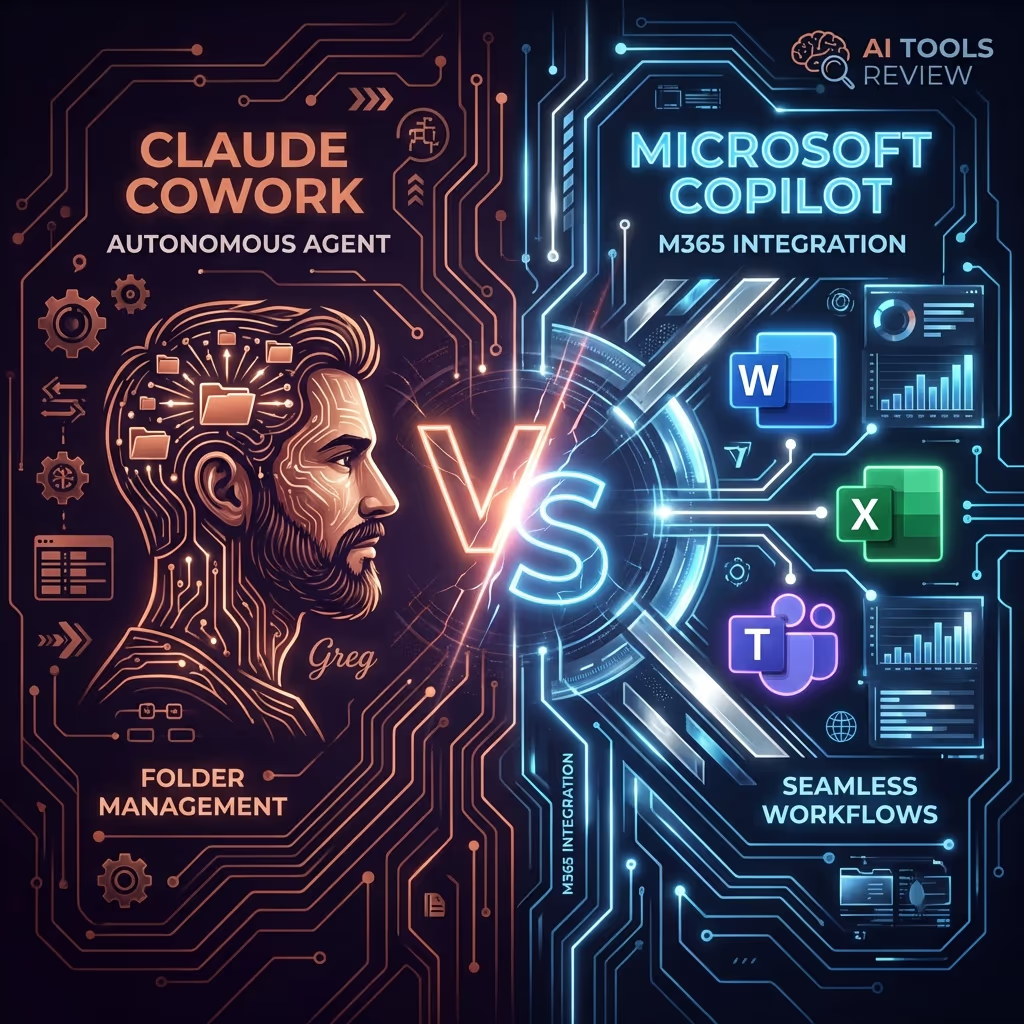
To decide between Claude Cowork and Microsoft Copilot, choose Claude Cowork if you need a "virtual co-worker" to autonomously manage local files and execute multi-step tasks on macOS. Choose Microsoft Copilot if you want an integrated AI assistant deeply embedded within your Word, Excel, and Teams workflow to boost daily productivity.
In 2026, the AI landscape has shifted from simple chatbots to agentic assistants. Anthropic’s Claude Cowork and Microsoft’s Copilot represent the two leading approaches: one focusing on autonomous desktop execution, and the other on seamless ecosystem integration.
Key Differences at a Glance
| Feature | Claude Cowork | Microsoft Copilot |
|---|---|---|
| Core Philosophy | Autonomous "Virtual Coworker" | Integrated "Digital Teammate" |
| Primary Workflow | Local file management & task execution | In-app assistance (Office 365) |
| Autonomy Level | High: Plans and executes multi-step tasks | Moderate: Expanding towards agents |
| Best For | File sorting, drafting, local automation | Document creation, email, meetings |
What Changed Across 2026
This comparison was first written days after Cowork appeared, when it was a macOS-only research preview. A lot has moved since, and the gap between the two products now looks very different from the one that existed in January. If you read an early comparison and filed Cowork under "interesting but niche", the following changes are the ones worth re-checking.
On 09/04/2026, Anthropic took Claude Cowork out of research preview and made it generally available to all paid subscribers on both macOS and Windows, shipping it alongside a first tranche of enterprise controls: role-based access control, group spend limits, usage analytics, expanded OpenTelemetry support, per-tool connector controls and a Zoom MCP connector. The same announcement introduced Claude Managed Agents, a public beta suite of composable APIs for deploying cloud-hosted agents at scale, with Notion, Asana and Sentry named as early users.
On 07/07/2026, Cowork expanded beyond the desktop app entirely. A beta for web and mobile, opening first to Max subscribers, introduced remote sessions: the agent loop runs on Anthropic's servers rather than your machine, so a task keeps going after you close the laptop, and you can check progress or approve the next step from a phone. That is a structural change, not a convenience feature, and it removes the single biggest practical objection to the original design. We cover the detail in our guides to Cowork on mobile and the built-in Cowork browser that followed in August 2026, which lets Claude open a web page in a side panel and drive it directly rather than borrowing your personal browser session.
Microsoft moved in the same direction from the opposite end. Across 2026 it layered Work IQ — a structured memory of how you write, the projects you touch and the people you collaborate with, assembled from email, calendar, authored documents, Teams conversations and SharePoint activity — underneath Copilot, and began pushing Agent 365 as the governance layer for treating agents as first-class identities inside the tenant. The pattern is clear on both sides: 2026 was the year the assistant stopped answering and started acting.
1. Claude Cowork: The Autonomous Specialist
Claude Cowork (launched January 2026) is designed for users who want to delegate entire tasks rather than just ask questions. The mental model Anthropic pushes is a workspace rather than a conversation: you connect a folder, describe an outcome, and the agent plans, executes and reports back with finished files rather than a wall of chat text.
That distinction matters more than it sounds. A chat assistant hands you text you then have to paste somewhere. Cowork hands you a spreadsheet with working formulas, a formatted document or a reorganised folder tree. In Anthropic's own sampled usage data for the web and mobile beta, business process and operations work accounted for 33.4% of Cowork usage and content creation and copywriting for 16.4%, with software development a distant 8.7% — which is to say it is being used as an operations tool, not a coding tool.
Strengths
- Desktop Agency: Unlike web-based AIs, Cowork operates directly on your file system (within a connected folder), so it can rename, move, merge and generate real files rather than describing what you should do.
- Task Queuing: You can give Claude a complex instruction like "Organise this folder and draft a report from the findings," and it will work through the steps autonomously, pausing at checkpoints where it needs a decision.
- Scoped Access: By connecting specific folders rather than the whole drive, you control exactly what Claude sees of your local data.
- Durable Sessions: Since the July 2026 remote-session beta, long tasks survive closing the lid, and scheduled work can run without a device online.
- Frontier Model Access: Cowork sits directly on Anthropic's newest models, so capability improvements arrive through the subscription rather than through a procurement cycle.
Weaknesses
- No Native Office Surface: Cowork produces Office-compatible files, but it does not live inside Word, Excel or Outlook. If your colleagues expect edits to appear in the document they already have open, that is a real friction point.
- Usage Cost: Intense agentic tasks consume your quota significantly faster than standard chat. A single multi-step job can burn through what dozens of chat messages would.
- Weak Meeting and Inbox Context: Connectors help, but Cowork has nothing equivalent to Work IQ's implicit read of your calendar, your recent threads and who you actually work with.
- Governance Is Younger: Enterprise controls only arrived in April 2026 and are still being filled in, where Microsoft has years of tenant-level tooling behind it.
2. Microsoft Copilot: The Ecosystem Powerhouse
Microsoft Copilot’s greatest strength is its presence everywhere you already work.
Strengths
- Universal Availability: Works across Windows, Web, macOS, iOS, and Android.
- Deep Integration: Copilot has "Work IQ," allowing it to reference your emails, calendar, and Teams chats to provide context-aware help.
- Seamless Creation: Generating a PowerPoint deck or a complex Excel formula feels like a natural extension of the app.
Weaknesses
- Ecosystem Trap: Its full power is only unlocked if you are fully committed to the Microsoft 365 suite. The Copilot add-on cannot be bought in isolation; it sits on top of a qualifying base licence such as Microsoft 365 Business Standard, Business Premium, E3 or E5. Business Basic and F1 do not qualify.
- Less "Agentic" on Your Own Files: Copilot is superb inside a document and weaker at the messy pre-document work — a folder of forty PDFs, a pile of receipts, a half-sorted export — that Cowork treats as its home turf.
- Layered Metering: As agents have arrived, so have consumption meters. A 2026 Copilot estate can be running a per-user seat charge, per-action credit consumption and, if agents are governed as identities, Agent 365 on top. Budgeting is genuinely harder than it was.
Security, Sandboxing and Data Governance
This is where the two philosophies diverge most sharply, and it is the section most buyers skip and later regret skipping.
How Cowork isolates work
On the desktop, Cowork historically ran each session inside a disposable Linux virtual machine built on Apple's Virtualization framework, with an unprivileged user and seccomp filtering. In July 2026 that design was tested in public. Security researchers Oren Yomtov and Or Hiltch at Accomplish AI disclosed a sandbox escape they named SharedRoot on 27/07/2026: because the host filesystem was shared into the guest read-write, an attacker who chained an unprivileged user namespace with a Linux kernel flaw (CVE-2026-46331, in the act_pedit traffic-control subsystem) could reach guest root and then read or write anywhere on the Mac with no permission prompt shown to the user. Reporting at the time put roughly 500,000 macOS users running local sessions in scope before mitigation.
The practical resolution is the important part: Cowork now defaults to cloud execution, running the agent loop in an isolated sandbox on Anthropic infrastructure with no outbound network access unless an administrator allowlists it, which sidesteps the local escape path entirely. If you deliberately switch back to local execution, you are opting back into the older threat model and should harden accordingly. The episode is a fair illustration of the trade-off in agentic desktop tools: the same filesystem reach that makes them useful is what makes a sandbox bug consequential.
How Copilot isolates work
Copilot inverts the problem. Your data never leaves the tenant in the first place, so the questions are about permissions hygiene rather than sandbox escapes — which is both reassuring and its own kind of risk. Copilot inherits whatever the user can already see in SharePoint and Exchange, so an over-shared site that nobody has looked at since 2019 becomes newly discoverable the moment Copilot can summarise it. Most failed Copilot rollouts we hear about are permissions problems wearing an AI costume. Agent 365 exists precisely to put identity, lifecycle and audit around agents before that gets worse.
For regulated teams, Anthropic has been closing the gap: its Compliance API was extended to cover Cowork and Claude Code in beta in August 2026, and the April enterprise release added the spend limits and OpenTelemetry export that security teams ask for first. It is narrower than Microsoft's Purview-era tooling, but it is no longer absent.
Pricing Comparison (2026)
Headline prices move, and both vendors have added consumption layers on top of seat pricing during 2026. Treat the figures below as list prices to sanity-check against a live quote rather than as a final bill.
- Claude Pro (around £16/month, $20): Includes Cowork with standard limits.
- Claude Max (5x at $100/month, 20x at $200/month): Necessary for heavy agentic workloads; the multiplier refers to usage allowance relative to Pro rather than to any capability difference.
- Copilot Pro (£19/user/month): The consumer tier, which attaches to a Microsoft 365 Personal or Family subscription.
- Microsoft 365 Copilot (£30/user/month): The business tier, roughly £360 per user per year on an annual commitment, with monthly billing carrying a premium. Some UK resellers quote an annual-commitment list nearer £24.70, so it is worth asking.
- Role-specific SKUs (£50/user/month): Copilot for Sales, Finance and Service each include the base Copilot entitlement.
- Copilot Studio (from £150/month): Includes 25,000 messages, for teams building their own agents.
Two footnotes matter more than the numbers. First, Microsoft offers a free Copilot chat experience with most commercial Microsoft 365 plans, plus a 30-day trial for eligible tenants up to 300 seats, so you can test the ecosystem argument at zero cost before committing. Second, Anthropic spent April and May 2026 rebuilding how subscriptions meter programmatic use after the third-party harness crackdown; if your plan involves driving Claude from your own scripts rather than from Cowork itself, read that story before you budget. Our Cowork pricing guide breaks the tiers down in more detail.
Helpful Evaluation: Which is Right for You?
Choose Claude Cowork if...
- You are a macOS user who deals with large volumes of local files (researchers, content creators).
- You want an AI that can work in the background while you do something else.
- Your work involves complex document synthesis from various local sources.
Choose Microsoft Copilot if...
- You live in Microsoft Word, Excel, and Teams all day.
- You need a tool that works across all your devices (Windows, iPad, Phone).
- You want an AI that understands your meeting schedule and email threads.
Three Workflows, Side by Side
Feature tables flatten the thing that actually decides this purchase, which is what happens when you sit down with a real job. Here are three concrete tasks and how each tool handles them.
Workflow 1: "Turn this quarter's supplier invoices into a reconciliation sheet"
You have sixty PDF invoices in a folder, inconsistently named, some scanned. Cowork is the natural fit: connect the folder, describe the columns you want, and let it read each file, extract the fields and build an Excel workbook with working formulas. Copilot can do the spreadsheet half beautifully once the data exists in a table, but it has no comfortable way to get sixty loose PDFs into that table without you doing the shepherding. Advantage: Cowork.
Workflow 2: "Summarise what happened on the Henderson account this month"
The answer lives in email threads, three Teams channels, a couple of meeting recordings and a SharePoint folder. This is exactly what Work IQ is built to do — Copilot already has an implicit model of who is on that account and which documents you authored, so the question can be asked in plain language with no setup. Cowork would need connectors wired up and would still be reconstructing context that Copilot simply has. Advantage: Copilot.
Workflow 3: "Research these fifteen competitors and give me a comparison deck"
Genuinely contested. Copilot will produce a clean deck from material you feed it. Cowork, since the August 2026 built-in browser, can go and do the research itself — opening pages, reading them, clicking through — and then write the deck, running remotely while you do something else. If the bottleneck is gathering, Cowork wins; if the bottleneck is producing an on-brand deck from material you already trust, Copilot wins. Advantage: depends where your work actually stalls.
The Verdict
The honest 2026 answer is that these are no longer competing products in the way the January framing suggested. Copilot is an ambient tool: it is wherever you already are, it knows your organisation, and its value compounds quietly across thousands of small interactions. Cowork is a delegated tool: you hand it a discrete job with a beginning and an end, and it comes back with artefacts. Those are different purchases, and a meaningful number of organisations will end up paying for both without that being a failure of procurement.
If you are forced to choose one, the deciding question is not which model is cleverer. It is whether your bottleneck is friction inside documents or volume of work outside them. Teams drowning in email, meetings and document drafting should buy Copilot and get the ecosystem effect. Teams drowning in files, research and repetitive multi-step production should buy Claude Cowork and start delegating whole tasks. Whichever you pick, budget for the consumption layer, decide early whether agents run locally or in the cloud, and audit your sharing permissions before you let anything summarise your file store. Our Cowork setup guide covers the first-run decisions in detail.
Originally published 19 January 2026; reviewed and substantially expanded on 13 September 2026. Pricing and features are list prices current at the time of the update and change frequently, so verify against the vendor before purchase.
Get the free guide: Claude vs ChatGPT, Gemini & Grok
A 20-page playbook covering everything you need to choose and use the big four AI models in 2026, full cost and feature comparisons, what each is best (and worst) at, and how-tos for images, vectors, building a website, Claude Code and more.