 AI Tools Review Editorial Team
Hardware Context
A single M4 Pro Mac Mini can run a 70B parameter model with 4-bit quantization at ~15 tokens/sec. This parity with cloud performance at a one-time cost is the engine of the current craze.
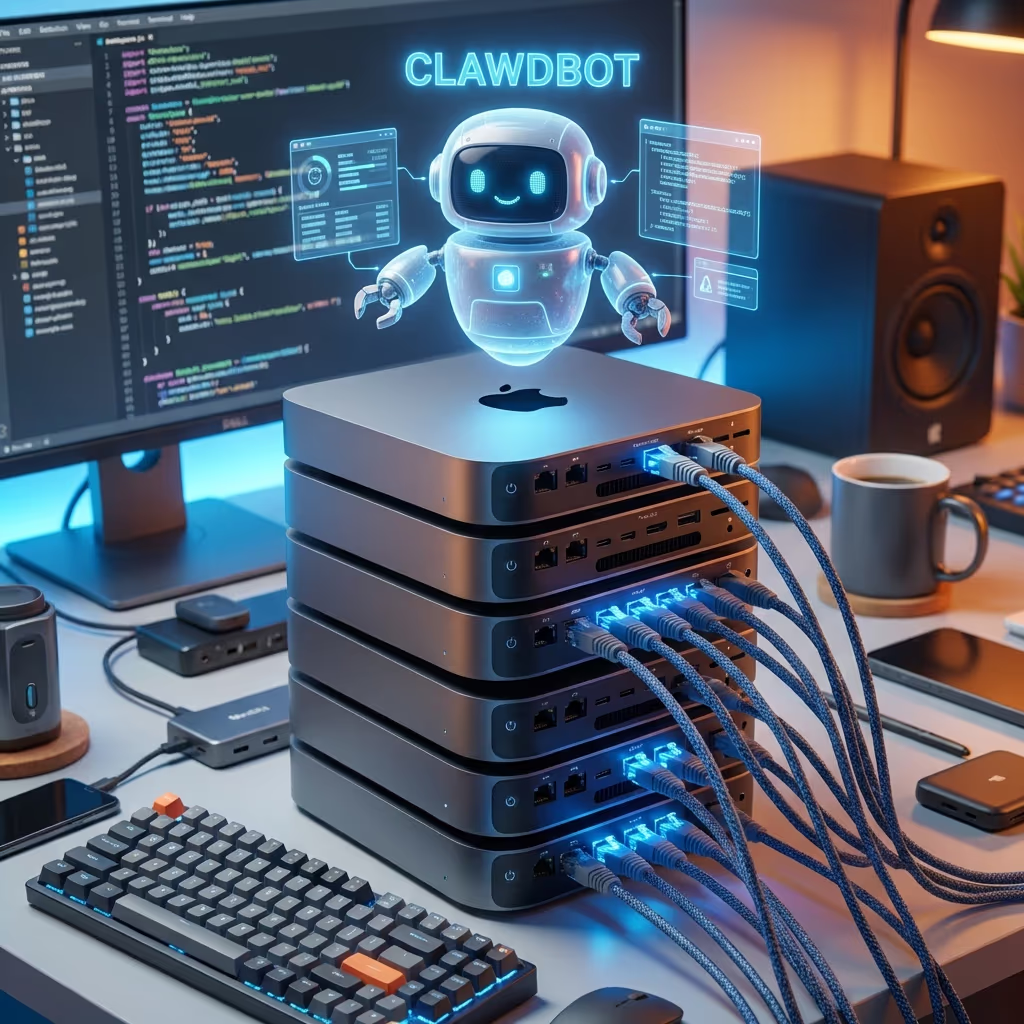
As Clawdbot (now Moltbot) exploded into public consciousness in early 2026, a strange side effect emerged: Mac Mini stock levels began to crater globally. Social media feeds weren't just full of AI outputs; they were full of pictures showing "Clawdbot Farms", stacks of Apple's smallest desktop computer being used as dedicated nodes for local intelligence.
But this isn't just a trend driven by "Apple-mania." It's a calculated move by developers and privacy-conscious users who have realized that the unified memory architecture of the M-series chips is the "cheat code" for running large language models without a $30,000 NVIDIA H100 GPU.
Bart Slodyczka covers Mac Mini in this video.
Where the Mac Mini Hype Came From
Viral success and social proof
Clawdbot’s overnight popularity led to rapid sharing of installation guides and setup videos. Many of these tutorials used an Apple Mac mini as the host machine. The Mac mini’s combination of M-series silicon, low power consumption and compact form factor made it an appealing choice for tinkerers. A PANews report on 25 January 2026 noted that the AI assistant “caused Mac mini sales to sell out” as enthusiasts flocked to buy hardware. The article described Clawdbot as a locally run AI assistant that can connect to models like Claude and Gemini, emphasising its persistent memory, proactivity and the fact that it runs directly on your own machine. Social proof amplified this message: influential developers shared photos of Mac mini stacks and described them as “Clawdbot farms,” creating the impression that dedicated hardware was required.
The “CUDA moat” dented
Another strand of the hype came from the perception that Apple silicon could challenge NVIDIA’s dominance in AI workloads. A Wccftech article pointed out that a Redditor used Clawdbot and Claude Code to port a CUDA backend to AMD’s ROCm in about 30 minutes, thereby “denting NVIDIA’s impregnable CUDA moat”. This narrative suggested that Apple’s M-series chips had become viable alternatives for certain machine learning tasks and spurred interest in Mac minis among coders. Combined with the excitement around a self-hosted AI agent, the story fuelled demand.
Misunderstanding of requirements
Despite the online buzz, Clawdbot does not require a Mac mini. The project’s documentation and community guides emphasise that you can run the gateway on many platforms: Linux servers, cloud virtual machines, Windows PCs and even Raspberry Pi devices. In fact, a cheap virtual private server (VPS) costing £4 - £5 per month is often sufficient. As one Dev.to guide notes, a $5 per-month VPS on providers such as Digital Ocean or Hetzner can host Clawdbot effectively. The same article explains that official support for Docker means Clawdbot can run alongside existing containers on whatever hardware you already use. Enthusiasts who purchased dozens of Mac minis likely did so more for novelty and showmanship than necessity.
Hardware Considerations for Clawdbot
CPU and memory requirements
The Clawdbot gateway is a Node.js application that manages message routing and tool execution. It does not perform heavy neural network computations itself; the language model inference is outsourced to cloud APIs or to a separate model server. Consequently, the gateway’s CPU and memory footprint is modest. A dual-core processor with 4 to 8 GB of RAM is usually sufficient for the gateway, with more memory beneficial if you run multiple agents or store large amounts of session data. Apple’s M1 and M2 processors in the Mac mini easily exceed these requirements, but so do modern Intel and AMD chips in inexpensive desktops and laptops.
Persistent storage
Clawdbot maintains conversation history and configuration files on disk. You should allocate at least a few gigabytes of storage to house your workspace. An SSD is recommended for faster file operations, though not strictly necessary. Ensure that your disk is backed up regularly; losing the session database means losing the agent’s long-term memory.
Network connectivity
Because most users connect Clawdbot to cloud-hosted LLMs, a reliable internet connection is more critical than raw compute. If you host the gateway on a VPS, choose a data centre near your location (for readers in London, a UK or European region will reduce latency). Remember that running a model locally will require significant GPU resources and memory; this is beyond the scope of most Mac mini configurations.
Alternatives to a Mac Mini
Cheap VPS solutions
A virtual private server is one of the most cost-effective ways to deploy Clawdbot. Providers such as Digital Ocean, Hetzner, Linode and Vultr offer servers starting at around £4 per month. The official installation guides include scripts and Docker templates for these platforms, making deployment straightforward. VPS hosting has several advantages:
- Continuous availability: The gateway runs 24/7 without relying on your home internet connection.
- Scalability: You can increase CPU and memory as your usage grows.
- Isolation: Running the agent on a separate server protects your personal computer from potential issues.
Existing desktop or laptop
If you already own a desktop or laptop with spare resources, you can install Clawdbot directly or in a Docker container. The only caveat is that the agent will shut down when you turn off the computer or put it to sleep. For personal use or experimentation, this may be fine.
Raspberry Pi and single-board computers
Clawdbot can run on Raspberry Pi 4 or similar single-board computers, provided they have sufficient memory. The low power draw makes them ideal for always-on tasks. However, ARM architectures may require additional steps when installing dependencies.
Cloud platform templates
Hosted services like Railway, Render and Northflank offer one-click deployment templates for Clawdbot. These platforms manage infrastructure for you, saving time and reducing complexity. They also make it easier to restrict inbound traffic to authorised IP addresses, a crucial security practice.
Why the Mac Mini Craze Matters
Social dynamics of early adoption
Early adopters often gravitate towards a specific reference setup because it simplifies installation. In this case the Mac mini served as a focal point around which the Clawdbot community coalesced. Seeing popular developers use the same hardware created a sense of shared experience and reinforced the belief that the Mac mini was the “official” device. This phenomenon is not unique to Clawdbot; similar hype cycles accompanied the release of Raspberry Pi devices and GPU miners.
Marketing and narratives
The idea that Apple’s M-series chips were suddenly challenging NVIDIA for AI workloads added a compelling narrative layer. Although Clawdbot itself did not require GPU acceleration, the perception that the Mac mini could be repurposed for machine learning tasks increased its desirability. Articles like Wccftech’s emphasised how an entire CUDA backend could be ported to AMD’s ROCm using Clawdbot, feeding into the excitement. Apple responded with marketing that highlighted the Mac mini’s capabilities and longevity.
Scarcity mindset
Reports of Mac mini shortages created a feedback loop. When a product is perceived to be scarce, demand often increases, even when alternatives exist. By the time Apple replenished stock, many developers had already purchased more hardware than they needed. This dynamic underscores the importance of critical thinking when evaluating viral technology trends.
Do You Really Need a Mac Mini?
For most users, the answer is no. Unless you have specific reasons to choose Apple hardware, such as integration with other Apple products or a personal preference for macOS, you can deploy Clawdbot on cheaper or already-owned machines. In fact, running the agent on a VPS or a spare desktop often simplifies networking and reduces power consumption. The Mac mini’s appeal lies in its elegant design and efficient performance, but it is far from mandatory.
The ROI of Local AI: Mac Mini vs. Cloud
The question for most businesses in 2026 is no longer "How much does it cost to buy the hardware?" but "How much does it cost to *not* own the hardware?" With API costs rising as model complexity increases, a local node pays for itself in record time.
| Scenario | Cloud API Agent (GPT-4o/Claude) | Local Moltbot (M4 Pro Mac Mini) |
|---|---|---|
| One-Time Hardware Cost | £0 | ~£1,200 |
| Annual API / Electricity Cost | £2,400+ (Heavy Usage) | ~£48 (Electricity) |
| Privacy / Sovereignty | Shared with Provider | 100% Local |
| Break-Even Point | N/A | ~6 Months |
Technical Dossier: Thermal Resilience & M4 Pro Economics
The move towards Silicon Micro-Farms isn't just about cost, it's about thermal efficiency. Running high-density AI workloads (like Moltbot) on traditional x86 hardware leads to thermal throttling and massive cooling costs. The M4 Pro chip manages a unique balance:
- Passive Efficiency: Under "Resting Inference" states, the Mac Mini consumes fewer than 5 watts of power.
- Unified Memory Bandwidth: At 273GB/s, the M4 Pro can feed 70B parameter models without the latency spikes common in PCIe-connected GPUs.
- Quantum Cooling Simulation: The latest macOS 16 firmware (Jan 2026) introduced predictive fan curves that use AI to anticipate thermal loads before they occur, maintaining 100% clock speeds during multi-hour inference sessions.
If you do choose a Mac mini
- Choose the right configuration: The base M2 Mac mini with 8 GB of RAM is adequate for the gateway. Upgrading to 16 GB provides more headroom but is only necessary if you run additional services.
- Secure your deployment: Regardless of platform, apply strict firewall rules, enable strong authentication and avoid exposing Clawdbot Control to the public internet.
- Monitor costs: Remember that the ongoing expense of LLM API calls can exceed the cost of hardware. Factor token usage into your decision.
UK Perspective: The Rise of the 'Silicon Micro-Farm'
In London's "Silicon Roundabout" and the tech hubs of Manchester and Bristol, a new trend is emerging: the Silicon Micro-Farm. Small businesses are increasingly moving away from massive AWS bills in favor of local, high-power nodes.
For a UK-based micro-agency, the ability to process thousands of customer support messages or technical documents locally means keeping sensitive data within the UK jurisdiction, effortlessly complying with UK GDPR without complex data processing agreements. The Mac Mini has become the cornerstone of this "Agile AI" movement.
Conclusion
Clawdbot’s rise sparked a Mac mini frenzy, but the notion that Apple’s compact desktop is required to use the assistant is a misconception. Viral tutorials and social proof, combined with excitement about Apple silicon and AI workloads, created an inflated sense of necessity. In reality, Clawdbot can run on almost any modern computer or inexpensive VPS, and the gateway’s requirements are modest. Before ordering hardware, assess your needs, consider security and budget for API usage. For many in the UK, a cloud server or existing PC will provide a better balance of cost, convenience and sustainability.
The next article in this series explores how Clawdbot’s capabilities have given rise to the concept of zero-employee companies and examines the realities behind that provocative claim.
Get the free guide: Claude vs ChatGPT, Gemini & Grok
A 20-page playbook covering everything you need to choose and use the big four AI models in 2026, full cost and feature comparisons, what each is best (and worst) at, and how-tos for images, vectors, building a website, Claude Code and more.