Everything You Need to Know About Clawdbot: The AI Assistant Taking the Tech World by Storm
Important Update (January 2026): Clawdbot has been rebranded to Moltbot.
The old @clawdbot GitHub and Twitter handles were compromised by scammers. Learn more: What is Moltbot? | Moltbot vs Clawdbot
In January 2026, a viral AI assistant called Clawdbot has captured the imagination of developers and tech enthusiasts worldwide. Created by Austrian billionaire Peter Steinberger, this open-source personal AI assistant promises to deliver what tech giants have failed to provide for over a decade: an AI that actually does things.
This comprehensive guide answers all your burning questions about Clawdbot and explores the broader landscape of AI assistants.
What Does Clawdbot Do?
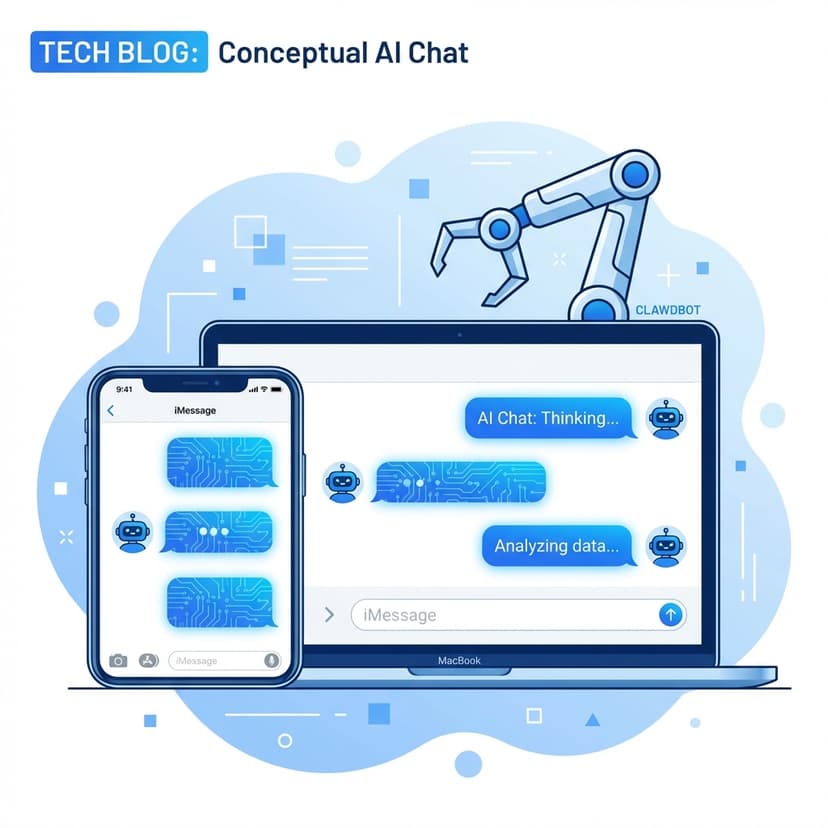
Unlike browser-bound bots that require you to visit a website to chat, Clawdbot integrates directly with messaging apps you already use daily, including WhatsApp, Telegram, Discord, Slack, Signal, and even iMessage. It acts as a proactive digital coworker capable of executing real-world actions across your devices and services.
Core Capabilities
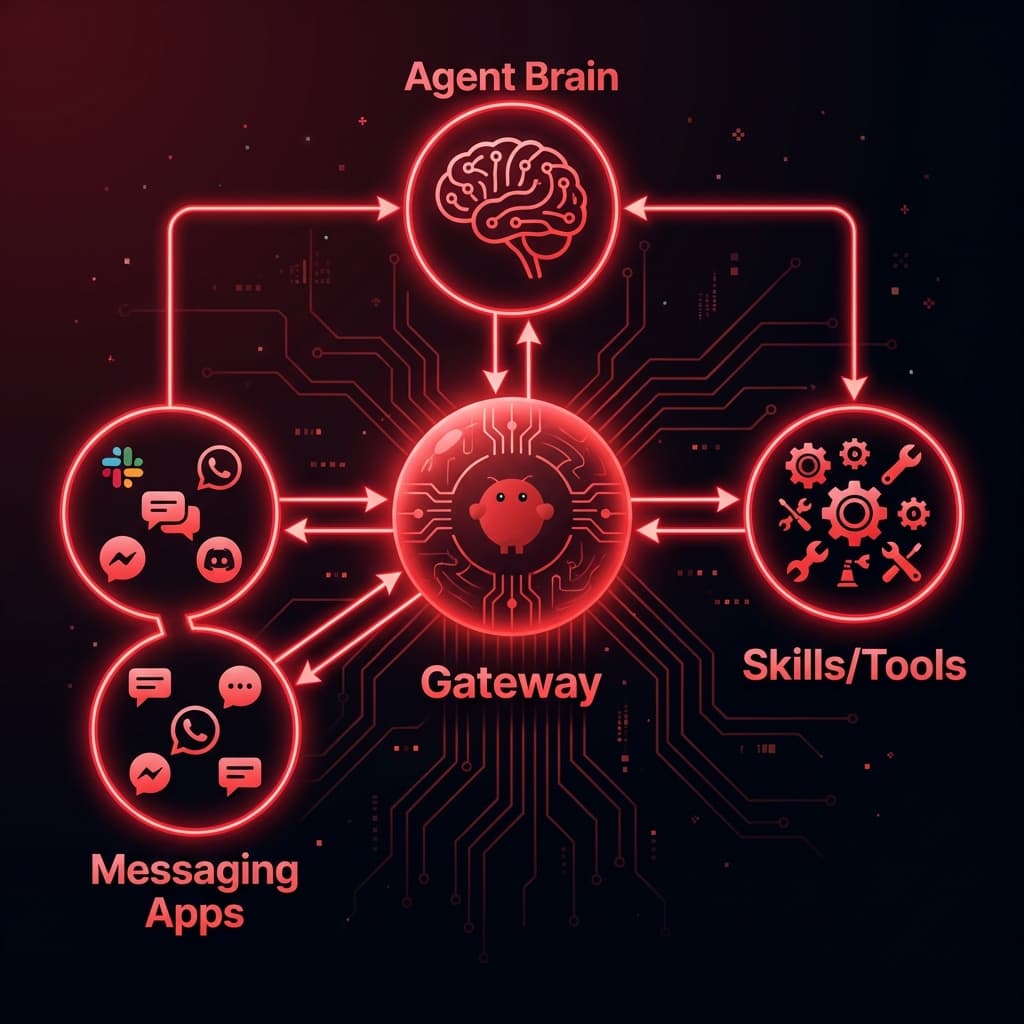
Clawdbot functions as a central hub (or "Gateway") that connects AI models like Anthropic's Claude or OpenAI's GPT to your messaging platforms, tools, and scripts. Once configured, it can:
The Proactive Difference
What truly sets Clawdbot apart is its ability to message you first. Unlike traditional chatbots that wait for your input, Clawdbot can:
- Send morning briefings at a scheduled time
- Alert you when stock prices cross certain thresholds
- Warn you about weather changes before they happen
- Remind you about appointments based on traffic conditions
- Flag important emails requiring your attention
"Named him Jarvis. Daily briefings, calendar checks, reminds me when to leave for pickleball based on traffic."
Technical Architecture
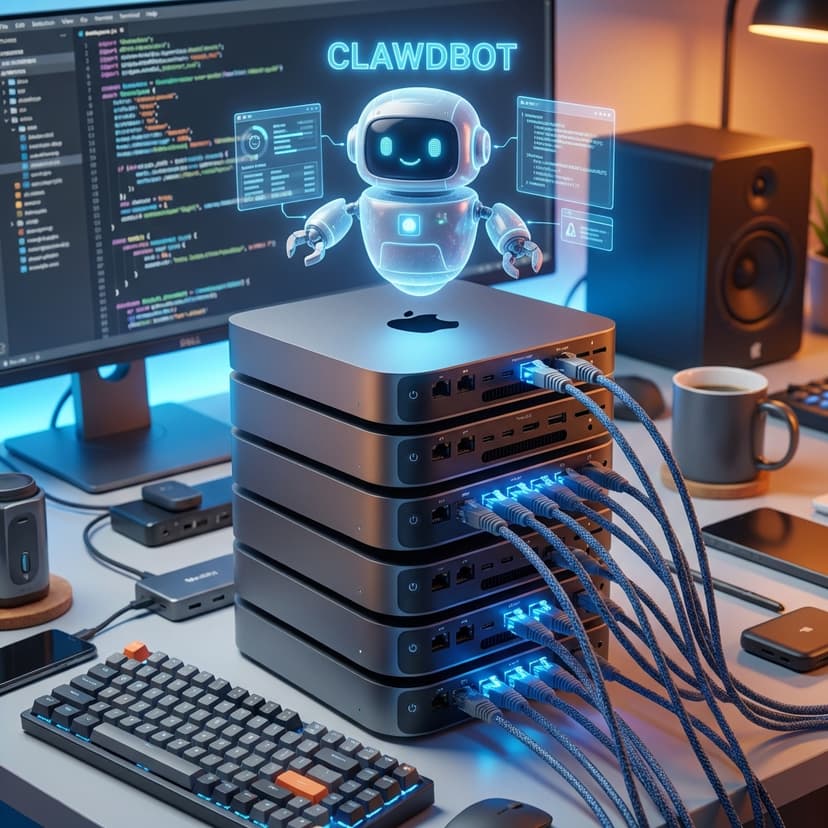
Clawdbot is a personal AI assistant that runs entirely on your own devices. Unlike traditional AI assistants from major tech companies, it connects to messaging apps you already use daily, making it feel like you're texting a real assistant rather than using yet another separate app.
Key Components
- GatewayThe always-on control plane that manages connections and handles scheduling.
- AgentThe AI brain (powered by Claude, GPT, or local models).
- SkillsExtensions that enable specific capabilities like web browsing, email access, and browser control.
- MemoryA persistent context system that stores your preferences and conversation history.
Platform Flexibility
Clawdbot supports an impressive range of messaging platforms. The same conversation and memory persist across all platforms, so you can start a conversation on WhatsApp while walking, continue on Telegram at your desktop, and then jump into Discord without losing context.
Is Clawdbot Free?
Yes and no. The software itself is MIT licensed (completely free), but there are ongoing costs to consider.
| Component | Cost | Notes |
|---|---|---|
| Clawdbot Software | Free | MIT License (Open Source) |
| VPS Hosting | $3-5 / month | Hetzner, DigitalOcean, or Vultr |
| AI Model API | $15-200 / month | Variable based on token usage |
| Total Typical Cost | ~$20-30 / month | Comparable to ChatGPT Plus |
Running Locally for Minimal Costs
If you want to minimise expenses, you can use a Raspberry Pi 4 ($50-100 one-time) or repurpose old hardware. Use Google's Gemini free tier or locally-executed open-source models. Run Docker Model Runner for on-device inference with no per-token fees. With this setup, your ongoing costs could be effectively zero after the initial hardware investment.
Claude Pro Integration
Many users opt for Anthropic's Claude Pro subscription ($20/month) as their AI model, which provides excellent long-context strength and better prompt-injection resistance. The official documentation recommends Anthropic Pro/Max with the Opus 4.5 model for optimal results.
Who Created Clawdbot?
The creator of Clawdbot is Peter Steinberger, an Austrian developer and entrepreneur who previously founded PSPDFKit, a document-processing SDK company that he sold to Insight Partners in 2021 for approximately €100 million (some reports suggest higher figures).
From Retirement to AI Pioneer
Steinberger's GitHub profile states he "Came back from retirement to mess with AI." After 13 years of building native iOS apps and enterprise software, he dove into what he calls "vibe-coding mode," leveraging AI tools to build developer utilities at breakneck speed.
The Clawdbot project originated from his personal needs. In April 2024, he began conceptualising a "life assistant" but shelved the idea initially, assuming large corporations would build such products themselves. By November, recognising that big companies hadn't delivered AI assistants meeting individual needs, he decided to build one himself.
Viral Success
Clawdbot launched on 26 January 2026 and exploded in popularity. Notable tech figures including Andrej Karpathy have praised the project, with David Sacks and MacStories covering its significance.
- 9k+Stars in 24h
- 44k+Stars in 3 Days
- 8.9kDiscord Members
- 50+Contributors
Is Clawdbot Safe?
"There is no 'perfectly secure' setup."
Running Clawdbot involves granting an AI agent significant access to your system. The FAQ acknowledges this is "spicy" and warns that "Clawdbot is both a product and an experiment."
Threat Model
- Prompt injection: Attackers could try to trick your AI into doing harmful things.
- Social engineering: Bad actors could attempt to gain access to your data.
- Infrastructure probing: Adversaries may probe for system details.
- Content poisoning: Malicious instructions hidden in emails, documents, or web pages the AI reads.
Recent Security Concerns
Security researcher Jamieson O'Reilly discovered that hundreds of users had exposed their Clawdbot control servers to the public internet. He found instances where he could access:
- Complete API keys and credentials
- Telegram bot tokens and Slack OAuth credentials
- Months of conversation histories
- Command execution capabilities
Best Practices for Secure Deployment
- Run on a dedicated device, not your primary laptop or trading workstation.
- Use Docker-based sandboxing for tool execution.
- Create separate agents for different risk profiles (Gmail agent shouldn't access brokerage APIs).
- Keep the Gateway on localhost and use SSH tunnelling for remote access.
- Enable strict allowlists for DMs and groups.
- Use a dedicated phone number for WhatsApp.
- Run regular security audits using the built-in tool.
Security Audit Tool
Users can access a comprehensive security audit tool on GitHub that checks for:
- Gateway exposure (should be bound to 127.0.0.1, not 0.0.0.0)
- Authentication configuration
- Channel policies
- File permissions
- Sensitive data locations
clawdbot security audit --deepDeployment Options
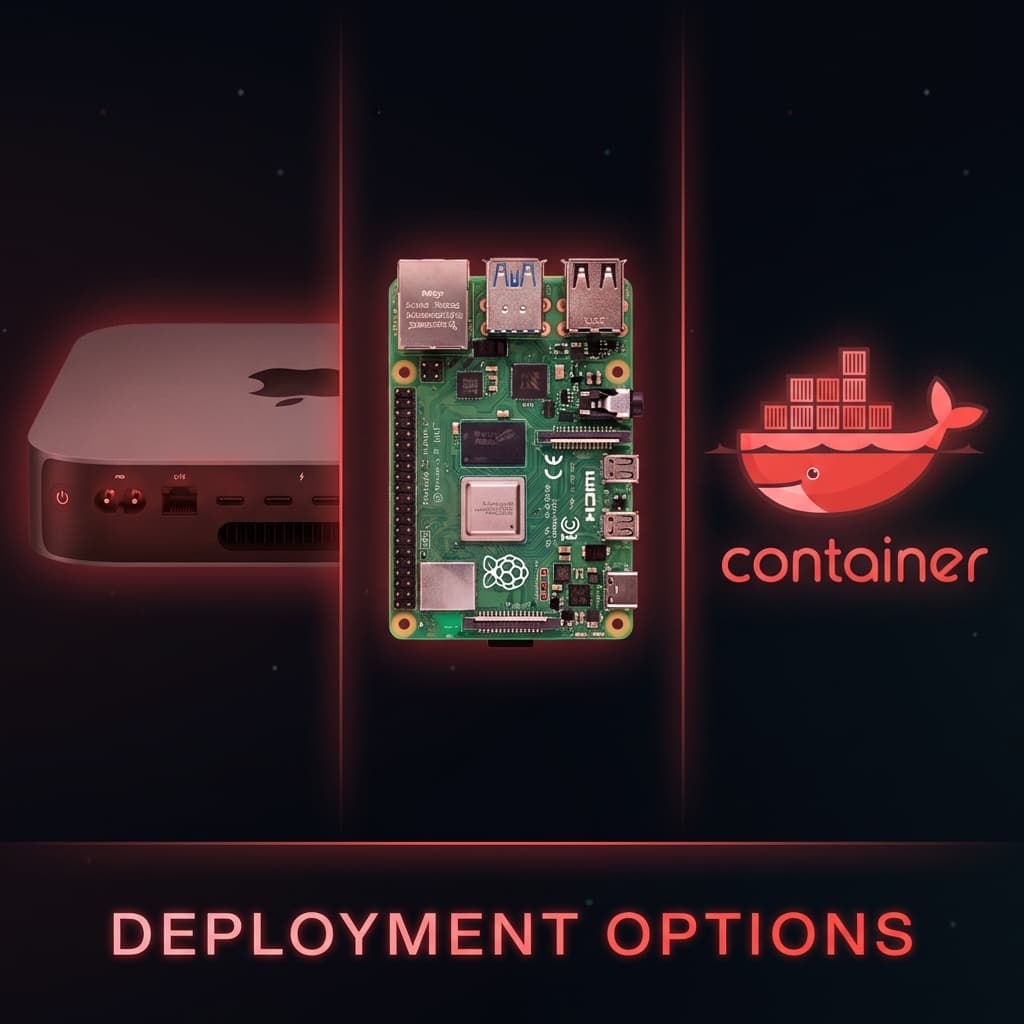
For users prioritising privacy and cost control, combining Clawdbot with Docker Model Runner (DMR) offers a compelling solution.
Benefits of Local Inference
- Data Sovereignty: You decide exactly which capabilities the assistant can use.
- Predictable Costs: No per-token fees once a model is pulled.
- Unlimited Processing: Summarise thousands of emails or research complex topics for hours without API bills.
Setup Overview
Docker Model Runner can pull models directly from Hugging Face and run them on your own GPU/CPU. For personal assistants, context length is critical since Clawdbot relies on a SOUL.md file (defining personality) and a Memory Vault (storing preferences).
You can repackage models with larger context windows using DMR:
docker model package --from llama3.3 --context-size 128000 llama-personal:128kRecommended Models
For personal assistant use, you'll want models balanced for instruction-following, tool-use capability, and long-term memory retention.
Why Did Woebot Shut Down?
Woebot Health, the pioneering AI therapy chatbot, shut down its direct-to-consumer app on 30 June 2025, marking the end of an era for AI-powered mental health support.
Background
Woebot was founded in 2017 and used cognitive behavioural therapy (CBT) techniques delivered via a cartoony chatbot interface. Approximately 1.5 million people used the service over the years, and founder Alison Darcy was named in TIME's top 100 most important figures in AI in 2023.
Reasons for Closure
- Regulatory Challenges: The FDA has pathways for rule-based chatbots but no clear guidance for large language models. Without FDA authorisation, products can't be marketed as clinical tools or access insurance reimbursement.
- Generative AI Disruption: While Woebot used pre-scripted responses, the new wave of conversational AI (ChatGPT, Claude) moved faster than regulators could adapt.
- Business Model Constraints: Without regulatory support for evolving LLM-based replacements, Woebot couldn't find a viable path forward.
- Competition: Generic GenAI chatbots were offering emotional resonance without clinical rigour, challenging evidence-based tools.
The Irony
Woebot's demise was hastened by the very technology it foreshadowed. The app that pioneered digital therapy was outpaced by more advanced AI that regulators weren't prepared to evaluate.
Which Chatbot is Totally Free?
Several AI chatbots offer genuinely free tiers in 2026:
| Chatbot | Free Tier Details | Best For |
|---|---|---|
| ChatGPT | GPT-4o access with usage limits; falls back to GPT-3.5 | All-purpose tasks |
| Claude | Generous daily allowance (resets every 8 hours) | Long-form writing, brainstorming |
| Gemini (Google) | Real-time web access, Workspace integration | Google ecosystem users |
| Perplexity | Unlimited basic searches + 3 "Pro" searches daily | Research with citations |
| Microsoft Copilot | Core chat, web search, DALL-E 3 image generation | Microsoft 365 users |
| Meta AI | Runs on Llama, available across Facebook/Instagram | Social media users |
| HuggingChat | Access to various open-source models | Model experimentation |
Free Tier Limitations
Be aware that "free" typically comes with:
- Usage caps (message limits per day/hour)
- Access to older or less capable models
- Reduced features compared to paid plans
- Priority given to paying customers during high traffic
What is the Best AI Bot?
The "best" AI chatbot depends entirely on your specific needs:
For General Use
ChatGPT and Claude consistently rank highest for versatility, natural conversation, and broad capabilities.
For Research
Perplexity excels at providing factual, cited answers with source verification.
For Coding
GitHub Copilot, DeepSeek, and Claude lead for programming assistance.
For Privacy
Clawdbot (self-hosted), HuggingChat (open source), or local model solutions.
For Enterprise
Microsoft Copilot, Google Gemini for Workspace, and Anthropic Claude Enterprise.
For Customer Service
Tidio, YourGPT, and Intercom for business automation.
Can AI Be 100% Trusted?
No, and understanding why is crucial for safe AI use.
Why Complete Trust is Unwise
- Hallucinations: AI models can confidently state incorrect information.
- Prompt Injection: Models can be manipulated through malicious inputs.
- Training Data Limitations: Knowledge has cutoff dates and blind spots.
- Alignment Imperfections: Models may not always follow intended guidelines.
- Black Box Nature: We can't fully understand why models make specific decisions.
Best Practices
- Verify critical information through authoritative sources.
- Maintain human oversight for important decisions.
- Use appropriate sandboxing for AI with system access.
- Apply principle of least privilege for permissions.
- Treat AI as a tool, not an infallible oracle.
As Clawdbot's security documentation advises: "Trust but verify" – even for AI assistants you control.
The Future of Personal AI
Clawdbot represents a significant shift in how we interact with AI. Rather than visiting websites or using proprietary apps, the future may be AI that lives in our existing communication channels, remembers our preferences, and proactively helps us manage our lives.
Whether Clawdbot becomes mainstream or remains a tool for technical enthusiasts remains to be seen. But one thing is clear: after over a decade of promises, someone has finally delivered a personal AI assistant that actually does things.
*Note: Clawdbot was recently renamed to "Moltbot" following a trademark dispute with Anthropic. The original GitHub and Twitter handles were compromised by crypto scammers during the rename process, so users should ensure they're accessing the official project.*
Standard Tools Reference
Moltbot/Clawdbot comes with a powerful suite of standard tools that allow it to interact with your system. Here is what is available out of the box:
| Tool Category | Capabilities | Risk Level |
|---|---|---|
| File System | Read/Write files, search directories, analyzing codebases | Medium (if sandboxed) |
| Shell Execution | Run terminal commands, install packages, git operations | High (requires trust) |
| Browser Control | Navigate websites, click elements, extract data, take screenshots | Low |
| Memory Interface | Store/Retrieve long-term facts about user preferences | Low |
| Time/Scheduling | Check calendar, set reminders, wait for specific conditions | Low |
| Messaging | Send/Receive messages on Discord, Telegram, etc. | Low |