 AI Tools Review Editorial Team
Quick answer:
On 2 September 2026 Anthropic shipped background computer use to Claude Cowork and Claude Code. Claude now clicks, types and opens apps in hidden background windows on macOS 15 or later, so it never takes your pointer or keyboard, and it waits if you are mid-keystroke. It is Pro and Max only, not available on Team or Enterprise, and the Desktop app covers macOS and Windows while the CLI is macOS-only. Screen control is deliberately the last option Claude reaches for, behind MCP servers, Bash, native connectors and the browser. There is no sandbox: Anthropic itself says the guardrails "aren't absolute" and advises against pointing it at financial, legal or medical apps.
Computer use has been the most-demoed and least-used agent capability of the past two years, for one obvious reason: an agent that seizes your mouse is an agent you cannot work alongside. You either sit and watch it, or you go and make a cup of tea. Anthropic's September update attacks that specific problem rather than the underlying model capability, and it is a more consequential change than the feature list suggests.
This explainer works from Anthropic's official Claude Code computer-use documentation, the Claude support centre's computer-use safety guide, Anthropic's original computer-use research post, and independent launch reporting. Where a number is Anthropic's own claim rather than an independent measurement, it is labelled as such.
A walkthrough of the background computer-use update, what it does on the desktop and where the permission prompts appear.
Executive Summary
Anthropic's own framing of the update was brief: "Claude can now use your computer in the background in Claude Cowork and Claude Code. Give it something to do on your desktop and Claude clicks, types, and opens apps just like you would, while you work on something else." The engineering underneath that sentence is where the interest is.
- What's new: background windows on macOS 15+. Claude does not take over your pointer or keyboard, generally waits if you are mid-typing, and asks permission before it needs the full screen.
- Where it runs: Claude Cowork and Claude Code, Pro and Max plans only, Desktop app on macOS and Windows, CLI on macOS only.
- How it decides: screen control is the broadest and slowest tool, so Claude reaches for MCP servers, Bash, connectors and the browser first.
- Honest caveat: unlike Claude's sandboxed Bash tool, computer use runs on your real desktop. Anthropic documents the trust boundary as genuinely different and lists app categories it advises against entirely.
The best way to read this release is as a usability fix that unlocks an existing capability rather than a capability increase. The model is not newly better at clicking; you are newly able to let it click without surrendering your machine.
Lineage: From Pixel-Counting to Background Work
Anthropic first shipped computer use on 22 October 2024, with Claude 3.5 Sonnet. The mechanism was crude and the honesty about it was refreshing: the model interpreted screenshots, counted pixels to place a cursor, and clicked. On the OSWorld benchmark it scored 14.9% against 7.7% for the next-best model, and Anthropic noted human performance sat at 70–75%. The company described the capability as "slow and often error-prone", unable to drag or zoom, and prone to missing brief notifications because it worked from a flipbook of screenshots rather than a video stream.
Two years on, the model side of that problem is largely solved. Anthropic assessed the original release against its Responsible Scaling Policy and kept Claude 3.5 Sonnet at AI Safety Level 2, arguing explicitly that it preferred to introduce the capability while models were relatively weak rather than later when the risks would be larger. That reasoning has aged well, because the capability has since become genuinely useful and the safety scaffolding was already in place when it did.
The intermediate step came on 23 March 2026, when Anthropic put computer use into Claude Code and Cowork as a research preview for Pro and Max subscribers on macOS. That release established the connector-first behaviour and per-app permissions. What it did not solve was co-existence: Claude drove the visible screen, so the machine was effectively out of action while it worked. September's update is the fix for that, and it is why this particular change landed with more creator coverage than the original capability did.
What Actually Changed on 2 September
Four concrete changes, all of them about co-existence rather than capability.
Background windows. On macOS 15 or later, Claude works in background windows. Your visible desktop is yours. Anthropic's documentation is specific that Claude "doesn't take over your pointer or keyboard, and it generally waits if you're in the middle of typing", which is a nicer behaviour than a hard lock: the agent yields to the human rather than racing them for input focus.
Full-screen requires asking. If a task genuinely needs the whole screen, Claude asks first rather than grabbing it. Full-screen control remains available as an explicit opt-in in Settings.
Tasks survive you walking away. Background work continues while you are away from the machine, as long as the computer stays awake and the Claude Desktop app stays open. That is a meaningful constraint rather than a footnote: this is not cloud execution, and a laptop that sleeps is a task that stops.
Windows gets computer use, not background mode. The Desktop app supports computer use on Windows as well as macOS, but the background-window behaviour is a macOS 15+ feature. Windows users get the capability driving the visible screen, which is the March experience rather than the September one.
The Tool Hierarchy: Screen Control Is Last
The most under-reported detail in this launch is that Claude actively avoids using your screen. Anthropic's documentation states the ordering plainly: computer use "is the broadest and slowest, so Claude tries the most precise tool first".
- MCP server for the service, if one is configured.
- Bash, if the task is a shell command. This one runs sandboxed, unlike computer use.
- Native connectors: Gmail, Google Drive, Microsoft 365, Slack.
- Browser, via the built-in browser or Claude in Chrome, for web work.
- Screen control, only when nothing above can reach the task.
Anthropic reserves screen control for "things nothing else can reach: native apps, simulators such as the iOS Simulator, and tools without an API". In practice that means a request like "summarise my unread mail" will never touch your screen, because the Gmail connector handles it in a fraction of the time. Screen control is for the iOS Simulator, a hardware control panel, a proprietary desktop app with no API, or a design tool.
This ordering is why anyone assessing the risk should start by asking how often screen control will actually engage for their workload, rather than treating it as the default execution path. For most knowledge-work tasks connected to mainstream SaaS, the answer is rarely, and the browser path documented in our piece on Claude Cowork's built-in browser covers most of the rest.
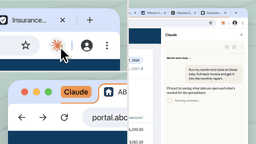
The browser tier of the hierarchy in practice, the step Claude reaches for before it falls back to controlling your screen.
The Permission Model
Enabling computer use does not grant Claude your whole machine. In the CLI it is an opt-in built-in MCP server called computer-use, disabled by default, enabled through the /mcp menu, and the setting persists per project. macOS then demands two system permissions before anything happens: Accessibility (to click, type and scroll) and Screen Recording (to see the screen). Granting Screen Recording may require restarting Claude Code.
Beyond that, approval is per app, per session. The first time Claude needs a specific application, a prompt shows which apps it wants to control, any extra permissions such as clipboard access, and how many other apps will be hidden while it works. Approvals expire when the session ends.
The most useful safety design here is the warning tier attached to broad-reach applications, which tells you exactly what you are conceding rather than making you infer it:
| Warning shown | Applies to |
|---|---|
| Equivalent to shell access | Terminal, iTerm, VS Code, Warp and other terminals and IDEs |
| Can read or write any file | Finder |
| Can change system settings | System Settings |
Those apps are not blocked, and that is the right call: approving Terminal is exactly what you want when you have asked Claude to run a build, and exactly what you do not want when you have asked it to tidy a spreadsheet. The warning puts the judgement where it belongs.
Control level also varies by app category rather than being uniform: browsers and trading platforms are view-only, terminals and IDEs are click-only, and everything else gets full control. Separately, investment, trading and cryptocurrency applications are blocked by default, and users can maintain their own blocklists in the Desktop app's settings. Claude is also trained to refuse a specific set of actions, including stock trading, transferring funds, entering sensitive data and gathering or scraping facial images.
Mechanics: Locks, Hiding and Screenshots
Three implementation details change how you should plan work around this feature.
One session at a time. A session takes a machine-wide lock at its first computer-use action and holds it until the session exits, not until the task finishes. A second session's computer use fails with an error naming the holder, and the only fix is to exit that session. If you routinely keep several Claude Code sessions open across projects, this will bite you, and the lock does release automatically if the holding process crashes.
Your other apps are hidden. When Claude starts controlling the screen, other visible apps are hidden so it only ever interacts with what you approved, and they are restored automatically when the turn ends. Your terminal window stays visible and is excluded from screenshots, a neat detail that prevents Claude from reading its own output back and creating a feedback loop.
Screenshots are downscaled automatically. A 16-inch MacBook Pro at native Retina resolution captures at 3456×2234 and is downscaled to roughly 1372×887 before reaching the model, preserving aspect ratio. There is no setting to change this. The practical consequence: if Claude cannot read something on screen, increase the text size in the app, not the display resolution.
Stopping it is a single key. When Claude takes the lock, macOS shows a notification: "Claude is using your computer · press Esc to stop." Escape works from anywhere and aborts the current action immediately; Ctrl+C in the terminal does the same. Both unhide your apps and return control. Notably, the Escape keypress is consumed rather than passed through, specifically so that prompt injection cannot use it to dismiss a dialog.
How Good Is It, Really?
Anthropic did not publish a benchmark alongside the background-mode update, which is reasonable given it is a delivery change rather than a model change. For a sense of where the underlying capability sits, the relevant public measure is OSWorld 2.0, a suite of 108 long-horizon computer-use workflows testing state tracking, cross-source reasoning, visual-spatial precision, dynamic interaction and verification across everyday and professional desktop tasks.
As of the 4 September 2026 leaderboard snapshot, GPT-6 Astra led at 72.6%, with Claude Opus 5 second at 70.6%, Muse Spark 1.3 at 66.9%, GPT-5.6 Sol at 62.6% and Gemini 3.8 Flash at 59.0%. Claude Fable 5.1 sits considerably lower at 41.7%.
Treat those figures as directional rather than definitive. Third-party OSWorld leaderboards disagree with each other substantially, partly because scaffolding matters enormously on this benchmark: agent harnesses built specifically for computer use have posted scores in the low-to-mid 80s using Claude models underneath, well above the same models' scores under a generic harness. What the numbers do establish reliably is the shape of the problem. Roughly 70% on long-horizon desktop workflows against a 2024 baseline of 14.9% is transformative progress, and it still means three in ten tasks fail. That failure rate is the single most important number for deciding what to delegate.
Safety, Prompt Injection and the Trust Boundary
Anthropic's documentation is unusually direct about the risk, and the framing is worth quoting because it is more candid than most product documentation: unlike the sandboxed Bash tool, "computer use runs on your actual desktop with access to the apps you approve", and "the trust boundary is different". Elsewhere: the trained guardrails "are part of how Claude is trained and instructed, but they aren't absolute". And on injection detection specifically: attacks "are constantly evolving, stay cautious" and "no safeguards are perfect".
Prompt injection is the sharp edge here. Claude reads whatever is on screen, so a malicious instruction embedded in a web page, an email or a PDF can attempt to redirect it. Anthropic scans for signs of injection during computer use and Claude checks each action, but the company does not claim prevention. Anthropic has been warning about exactly this since the original 2024 computer-use post, where it noted that internet-connected screens expose the model to attacks that override intended directions.
The built-in mitigations, taken together, are more thoughtful than a permissions dialog: per-app approval scoped to a session, sentinel warnings on broad-reach apps, terminal exclusion from screenshots, a global escape key whose keypress is consumed rather than forwarded, and the machine-wide lock. Note that several of these are designed specifically against injection rather than against user error, which suggests the threat model was taken seriously.
Anthropic's own advice is to avoid the feature entirely for managing financial accounts, handling legal documents, processing medical information, and interacting with apps containing other people's personal information. That last category is easy to overlook and matters most under UK GDPR: pointing a screen-control agent at a shared CRM or a colleague's inbox is a data-protection question before it is a productivity one.
There is also no sandbox between Claude and your applications, which means actions taken in one app can affect another. A useful mental model: this is not a virtual machine you can throw away, it is a colleague with your login, and you should scope its access the way you would scope theirs.
Real-World Use vs the Announcement
The workflows Anthropic documents for the CLI are notably narrower and more credible than the "AI does your admin" framing that dominated launch-day coverage. All four official examples are developer-facing: building and validating native apps (Claude writes Swift, compiles it, launches the binary and clicks through every control), end-to-end UI testing without a Playwright config, reproducing visual and layout bugs by resizing a window until the bug appears and screenshotting the broken state, and driving GUI-only tools such as the iOS Simulator or a hardware control panel.
That is a much better fit for the capability than general desktop admin. A failed UI-test click costs you a retry; a failed click in your banking app costs considerably more. The developer workflows are also the cases where nothing above screen control in the hierarchy can reach the task, which is precisely when the feature is supposed to engage.
Creator coverage of the update, including the videos embedded above, focused mostly on the multitasking unlock, and that emphasis is fair as far as it goes: not having to surrender your machine genuinely is the change. What the coverage generally under-weights is that Anthropic shipped the co-existence fix, not an accuracy fix. Roughly three in ten long-horizon desktop tasks still fail, and background execution makes those failures less visible, because you are not watching. Anyone leaning on this should be checking output, not assuming it.
Availability & Pricing
There is no separate charge. Computer use, including background mode, is included with Claude Pro and Claude Max subscriptions, at roughly £15 per month (about $20) for Pro and from roughly £75 per month (about $100) for Max, depending on tier and billing cycle. It consumes your normal plan usage, so the real cost is measured in usage limits rather than a line item, and long-horizon screen-control tasks are token-hungry precisely because the model works from a stream of screenshots.
Availability constraints are firmer than the pricing. Team and Enterprise plans are not supported. It is unavailable through third-party providers, so if you access Claude exclusively via Amazon Bedrock, Google Cloud's Agent Platform or Microsoft Foundry, you need a separate claude.ai account. And the CLI requires an interactive session, ruling out non-interactive -p automation. For details on how the plan tiers differ more broadly, see our Claude Cowork coverage.
Limitations
- Background mode is macOS 15+ only. Windows gets computer use but not hidden background windows; Linux gets neither in the CLI.
- Your machine must stay awake. This runs locally, not in the cloud. A sleeping laptop is a stopped task.
- One session holds the lock. Machine-wide, held until the session exits rather than until the task completes.
- Slow, and it retries. Anthropic notes complex multi-step workflows sometimes need repeat attempts and that screen interaction is significantly slower than connectors.
- No sandbox. Actions in one app can affect others; the trust boundary differs from the sandboxed Bash tool.
- Prompt injection is mitigated, not solved. Anthropic scans for it and says explicitly that no safeguards are perfect.
- Plan and provider gaps. No Team or Enterprise support, and no access via Bedrock, Google Cloud or Microsoft Foundry.
How It Compares
OpenAI shipped background computer use on Mac in August 2026, roughly a month ahead of Anthropic, so this is a fast-follow rather than a first. On raw OSWorld 2.0 numbers GPT-6 Astra also leads Claude Opus 5, 72.6% to 70.6%, though a two-point gap on a benchmark this scaffold-sensitive is not a decision criterion.
Where Anthropic's implementation is stronger is the safety scaffolding around the capability: the per-app warning tiers, the app-category control levels, terminal exclusion from screenshots and the consumed escape key are specific defences against specific attacks rather than a general permissions prompt. Where it is weaker is reach, with no Team or Enterprise support and no third-party provider access, which rules it out for exactly the organisations most likely to have a governance process for this kind of tool.
Against Anthropic's own alternatives, the honest comparison is with the tiers above screen control. Claude's computer use, browser use and Skills APIs cover programmatic and web automation more reliably and much faster. If your task can be done by a connector, an MCP server or the browser, it should be, and Claude will make that choice for you anyway.
Who Should Turn It On
Turn it on if you are a developer on macOS 15+ with Pro or Max who regularly tests native apps, simulators or GUI-only tools, which is the use case Anthropic itself documents and the one where the failure mode is a wasted retry rather than a real-world consequence.
Turn it on cautiously if you want desktop admin automation. Approve narrowly, avoid approving Finder or a terminal unless the task genuinely needs it, keep the machine in view for the first few runs, and check the output rather than trusting it.
Do not turn it on if the apps in scope contain financial accounts, legal documents, medical records or other people's personal data, which is Anthropic's own advice rather than ours, or if you are on Team or Enterprise, where it is not available regardless.
The Bottom Line
Background computer use is a small change with a disproportionate effect. Computer use has been technically available since October 2024 and practically unused because it monopolised the machine. Removing that constraint converts a demo into something you might genuinely leave running, and that shift, not any model improvement, is what makes 2 September worth writing about.
The engineering around it is thoughtful in ways worth acknowledging: connector-first ordering that avoids screen control where possible, per-app session-scoped approval with honest warning tiers, terminal exclusion from screenshots, a consumed escape key, and documentation that tells you plainly where the guardrails end. Anthropic has not oversold this, which is unusual enough to note.
The caution is equally clear. There is no sandbox, prompt injection is mitigated rather than solved, and roughly three in ten long-horizon desktop tasks still fail, now less visibly because the work happens out of sight. Use it where a mistake costs a retry. Keep it away from anything where a mistake costs money, compliance or someone else's data.
Last updated: 5 September 2026. Sources: Anthropic's official Claude Code computer-use documentation (code.claude.com), the Claude support centre computer-use guide, Anthropic's "Developing a computer use model" post (22 October 2024), the OSWorld 2.0 leaderboard snapshot of 4 September 2026, and launch reporting from 9to5Mac and Engadget.
Get the free guide: Claude vs ChatGPT, Gemini & Grok
A 20-page playbook covering everything you need to choose and use the big four AI models in 2026, full cost and feature comparisons, what each is best (and worst) at, and how-tos for images, vectors, building a website, Claude Code and more.