
 AI Tools Review Editorial Team
Quick Answer:
On 20 August 2026, Anthropic moved computer use, a new browser use tool, the Skills API and the Files API out of beta and into general availability on the Claude API. Computer use gains batched multi-action turns and no longer needs a beta header; browser use is a separate toolset that reads a page's accessibility tree and clicks elements by reference instead of guessing screen coordinates; Skills and Files both drop their beta headers, and Files adds automatic expiration, roughly a 500-requests-per-minute rate limit and 1TB of storage per organisation. All four are limited to five current-generation models on the Claude API itself - not yet Bedrock, Vertex AI, Microsoft Foundry or Claude Managed Agents for the two computer-facing tools. Anthropic's own evidence is a customer case study, not a new benchmark: healthcare-automation startup Asteroid cut its longest claims workflow from 32 minutes to 13 using computer use, with no changes to its prompts.
Anthropic's computer use tool has been in beta since October 2024. In that time it has gone from a curiosity - watch Claude fumble around a desktop - to something enterprise teams actually put in production, provided they kept a close eye on it. On 20 August 2026, Anthropic published "Build production agents with computer use, the Skills API, and the Files API" on its claude.com blog, announcing that all three (plus a genuinely new fourth piece, a dedicated browser use tool) had graduated to general availability.
This is not a flashy model launch. It is a plumbing release: the kind that quietly decides whether a team can ship an agent that operates real software, or keeps it stuck in a demo. We read the announcement, the underlying API release notes, the tool documentation and independent developer commentary to separate what actually changed from what is still marketing framing.
Sources checked for this article include Anthropic's official announcement, the Claude Platform release notes, the computer use and browser use tool docs, the Files API guide and Skills API guide, plus independent reporting from The New Stack and developer write-ups from Apito and NxCode. Figures are quoted as published; any discrepancy between Anthropic's stated release date (20 August) and the release notes' own dated entry (19 August) is noted where it matters. Prices are in US dollars with approximate £ conversions.
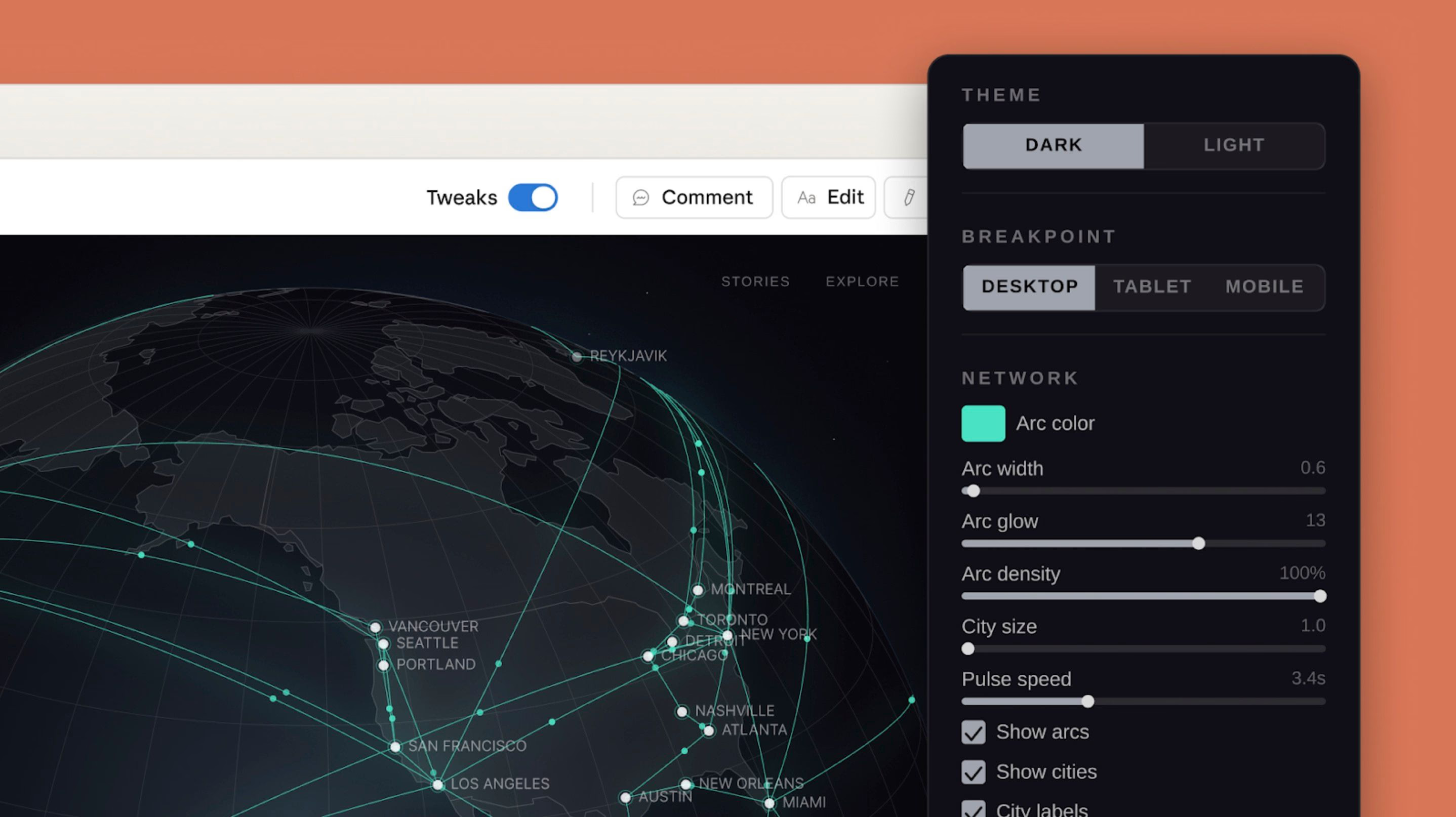
Julian Goldie walks through the same-week upgrades to Claude Managed Agents this release brings: persistent memory in self-hosted sandboxes, domain allow/block lists for agent web tools, and the redesigned session viewer.
Summary
- Four API surfaces reach GA together: computer use (updated), browser use (new), the Skills API, and the Files API - all beta headers dropped, old beta versions still work during migration.
- Browser use is genuinely new: a 27-default-tool (31 total) client toolset that reads a page's accessibility tree and clicks by element reference, running inside the developer's own browser environment rather than Anthropic's infrastructure.
- Computer use adds batching: several actions - click, type, screenshot - can arrive in one model turn instead of one call each, cutting round trips on long desktop tasks.
- Files API gets real limits, finally documented: 500MB per file, 1TB per organisation, roughly 500 file-related requests per minute, and configurable expiration from 1 hour to 90 days.
- No new benchmark accompanies the release: Anthropic's evidence is a single customer case study (Asteroid, healthcare/insurance claims automation), not an updated OSWorld or agentic score for the new tool versions.
- Availability is narrower than the announcement implies: both computer-facing tools work on just five models, on the Claude API only - not Bedrock, Vertex AI, Microsoft Foundry, or Claude Managed Agents.
- Independent commentary is sceptical of the "browser use" framing: The New Stack's coverage points out the tool does not run a browser at all - your application does - and that batching complicates human-approval gates.
What Shipped, and Why It Matters
Anthropic's own framing for this release is unusually plain for a company that usually leads with a model name: it calls the four pieces "parts of an agent workflow that agencies often build separately, operating software, navigating web applications, applying a repeatable method and returning a finished file." That is a fair description of what changed. None of the four capabilities is brand new as a concept - computer use has existed since October 2024, Agent Skills since October 2025, the Files API since mid-2025 - but until 20 August 2026 all three required an anthropic-beta header, and integrations built against a beta could be changed or retired without the same guarantees as a stable release. Browser use is the one genuinely new addition riding along with the graduation.
There is a small but honest wrinkle worth flagging up front: Anthropic's claude.com blog post carries a 20 August 2026 byline, while the underlying API changes it describes, the new toolsets, the dropped beta headers, appear under the 19 August 2026 entry in Anthropic's own Claude Platform release notes, most plausibly a timezone or publish-scheduling gap. Developers checking the release notes directly should look under 19 August if the blog post's date does not match.
Why does a beta-to-GA move matter beyond paperwork? Anthropic can deprecate a beta feature with far less notice than a GA one, so production systems built on beta computer use or Skills carried real platform risk. Every beta call also needed the exact right anthropic-beta header string, a common source of silent failures when a header version lagged behind the docs. And many large customers simply will not build critical workflows on beta APIs at all, so GA status is often the gate that turns a pilot into a funded rollout.
Architecture: The Four Pieces Explained
Each of the four pieces is a distinct API surface with its own toolset identifier, its own limits and its own model compatibility list. Understanding them separately matters because it is easy to read "computer use and browser use" as one upgraded feature when they are, in fact, two different tools you can combine or use independently.
Computer use
The updated tool ships as the computer_toolset_20260801 toolset: a client toolset (meaning your application, not Anthropic's servers, executes the actions) with 17 member tools covering screenshots, mouse clicks and drags, keyboard input, scrolling, and a zoom action - now enabled by default - that lets Claude inspect a screen region at full resolution when text is too small to read at normal scale. The headline mechanical change is batch actions: Claude can return several tool calls in a single turn, executed strictly in order with a halt on the first failure, rather than requiring a fresh model call between every click. Migrating from the older computer_20251124 beta removes several parameters entirely (display_width_px, display_height_px, enable_zoom) in favour of a single configs object for per-tool settings, so existing integrations need a genuine code change, not just a version bump.
Model support for the new toolset is narrow: Claude Opus 5, Claude Sonnet 5, Claude Fable 5, Claude Mythos 5 and Claude Opus 4.8, and only on the Claude API. Older models keep using computer_20251124 with its beta header. Bedrock, Vertex AI and Microsoft Foundry currently run only earlier beta tool versions; Anthropic says updated computer use and browser use tools are "coming soon" to Vertex AI specifically.
Browser use
This is the actually new piece. The browser_toolset_20260801 toolset works inside a single browser viewport rather than a whole desktop, and its defining feature is that it reads the page itself, its accessibility tree, alongside taking screenshots. Instead of clicking coordinate [640, 320] and hoping that is still the "Submit" button, Claude can call read_page, receive a tagged list like button "Submit" [ref_4], and click ref_4 directly. References survive layout shifts and work across browser tabs, which is the specific failure mode - a page reflows, coordinates go stale - that has plagued pure-screenshot automation since computer use first launched.
The toolset exposes 31 member tools in total: 27 enabled by default (navigation, the full range of click and keyboard actions, form input that sets a field's value directly rather than typing character-by-character, tab management, and download reporting) plus 4 optional ones a developer must explicitly turn on: file_upload, javascript_exec, and two diagnostic tools, read_console and read_network. Anthropic's own guidance is blunt about the riskiest of these: enable javascript_exec only in sessions that hold no credentials, because injected code runs with the full privileges of the page it executes on.
The detail most likely to surprise developers coming from computer use is who hosts the browser. Anthropic does not run a browser for you. Your application supplies the browser environment, executes every navigate, click and read call, and reports results back. Independent coverage from The New Stack put this plainly in its 21 August 2026 write-up, headlined "Anthropic's new browser tool doesn't actually run a browser": it is a protocol for Claude to describe what it wants done to a page, not a hosted browsing service. That also means loading the toolset has a fixed token cost before any actual browsing happens - Anthropic's own pricing documentation, per that same report, puts the default 27-tool set at roughly 6,600 input tokens added to every request, before screenshots or accessibility-tree reads are counted.
Skills API
Agent Skills, folders of instructions, scripts and reference material that Claude loads only when a task needs them, launched in beta in October 2025. What changed on 20 August 2026 is narrower than it sounds: the /v1/skills endpoints and the skills-2025-10-02 beta header requirement are gone, including for Messages API requests that load a Skill through the container parameter. The mechanics are otherwise unchanged. A Skill needs a SKILL.md file with YAML frontmatter (a name up to 64 characters, a description up to 1,024 characters), stays under 30MB uncompressed, and requires the code execution tool enabled to run. Up to 20 Skills can be attached to a single request, mixing Anthropic's own pre-built Skills (short IDs like pptx, xlsx, docx, pdf) with custom ones a workspace uploads and versions itself.
Custom Skills are workspace-scoped, not user-scoped: any API key in the same workspace can read, run and delete any custom Skill uploaded there, which is the same isolation model as Files (below) and carries the same multi-tenant warning - give each tenant its own workspace if you are building a platform on top of this. See our Claude for Finance Skills deep dive for a worked example of what a production Anthropic-built Skill set actually looks like end to end.
Files API
Files graduate from beta with the files-api-2025-04-14 header no longer required on /v1/files endpoints or on Messages requests that reference an uploaded file. Requests that still send the header keep working, but get the older response shape rather than the current one. The current shape adds two real features: automatic expiration, set once at upload time via expires_in_seconds (an integer between 3,600 seconds and 7,776,000 seconds, i.e. 1 hour to 90 days), and page/next_page pagination plus an ids[] filter for listing files, replacing an earlier, less flexible listing shape.
Storage limits are now published outright: 500MB per file, 1TB per organisation in total. Uploaded files cannot be downloaded, only files a Skill or the code execution tool creates can be, and every uploaded file is scoped to the workspace of the API key that uploaded it, not to an individual user or conversation, the same warning as Skills above, and one Anthropic's own docs state explicitly: never accept a file_id from an untrusted end user, because it would let one user of your application read a file another user uploaded.
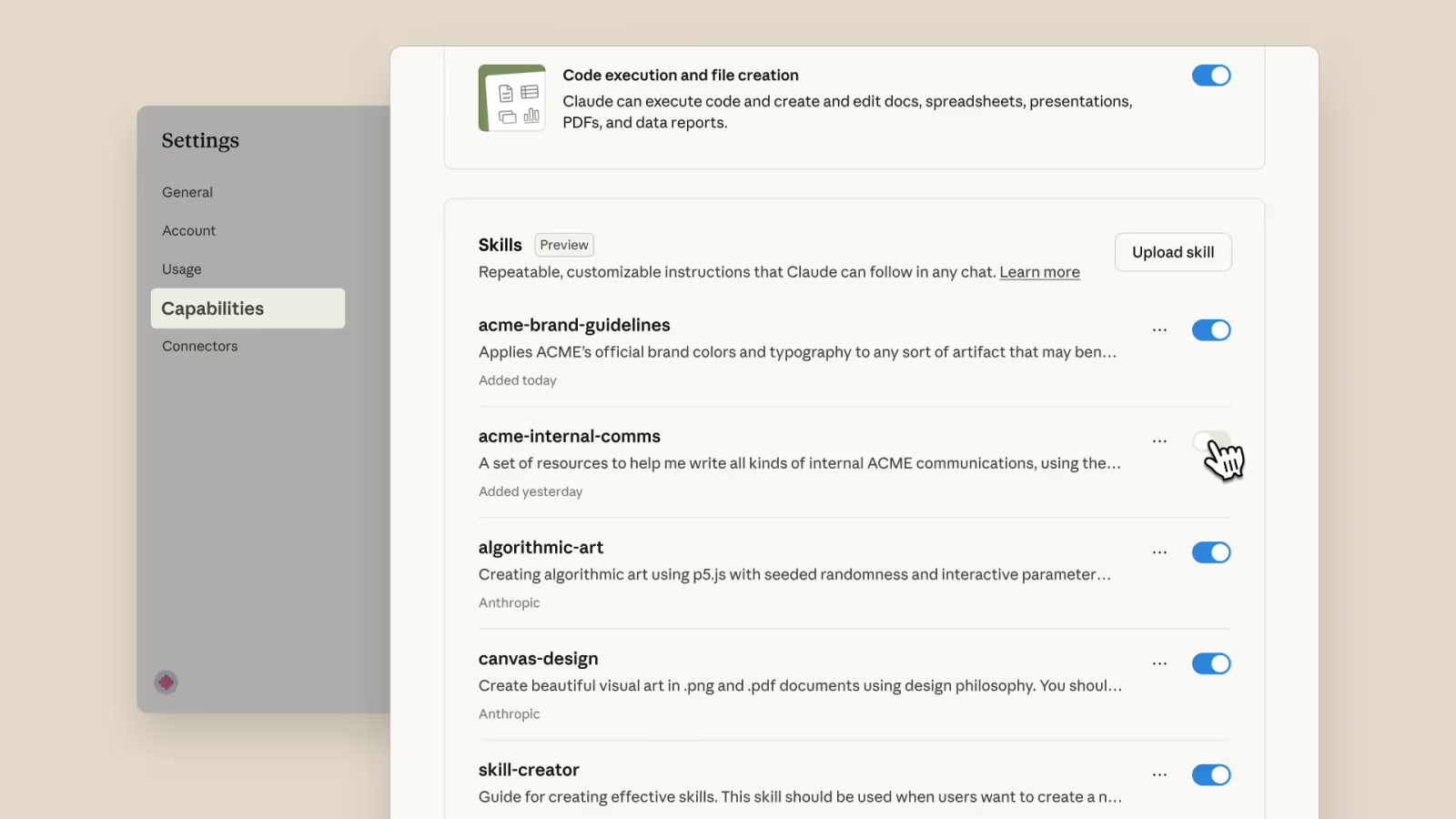
A practical, hands-on tour of exactly the pieces this release touches, memory files, Skills, connectors and sub-agents, wired together into a real daily workflow rather than a single demo task.
Capabilities Deep Dive: Building the Stack
Choosing between computer use and browser use
Anthropic's own guidance, echoed by developer write-ups like Apito's production agent stack guide, is to prefer browser use whenever a task is confined to a web application, and fall back to computer use only for genuine desktop software, native apps, terminals, anything outside a browser tab. The reasoning is straightforward: element references are more reliable and cheaper in tokens than repeated full-screen screenshots once a page is complex, and browser use's tab management means a single agent session can juggle several open pages the way a person would. Computer use remains the right tool when there simply is no accessibility tree to read, a legacy Windows application, a remote desktop session, a game.
A four-piece agent loop
Put together, the pattern Apito's guide and Anthropic's own announcement both describe is: a Skill defines the scope, sequence and evidence standard for a task; browser use or computer use executes the steps against real software; the Files API stores inputs once and holds outputs, a completed spreadsheet, a filled PDF, by ID rather than re-uploading them on every turn; and the whole loop returns a finished artefact rather than a chat transcript. Apito's guide is pointed about why the artefact matters more than the conversation: "a cheap API call that produces an unusable report is more expensive than a slightly larger call that passes acceptance on the first attempt."
Multi-turn state and long-running work
Skills containers can be reused across multiple Messages requests by passing the same container.id back in a follow-up call, so a multi-step task, generate a dataset, then analyse it, then chart it, does not need to re-establish its execution environment each time. Both toolsets also support the pause_turn stop reason for operations that genuinely cannot finish in a single model call, letting a client resume a long-running Skill or browser task exactly where it left off.
Combining tools in one request
Browser use and computer use can be attached to the same request alongside custom tools, and a single conversation can hand off between them, use browser use to fill in a web form, then computer use to interact with a native file-picker dialog the browser triggered, though Anthropic's docs note only one browser toolset is permitted per request and no custom tool may be named "browser", a small but real naming collision to watch for.
Benchmarks and Evidence
Here is the honest gap in this release: Anthropic has not published an updated benchmark score for either computer_toolset_20260801 or browser_toolset_20260801. There is no new OSWorld-Verified number, no updated WebArena figure, nothing that quantifies how much better the batched, reference-aware tools perform against the older beta versions on a standardised task suite. That is a meaningful omission for a release explicitly pitched at production reliability.
What Anthropic offers instead is the Asteroid case study already summarised above, and it is worth reproducing the claim precisely rather than rounding it. Asteroid builds agents that operate inside healthcare and insurance systems that have no API, exactly the kind of legacy-software gap computer use targets. Davide Locatelli, a Research Engineer at Asteroid, is quoted in the announcement: "Our agents work inside healthcare and insurance systems that have no API. On the new computer use tool, our longest claims workflow went from 32 minutes to 13, cost per task fell about 30% across every workflow we tested, and completion hit 100%, with no changes to our prompts." That last clause, no prompt changes, is the closest thing to a controlled comparison in the entire announcement: it implies the gain came from the tool's own mechanics (batching, presumably) rather than from re-engineering Asteroid's agent.
For a standardised computer-use benchmark, the most recent published figure on the Claude line remains Opus 4.8's 83.4% on OSWorld-Verified, reported at that model's launch in June 2026, well before this toolset existed. It is worth stressing what that number does and does not tell you here: it demonstrates Opus 4.8's underlying computer-use capability under whatever tool version was current in June, not the specific mechanical improvements (batching, zoom-by-default, the new configs system) this August release adds. Our full Opus 4.8 system card review covers that benchmark and the model's wider agentic scores in detail.
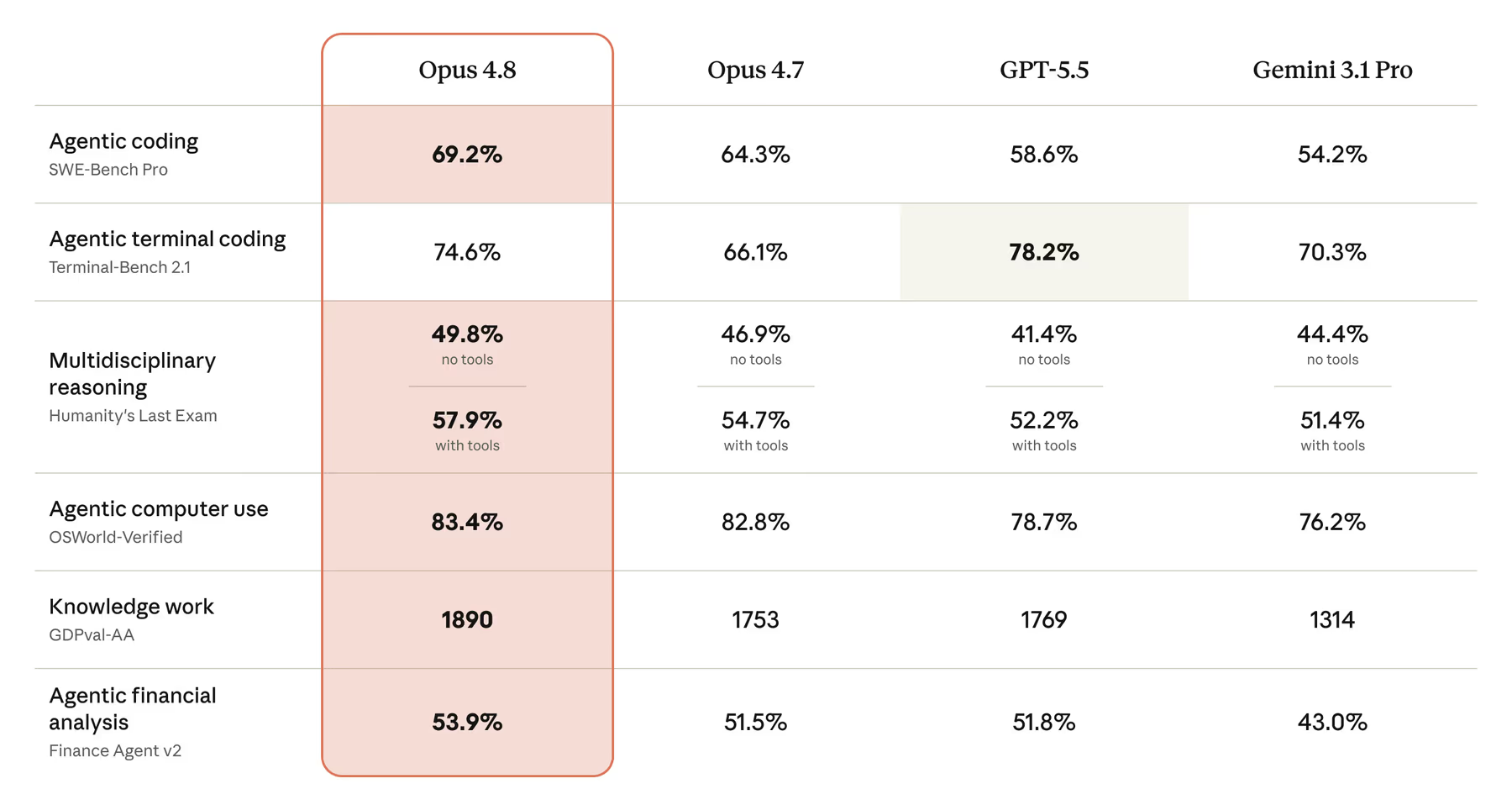
Until Anthropic or an independent evaluator publishes a benchmark specifically against computer_toolset_20260801 or browser_toolset_20260801, treat the mechanical changes, batching, element references, zoom, as plausible efficiency and reliability improvements grounded in how the tools work, not as a proven capability jump backed by a number.
Safety and Guardrails
Anthropic's safety documentation for both computer-facing tools is consistent and specific rather than a generic disclaimer, and it has not fundamentally changed shape with GA, it has been extended to cover the new browser-specific risks. The core recommendations for computer use: run it in an isolated container or VM with minimal privileges, never provide login credentials or financial information the tool does not strictly need, allowlist safe network domains rather than leaving the environment open, require explicit human confirmation before consequential actions (payments, agreeing to terms, cookie consent), and log every action for audit. Anthropic also runs automatic classifiers that flag likely prompt-injection attempts inside screenshots and prompt the user for confirmation before Claude acts on suspicious content, a defence that can be disabled on request but which Anthropic recommends leaving on.
Browser use inherits the same posture with browser-specific detail: run the browser in a dedicated, credential-free profile isolated from sensitive filesystems and networks; validate every navigate URL against an allowlist of schemes (accept http/https, reject javascript:, file:, data: and similar); and treat all rendered page content as untrusted input, because a malicious page can attempt to override Claude's instructions through text it renders, exactly the prompt-injection surface that makes an agent with real browsing ability different from a read-only web-search tool. Anthropic's own docs are explicit that this risk is not solved by the accessibility-tree approach; reading structured page content is not the same as trusting it.
This release also folds in two smaller Claude Managed Agents safety controls covered in the same release-notes window: agents can now have their web_search and web_fetch tools restricted to an explicit allowed_domains or blocked_domains list set on the tool's configs entry, and self-hosted sandbox sessions can attach persistent memory stores, with the SDK worker downloading each store into the sandbox and syncing changes back automatically, rather than every session starting from a blank slate. Neither is directly part of computer use, browser use, Skills or Files, but both ship in the same window and speak to the same underlying theme: tighter, more granular control over what an autonomous agent can reach.
Agentic Safety in Practice
The single most practical safety implication of this release is one The New Stack's coverage flags directly: batching complicates approval gates. When Claude could only take one action per model call, a human-in-the-loop check between every click was trivial, pause, review, approve, continue. Now that several actions can arrive together in one turn, click a button, fill a field, submit a form, the executor has to inspect the whole batch as it plays out and be prepared to stop mid-sequence the moment an action crosses into consequential territory, rather than checking once per model response. Anthropic's own guidance acknowledges this: require confirmation for financial transactions, account changes, deletions and message-sending, and check for those triggers inside a batch, not just at its start.
Apito's guide, aimed squarely at production deployments, lists eight concrete guardrails worth adopting as a checklist rather than a suggestion: least-privilege credentials, domain allowlists, explicit step and time budgets per task, idempotent actions (so a retried step does not double-submit a form), complete audit logging, redaction of sensitive data before it reaches the model, recovery checkpoints for long tasks, and acceptance tests that validate a deliverable before it is considered done, rather than trusting the model's own account of success. None of these are new ideas specific to this release; what changed is that batching and multi-tab browser sessions make skipping them noticeably riskier than under the old, slower, one-action-per-call regime.
The optional, higher-risk browser use members deserve their own callout. file_upload is deliberately scoped to resolve only within a dedicated, allowlisted upload directory the executor controls, kept separate from any downloads folder. javascript_exec runs with the full privileges of the current page, cookies, storage, same-origin requests included, and Anthropic's guidance is to enable it only in sessions that hold no credentials whatsoever. Both are off by default for exactly this reason; turning them on should be a deliberate decision tied to a specific task, not a default configuration.
Real-World Claims vs Marketing
Strip away the framing and the release is more evolutionary than the "computer use, browser use, Skills and Files, all at once" headline suggests. Three of the four pieces are the same capability minus a beta header; the genuinely new mechanics are batching (computer use) and accessibility-tree reading (browser use), both real and both mechanically sound reasons to expect fewer round trips and fewer coordinate-drift failures. But "browser use" as a name slightly overpromises what ships: Anthropic does not operate a browsing service, your infrastructure does, and the tool is more accurately described as a structured protocol for browser automation than a hosted browsing capability. The New Stack's framing, "doesn't actually run a browser", is a fair, sourced correction to how the feature might be assumed to work by anyone skimming the announcement rather than the docs.
The Asteroid numbers are real and specifically attributed, but they are one company's workflow, not a representative benchmark, and "cost per task fell about 30%" and "completion hit 100%" are self-reported without an independent audit. Treat them the way you would treat any single customer testimonial in a vendor announcement: directionally credible, evidence that the tool works well for at least one demanding use case, but not a number to build a business case on without your own testing.
There is also a genuine naming trap worth flagging for anyone searching for help online: an unrelated open-source project, also called "Browser Use", already exists and runs AI browser agents against Chromium through the Chrome DevTools Protocol. It shares nothing with Anthropic's tool beyond the name, has its own agent loop and browser abstractions, and integrating the two would require real adapter work, not a drop-in swap. Several developer guides published in the days after the announcement, including Apito's, take pains to disambiguate the two, which is a signal the confusion is already showing up in practice.
Pricing, Limits and Access
None of the four pieces introduces a new headline price. Computer use and browser use are billed as standard input and output tokens for the underlying model, plus the fixed overhead of loading the toolset itself, roughly 6,600 input tokens for browser use's default 27-tool configuration before any screenshot or page-read content is counted, according to Anthropic's pricing documentation as reported by The New Stack. Skills API calls are billed the same way, as tokens plus whatever the code execution tool itself costs. For exact current per-model rates across the five compatible models, see our Claude API pricing guide; at the time of writing, Opus 4.8 is £3.95 ($5) input / £19.75 ($25) output per million tokens, the cheapest of the five models this release supports.
| Limit | Value |
|---|---|
| Files API: max file size | 500MB per file |
| Files API: organisation storage | 1TB total per organisation |
| Files API: rate limit | ~500 file-related requests/minute (higher on request) |
| Files API: expiration window | 1 hour to 90 days (expires_in_seconds), optional |
| Skills API: Skills per request | Up to 20 |
| Skills API: max Skill size | 30MB uncompressed |
| Browser use: default toolset overhead | ~6,600 input tokens before content |
| Browser use: member tools | 27 default + 4 optional (31 total) |
| Computer use: member tools | 17 |
Access is the part most likely to catch teams out. Both new toolsets work only on Claude Opus 5, Claude Sonnet 5, Claude Fable 5, Claude Mythos 5 and Claude Opus 4.8, and only through the Claude API directly, not Amazon Bedrock, not Google Cloud Vertex AI, not Microsoft Foundry, and not inside Claude Managed Agents at all. Skills and Files fare better on platform reach: both are also available on Microsoft Foundry (Files requires a "Hosted on Anthropic" deployment there), and Claude Platform on AWS carries the full Messages API, Files API, Managed Agents, Agent Skills, code execution and tool use through native AWS endpoints. If your stack runs on Bedrock or Vertex today, plan around continuing to use the older beta computer-use tool version for now.
Files API operations themselves, upload, download, list, retrieve, delete, are free of charge; only file content actually sent into a Messages request is billed, at the standard input-token rate. Skills, similarly, add no separate line item beyond the model tokens and code execution time they consume. See our Claude connectors directory if you are weighing MCP-based integrations against a Skills-plus-Files approach for a given workflow, they solve overlapping but not identical problems.
Limitations
- No updated benchmark for either new toolset. The only quantified evidence is one customer's self-reported workflow timing, not an independent or standardised score.
- Narrow model and platform support. Five models, Claude API only, for both computer use and browser use; no Bedrock, Vertex AI, Microsoft Foundry, or Claude Managed Agents support yet for either.
- You host the browser, not Anthropic. Browser use is a protocol, not a hosted service; your application must run, isolate and maintain the actual browser environment, downloads folder, upload directory and all.
- Element references go stale. A reference becomes invalid the moment a tab navigates or the DOM changes materially, and the API will not catch a stale reference on its own; the executor has to detect the failure and have Claude re-read the page.
- No protocol compatibility with existing browser-automation ecosystems. Playwright MCP and Puppeteer expose conceptually similar accessibility-tree data, but neither speaks Anthropic's client-toolset protocol directly; an adapter layer is required either way.
- Batching complicates human approval. Several actions can now arrive in one turn, so an executor checking for consequential actions once per model call is no longer sufficient; it must inspect every action inside a batch.
- Files storage is finite and shared. 1TB per organisation and 500MB per file are workable limits for most teams today, but heavy computer-use screenshot logging or large generated-document volumes could approach them faster than expected.
- Naming collision with an unrelated open-source project also called "Browser Use" makes web searches for help noisier than they should be.
How It Compares
All three frontier labs have converged on some form of computer/browser control, and all three went through a consolidation phase in 2026. OpenAI's standalone Operator product was shut down on 31 August 2025; its Computer-Using Agent capabilities folded into ChatGPT Agent for consumers and into a "computer-use" tool inside the Responses API for developers, the closest direct equivalent to Anthropic's tool, also billed as standard tokens and also requiring the developer to supply the execution environment. OpenAI has since layered a related but distinct feature on top for macOS: Computer History, which does not control your machine the way computer use does, but passively logs interaction events to build persistent memory for ChatGPT and Codex - a different point on the same spectrum of an agent understanding your actual working context. Google followed a similar path: Project Mariner, its browser-automation research prototype, was shut down on 4 May 2026 after roughly seventeen months, its technology absorbed into the Gemini 2.5 Computer Use model, available via the Gemini API on Google AI Studio and Vertex AI in public preview, and now also powering Gemini Agent and Chrome's Auto Browse.
The shape of the competition is not "does a rival have this at all", all three do, but positioning. Anthropic pairs the oldest track record (computer use since October 2024) with the clearest split between coordinate-based control and structure-aware control as two separate, composable tools. OpenAI folded its equivalent into one Responses API tool without that split; Google's approach is model-centric, a dedicated Gemini 2.5 Computer Use model rather than a tool attached to its general-purpose flagships. None of the three has published a shared, independently-run benchmark that would rank them fairly on this specific capability, so claims from all sides deserve the same scrutiny this article gives Anthropic's. For the model-choice side of this decision, our Claude Opus 5 and Claude Sonnet 5 reviews cover where each newly-supported model sits on general capability.
Within the open-source and third-party agent-harness world, the comparison is less direct but still relevant: projects like DeepSeek Harness and the wider field covered in our AI browser automation agents guide generally build their own browsing layer on top of a model's general tool-use ability rather than shipping a vendor-maintained, accessibility-tree-aware toolset like browser use. That makes Anthropic's offering more turnkey for teams that want official support, at the cost of being locked to Anthropic's protocol rather than an open standard.
Who Should Use It
Worth adopting now: teams already running computer use or Skills in beta, since migrating to the GA toolsets is largely a matter of updating request shapes rather than rethinking architecture, and the removed beta headers mean one less thing to keep synchronised with the docs. Anyone automating legacy software with no API, exactly Asteroid's situation, gets a directly relevant, if single-source, proof point. Teams building web-form-heavy agents (data entry, claims processing, back-office automation across internal portals) are the clearest fit for browser use specifically, since element references solve the layout-drift problem that has made pure screenshot automation brittle.
Worth waiting on: anyone deployed on Bedrock, Vertex AI or Microsoft Foundry who needs the new toolsets specifically, since none currently carry computer_toolset_20260801 or browser_toolset_20260801. Teams that need computer use inside Claude Managed Agents rather than raw Messages API calls are also out of luck for now, both tools are explicitly unavailable there. And anyone who needs a published, independently-verifiable performance number before committing budget should hold off building a business case on this specific release until a benchmark, from Anthropic or a neutral evaluator, actually exists.
The Bottom Line
This is a real, useful, unglamorous release. Removing beta headers from computer use, Skills and Files is exactly the kind of change that matters more to a platform team than to a headline, and browser use's accessibility-tree approach is a genuine mechanical improvement over pure screenshot-and-coordinate automation, one that lines up with where the rest of the industry, Playwright MCP, Puppeteer's own accessibility APIs, has already been heading. The Asteroid case study is credible evidence that the approach works in a genuinely hard domain, legacy healthcare and insurance software with no API, but it is one story, not a benchmark, and Anthropic has not yet backed the release with the kind of standardised number this site would prefer to report.
For the desktop-side counterpart to these APIs, Anthropic's September update that lets Claude use your computer in the background covers the same capability delivered through Cowork and Claude Code rather than through the API, with a different and more permissive trust boundary.
Build on it if your workload fits the narrow model and platform list today; plan a migration path if you are on Bedrock, Vertex AI or Managed Agents and need to wait; and treat every specific number in this article, the 6,600-token browser overhead, the 1TB storage cap, the 32-to-13-minute Asteroid figure, as exactly as reliable as its source, official documentation for the limits, one company's self-report for the workflow claim, and nothing yet for the capability jump itself.
Last updated: 22 August 2026. Sourced from Anthropic's official announcement and Claude Platform release notes, tool and API documentation, and independent reporting from The New Stack, Apito and NxCode. This article will be revised if Anthropic or an independent evaluator publishes a benchmark specifically against the new computer use or browser use toolsets.
Get the free guide: Claude vs ChatGPT, Gemini & Grok
A 20-page playbook covering everything you need to choose and use the big four AI models in 2026, full cost and feature comparisons, what each is best (and worst) at, and how-tos for images, vectors, building a website, Claude Code and more.