 AI Tools Review Editorial Team
Quick Answer:
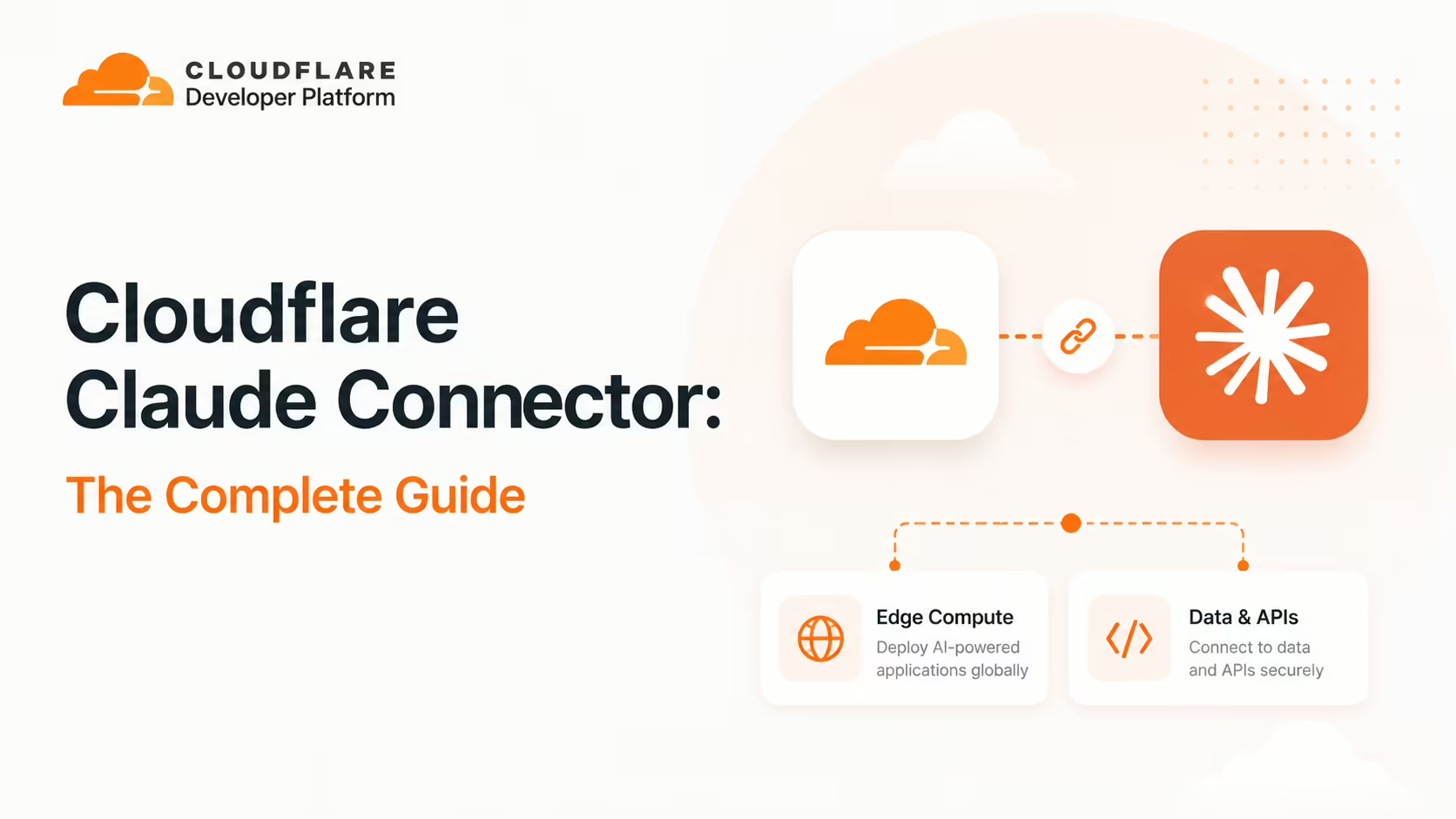
The Cloudflare connector gives Claude OAuth-authenticated access to the Cloudflare developer platform - Workers, KV, R2, D1, DNS, Pages and zone analytics - plus the full Cloudflare API (2,500+ endpoints) through a deliberately small two-tool design: search() and execute(). Together with the open-source workers-mcp framework, it lets Claude operate your edge from inside the editor and lets you publish your own MCP endpoints on the same runtime. Find it in the Claude Connectors Directory.
Cloudflare runs a meaningful slice of the internet's edge - DNS, CDN, Workers, KV, R2, D1, Pages, Zero Trust. The connector exposes all of it to Claude through one OAuth login.
And it's done with a single elegant pattern that's worth understanding even if you never use Cloudflare.
Overview
Cloudflare provides a catalogue of managed remote MCP servers which you can connect to from clients like Claude over OAuth. Once connected, your client can read configuration from your Cloudflare account, process information, make suggestions and - where appropriate - apply changes back. It is one of the most ambitious connectors in the directory, because the surface area on the other side is enormous.
Beyond the managed servers, Cloudflare publishes the workers-mcp framework so any developer can expose their own functions and Workers services to Claude through MCP, on the same runtime that already runs their app.
The catalogue itself is larger than most people realise. Cloudflare's agents documentation currently lists more than a dozen managed servers, each scoped to a job: Documentation (reference material on Cloudflare products), Workers Bindings (building Workers apps with storage, AI and compute primitives), Workers Builds, Observability (debugging via your application's logs and analytics), Radar (internet traffic insights and URL scans), Container (sandbox development environments), Browser Rendering (fetching web pages, converting them to markdown and taking screenshots), Logpush, AI Gateway, AI Search, Audit Logs, DNS Analytics, Digital Experience Monitoring, Cloudflare One CASB and a GraphQL server for analytics queries. Each lives at its own *.mcp.cloudflare.com subdomain, so you connect only the surfaces a task actually needs.
What Cloudflare Brings to the Connector
Cloudflare is a global edge network and developer platform. The surfaces a Claude agent typically touches are:
- Workers - serverless functions that run at the edge.
- KV - low-latency key-value storage for edge state.
- R2 - S3-compatible object storage without egress fees.
- D1 - SQLite at the edge.
- Pages - JAM-style site hosting with Workers integrations.
- DNS and zones - the heart of Cloudflare's network business.
- Zero Trust, R2 lifecycle, Stream, AI, Vectorize - and a long tail of platform products that all live behind the same API.
The connector reaches all of these. The trick is doing it without overwhelming the agent's tool budget.
The Two-Tool API Architecture
Most connectors expose every capability as a separate MCP tool, which works fine for small APIs but explodes for platforms like Cloudflare with thousands of endpoints. The Cloudflare API MCP server takes a different approach - it provides access to the entire Cloudflare API of over 2,500 endpoints through just two tools:
search()- find the right endpoint by description.execute()- run it with structured parameters.
This is the same pattern Cloudflare itself recommends for any large MCP integration: a thin discovery layer over a typed execution layer. The result is that Claude can reach any corner of the platform without you predeclaring 2,500 tools, and the agent's context budget stays tractable.

What the Claude Connector Does
Practically, that two-tool API plus the dedicated managed servers means Claude can:
- List and retrieve Workers, read source, view metadata, and check deployment status.
- Read and write KV entries across namespaces - perfect for poking edge state during an investigation.
- Manage DNS records across zones - add, update, delete.
- Check Pages deployments - verify a build, surface logs.
- Inspect zone analytics - traffic, cache hit ratio, error rates.
- Operate R2 for object storage and D1 for SQL.
- Reach the long tail - Zero Trust policies, Stream, Workers AI, Vectorize, and so on - via the API MCP's search/execute pair.
workers-mcp: Build Your Own
The companion to the managed servers is the open-source workers-mcp framework. It lets you expose any function in your app, or any Cloudflare service, back to an LLM in your coding agent, Claude Desktop or other MCP client. Because the runtime is Workers itself, the MCP server runs in the same global edge as your application - no separate process, no extra hop.
That's a significant design point. The same Workers you already deploy can be augmented with their own MCP surface that Claude reaches over OAuth. You can publish a tool that fetches your business data, talks to your downstream services, or runs your own logic - and ship it with the same wrangler deploy you'd use for the rest of the Worker. Cloudflare's blog post "Hi Claude, build an MCP server on Cloudflare Workers" walks through the pattern end to end.
Real Use Cases
- Worker debugging: Deploy a Worker, ask Claude to verify the route is live, confirm KV is populated correctly and check traffic is hitting the right handler - all in one session.
- DNS hygiene: "Find all CNAMEs in this zone pointing at unused subdomains and propose deletions."
- Edge state poking: Read a KV namespace mid-incident to confirm a flag, or write a temporary entry to recover.
- Analytics summaries: "What changed in zone traffic since last Friday?"
- Bulk API work: Use search/execute to drive complex API tasks across zones, accounts and products that would otherwise require custom scripting.
- Publishing your own MCP tools: Wrap an internal API on Workers with
workers-mcpand have Claude consume it like any other connector.
A Worked Example: Deploy, Verify, Debug
A representative session that recurs in community write-ups:
- You write a Worker change in Claude Code with the help of the assistant.
- You deploy via
wrangleras usual. - You ask Claude to verify the route is live - the agent calls the Cloudflare API, checks the deployment and reports back.
- You ask Claude to confirm the KV namespace is populated for the rollout - read calls confirm specific keys.
- An anomaly appears in zone analytics; you ask Claude to summarise traffic since deploy and surface error spikes.
- You roll a fix, ask Claude to verify again, and ship.
None of this required leaving the editor. None required hand-rolling API calls. The session feels like pairing with someone who already has the Cloudflare console open.
Real-World Experience
The Cloudflare connector has had unusually strong reception. Cloudflare's own blog post on the design ("Hi Claude, build an MCP server on Cloudflare Workers") and the agents docs articulate a coherent pattern; community write-ups (Merge.dev, antigravity.codes, StackOne, pikagent) confirm it works in practice and praise the two-tool approach in particular for keeping the agent's tool budget under control.
The most quoted line from operators: there's no longer a context switch for "I deployed it, did it work?" - the agent can just answer.
How to Set It Up
Cloudflare ships a catalogue of managed remote MCP servers, each at its own URL, and you connect to whichever ones the task needs. There is no single endpoint - the documentation MCP, the Workers builds MCP, the observability MCP, the radar MCP and the broad API MCP are separate servers. Authentication is OAuth in every case, so Claude inherits your existing Cloudflare account permissions and never holds a raw API token.
Claude Code (recommended)
Add a remote server with claude mcp add. For example, to connect the documentation server and the broad API server:
claude mcp add --transport sse cloudflare-docs https://docs.mcp.cloudflare.com/sse claude mcp add --transport sse cloudflare-api https://api.mcp.cloudflare.com/sseThen run claude mcp list to confirm the servers are registered, and complete the OAuth flow in the browser window Claude opens on first use. Running Claude Code from a Workers project root - the directory that holds your wrangler.jsonc - gives the agent the most context for deploy-verify-debug loops. Cloudflare's Agent Setup guide (developers.cloudflare.com/agent-setup/claude-code) lists the full server catalogue.
Claude Desktop
Claude Desktop reaches remote MCP servers through the mcp-remote proxy. Add a block like this to your claude_desktop_config.json and restart Desktop:
{
  "mcpServers": {
    "cloudflare-api": {
      "command": "npx",
      "args": ["mcp-remote", "https://api.mcp.cloudflare.com/sse"]
    }
  }
}
A browser window opens to complete OAuth. Once authorised, the server's tools appear in Desktop. The same proxy pattern works for any of the managed server URLs.
Build your own with workers-mcp
To publish your own tools, install workers-mcp in a Worker, declare the functions you want to expose, and ship with wrangler deploy. Claude reaches the resulting endpoint over OAuth just like the managed servers.
Security and Permissions
OAuth is the right primitive here: the agent acts with your existing Cloudflare permissions and never holds a raw API token. Because the platform's reach is so broad, the standard hygiene matters most for this connector - scope OAuth to the accounts and zones the task actually needs, prefer read scopes where possible, and review changes the agent proposes to DNS or zones before they go live. Treat execute() like any other API call against production.
There is one documented exception to the OAuth-everywhere rule: for CI/CD and other non-interactive automation, Cloudflare's docs note you can create a Cloudflare API token with exactly the permissions you need and pass it as a bearer token instead. That keeps headless pipelines working without a browser consent flow - at the cost of token custody returning to you, so scope such tokens as narrowly as the job allows.
Common Problems and Fixes
The Cloudflare connector is reliable once running, but the breadth of the platform creates a handful of recurring snags. These come up repeatedly in community threads and Cloudflare's own docs.
The observability server triggers a flood of chained calls
The observability MCP server tends to fan out into many dependent tool calls - list zones, then analytics per zone, then logs per event - which can exhaust the context window on a large account. Connect it only when you need it, scope questions to a single zone or time range, and avoid leaving it registered alongside other heavyweight servers. If a session balloons, start a fresh one rather than trying to recover a context-saturated thread.
search() picks the wrong endpoint
The two-tool design rewards specific prompts. A vague request like "update the record" can resolve to the wrong endpoint among 2,500. Name the product and the operation - "update the A record for app.example.com in zone example.com" - so search() ranks the right call first. When in doubt, ask Claude to show the endpoint it selected before running execute().
Tools don't appear after adding the server
If claude mcp list shows the server but no tools are usable, OAuth almost certainly did not complete - the browser window may have been dismissed. Remove and re-add the server, and finish the consent flow. In Claude Desktop, make sure npx is on PATH so mcp-remote can launch; a missing Node install is the most common Desktop failure.
OAuth callback is blocked
The OAuth redirect runs on localhost. Corporate proxies, VPNs or browsers that block localhost callbacks will stall the handshake. Complete the flow in a standard browser session without an aggressive ad/script blocker, then return to the client.
Permission errors on execute()
A 403 from execute() means your Cloudflare user lacks the role for that operation, not a connector bug - the agent inherits your account permissions exactly. Grant the role in the Cloudflare dashboard (or have an admin do it), then retry.
Limitations
- Two tools, lots of power: the search/execute pattern is elegant but rewards careful prompting - vague requests can pick the wrong endpoint.
- Production reach: DNS, KV and Workers changes affect live traffic; review before applying.
- Cost surfaces vary: some platform features (Stream, Vectorize, AI) have separate pricing - check before triggering.
- Cloudflare-shaped: deep on edge and DNS, narrower on application data inside your stack.
Who It Is For
Anyone building or operating on Cloudflare - especially Workers and Pages developers, platform engineers responsible for DNS and zones, and SRE/devops teams who want Claude to participate in deploy-verify-debug loops. workers-mcp extends the audience to anyone who wants to publish their own MCP endpoints on Cloudflare's runtime.
The Bottom Line
The Cloudflare connector is one of the most architecturally interesting in the directory - and one of the most useful. The two-tool API design proves you can expose enormous platforms to LLMs without blowing the tool budget, the managed servers cover the common edge workflows, and workers-mcp means you can publish your own MCP endpoints on the same runtime that runs your app.
For platform engineers and Workers developers, this is one of the highest-leverage connectors available. Explore the rest in the complete Claude Connectors Directory.
Sources: Cloudflare (developers.cloudflare.com/agents/model-context-protocol, blog.cloudflare.com/model-context-protocol, developers.cloudflare.com/agent-setup/claude-code), github.com/cloudflare/workers-mcp, Merge.dev, StackOne, antigravity.codes, pikagent. Images: Cloudflare. Last updated: June 2026.