 AI Tools Review Editorial Team
Quick Answer:
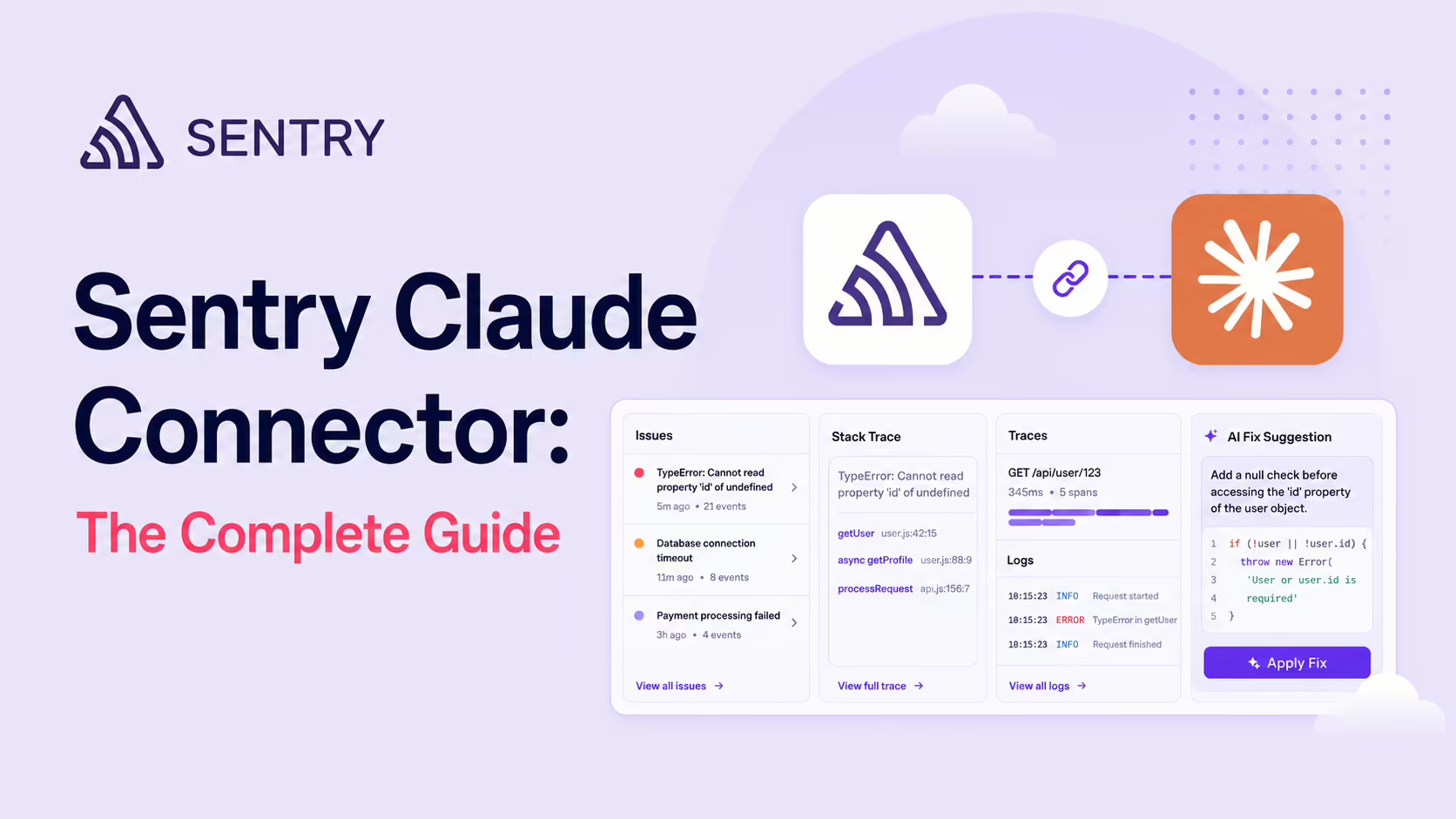
The Sentry MCP plugs Sentry's API directly into Claude so you can debug production from natural language. Claude can fetch full stack traces, related logs, trace spans, retrieve issue lists and check error status - and pair with Seer, Sentry's AI debugger, on error-type issues. Sentry runs an official MCP at mcp.sentry.dev with a cookbook of Claude Code recipes. Find it in the Claude Connectors Directory.

Sentry has spent years turning crashes into structured signal. The MCP makes that signal something Claude can reason over.
Add Seer on top and you have an agent-friendly debugging surface that turns a production issue into a Pull Request, in one session.
Overview
Sentry MCP plugs Sentry's API directly into your LLM, letting you ask questions about your data in natural language. Take a coding agent like Claude Code or Cursor and pull in information from Sentry to help debug, fix production errors and understand your application's behaviour - all in one session.
There are three documented ways in. The hosted remote service at mcp.sentry.dev with OAuth is the default. For Claude Code specifically, Sentry ships an official plugin - claude plugin install sentry-mcp@sentry-mcp - which bundles the server configuration in one step. And for teams that cannot use the hosted service, a stdio transport runs locally via npx @sentry/mcp-server@latest with a Sentry user auth token, including against self-hosted Sentry instances using a --host flag to point at your own deployment. That last path matters for regulated environments where telemetry must not transit a third-party-hosted bridge.
What the Claude Connector Does
- Fetch full stack traces, related log lines and trace spans for any event.
- Retrieve issue lists and read full stack traces without leaving the terminal.
- Search structured logs for patterns around the time of an error.
- Correlate logs with stack traces to pinpoint where things went wrong.
- Check error status across services.
Seer: Sentry's AI Debugger
Seer is Sentry's AI debugger. It examines stack traces, tracing data, logs, profiles and your connected codebase to determine why an issue is happening. With the Sentry MCP, the practical pattern is to pair: Seer works best on error-type issues; for performance issues like N+1 queries or slow DB calls, Claude Code analyses the code directly using the trace context the MCP provides.
It's the right division of labour. Errors are pattern-heavy (Seer's specialty); performance issues need code reasoning across files (Claude Code's specialty). The MCP makes both halves cooperate.
Real Use Cases
- Live incident triage: Claude pulls the issue's full stack trace, related logs and slow trace spans on demand.
- Performance triage: "what are this week's worst performance issues?" - the MCP returns the list and trace context.
- Code-aware debugging: Claude reads the implicated source files and proposes a fix, grounded in the real stack trace.
- Weekly auto-triage: a Claude Code task fires every Monday at 9am, queries Sentry's worst performance issues and opens GitHub PRs with fixes (the Cookbook recipe).
- "Fix it in Cursor": the published Cookbook also covers Sentry MCP + Seer inside Cursor for IDE-native incident fixes.
The Cookbook: Repeatable Patterns
Sentry runs a public Cookbook (sentry.io/cookbook) of debugging and monitoring recipes specifically for the MCP. Two recurring patterns stand out:
- "Automate weekly performance triage with Claude Code + Sentry MCP" - scheduled task, query, summarise, PR.
- "Debug faster with Sentry MCP and Claude Code" - the in-editor incident loop.
The Cookbook is unusually well-suited to this connector category because incident response benefits from patterns more than ad-hoc prompting.
A Worked Example: From Alert to PR
- An alert fires; you ask Claude in the editor: "Pull the full stack trace and last hour of related logs for this Sentry event."
- Claude returns both, plus the slowest trace spans.
- You ask: "What does Seer say is the root cause?" - Seer's analysis is summarised inline.
- Claude reads the suspect source files and proposes a code change.
- You ask: "Open a PR with the fix and link it back to this Sentry issue."
- Done - alert to PR in one session.
Real-World Experience
Reception across Sentry's own Cookbook, Composio's Claude Agent SDK toolkit, Merge.dev's setup walkthrough, MintMCP's enterprise guide and the Remote MCP catalogue is strong. The consistent feedback: incident loops shorten meaningfully, especially when paired with Seer for error-type issues. Sentry's own monitoring of MCP servers (yes, they wrote a guide on monitoring the very thing) tells you how seriously they take the category.
Honest caveat: like any agent that can take action across services, this needs supervision while you build trust - especially around auto-PR workflows. Start with read-only triage, layer in writes when you're confident.
How to Set It Up
The remote server lives at https://mcp.sentry.dev/mcp and authenticates with OAuth, so there is no token to paste for the standard setup. In Claude Code:
claude mcp add --transport http sentry https://mcp.sentry.dev/mcpIn Claude Desktop, add Sentry under Settings → Connectors and complete the OAuth flow. If you prefer to self-host or pin a token, Sentry also publishes a local stdio server (getsentry/sentry-mcp-stdio) that authenticates with a Sentry auth token. Once connected, start with read-only triage and the Cookbook's weekly scheduled queries, then wire in Seer for error issues and Claude Code's source reasoning for performance issues.
Common Problems and Fixes
- 401 on tool calls: Sentry tokens are project-scoped, not org-scoped. A 401 almost always means the token lacks scopes for the project you are querying - re-issue it with the right project and scopes.
- Hitting rate limits mid-incident: Sentry rate-limits aggressively. A long debugging session with Claude making repeated calls can start returning errors. Batch your questions and avoid tight retry loops.
- Wrong server answers the question: with several MCP servers installed, Claude sometimes routes a Sentry-shaped query through, say, GitHub search instead. Name the tool explicitly - "use the Sentry MCP to fetch issue X."
- Seer on the wrong issue type: Seer is tuned for error-type issues. For performance problems (N+1 queries, slow DB calls) let Claude read the code using the trace context rather than expecting Seer to solve it.
- Auto-PR surprises: the scheduled-triage recipe can open PRs unattended. Review the first few runs before trusting it to write back.
Security and Permissions
The connector operates with your Sentry auth - it can see what your account can. Logs and traces can carry sensitive payloads, so scope access deliberately, and read-first is the right default until you've validated agent behaviour on your data.
If you run the stdio server with a user auth token instead of OAuth, Sentry's documentation enumerates the scopes it expects: org:read, project:read, project:write, team:read, team:write and event:write. Note that two of those are write scopes - the token can modify projects, teams and event state (resolving issues, for instance) - so a "read-only triage" pilot is a policy you enforce through prompting and review, not something the token shape guarantees. Mint the token specifically for the MCP, keep it out of version control, and revoke it when the experiment ends.
Limitations
- Seer is error-shaped: shines on error-type issues; performance issues lean more on Claude's code reasoning.
- Auto-PR risk: writing back to GitHub from an agent loop needs review on first deployments.
- Sensitive payloads: log and trace data can be sensitive - scope tightly.
- AI search needs an LLM provider: per the project docs, the AI-powered search tools (
search_events,search_issues) "require an LLM provider (OpenAI or Anthropic)" - on a self-hosted stdio deployment without one configured, those tools are unavailable whilst the rest of the server keeps working.
Who It Is For
Engineering teams that run on Sentry and use Claude Code (or Cursor) - particularly on-call rotations and product engineers responsible for both shipping and reliability. The weekly-triage recipe alone is worth the setup for many teams.
The Bottom Line
The Sentry connector is the cleanest in-editor incident loop available today. Pair MCP retrieval with Seer's error analysis and Claude Code's code reasoning, and you get alerts that become PRs in a single session. For Sentry-first engineering teams it is one of the most impactful connectors in the catalogue.
Start with the Cookbook, scope tightly, and let Claude carry the boring half of incident response. Browse more in the complete Claude Connectors Directory.
Sources: Sentry (mcp.sentry.dev, docs.sentry.io/ai/mcp, sentry.io/cookbook series), github.com/getsentry/sentry-mcp, Composio Claude Agent SDK, Merge.dev, MintMCP. Images: Sentry. Last updated: June 2026.