 AI Tools Review Editorial Team
Quick Answer:
The Sourcegraph MCP gives Claude precise, cross-repository code intelligence: file and repo exploration, keyword and semantic search, go-to-definition and find-references across repos, commit and diff search, and Deep Search for multi-step code research. Solves exactly what in-IDE agents can't: "what is the blast radius of this change across our entire organisation?". Find it in the Claude Connectors Directory.

Claude Code is brilliant at the current repo. Sourcegraph's MCP gives it the rest of your engineering organisation.
At scale, that's the difference between "ships a feature" and "ships a feature without breaking the seven services nobody told you about".
Overview
Sourcegraph MCP gives AI agents precise, cross-repository code intelligence through the open Model Context Protocol - search, navigation, history and Deep Search. It works with Claude Code, Cursor, Amp and other MCP-compatible clients.
Sourcegraph's API documentation lists the server as an Enterprise-plan capability and describes three endpoints rather than two: /.api/mcp for core search, /.api/mcp/all for the complete tool suite, and a dedicated /.api/mcp/deepsearch endpoint for the Deep Search agent (exposed as deepsearch and deepsearch_read tools). Authentication is OAuth 2.0 with Dynamic Client Registration (RFC 7591), so compatible clients register themselves and receive access limited to the mcp scope; alternatively you can supply a Sourcegraph access token in the Authorization header, optionally restricted to mcp operations only.
Why Code Search at Scale Matters
Sourcegraph's own framing captures the core insight: the shift to agentic coding has paradoxically made large-scale code search more valuable, not less. Claude Code, Cursor and Codex excel at generating code within your current project, but they operate in isolation - unable to answer the questions that matter most at scale:
- Where is this API consumed?
- Who depends on this deprecated function?
- What's the blast radius of this change across our entire organisation?
Those questions need a cross-repo index. Sourcegraph has been building that index for a decade; the MCP makes it a first-class agent tool.
What the Claude Connector Does
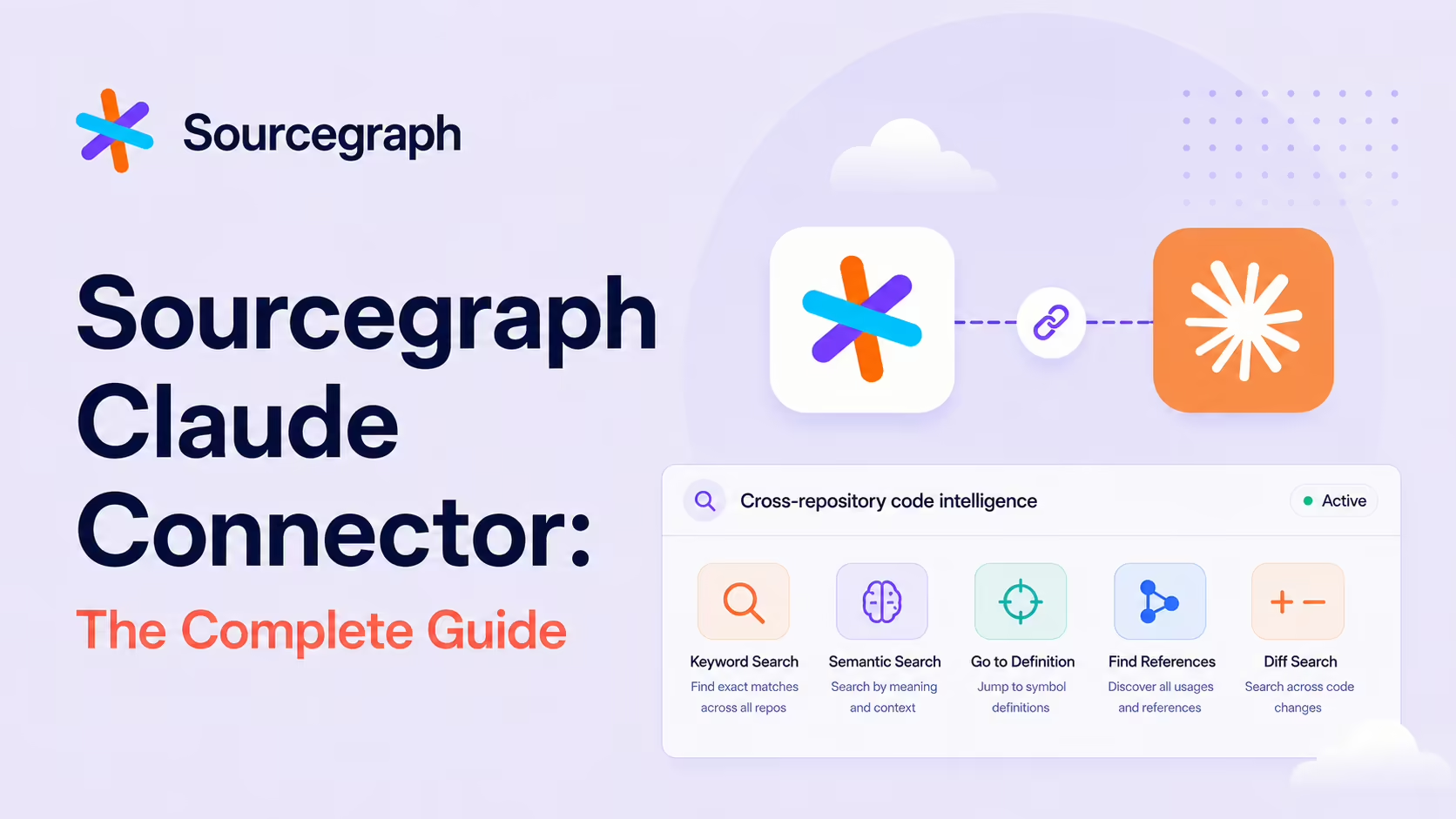
The MCP exposes a deliberately complete tool surface:
- File and repo exploration -
read_file,list_files,list_repos. - Keyword search with boolean operators and regex (
keyword_search). - Semantic / natural-language search (
nls_search) for intent-shaped queries. - Code navigation across repositories -
go_to_definition,find_references. - Version-control history -
commit_search,diff_search,compare_revisions,get_contributor_repos. - Deep Search for multi-step research answers.
Deep Search: Multi-Step Code Research
Deep Search is the standout. It runs multi-step research questions across your codebase - "how do we handle auth across all backend services" - without you manually wiring up multiple queries. For a staff engineer about to make a cross-cutting change, that's the difference between hours of grepping and a coherent answer in seconds.
Real Use Cases
- Impact analysis before changes: a platform team needs to modify a core auth library - before making the change, they identify every service that imports it, understand how each uses it, and estimate the migration effort.
- Cross-repo navigation: trace how a function or symbol is used across services without cloning every repo locally.
- Regression investigation: combine
commit_searchanddiff_searchto find when a specific line or behaviour changed and who authored it. - API consumer audit: "where is this endpoint called from?" across the whole org.
- Org-wide deep research: Deep Search summarises patterns like "how do we handle auth" or "how do we instrument metrics".
A Worked Example: Impact Analysis
- You're about to refactor a shared
authClient. - You ask Claude: "Which services import authClient and how do they use it?"
- The MCP returns every consumer across repos, with usage patterns.
- You ask: "Of those, which still call the deprecated method?" -
find_referencesnarrows the set. - You ask: "What's changed in those callers in the last 60 days?" -
diff_searchsurfaces recent activity. - You estimate the migration with realistic blast-radius understanding, instead of from memory.
That single session would have taken half a day of cross-team Slack pings before the MCP existed.
Real-World Experience
Reception across Sourcegraph's own product page and "Why code search at scale" blog, Anthropic's plugin listing, Composio's Claude Code guide, Growth Engineer's MCP setup, the community sourcegraph-claudecode-plugin, Jonathan Raney's Medium walkthrough and Ajay's "Teaching AI to navigate your codebase" piece is strong - and notably driven by staff+ engineers at large organisations.
Honest caveat: this connector pays off most where the codebase actually is large. For a single-repo project, the value is mostly in semantic search; the real superpower is cross-repo intelligence.
How to Set It Up
The MCP server is generally available with frictionless OAuth (Dynamic Client Registration) enabled by default, so connecting is a single command. The endpoint lives on your Sourcegraph instance under /.api/mcp. In Claude Code:
claude mcp add --transport http sourcegraph https://your-instance.sourcegraph.com/.api/mcpNote the endpoint split introduced in the March 2026 release: the default /.api/mcp exposes a curated set of tools focused on common context gathering, while the full toolset (navigation, history, Deep Search and the rest) lives at /.api/mcp/all. Point at /all if a tool you expect is missing. Authorise in the browser, and the connector inherits your Sourcegraph access. Start with semantic and Deep Search queries before reaching for navigation and history tools.
Common Problems and Fixes
- Missing tools: if
go_to_definition,diff_searchor Deep Search do not appear, you are on the curated default endpoint. Switch the URL to/.api/mcp/allfor the complete surface. - Cody vs Amp confusion: Sourcegraph's coding agent was rebranded from Cody to Amp in 2026. Older tutorials referencing "Cody MCP" describe the same underlying code intelligence - the MCP server is independent of the agent name.
- Empty results on a repo: the agent only knows what Sourcegraph has indexed. If a repository returns nothing, confirm it is added and indexed on your instance.
- Thin value on a single repo: not a bug - the connector's superpower is cross-repo. On one repo you mostly get semantic search, which Claude Code partly does already.
- OAuth redirect blocked: DCR needs a browser callback; a strict corporate proxy can break it. Complete the flow on a network that allows the redirect.
Security and Permissions
The connector inherits your Sourcegraph permissions - it can see what your account can. Sourcegraph's underlying access controls (per-repo, per-org) carry through, which is the right model for code intelligence. As ever, audit who has the connector enabled in shared workspaces.
Administrators get finer-grained controls than most connectors offer: MCP access itself is gated behind an RBAC permission (MCP#ACCESS), OAuth-registered clients are confined to the mcp scope, and the Deep Search tool can be switched off instance-wide with the SRC_MCP_DISABLE_DEEPSEARCH_TOOL=true environment variable. That makes it practical to roll the connector out to a subset of engineers first, and to keep the heavier research surface disabled until you have sized its usage.
Limitations
- Value scales with codebase size: single-repo teams get semantic search; multi-repo orgs get the full benefit.
- Read-leaning surface: the connector excels at retrieval and reasoning; mutations belong to your VCS provider.
- Index coverage: the agent only knows what Sourcegraph has indexed.
- Plan gating: the documentation lists the MCP server as an Enterprise capability, so smaller plans do not get it.
- Documented caps: file reads are limited to 128 KB per operation, and all tools enforce result limits to keep responses inside the model's context window - very large files and very broad queries get truncated by design.
Who It Is For
Platform engineers, staff+ engineers, code-owners and any team owning a large or multi-repo codebase. If your org has more than ten significant services, this connector is one of the highest-leverage things you can add to Claude Code.
The Bottom Line
The Sourcegraph connector gives Claude the cross-repository understanding agentic IDEs structurally lack. For platform engineers it's a step-change: real impact analysis, real regression investigation, real org-wide research - all from your editor. The bigger your codebase, the more this connector matters.
Add it for the staff engineers, lean on Deep Search for hard questions, and let Claude finally see the rest of the org. Browse more in the complete Claude Connectors Directory.
Sources: Sourcegraph (sourcegraph.com/mcp, sourcegraph.com/changelog/mcp-ga, sourcegraph.com/blog), Anthropic (claude.com/plugins/sourcegraph), github.com/sourcegraph-community/sourcegraph-claudecode-plugin, Composio, Growth Engineer, Medium write-ups by Ajay and Jonathan Raney. Images: Sourcegraph. Last updated: June 2026.