 AI Tools Review Editorial Team
Quick Answer:
Vercel runs the official MCP at mcp.vercel.com, giving Claude secure, read-only access to your Vercel data over OAuth (with a client allowlist). Claude can search Vercel docs, retrieve deployment logs when builds fail, fetch project and team data, and check configs and domains - all without leaving the editor. It is one of the cleanest deploy-debug loops in the directory. Find it in the Claude Connectors Directory.

"It built locally" is the oldest deploy story in the world. Vercel's MCP lets Claude actually read the build logs and find out why it didn't build remotely.
Read-only, OAuth-authenticated, allowlisted clients - the security posture is as careful as the loop is useful.
Overview
Vercel MCP is Vercel's official MCP server. It lets supported tools like Cursor and Claude securely access logs, docs and project metadata directly from within your development environment or AI assistant. Vercel publishes a dedicated agent-resources documentation page (vercel.com/docs/agent-resources/vercel-mcp) along with a launch blog post.
Technically it is a thoroughly modern server: per the docs it implements the latest MCP Authorization and Streamable HTTP specifications, and its tools split into two categories - public tools (such as documentation search) that work without authentication, and authenticated tools that require Vercel sign-in. The docs also list a one-command install, npx add-mcp https://mcp.vercel.com, which detects your installed AI clients and configures the server for each of them in one go.
What the Claude Connector Does
The connector exposes a focused set of read tools rather than a sprawling API surface, which keeps the agent fast and predictable. The headline capabilities are:
- Search Vercel docs - get answers from the official documentation directly inside your client.
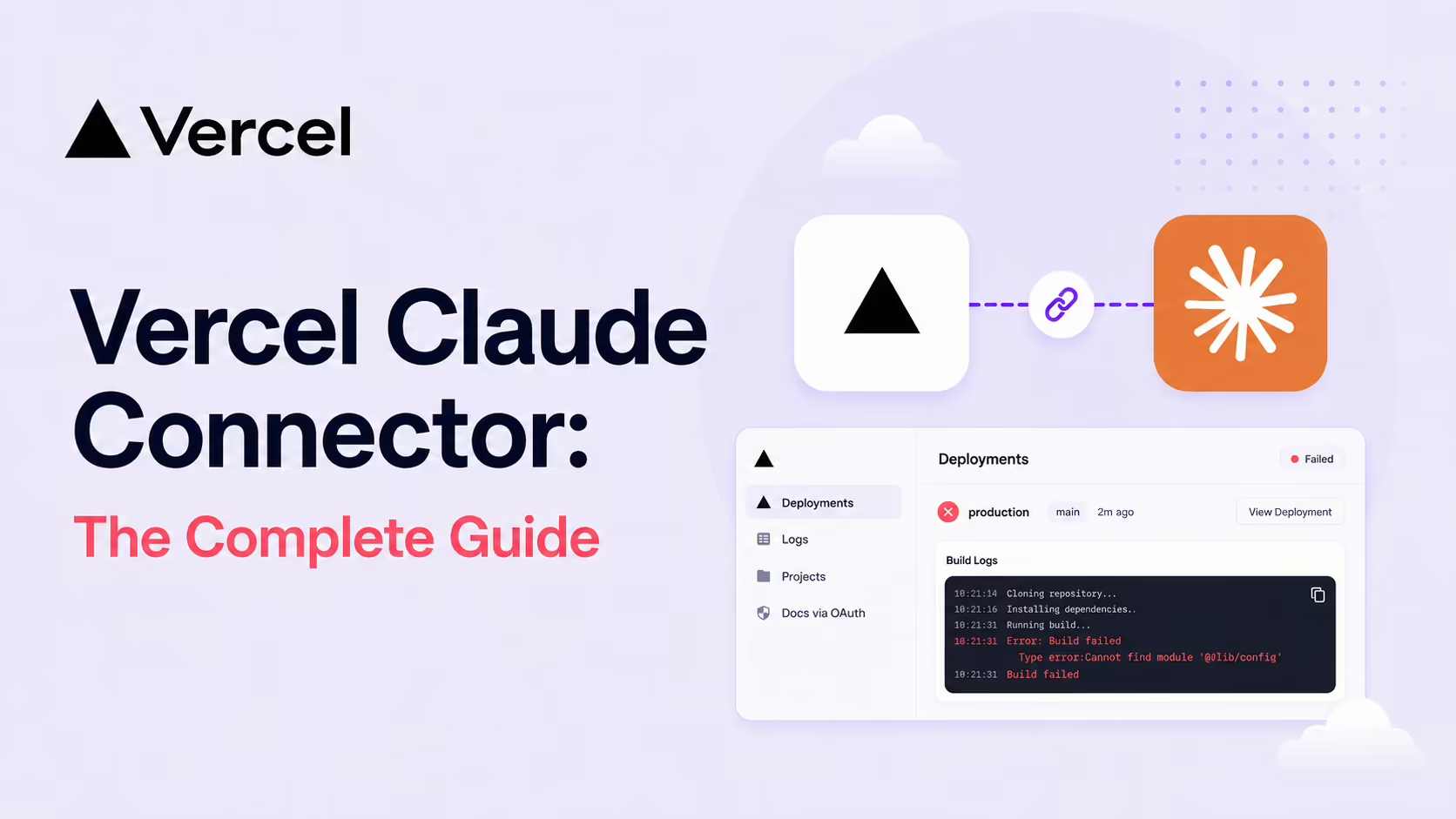
- Retrieve deployment logs - when a build fails, the agent fetches the logs to analyse the error and suggest fixes.
- Fetch project and team data - list teams and projects to check configurations or access.
- Manage projects and deployments (retrieval-side; see the read-only note below).
- Check edge configs, environment variables and domain statuses.
The docs-search tool deserves a special mention: instead of leaning on whatever Vercel knowledge happens to be baked into the model's training data - which goes stale fast on a platform that ships weekly - Claude retrieves the current official documentation and grounds its answer in it. That single capability quietly removes a whole class of confidently-wrong answers about routing, build configuration and the framework presets Vercel supports.
Why deployment logs are the killer feature
Build logs are where most Vercel friction lives, and they are exactly the thing you normally have to leave the editor to read. A failed deployment drops a wall of output - install steps, framework build output, serverless function bundling, edge middleware compilation - and the actual error is often buried hundreds of lines in. Having Claude pull that log, find the failing step and quote the relevant lines turns a tab-switch-and-scroll exercise into a one-line question. It is the capability operators cite most often, and it is the reason the read-only posture feels generous rather than limiting.
Why Read-Only (For Now) Matters
The Vercel MCP server is currently read-only - it cannot make changes to your projects. That's a deliberate design choice for a connector that touches production infrastructure. The trust-building shape: retrieval first, mutations only after the read surface is well-understood by the ecosystem.
It's the right posture. Most of the time you want Claude to look at the deployment, not change it - and the connector lines up cleanly with that intuition.
OAuth + Allowlist Auth
Auth is two layers. First, OAuth for every connection - the agent operates with your existing Vercel account access, no raw tokens. Second, an allowlist of approved clients - only trusted tools can connect, with your explicit permission. That belt-and-braces approach is what makes a deployment-touching connector deployable inside a real engineering org.
Vercel's security guidance goes further than most vendors'. The docs describe explicit confused-deputy protection - every client connection requires fresh, explicit user consent, so an attacker cannot exploit consent cookies to piggyback on a previous authorisation. They also spell out the prompt-injection threat model (a malicious instruction in another tool's output asking the agent to exfiltrate deployment logs), recommend enabling human confirmation in workflows so each step is reviewed before execution, and remind you that connecting grants the AI the same access as your Vercel user account - so verify you are pointing at the official https://mcp.vercel.com endpoint, especially when using one-click installs from third-party marketplaces.
Real Use Cases
- Failed build debugging: ask Claude to fetch the logs for the latest deployment and explain what went wrong.
- Doc-grounded answers: Claude searches official Vercel docs for the right pattern, instead of guessing from training data.
- Project / team audits: "list all my projects in this team and their domain statuses".
- Config introspection: "what env vars are set on this project?".
- Edge config inspection: read state without opening the dashboard.
A Worked Example: Failing Build to Fix
- You push a change. The Vercel build fails.
- You ask Claude in the editor: "Fetch the latest build logs for <project> and tell me what failed."
- Claude retrieves the logs, identifies the failing step and quotes the relevant lines.
- You ask: "What does the Vercel doc say about this?" - Claude searches the official docs and grounds the explanation.
- Claude proposes a fix in your code, you apply, push, and the next build is green.
End-to-end inside your editor. No Vercel dashboard tab needed.
Real-World Experience
Reception across Vercel's own launch blog and agent-resources docs, Anthropic's plugin and connector listings, Composio's Claude Agent SDK guide, Script by AI's MCP overview, the community nganiet/mcp-vercel repo and Playbooks' setup walkthrough is consistently positive. The repeated theme: build debugging without tab-switching - and a security posture (read-only + OAuth + allowlist) people trust.
Honest caveat: read-only means you can't push fixes from Claude itself; you still deploy through your normal flow. For most teams that's a feature, not a limitation.
How to Set It Up
The Vercel MCP is a hosted remote server at mcp.vercel.com. There is nothing to install on the server side - you point a supported client at the URL and complete OAuth.
Claude Code
Add the remote server and authenticate in the browser window Claude opens:
claude mcp add --transport http vercel https://mcp.vercel.comRun claude mcp list to confirm the server registered, then start asking - "fetch logs for the latest deployment", "what do the docs say about X".
Project-scoped access
By default the server can reach every team and project your account can. To narrow it to one project - which both reduces blast radius and stops the agent guessing which project you mean - use the project-scoped URL form:
claude mcp add --transport http vercel https://mcp.vercel.com/<team-slug>/<project-slug>Alternatively, the Vercel CLI can wire up supported clients for you. From a linked project directory, vercel mcp configures the connection against the current project. The official steps live at vercel.com/docs/agent-resources/vercel-mcp.
Claude Desktop and other clients
Claude Desktop reaches the server via the mcp-remote proxy - add an mcpServers entry whose command is npx mcp-remote https://mcp.vercel.com and restart. Because the client must be on Vercel's allowlist, only approved tools (Claude, Cursor and the other listed clients) can complete the handshake.
Common Problems and Fixes
Vercel's MCP is one of the smoother connectors to run, but a few issues recur in setup threads - mostly around OAuth, scope and the read-only boundary.
"Client not allowed" during OAuth
Vercel maintains an allowlist of approved clients, so an unrecognised tool - or an old client build - is refused at the handshake. Use a current release of an allowlisted client (Claude Code, Claude Desktop, Cursor). If you wrapped the server in a custom script, point it through mcp-remote rather than a bespoke OAuth flow.
The agent queries the wrong project
With an account-wide connection, "fetch the latest deployment logs" is ambiguous if you own many projects. Either name the project explicitly in the prompt, or - better - register the project-scoped URL (mcp.vercel.com/<team>/<project>) so the server can only see that one project.
"It can't deploy / change env vars"
This is by design, not a fault. The server is read-only - it retrieves and analyses but never mutates. Apply the fix Claude proposes through your normal git push or Vercel CLI flow; the connector's job is the diagnosis, not the deploy.
OAuth window never returns
The callback runs on localhost. VPNs, corporate proxies or aggressive browser blockers can stall it. Complete the consent in a standard browser session and make sure the localhost redirect is not being intercepted. In Desktop, confirm npx is on PATH so mcp-remote can launch.
Empty logs on a failed build
If log retrieval returns nothing, the deployment may predate your account's log retention window, or your role lacks access to that project's logs. Confirm the deployment is recent and that your Vercel role can view it - the agent sees exactly what you see.
Pricing and Availability
The MCP server is free to use with any Vercel account - there is no separate charge for connecting Claude. It surfaces data you already have on whatever Vercel plan you are on (Hobby, Pro or Enterprise), and because the server is read-only it cannot trigger billable actions like new deployments or compute. The only usage that matters is what your normal Vercel plan already meters.
At launch the server is read-only with a deliberately small allowlist of approved clients and OAuth consent on every connection. Vercel has signalled that write capabilities may follow once the read surface is well-established, so expect the tool list to grow over time - check the agent-resources docs for the current capability set.
The supported-client list has grown well beyond the launch set: Vercel's docs currently name Claude Code, Claude.ai and Claude for desktop, ChatGPT, Codex CLI, Cursor, VS Code with Copilot, Devin, Raycast, Goose, Windsurf, Gemini Code Assist and Gemini CLI, with more to be added over time. One Claude-side caveat from the same page: adding it as a custom connector in Claude.ai or Claude Desktop requires a Pro, Max, Team or Enterprise plan, whilst Claude Code connects from any plan via claude mcp add.
Limitations
- Read-only: the connector retrieves and analyses; it does not push changes.
- Client allowlist: only approved tools can connect.
- Vercel-shaped: brilliant inside Vercel, narrow on other hosts.
Who It Is For
Any developer or team shipping on Vercel - especially Claude Code users. Frontend teams, full-stack teams running Next.js, and platform teams managing many projects all get an instant win on the "what happened to my build?" loop.
The Bottom Line
Vercel's MCP is the cleanest deploy-debug loop in the directory. Logs and docs in your editor; OAuth + allowlist auth keeping the security team happy; read-only by design so you can roll it out without a long review. For Vercel-first teams, it's a one-line install for a daily quality-of-life win.
Add it, ask the next failing build the question you used to open the dashboard for, and watch Claude answer. Browse more in the complete Claude Connectors Directory.
Sources: Vercel (mcp.vercel.com, vercel.com/docs/agent-resources/vercel-mcp, vercel.com/blog launch posts), Anthropic (claude.com/plugins/vercel, claude.com/connectors/vercel), Composio, Script by AI, Playbooks, nganiet/mcp-vercel. Images: Vercel. Last updated: June 2026.