 AI Tools Review Editorial Team
Quick Answer:
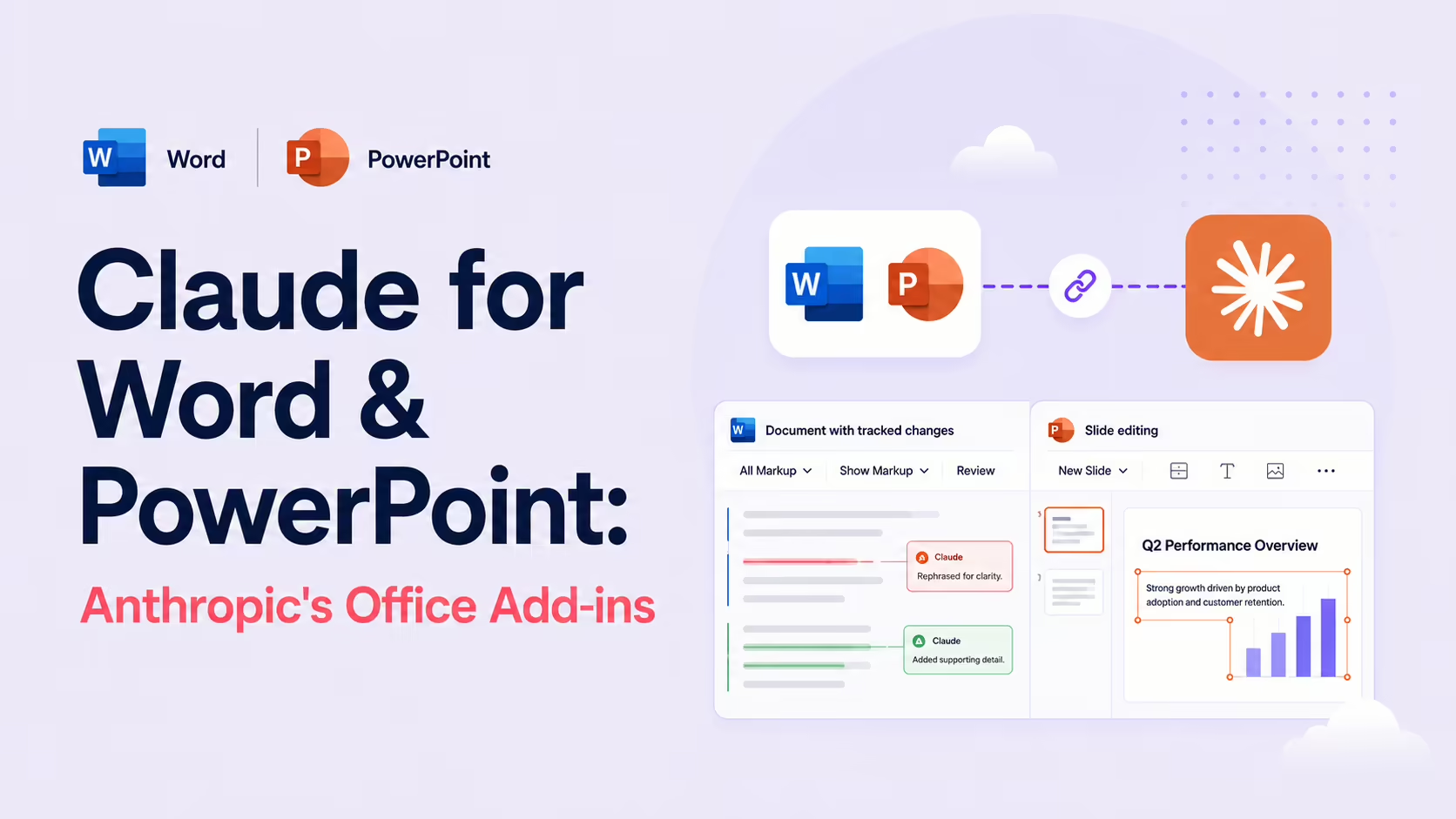
Claude for Word and Claude for PowerPoint are Anthropic's first-party Microsoft Office add-ins - listed in the Claude Connectors Directory as "Word (By Anthropic)" and "PowerPoint (By Anthropic)". Word edits arrive as native tracked changes you accept or reject; PowerPoint edits respect your slide masters, fonts and colours. A single conversation can span Word, Excel and PowerPoint with full context carried across.
Most AI integrations with Office look like wrappers: paste, prompt, copy back. These are the opposite.
Claude shows up as a native add-in that respects the way you actually work in Word and PowerPoint - reviewable edits, template-aware slides, real Excel formulas.
Overview
Claude for Microsoft 365 is Anthropic's first-party suite of Office add-ins. Claude works inside Word, PowerPoint, Excel and Outlook, letting you edit your files with one conversation across the apps. Word and PowerPoint each appear in the official Connectors Directory under Documents and Files; Excel is part of the same release.
Generally available on all paid Claude plans, the add-ins are distributed through the Microsoft Office marketplace, and Claude.com publishes a dedicated Claude for Microsoft 365 page along with help articles for each individual add-in.
Claude for Word
Claude for Word accelerates document work through intelligent, structure-aware assistance. It reads complex multi-section documents, works through comment threads, and edits clauses while preserving your formatting, numbering and styles.
The defining design choice: every edit is proposed as a native Word tracked change. You review, accept or reject each suggestion the same way you would with a human collaborator. There's no "silent rewrite" risk - you stay in control of every word.
Anthropic's own help centre fills in the specifics. Claude for Word is in beta on Pro, Max, Team and Enterprise plans, and works in Word on the web, on Windows (Microsoft 365 Version 2205 / Build 15202.10000 or later) and on Mac (version 16.61 / Build 22040100 or later) - but not in Word 2016/2019 or on iPad and Android, and only with modern .docx files rather than legacy .doc. Beyond editing, the documented feature set includes answering questions about a document with clickable section citations, filling templates with styled content, and "semantic navigation" that finds thematic provisions rather than just keyword matches. Per the same docs, "when you enter suggested edits mode, Claude's edits land as tracked revisions" - the original text visible as a deletion, the new text as an insertion, all reviewable in Word's native review pane.
Claude for PowerPoint
Claude for PowerPoint accelerates slide development through intelligent, template-aware assistance. It reads your existing deck - layouts, fonts, colours, and slide masters - and makes edits that respect your formatting.
That template awareness is the killer feature. Generic AI deck builders give you a generic-looking deck; Claude for PowerPoint produces edits that look like the rest of your slides, because it's actually reading the slide master rather than guessing.
Excel: The Third Sibling
In Excel, Claude reads multi-tab workbooks, builds models with real formulas, and tracks every cell it changes. The pattern is the same as Word and PowerPoint: native Office-shaped output with a transparent change record.
Cross-App Context Is the Point
The killer feature isn't any one add-in - it's that a single Claude conversation thread can span Word, Excel and PowerPoint. Analyse sales data in Excel, have Claude build the charts, switch to PowerPoint where Claude uses the same analysis for an executive deck, then move to Word where it remembers the full context for the supporting brief.
That's something no generic Office plugin does - it requires Claude to be the same Claude across the apps, with shared session context. The first-party design is what makes it possible.
Real Use Cases
- Contract review (Word): Claude reads a long contract, proposes redlines as tracked changes, you accept the safe ones and review the rest.
- Board deck refresh (PowerPoint): ask Claude to update an existing deck with new quarterly numbers, on-template.
- Financial model (Excel): have Claude build a multi-tab model with real formulas - and watch every cell it touches.
- Cross-app campaign: brief in Word → analysis in Excel → deck in PowerPoint, with one conversation carrying the thread.
- Comment-driven revision (Word): walk Claude through your reviewers' comments and have it apply consistent edits.
Real-World Experience
Reception across The Decoder's launch coverage, MindStudio's PowerPoint Beta review (highlighting six things Claude can do that no other add-in offers), Pasquale Pillitteri's Excel + PowerPoint walkthroughs and Eigent.ai's Word add-in guide has been strongly positive - especially for the tracked-changes design in Word and the template fidelity in PowerPoint.
The honest counterpoint: these are reviewer-style add-ins, not "press one button and the document is done". You're still the editor; Claude is the prolific, fast collaborator. For teams who already work with track changes, that's a feature; for teams hoping for one-click magic, it's a deliberate constraint.
How to Set Them Up
The add-ins rolled out in mid-April 2026 and install like any Office add-in - no command line, no config file. There are two routes.
Option A: From inside Word or PowerPoint
- Open Word, PowerPoint or Excel and go to the Insert tab.
- Click Get Add-ins (the Office Add-ins store) and search "Claude by Anthropic".
- Click Add to install, then open the Claude panel from the ribbon.
- Sign in with your Claude account when prompted.
Option B: From Microsoft AppSource / Marketplace
- On AppSource, find "Claude for Microsoft 365 (Excel, PowerPoint, Word)" or the individual Word/PowerPoint listings.
- Click Get it now and let it activate into your Office apps.
- Sign in with your Claude account to link the add-in.
- For the cross-app experience, keep the same Claude conversation open as you move between apps - the context carries across.
The add-ins work on Windows, Mac and Office on the web. They are part of the same release as the read-only Microsoft 365 connector - the connector searches across your tenant, while these add-ins edit the open document. Most teams run both.
Common Problems and Fixes
- Add-in doesn't appear after install: close and reopen the Office app fully. On the web, refresh the tab; on desktop, the ribbon button can take a restart to register.
- "Sign-in failed" or grey panel: make sure you're signing into a Claude account on a paid plan - the add-ins aren't available on the free tier.
- Get Add-ins is missing or disabled: your Microsoft 365 admin may have blocked third-party add-ins. Ask them to allow "Claude by Anthropic" in the Microsoft 365 admin centre.
- PowerPoint edits look off-template: Claude reads the slide master, so a deck with inconsistent or broken masters yields inconsistent edits. Clean the master/layouts first for best fidelity.
- Tracked changes not showing in Word: Claude proposes edits as tracked changes - if Track Changes display is turned off you won't see them. Turn on Review → All Markup.
- Context doesn't carry between apps: cross-app memory needs the same Claude conversation. Starting a new thread in each app resets the shared context.
- Large workbook or deck is slow: very large multi-tab Excel files or long decks take time to read. Point Claude at the specific sheet or slide range you care about.
Pricing and Availability
The Office add-ins are generally available on paid Claude plans - Pro, Max, Team and Enterprise - and are not offered on the free tier. There is no separate add-in fee beyond your Claude subscription; usage counts against your normal Claude plan limits. You also need Microsoft Office (Microsoft 365) with add-ins permitted by your tenant admin. The add-ins rolled out around 13 April 2026 across Windows, Mac and the web.
Security and Permissions
The add-ins operate against your Microsoft 365 account and the documents you open. Track changes in Word and the cell-change record in Excel make the agent's writes auditable; you stay the final reviewer. As ever, treat document access deliberately - Office documents often contain sensitive content, and the same workflow you'd use for any Office add-in (review what data it can see, who has it installed) applies here.
On data handling, the help-centre documentation for Claude for Word is unusually specific: inputs and outputs are automatically deleted from Anthropic's backend within 30 days, and your chat history with the add-in is stored locally in the browser (via IndexedDB) rather than synced across devices. Usage is tied to your existing Claude account and draws on the same usage limits as the main platform, so there is no separate quota to administer.
Limitations
- Paid plan required: generally available on paid Claude plans, not free.
- Office only: deep on Word, PowerPoint, Excel and Outlook; not a Google Workspace equivalent.
- Reviewer mindset: tracked changes and cell tracking require you to actually review - the upside is control, the friction is real.
- Modern Office only: Word support requires current Microsoft 365 builds (or Word on the web) and
.docxfiles - Word 2016/2019, iPad, Android and legacy.docdocuments are out. - Not a substitute for verification: Anthropic's own guidance is not to rely on the output for litigation filings or audit-critical documents without checking it - the review pane exists for a reason.
- Outlook in the mix: the Microsoft 365 release also covers Outlook; expectations should be set by your mail-policy controls.
Who They Are For
Anyone who lives in Office for serious work - consultants, lawyers, analysts, executives, communications teams. The tracked-changes + template fidelity story makes these the most credible "AI inside Office" add-ins for teams that actually care about formatting and review.
The Bottom Line
Anthropic's Office add-ins are the cleanest answer to "what does AI in Office look like when it's done right?". Tracked changes in Word, template fidelity in PowerPoint, real formulas in Excel - and a single conversation thread that ties them all together. For Office-first teams, these are essential connectors.
Install from the Microsoft marketplace, sign in, and let Claude become a reviewer in the apps where your work already lives. Explore more in the complete Claude Connectors Directory.
Sources: Anthropic (claude.com/claude-for-microsoft-365, support.claude.com), Microsoft Office marketplace (Claude by Anthropic for Word, PowerPoint, Microsoft 365), The Decoder, MindStudio, Eigent.ai, Pasquale Pillitteri. Images: Anthropic / Eigent.ai. Last updated: June 2026.