 AI Tools Review Editorial Team
Quick Answer:
Two creators covered ChatGPT taking meeting notes on 11 and 12 October 2026. OpenAI's own help page calls the feature Record mode and says it transcribes and summarises meetings, brainstorms and voice notes into a canvas. The documentation we could read lists macOS desktop only and paid workspaces (Plus, Pro, Business, Enterprise, Edu). Reports say sessions run 120 to 240 minutes and that original audio is typically deleted after transcription. The name "Meetings plugin" comes from a news site and from video titles, so we use Record mode as the verified term.
Meeting notes are the most obvious thing to hand to an AI, and two of our tracked creators have just covered ChatGPT doing it. The Meetings plugin, as the videos call it, records a conversation, transcribes it and turns it into notes and action items inside ChatGPT.
The useful questions are less about the demo and more about the boundaries: which plans get it, which computers, how long it can record, where the audio goes, and whether you should rely on it instead of a dedicated tool. This guide answers those using OpenAI's documentation where we could reach it, and says plainly where we could not.
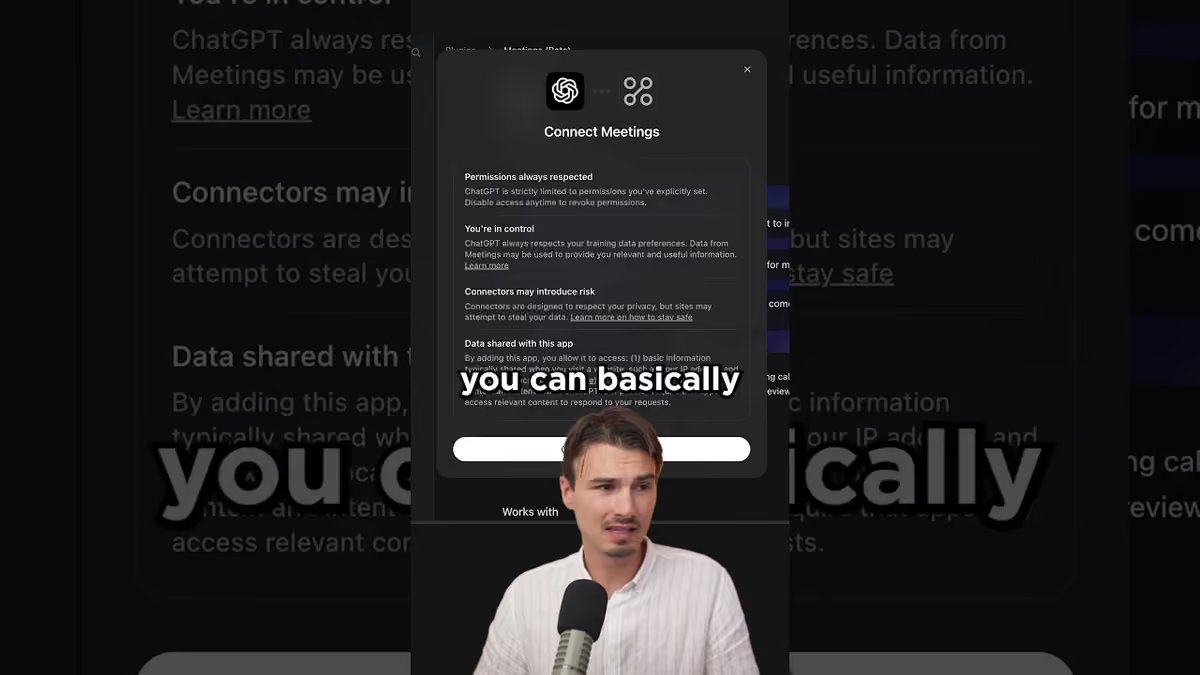
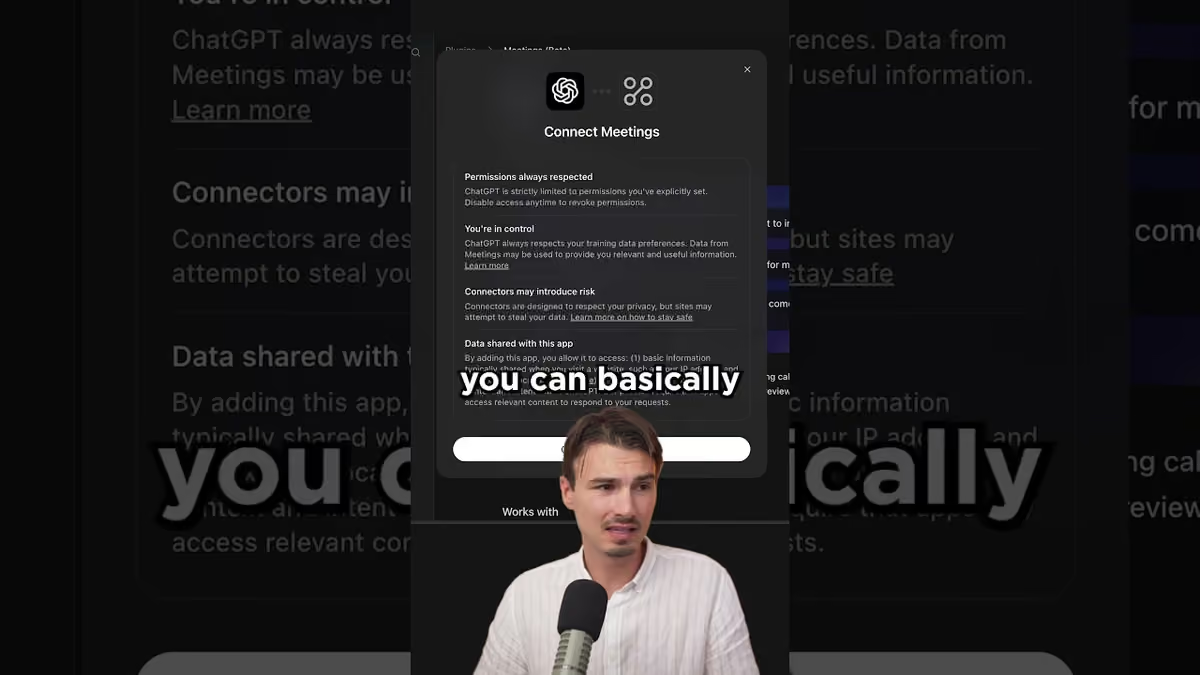
The AI Advantage channel shows the Meetings plugin recording and producing notes inside ChatGPT.
Executive Summary
- Name: OpenAI's help article describes Record mode. "Meetings plugin" appears in video titles and in a CryptoBriefing headline dated 27/08/2026, and we could not find OpenAI using it.
- What it does: records audio, transcribes it and saves a summary as a canvas in chat history. CryptoBriefing describes timestamped transcripts, key discussion points and action items, with the canvas editable so you can reshape it into an email or project plan.
- Who gets it: OpenAI's help page lists Plus, Pro, Business, Enterprise and Edu workspaces.
- Where: the macOS desktop app only, according to both the help page and CryptoBriefing. No Windows, web or mobile support is documented.
- Limits: reported session length of 120 to 240 minutes depending on plan and updates.
- Privacy: OpenAI's documentation says audio is used for transcription and deleted afterwards. Third-party guides say transcripts on consumer plans may be used to improve models unless you opt out, while Team, Enterprise and Edu are excluded by default.
- Accuracy: OpenAI warns that ChatGPT can make mistakes, including in transcription.
Record Mode or Meetings Plugin?
This matters because people will search for both. OpenAI's help article, which we could only reach through search summaries because the page itself returned an access error, uses the name Record. It states that Record mode is available on Plus, Enterprise, Edu, Business and Pro workspaces, only in the macOS desktop app, and that it transcribes and summarises audio recordings such as meetings, brainstorms or voice notes, saving summaries as canvases.
The phrase Meetings plugin appears in the title of the AI Advantage video "The Meetings Plugin in ChatGPT" (12/10/2026) and in a CryptoBriefing article headlined "OpenAI adds meetings plugin to ChatGPT for recording, transcripts, and AI-generated notes" (27/08/2026). That article also says Record mode first rolled out in June 2025 and reached Plus users in July 2025, which suggests the "new" feature in the videos may be a refinement or a wider rollout of an existing tool. We could not verify what changed this week, and we could not open the videos' transcripts, so we do not claim a specific new capability.
If you are following a tutorial that mentions a plugin, look for Record in the ChatGPT desktop app on a Mac. If it is not there, check your plan and app version first.
How Recording and Note-Taking Work
According to the sources we could read, the flow is straightforward. You start a recording in the ChatGPT app, which can capture microphone and system audio. The audio is transcribed with OpenAI's Whisper speech-to-text model, according to CryptoBriefing. When you stop, ChatGPT produces a structured summary and places it in a canvas, an editable document inside the conversation.
CryptoBriefing lists the outputs as timestamped transcripts, key discussion points and action items. Because the result is a canvas rather than a static block of text, you can ask ChatGPT to rewrite it as a follow-up email, a project plan or a short summary for people who missed the meeting. The same report says the feature connects with Google Drive and Dropbox so you can ask questions across related documents, though we have not confirmed that behaviour in OpenAI's documentation.
System-audio capture is the practical detail. It lets the tool hear the other participants on a call as well as you, without a bot joining the meeting. That is convenient and also the source of the main consent issue, covered below.
Plans, Devices and Time Limits
| Item | What the sources say | Confidence |
|---|---|---|
| Plans | Plus, Pro, Business, Enterprise, Edu (OpenAI help page) | High |
| Platform | macOS desktop app only | High (two sources) |
| Session length | 120 to 240 minutes, depending on plan and updates | Medium (third-party) |
| Extra cost | None beyond an eligible paid plan | Medium (third-party) |
| Language | Works best in English | Low (one blog) |
Privacy, Consent and Data Retention
OpenAI's documentation says the recorded audio is used only to produce the transcript and is deleted afterwards. CryptoBriefing repeats that original audio files are typically deleted after transcription. The transcript and the summary canvas are different: they remain in your chat history until you delete them, and they are subject to the data controls for your plan.
A third-party guide notes that on consumer plans (Free, Plus, Pro) conversation content may be used to improve models unless you opt out in data controls, while Team, Enterprise and Edu workspaces are excluded by default. That distinction is important for anyone recording client calls. Check the setting in your own account instead of relying on a blog.
Consent is separate from the technology. Capturing system audio can record other people without a visible bot in the meeting. Many jurisdictions require participants to be told, and some require everyone to agree. In the UK, recording a call for your own notes is generally treated differently from sharing the recording, but employers and professional bodies often set stricter rules. Say at the start of the call that you are recording, and follow your organisation's policy. This is general information, not legal advice.
How Accurate Is It?
OpenAI warns that ChatGPT may make mistakes, including in transcription. That is standard for any speech-to-text system: accents, crosstalk, jargon and poor microphones all reduce accuracy, and a summary built on a flawed transcript can state the wrong thing fluently. A Sonix article argues that dedicated transcription services give better verbatim accuracy for formal records, which is a fair point from a vendor with an interest in the argument.
We have no independent benchmark for Record mode, so we will not quote an accuracy figure. A sensible workflow is to treat the notes as a draft, check names, numbers and decisions against your own memory, and keep the transcript for anything contested. For decisions with financial or legal weight, record with a tool that gives you speaker labels and an exportable audio file, or take human minutes.
ChatGPT Record vs Dedicated Meeting Tools
Dedicated tools such as Otter, Fireflies and Fathom join calls as bots, label speakers and store searchable archives. ChatGPT's advantage is that it is already open on your desk and its canvas lets you iterate on the notes in plain language. Its disadvantages are the Mac-only restriction, the session cap and the lack of a documented team archive.
If your workflow already lives in ChatGPT, Record is a low-friction addition. If you run a meeting-heavy team on mixed devices, a dedicated tool will cover more ground. Google users should also look at how Gemini handles notes in Workspace, covered in our Gemini Workspace piece, and note-taking agents like Genspark SecondBrain.
A Practical Workflow
- Announce the recording and confirm that everyone is content.
- Start Record in the ChatGPT desktop app before the call begins.
- After the call, ask for decisions, owners and deadlines in separate sections, so gaps are obvious.
- Check every number and name, then ask for a follow-up email draft in the canvas.
- Delete the transcript if the data controls on your plan mean you do not want it retained.
The Bottom Line
ChatGPT's Record mode, which two creators have branded the Meetings plugin, is a useful, free-with-your-plan way for Mac users to turn calls into notes. It is limited by platform, length and the usual transcription errors, and it raises consent questions that no feature can settle for you. Use it for internal meetings and brainstorms now, keep a dedicated tool for formal records, and re-check OpenAI's help page because features, limits and plan availability change often.
Sources
- OpenAI Help Centre: ChatGPT Record mode: plans, platform and retention (page returned an access error to our fetcher, so details come from search summaries of it).
- CryptoBriefing: OpenAI adds meetings plugin to ChatGPT (27/08/2026): features, session length, Whisper, rollout dates.
- Sonix: How to use ChatGPT for meeting notes: third-party view on accuracy; Sonix sells a competing product.
- AI Advantage on YouTube: The Meetings Plugin in ChatGPT (12/10/2026).
- Julian Goldie on YouTube: ChatGPT Can Now Take Notes in Your Meetings (11/10/2026).
- Image: video thumbnail from the AI Advantage channel, used for illustration and credited to the creator.
Last updated: 12/10/2026. We could not open the OpenAI page or the videos' transcripts directly; details come from search summaries and third-party reporting and may change.
Get the free guide: Claude vs ChatGPT, Gemini & Grok
A 20-page playbook covering everything you need to choose and use the big four AI models in 2026, full cost and feature comparisons, what each is best (and worst) at, and how-tos for images, vectors, building a website, Claude Code and more.