 AI Tools Review Editorial Team
Quick Answer:
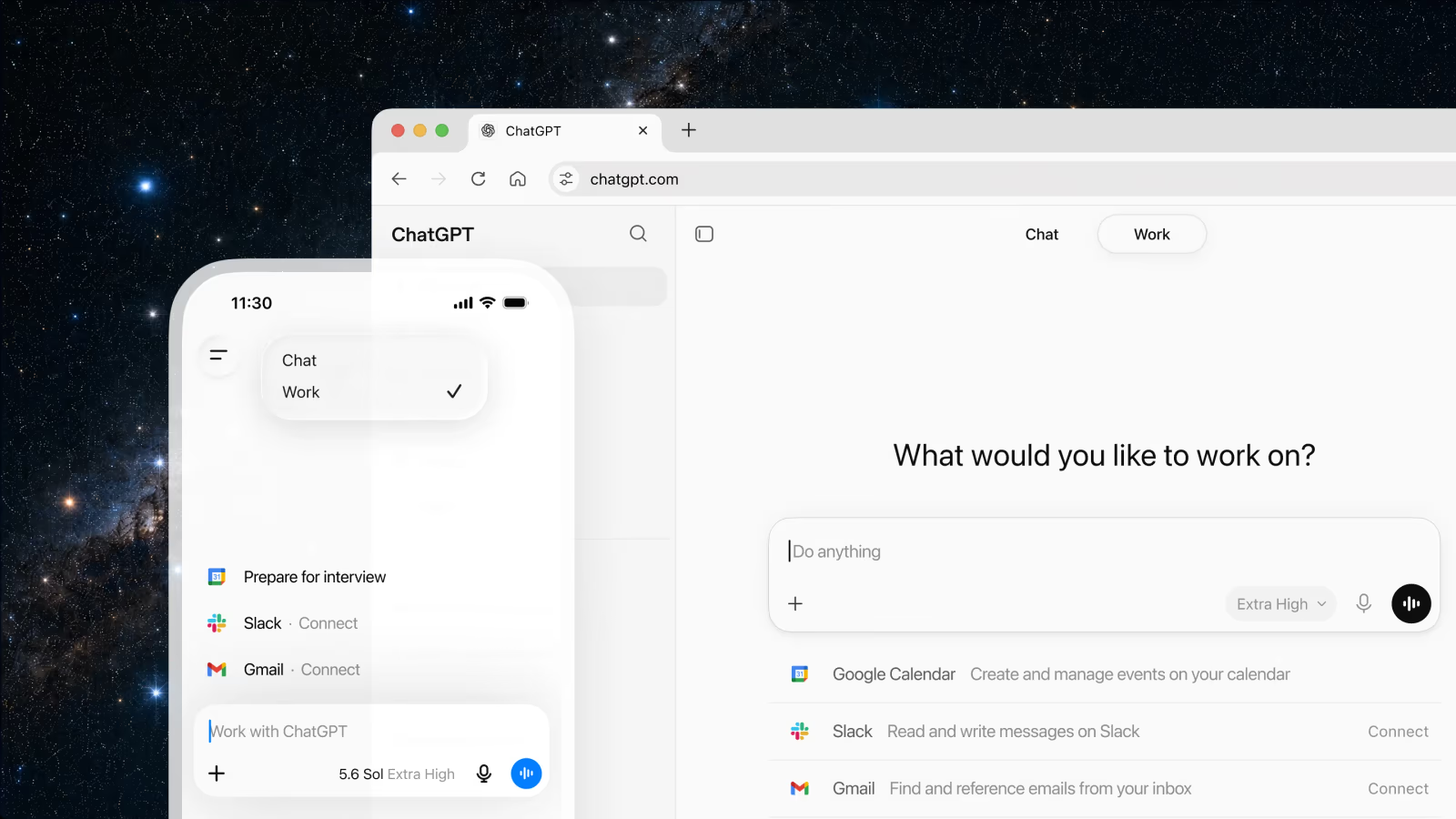
On 9 July 2026, OpenAI launched ChatGPT Work, a new agentic mode inside ChatGPT that sits alongside the familiar Chat mode and the developer-focused Codex mode. Work connects to your existing tools (Slack, Gmail, Google Drive, Salesforce and dozens more) through a Plugins directory, can run tasks on a schedule, and stays with a multi-step project for hours to produce a finished spreadsheet, slide deck, report or small web app. It is not a new subscription tier: it is bundled into Plus, Pro, Business and Enterprise plans at no extra list price, powered by the same-day GPT-5.6 model family. It launched the same week as a genuinely separate cross-content search feature and a refreshed desktop Projects view, which is why several videos covering it in the same breath blurred three different releases together.
OpenAI spent most of 2026 fending off a narrative that ChatGPT was a chat product in an agent-shaped market. Anthropic had Claude Cowork. Microsoft had Copilot Cowork. On 9 July, OpenAI shipped its answer, and, tellingly, didn't call it a new product at all. It called it a mode.
Here is what ChatGPT Work actually does, what it costs (nothing extra, technically), how the rollout is staged, and how two more ChatGPT updates that landed the same week, cross-content search and a desktop Projects refresh, fit into the same story without being the same feature.
Note: facts and figures below are sourced from OpenAI's official launch post, its ChatGPT Work product page, its Help Center release notes, and reporting from Reuters (via BNN Bloomberg and Fox Business), Axios, 9to5Mac and Thurrott. Where a claim could not be independently confirmed against an official or tier-1 source, it has been left out or explicitly flagged rather than presented as fact.
Summary
- Launched 9 July 2026 via OpenAI's official post "ChatGPT is now a partner for your most ambitious work", alongside the GPT-5.6 model family that powers it.
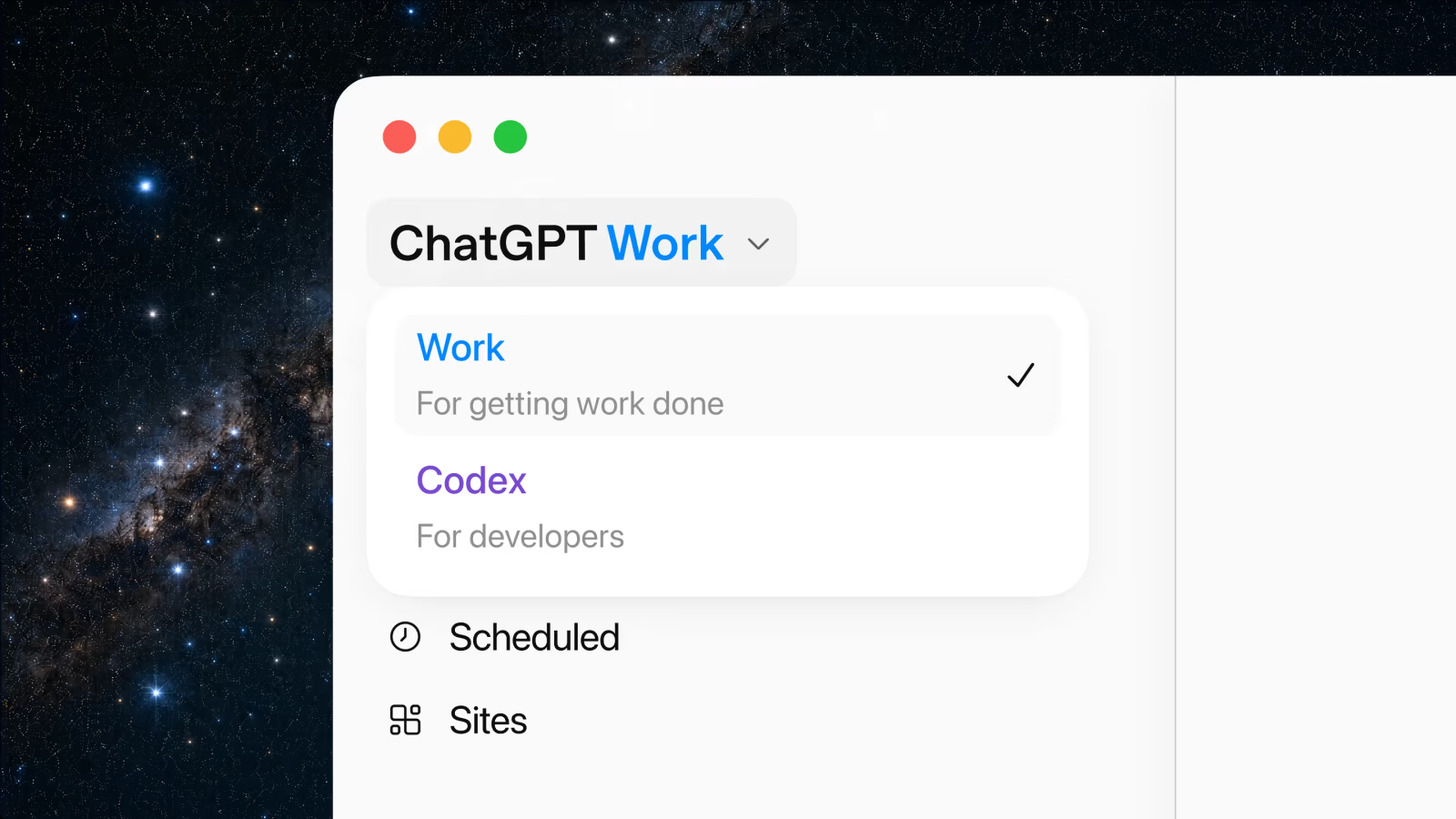
- It is a mode, not a plan. ChatGPT now has three: Chat (everyday conversation), Work (multi-step agentic tasks with deliverables), and Codex (software development).
- No separate price tag. Work is bundled into Plus, Pro, Business and Enterprise at existing list prices; usage draws from each plan's agent-usage credits, the same system Codex already uses.
- Connects outward through Plugins (a renamed, expanded version of the old App Directory), covering Slack, Teams, Google Drive, Gmail, SharePoint, Salesforce, GitHub, Linear, Figma, Adobe Acrobat, Oracle, Databricks, Zoom, Canva, Dropbox and more.
- Two other ChatGPT updates landed the same week and are frequently, incorrectly, described as part of the same launch: cross-content search (14 July) and a desktop app refresh that surfaced the existing Projects feature (16 July).
- Staged rollout: Pro, Pro Lite, Enterprise and Edu got web/mobile access first; Plus and Business followed within days; the unified desktop app (all three modes) was available globally on every plan, including Free, from day one.
- Enterprise and Edu workspaces get a two-week preview window with Work switched off by default, giving admins time to opt out before it auto-enables.
What ChatGPT Work actually is
OpenAI's own definition, from the Help Center article introducing it, is precise: Work is "an agent in ChatGPT that helps you take on more ambitious tasks. It can gather information across your apps and workflows to create finished materials like sheets, slides, docs, and web apps, and stay with complex projects for hours by breaking them into smaller steps and completing them independently."
The distinction OpenAI is drawing matters. Ordinary ChatGPT, now formally called "Chat" mode inside the product, is built for fast, conversational, single-turn or short-thread questions. Work is built for the kind of task that used to require you to open five different tools yourself: pull data from a CRM, cross-reference it against a spreadsheet, check recent Slack threads for context, and produce a finished deck. Work plans an approach, gathers that context across connected apps, executes the multi-step task, pauses for your approval on consequential actions, and lets you redirect it mid-task if it heads the wrong way.
Two named examples from OpenAI's own launch materials give a sense of the intended scope: a sales team turning a discovery call into a working proof-of-concept within 24 hours, and a finance team cutting a month-end close process from days down to hours. Both examples share a pattern: pulling context from several existing systems, then producing a specific, checkable output, rather than open-ended conversation.
Chat, Work and Codex: the new three-mode structure
The launch reorganised ChatGPT's entire interface around three modes rather than adding Work as a bolted-on feature:
| Mode | Built for | Status |
|---|---|---|
| Chat | Fast, conversational, everyday questions | Unchanged, the classic ChatGPT experience |
| Work | Longer, multi-step tasks with a finished deliverable | New, launched 9 July 2026 |
| Codex | Software development | Unchanged in function, folded into the same desktop app shell |
A new unified desktop app for macOS and Windows, launched the same day, is where this restructuring is most visible: Chat, Work and Codex now live as tabs in one application rather than separate surfaces. That app also gained a merged "Recents" list showing both Chat and Work conversations together, and, a genuine convenience upgrade, cross-device sync for cloud-based Work sessions, so a task you started on your laptop keeps running and stays reviewable from your phone.
Capabilities deep dive: Plugins, Scheduled Tasks and Sites
Plugins: the connection layer
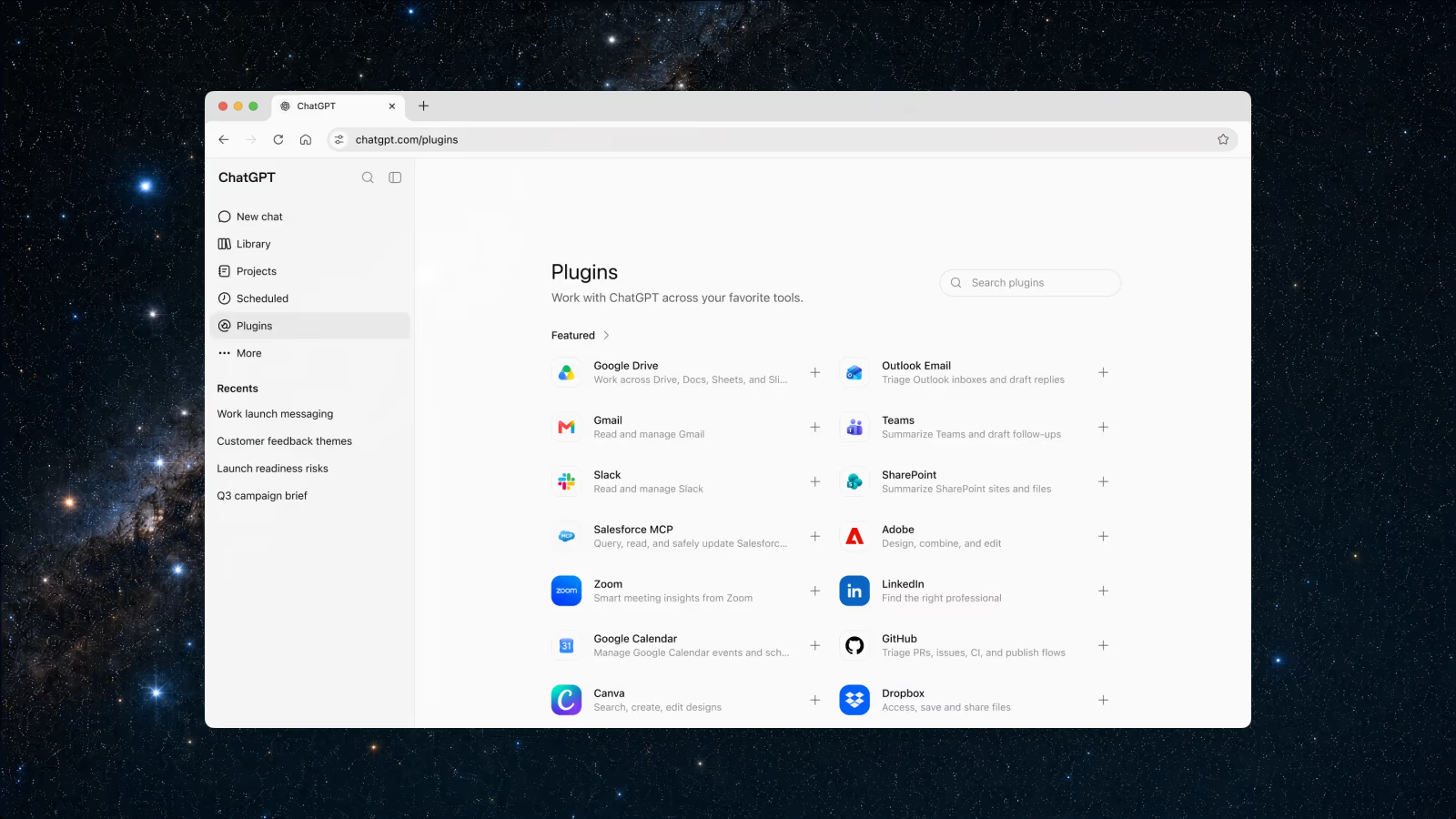
The old "App Directory" has been consolidated and renamed "Plugins", and it's the backbone of what makes Work useful rather than just another chatbot with a to-do list. Confirmed connectors include Slack, Microsoft Teams, Google Drive, Gmail, Outlook Email, SharePoint, calendars, CRMs including Salesforce, project trackers, GitHub, Linear, Figma, Adobe Acrobat, Oracle, Databricks, Zoom, LinkedIn, Canva and Dropbox. You can address a specific source directly by typing "@" followed by the app name ("@Slack, what did the launch channel say about the pricing change this week?") rather than hoping Work infers where to look.
Scheduled Tasks
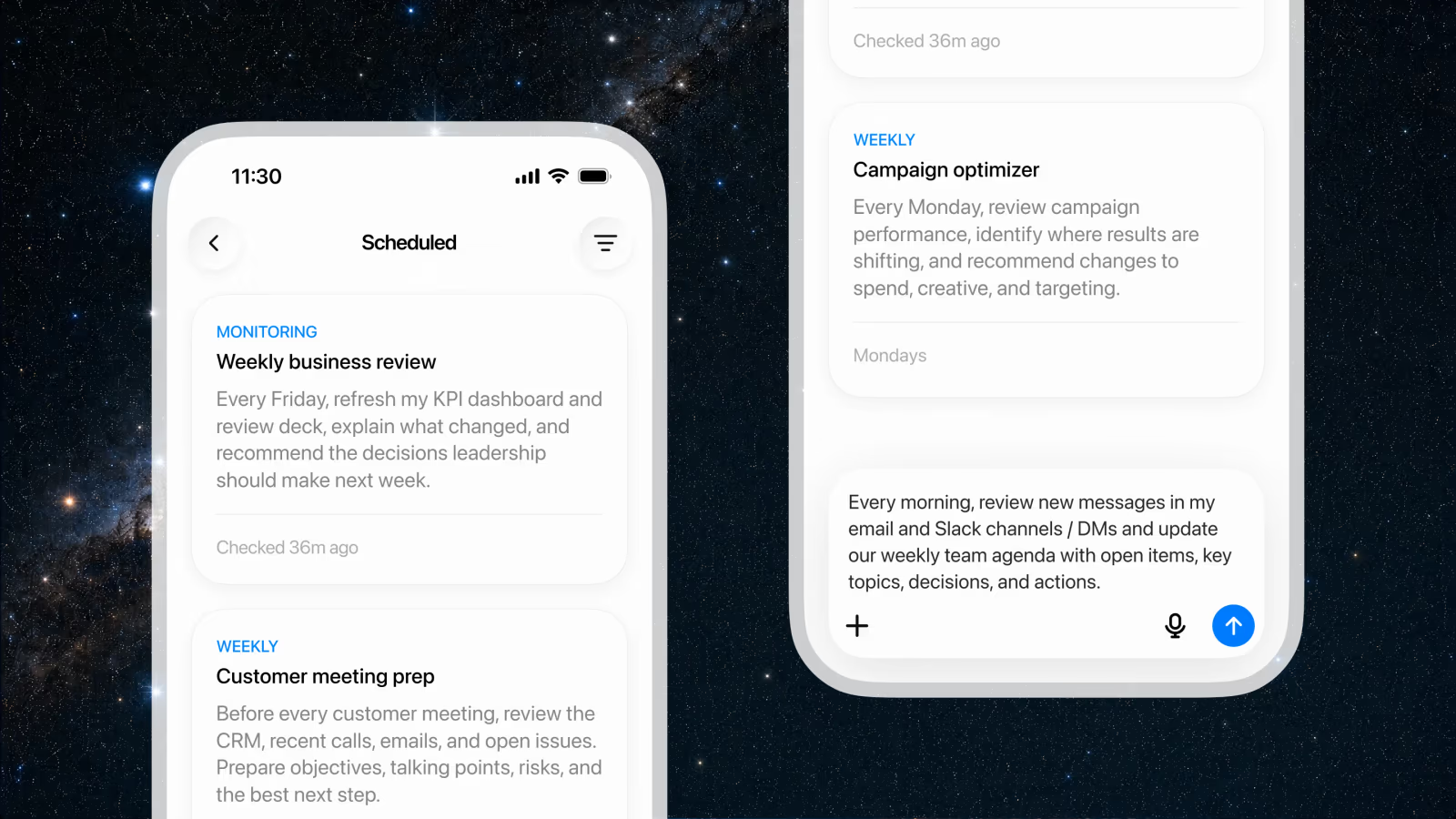
Work can be set to run once, repeat on a fixed schedule, trigger on an event, or continuously monitor for a change. OpenAI's own examples include a weekly business-review agent that refreshes a KPI dashboard and review deck every Friday, a customer-meeting-prep task that reviews the CRM and recent communications before every call, and a weekly campaign-optimiser that reviews performance every Monday and recommends spend and targeting changes. These are not one-off automations you have to remember to trigger: once configured, Work runs them on its own and surfaces results for review.
Desktop-only extras
The desktop app unlocks a further layer not available on web or mobile: local file and application access (with explicit permission granted per task), a built-in browser Work can use to gather live web context, and a "Computer Use" capability that lets it click, type and move files across your desktop directly on your behalf.
ChatGPT Sites
Also launched the same day, in public beta: ChatGPT Sites lets Work turn its output into a live, shareable interactive website or small app (dashboards, trackers, launch calendars, prototypes, internal portals) reachable at a URL rather than trapped in a chat transcript. Business and Enterprise customers can publish Sites publicly. One geographic caveat worth flagging clearly: public publishing of Sites is not available in the EEA, Switzerland, or the UK at launch, which will matter to any UK-based team hoping to use this for external-facing pages from day one.
Rollout timeline: who gets it, when
The rollout was staged rather than simultaneous, and three separate ChatGPT updates shipped in the same ten-day window, which is exactly why coverage of this news cycle tends to run them together.
| Date | What shipped |
|---|---|
| 9 July 2026 | ChatGPT Work launches; GPT-5.6 (Sol, Terra, Luna) ships; unified desktop app (Chat + Work + Codex) goes live globally on every plan, including Free; ChatGPT Sites enters public beta; Plugins directory replaces the App Directory; the Atlas browser's deprecation is announced (it stops working 9 August 2026); group chats are retired |
| 14 July 2026 | Cross-content search ships on web, iOS and Android: searches chats, projects, images and documents from one place, free on every plan globally |
| 15 July 2026 | Custom-instructions character limit raised to 5,000 for Plus, Pro, Enterprise, Business and Edu |
| 16 July 2026 | Desktop app UI refresh: existing Projects surfaced inside the app, unified Chat-and-Work "Recents" list, cross-device Work sync |
Within the 9 July launch itself, web and mobile access rolled out in order of plan: Pro, Pro Lite, Enterprise and Edu users got it first, with Plus and Business following "over the next few days", per OpenAI's own phrasing. The desktop app was the exception: every plan, including the free tier, could access Chat, Work and Codex through it from day one. Enterprise and Edu workspace admins get a two-week preview period during which Work is switched off by default, so IT teams can evaluate and opt out before it automatically enables at the end of the window. That free tier became notable again a month later when OpenAI began testing ChatGPT Ads in the UK, its first move to monetise the accounts that Work, search and Projects had just made stickier.
Pricing and plans
The single most important correction to make about ChatGPT Work: it does not have its own price. It is a feature row added to plans that already existed.
| Plan | Price | Notes |
|---|---|---|
| Plus | $20/month | Individual; Work included at no extra charge |
| Pro | $200/month | Individual; highest included usage allowance |
| Business (formerly Team) | $20/user/month billed annually, or $25 billed monthly | Two-seat minimum; includes Work, Codex, Plugins, Sites, Projects, Scheduled Tasks, SAML SSO, MFA |
| Enterprise | Custom (contact sales) | Adds SCIM, Enterprise Key Management, role-based access control, analytics, IP allowlisting, data residency across 10 regions, Compliance API |
What does change with heavier use is your usage allowance, not your bill. OpenAI states plainly that "ChatGPT Work is designed for longer, more involved work than a typical chat request, so usage works differently" and that it "follows the same usage structure as Codex", a credit-based system where a long, multi-step Work session draws down more of your plan's included allowance than a short chat exchange would, with additional credits purchasable if you exhaust yours. Enterprise and Edu admins can set workspace-level spend controls, per-group limits and per-user overrides through OpenAI's Admin Console.
One gap worth flagging honestly: OpenAI's published pricing pages list figures in US dollars, and no UK-specific GBP pricing for Business or Enterprise plans was confirmed at the time of writing. UK buyers should expect local VAT to apply on top of the listed USD-equivalent price, consistent with how Plus (£16/month + VAT) and Go are already billed in the UK, but should confirm exact figures with OpenAI directly before budgeting a team rollout.
Unified search and the Projects refresh
Two further updates shipped in the same window and are worth separating cleanly from Work itself, since AI YouTube coverage has a tendency to fold all three into one story.
Cross-content search shipped five days after Work, on 14 July 2026, and is genuinely new. OpenAI's release notes describe "a new way to search your chats, projects, images, and documents in ChatGPT on web, iOS, and Android", a single search surface, reachable from the sidebar, with filters to narrow results by content type, that opens the matching chat, project or file directly. It is free on every plan, including the Free tier, and rolled out globally.
Projects, by contrast, is not a new feature: it is a workspace tool for grouping related chats, files and instructions that has existed since 2024, with project sharing already extended to every plan (including Free) back in October 2025. What actually shipped on 16 July, two days after search, was a desktop-app integration: existing Projects now appear inside the unified desktop app, you can start either a Chat conversation or a Work thread from inside a Project using its accumulated context, and a merged "Recents" list shows Chat and Work activity together. This desktop refresh is almost certainly what prompted the 19 July coverage that described "Projects" as something new: it is new to the desktop app, not new to ChatGPT.
Enterprise governance and safety controls
Work is built on top of ChatGPT Enterprise's existing security and compliance foundation rather than introducing a parallel system. Admins get plugin- and tool-access controls to restrict which connectors a workspace can use, browser and network restrictions for the cloud environments Work operates in, and what OpenAI calls an "Auto-review" layer, a frontier model reviewing higher-risk actions before Work executes them, rather than relying solely on the acting model's own judgement. Enterprise and Edu customers additionally get a Compliance API, giving IT and security teams visibility into Work conversations and the actions Work has taken on the organisation's behalf.
The two-week, off-by-default preview period for Enterprise and Edu workspaces is itself a governance decision worth noting: rather than auto-enabling a new agentic capability across every seat in a company on day one, OpenAI built in a window for admins to evaluate the feature and explicitly opt out before it turns on automatically. That is a materially more cautious default than a straight opt-in rollout, and reflects the reputational stakes of an agent that can read files, send messages and take actions across a company's connected tools.
How it compares: Claude Cowork and Copilot Cowork
Reuters' coverage of the launch, syndicated via BNN Bloomberg and Fox Business, placed ChatGPT Work directly in a competitive lineage: the launch "comes months after OpenAI rival Anthropic stepped up its enterprise push with Claude Cowork, an agent capable of planning and executing multi-step tasks autonomously," and notes that Anthropic had already added plug-ins for legal, sales, marketing and data-analysis automation to Cowork. "Shortly after Anthropic," the same reporting continues, "Microsoft, an OpenAI backer, also unveiled Copilot Cowork to build out its agentic AI offering": see our full Claude Cowork vs Microsoft Copilot comparison for how that earlier contest shook out.
The framing that emerges from independent reporting is straightforward: this is now a three-way race between the largest AI labs to own the "agent that does your work across your existing tools" category, not a single company's invention. Reuters' own analyst framing captures it well: the launch "reflects intensifying competition to build and sell AI tools for professional use, as technology companies seek to capitalize on rising demand for autonomous agents that can complete complex tasks with minimal human input."
On the model side, Sam Altman told CNBC (as reported by Axios) that GPT-5.6 Sol is "54% more token efficient on agentic coding tasks" than Anthropic's current flagship, explicitly framing the comparison around enterprise cost: "every enterprise now is thinking about spend and the value they're getting in exchange for AI." That is OpenAI's own competitive claim, not an independently verified benchmark, and it speaks to efficiency rather than Work's agentic capability specifically: treat it as company messaging rather than a settled comparison.
Early reaction
Mainstream coverage of the launch itself (Reuters, Axios, Fox Business, 9to5Mac, Thurrott) was largely descriptive product-launch reporting rather than critical hands-on review, no dedicated TechCrunch, Verge or Ars Technica review of ChatGPT Work specifically had surfaced by the time of this analysis. Reaction to the underlying GPT-5.6 model that powers Work was more textured and genuinely mixed, per named quotes gathered by Axios: MagicPath AI's Pietro Schirano called it "the best model I've ever used... fast, smart, genuinely creative," and T3 Chat's Theo Browne praised its computer-use ability specifically. On the other side, investor Matt Shumer and Every CEO Dan Shipper both said they preferred Anthropic's current model for some tasks, a reasonable, sourced reminder that "which agent is better" still depends heavily on the specific task.
Limitations and open questions
- No public Sites in the UK, EEA or Switzerland at launch. Any UK team hoping to use Work-built Sites for a public-facing page will need to wait for that restriction to lift.
- Web and mobile Work cannot touch local files. File and application access, the built-in browser, and Computer Use are desktop-app-only.
- Usage-based cost is real and can surprise you. Because Work draws on the same credit system as Codex rather than a flat allowance, a genuinely long agentic session can consume far more of your plan's usage than a normal day of chatting would.
- No independently confirmed UK pricing. Budget planning for a UK-based Business or Enterprise rollout currently has to work from USD list prices plus assumed VAT rather than a confirmed local figure.
- No independent critical review yet found. Everything published in the days after launch has been descriptive rather than adversarially tested: treat early claims about reliability and safety as OpenAI's own framing until independent hands-on coverage catches up.
Who should use it
Use ChatGPT Work if: you already pay for Plus, Pro, Business or Enterprise and regularly do the kind of task that spans multiple tools, pulling data from a CRM, checking Slack for context, and producing a document or deck, since you get the capability at no extra list price and can trial it against your own workload immediately.
Wait, or evaluate carefully, if: your organisation is on Enterprise or Edu and wants to use the two-week off-by-default preview window as intended: to test Work against a real workflow, check the Compliance API output, and set plugin-access controls before it auto-enables company-wide.
Look elsewhere, for now, if: you specifically need publicly published Sites from a UK, EEA or Swiss account, or need confirmed local-currency Enterprise pricing before committing budget.
The bottom line
ChatGPT Work is a real, substantial launch, a genuine agent mode with tool connections, scheduling and publishable output, not a rebrand or a marketing repackage of an existing plan. But the most useful correction for anyone hearing about it secondhand is what it is not: not a new subscription tier, not the same thing as the cross-content search that shipped five days later, and not a rename of the Projects feature that got a desktop refresh two days after that. Three separate updates, one busy ten-day window, and a single competitive story underneath all of them: OpenAI, like Anthropic and Microsoft before it, is betting that the next phase of the AI product war is won by whichever agent can be trusted to actually finish the work, not just talk about it.
Sources for this article include OpenAI's official ChatGPT Work launch post, its ChatGPT Work product page, its official release notes, and reporting from Reuters via BNN Bloomberg and Axios.
OpenAI has also been expanding ChatGPT into more sensitive personal territory around the same time: see our coverage of ChatGPT Health and how its privacy model works.
Last updated: 19 July 2026, ten days after ChatGPT Work's launch. Rollout details (regional Sites availability, Enterprise pricing, and the preview-window mechanics) can change quickly in the weeks after a staged launch: check OpenAI's official Help Center for the latest before making a procurement decision.
Related reading
Update 13/10/2026: Anthropic’s answer for business data work is Claude Dashboards and Motion.
Get the free guide: Claude vs ChatGPT, Gemini & Grok
A 20-page playbook covering everything you need to choose and use the big four AI models in 2026, full cost and feature comparisons, what each is best (and worst) at, and how-tos for images, vectors, building a website, Claude Code and more.