 AI Tools Review Editorial Team
Quick Answer:
Grok Bot 1.0 is the first general release of xAI's always-on AI agents, announced on 02/11/2026 after a beta that began in August. Each Bot runs on its own cloud computer, signs in to your tools and works through tasks while you are away. Version 1.0 adds Team Bots that colleagues share in Slack and Microsoft Teams, Bots that join video calls, proactive follow-ups, better browser, document and slide work, and approvals that only ask when an action is not already authorised. On 12/11/2026 the Mac app gained access to Messages, Mail, Notes, Reminders, Calendar, Contacts and Location. Plans start at $30 (about £24) a month, with Team Bots on Team and Enterprise plans.
The beta asked whether an AI agent could do a person's computer work on its own. Version 1.0 asks a bigger question: can an agent be a colleague? xAI's answer is a Bot that sits in your team's Slack channel, joins the Monday call, notices the job nobody picked up, and asks before it sends the slide with the financials. Here is what has actually shipped, what it costs, and where the risks are.
This review is based on xAI's Grok Bot 1.0 announcement, its product and pricing page, 9to5Mac's report on the Mac integrations, and launch coverage from iGeeksBlog. We also draw on hands-on videos from Julian Goldie and the weekly round-up from Alex Finn. If you are new to the product, our original Grok Bot launch explainer covers the beta. Our Grok Bot cost analysis explains the usage-limit row that followed.
Julian Goldie walks through the Grok Bot Mac update, setting up a desk system with a launch planner, client task tracker and a Monday routine.
Executive Summary
- Status: Grok Bot is out of beta. xAI announced 1.0 on 02/11/2026 and says it is generally available for Teams and Enterprise plans.
- Three themes: xAI frames 1.0 around "multiplayer", "proactive" and "more capable" teammates.
- Team Bots: share a Bot with specific people or groups and use it inside Slack or Microsoft Teams. It follows multi-person threads and coordinates with other Bots.
- Meetings: Bots can join Google Meet, Zoom and Teams calls, contribute in chat and bring in context from earlier conversations.
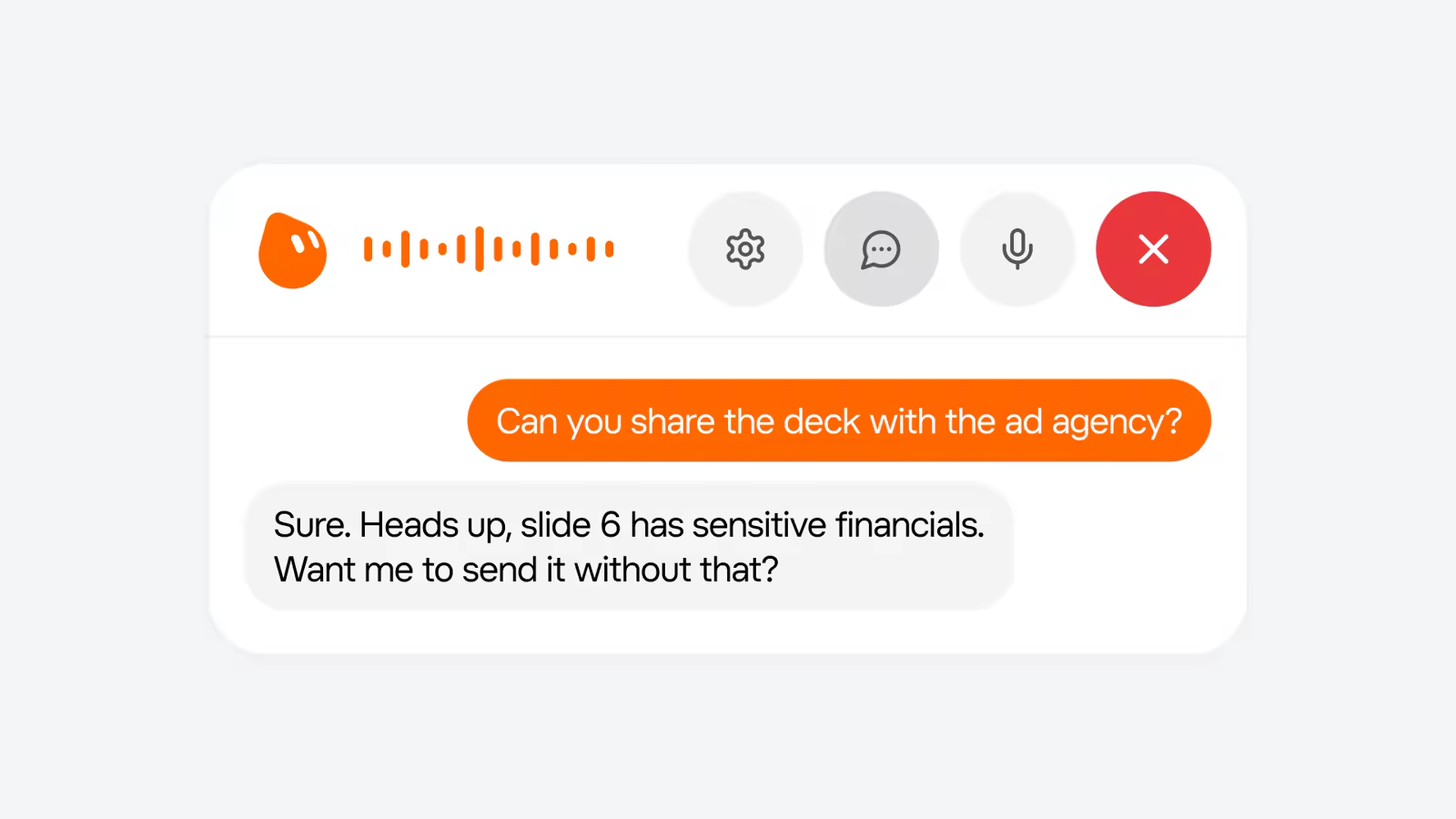
- Smarter approvals: Bots recognise when an action is already authorised and only ask when needed. They also check whether content is suitable for a public channel.
- Mac integrations: since 12/11/2026, the Mac app can use Messages, Mail, Notes, Reminders, Calendar, Location and Contacts.
- Pricing: Premium $30, Super $100 and Ultra $200 a month, plus inclusion in eligible Teams and Enterprise plans. Overage is billed at token cost.
- Caveats: xAI publishes no benchmarks or reliability figures for Bots, does not say which models power them, and does not publish exact weekly usage limits.
From Beta to 1.0: The Timeline
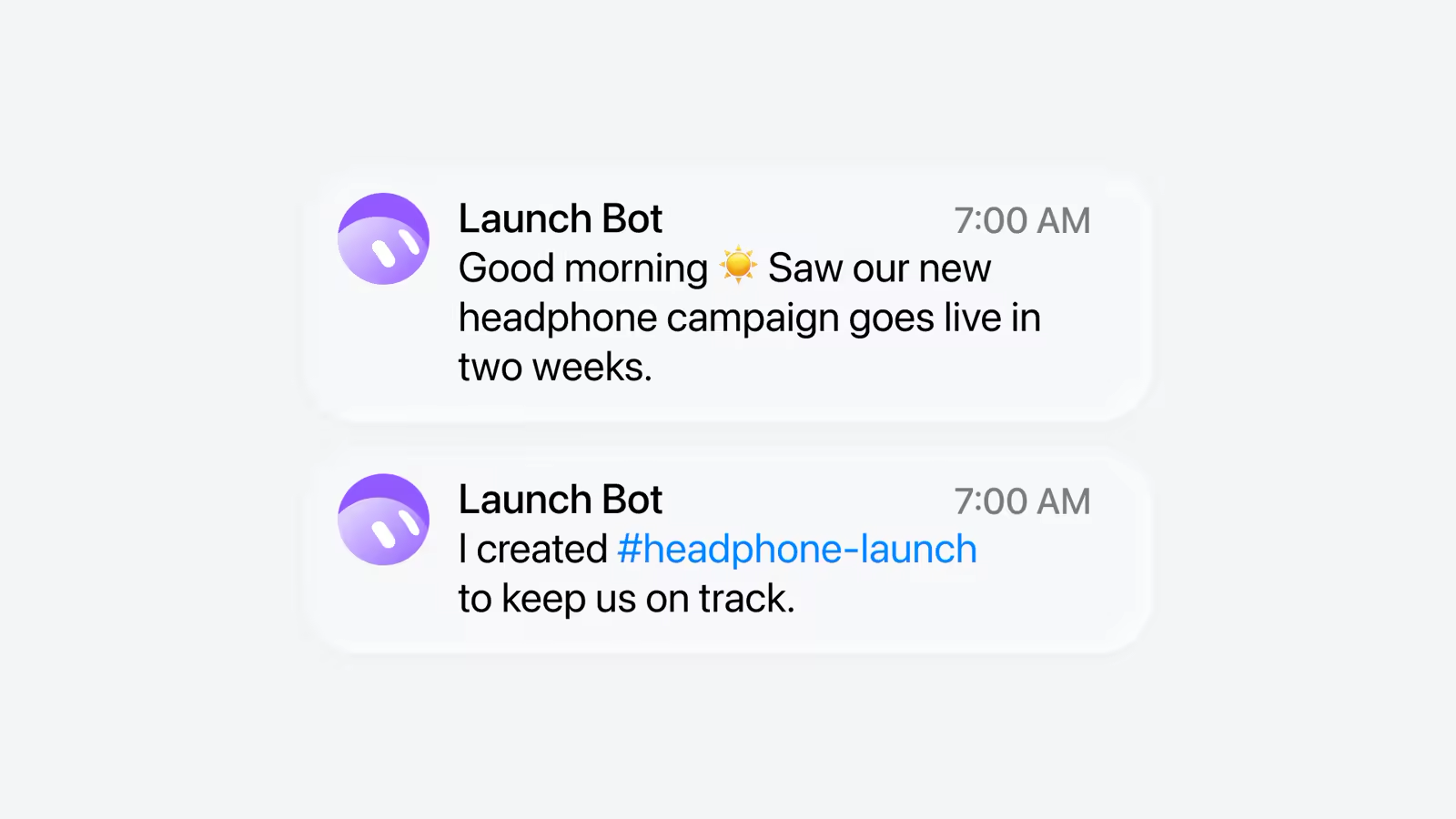
Grok Bot has moved quickly. It came out of the same push that produced the Grok 4.6 and 4.7 models, and it is closely tied to Cursor. iGeeksBlog reported that xAI agreed in June to buy Cursor's maker, Anysphere. Grok Bot's security page refers to Cursor single sign-on and privacy mode, and the beta was bundled with Cursor plans.
| Date | Milestone | Source |
|---|---|---|
| 11/08/2026 | Early beta on Mac, iOS, Windows and Linux for $120 to $300 a month plans | xAI; iGeeksBlog |
| September 2026 | iPad support and access on cheaper plans | 9to5Mac |
| October 2026 | 9to5Mac reports Bots began using Anthropic's Claude behind the scenes; Bots get their own email address | 9to5Mac |
| Late October 2026 | Usage-limit complaints; Elon Musk says serving costs are unsustainably high | Our cost analysis |
| 02/11/2026 | Grok Bot 1.0 announced: Team Bots, meetings, proactive work, smarter approvals | xAI |
| 12/11/2026 | Mac app gains Messages, Mail, Notes, Reminders, Calendar, Location and Contacts | xAI on X; 9to5Mac |
The model question is worth noting. xAI's Grok Bot page does not say which models power Bots. 9to5Mac's timeline says the product began using Claude in October, which would mean an xAI agent product partly running on a rival lab's models. We could not confirm the current model mix from xAI's own materials. For buyers this matters mainly for data-processing terms and for predicting how quality will change as models update.
How Grok Bot Works
The core design has not changed since the beta, and it is what separates Grok Bot from a chatbot. Each Bot gets its own cloud computer, with a browser, file system and the ability to stay signed in to websites. You give it a job in plain English from the desktop app, iPhone, Slack or Teams. It then works in that cloud machine, using apps and websites as a person would, including those with no API. It comes back to you only when it needs a decision or approval.
Because the work happens in the cloud, it keeps going when your laptop is closed. Bots can run in parallel, hand work to each other and run on a schedule, which xAI calls "scheduled routines". You can show a Bot a workflow once and it will repeat the steps. The product page lists marketplace templates including Sales Outbound, Talent Scout, Paid Media, Expense Manager, Product Performance, Bug Reproduction, Account Health and Chief of Staff.
This is the same category as OpenClaw, Hermes Agent, ChatGPT Agent and Anthropic's Claude Cowork. The differences are in packaging. Grok Bot is a subscription product with a hosted computer, a marketplace and team management. Open-source rivals such as OpenClaw and Hermes Agent run where you choose and with whichever model you choose.
What's New in 1.0
xAI groups the release into three ideas: Bots that work with several people, Bots that take initiative, and Bots that are more capable on complex tasks. Here is each in turn.
Team Bots in Slack and Microsoft Teams
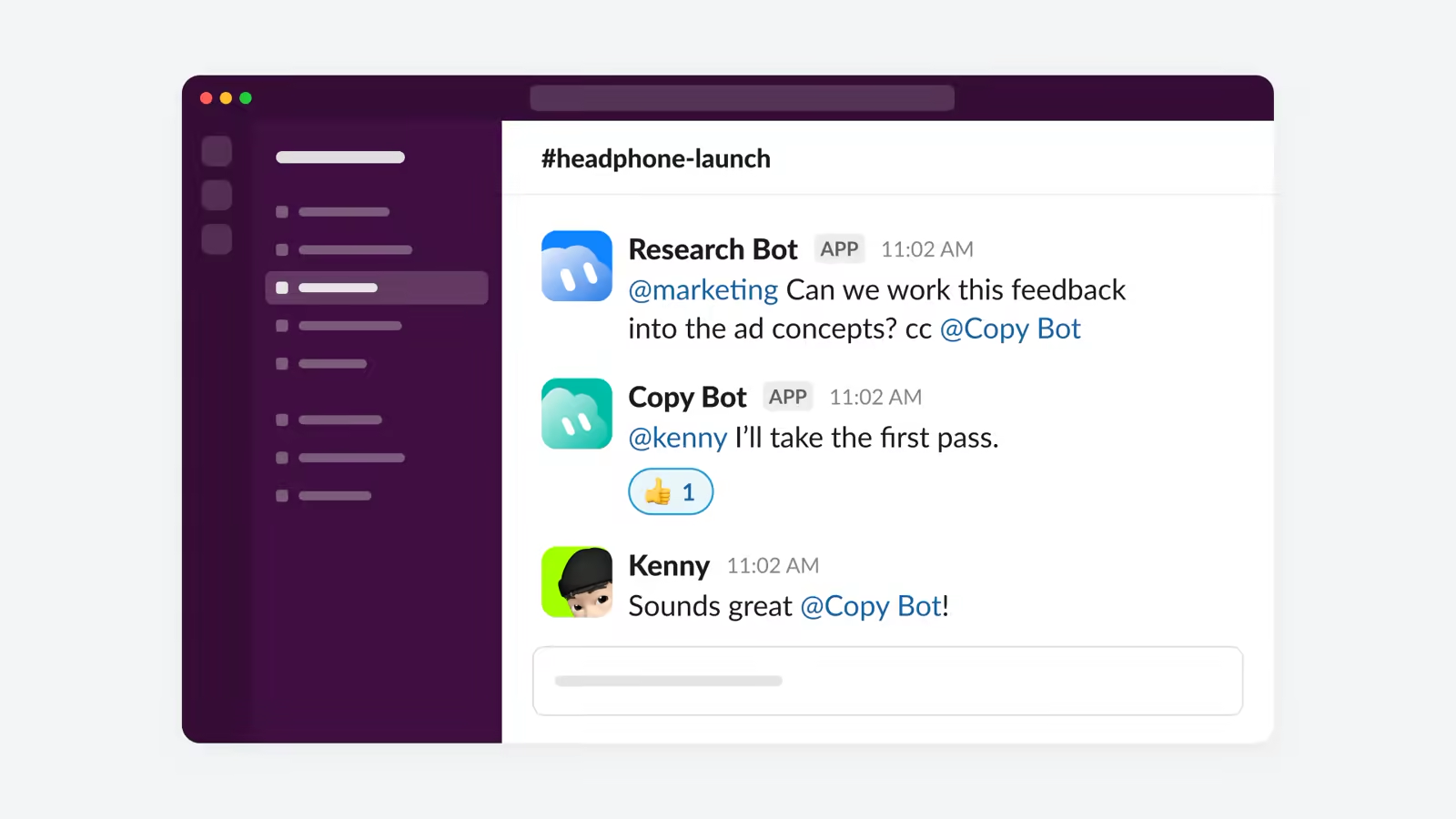
The headline feature is the Team Bot. You can share a Bot with specific people or groups and bring it into Slack or Microsoft Teams. According to xAI, Team Bots follow multi-person discussions, work out who is involved and offer to take on work. They track decisions and coordinate with other Bots. xAI's example is a Bot updating campaign materials after the team agrees on a direction in a thread.
This changes who an agent works for. A personal agent has one boss and one set of preferences. A Team Bot has to deal with conflicting requests, decide which messages are instructions and which are chatter, and avoid sharing one person's information with another. xAI says Bots respect each person's permissions. In practice, the safest set-up is a Team Bot with its own scoped accounts, not one signed in with a manager's personal credentials.
Team Bots also get settings and analytics. Admins can manage what a Team Bot knows and see how the team uses it. That is basic, but it is the minimum a company needs to put an agent into a shared channel.
Bots in Meetings
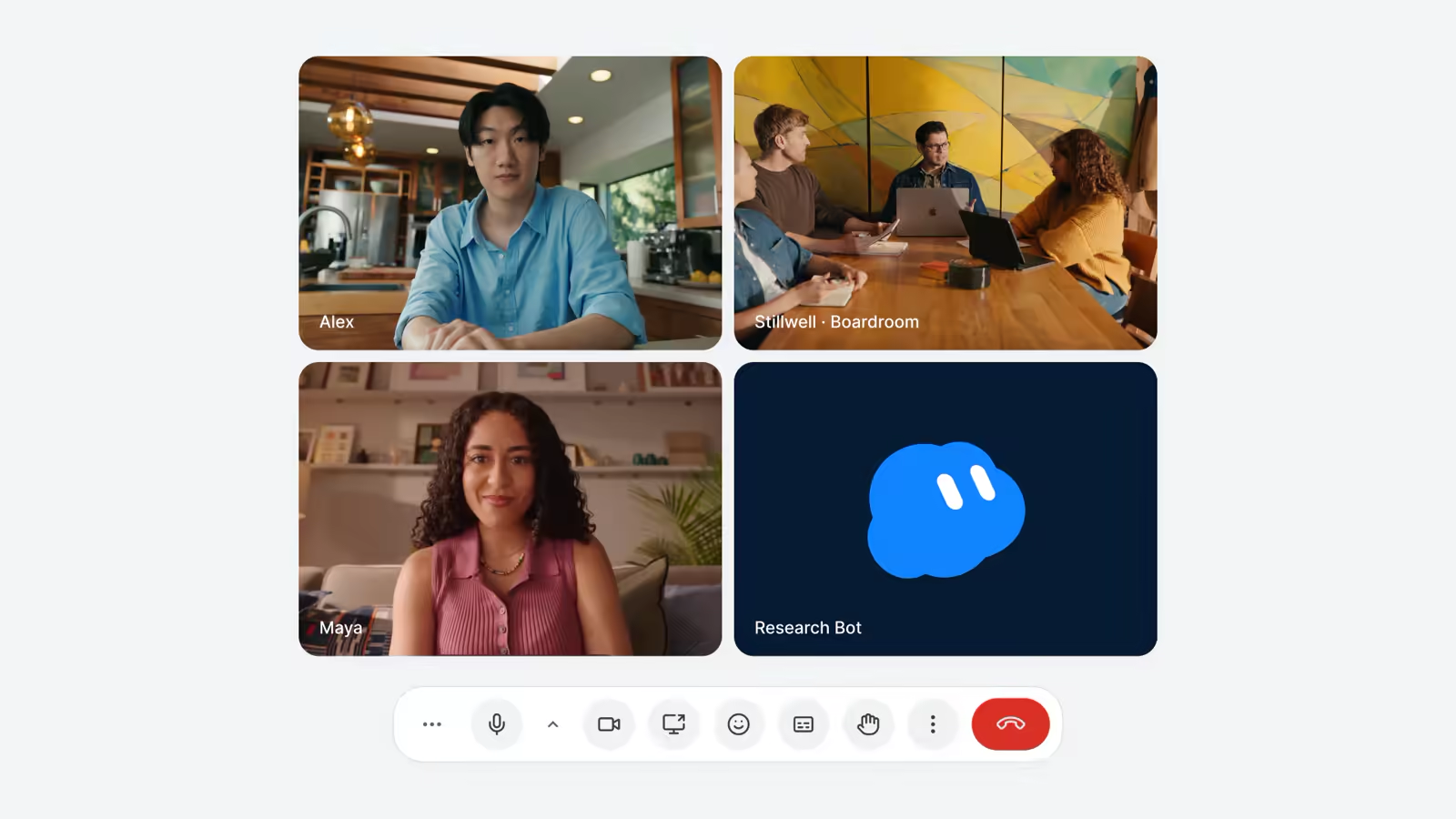
Bots can now join video calls. The product page lists Google Meet, Zoom and Teams. In a call, a Bot can contribute through chat and bring in information from earlier conversations, then follow up afterwards. xAI says Meetings is available on Team, Enterprise and Ultra plans, and Enterprise admins must switch it on first.
Meeting agents are now standard across the big AI suites. Anthropic has just launched Claude Meetings (see our Claude Sheets, Whiteboards, Data and Meetings guide), and ChatGPT can record meetings through its plugin (covered in our ChatGPT meetings guide). Grok Bot's pitch is that the Bot in the meeting is the same one doing the follow-up work. It does not just write notes, it acts on them.
UK organisations should remember the legal side. Anyone recorded or transcribed in a call should be told, and UK GDPR applies to personal data in transcripts. Check where xAI stores meeting data, and how long, before switching Meetings on for calls with clients.
Proactive Work and Learning
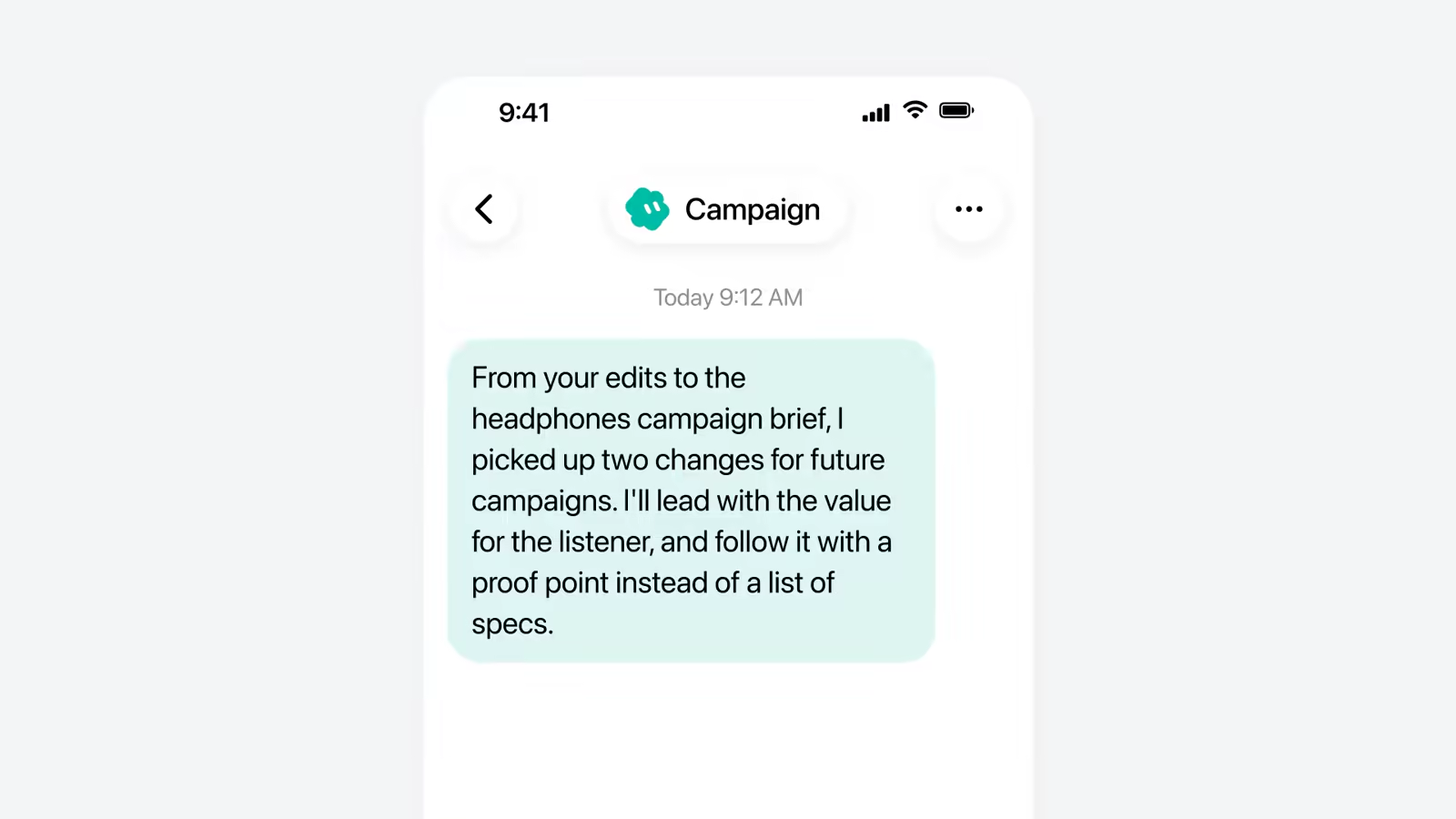
The second theme is initiative. xAI says Bots now spot work that needs doing, offer to take it on, follow up on unfinished tasks and bring in people when a decision needs human judgement. They also learn. Bots remember decisions and individual preferences, draw on team members' expertise, and can suggest changes to how they work. An improvement taught by one person can benefit everyone who uses the Bot.
That last point cuts both ways. Shared learning means a team does not have to train the same Bot five times. It also means a bad habit or a wrong assumption spreads to everyone. Ask whether you can see and edit what a Bot has learned before you rely on it. The settings xAI describes for Team Bots ("manage what a Team Bot knows") suggest this is possible, but xAI has not documented it in detail.
Browser, Documents and Pages
The third theme is plain capability. xAI's changelog references show the work done since the beta:
| Version | Improvement |
|---|---|
| v0.71.2 | Browser use: more reliable navigation, smoother sign-ins, fewer interruptions |
| v0.75.2 | Writing and presentations: better documents and slide decks, plus interactive, editable Pages that stay up to date |
| v0.75.2 | Cross-app work: better connections to Gmail, Google Calendar and GitHub |
| v0.75.5 | Smarter approvals: asks only when an action is not already authorised |
| 1.0 | Team settings and analytics |
xAI also says Bots now use fewer resources. Given the October row over usage limits, that is probably the most important line in the announcement for existing subscribers, though xAI gives no figures. "Pages" are worth watching too. They are living documents a Bot keeps updated, such as a project status page. That is a direct answer to Claude's artefacts and ChatGPT's canvas, but built for shared, continuously updated work.
Julian Goldie builds a five-Bot team (Content Machine, Lead Hunter, Store Captain, Website Builder and Client Report Bot) that coordinates on routine work.
The Mac Update: Apple Apps
On 12/11/2026, xAI's Grok Bot account on X announced: "Grok Bot on Mac can now use Messages, Mail, Notes, Reminders, Calendar, Location, and Contacts." 9to5Mac confirmed the update and noted that Grok Bot reached 1.0 this month. According to iGeeksBlog, each integration has its own Allow button, and only Messages can send messages on your behalf.
This matters because the cloud computer cannot reach local Mac data. Your iMessage history, Apple Notes and local Contacts are not in a browser. With these permissions, the desktop app acts as a bridge. A Bot can read a reminder you set on your iPhone, check your Calendar before booking a meeting or draft a reply in Mail. Julian Goldie's video shows the practical result: a Monday routine that pulls tasks from Reminders and messages, builds a plan and drafts follow-ups.
ChatGPT added Messages integration on Mac earlier in 2026, and smaller assistants have added Mail and Calendar. Grok Bot's version is the broadest so far. It is also the riskiest. Messages and Mail together give an agent the ability to talk to your contacts as you. Readers commenting on 9to5Mac's report were sceptical about giving the app that much personal data. That is reasonable. Grant only the apps a specific routine needs, and leave Messages off unless you have a clear use for it.
Approvals, Security and Privacy
Agents that act for you need a good answer to "what stops it doing the wrong thing?". xAI's answer has several layers:
- Permission-aware: Bots respect each person's permissions, so a Team Bot should not use one person's access to help another.
- Approvals: Bots ask before sensitive actions, and in 1.0 they recognise when an action is already authorised so you are not asked repeatedly.
- Auto Review: sensitive actions can go through an automated review before they run.
- Channel awareness: Bots check whether information is appropriate for a public channel before posting.
- Infrastructure: the cloud computer is encrypted in transit and at rest, with Cursor SSO, authentication and privacy mode, and training opt-out.
- Enterprise controls: admins can set data loss prevention (DLP), certificates, proxies and network controls at boot, and xAI offers a BAA and DPA to Enterprise customers.
The fewer-prompts change is a deliberate trade-off. Approval fatigue is real: if an agent asks about everything, people click "yes" without reading. Asking less often makes each prompt more meaningful. But it also means more actions run without a human checking. The safe default is to keep explicit approval for anything that sends, pays, deletes, publishes or shares externally. Then let the Bot learn which internal, reversible actions it can take alone.
Two wider points. First, prompt injection is the main attack on agents that browse and read email. A malicious web page or message can contain instructions the Bot may follow. Our coverage of the Hugging Face agent breach shows what happens when agents with credentials are tricked. Second, xAI publishes no independent security audit or red-team results for Grok Bot. Anthropic and OpenAI publish system cards for their agent products. xAI's claims are reasonable, but they are claims.
Pricing and Plans
Pricing has changed a lot since the beta, which iGeeksBlog reported was limited to plans costing $120 to $300 a month. The current Grok Bot page lists:
| Plan | Price per month | Usage | Notes |
|---|---|---|---|
| Premium | £24 ($30) | Weekly allowance (1x) | Bot computer, sign-ins, scheduled routines |
| Super | £79 ($100) | 3.5x Premium | Priority model access at peak times |
| Ultra | £158 ($200) | 12x Premium | Earliest access; Meetings included |
| Teams | Included with eligible plans | Not published | Team Bots, Meetings, analytics |
| Enterprise | Contact sales | Not published | DLP, network controls, BAA/DPA; admins enable Meetings |
Sterling figures are approximate conversions at $1 = £0.79, before VAT. Usage beyond the weekly allowance is billed at token cost. xAI does not publish what the 1x weekly allowance is in tokens or tasks. That makes it hard to compare value with rivals. Given the complaints in October about allowances running out early, test a real workload on Premium for a week before you upgrade. Our agent economics guide includes a simple method for working out whether a Bot pays for itself.
Get the free guide: Claude vs ChatGPT, Gemini & Grok
A 20-page playbook covering everything you need to choose and use the big four AI models in 2026, full cost and feature comparisons, what each is best (and worst) at, and how-tos for images, vectors, building a website, Claude Code and more.
Real-World Use Cases
The creator videos give a useful picture of what people are actually building, even if the "INSANE" titles oversell it. Julian Goldie's "Dream Team" video sets up five Bots for a small agency: a content machine, a lead hunter, a store manager, a website builder and a client report Bot that compiles weekly updates. His Mac video builds a desk system around Reminders, Calendar and Mail. Alex Finn's weekly round-up treats 1.0 and the Mac update as one of the week's main stories, alongside Gemini 4 Carbon.
The uses that work best share three traits:
- Repetitive, with clear steps: weekly client reports, CRM tidy-ups, invoice processing and bug reproduction. These are the tasks xAI says its own teams use Bots for.
- Spread across tools without APIs: logging in to a supplier portal, copying figures into a spreadsheet and messaging a summary. This is where a Bot with a browser beats an API-based automation tool such as Zapier.
- Low cost of a mistake: drafts that a person reviews, internal summaries and research. Customer-facing messages and payments still need a human sign-off.
Uses that work less well: anything that needs judgement about people, legal or financial decisions, and tasks where the Bot has to guess what "done" means. As with any agent, the clearer your instructions and success criteria, the better the result.
Alex Finn covers Grok Bot 1.0 and its major update alongside the week's other big stories.
Limitations and Open Questions
- No published reliability data. xAI gives no task-success rates, benchmarks or independent evaluations. "More reliable" is not measurable from outside.
- Opaque usage limits. Plans are described as multiples of an unpublished base allowance.
- Model transparency. xAI does not say which models run Bots. 9to5Mac reported a move to Claude in October.
- Platform gaps. Android is not listed as a Grok Bot platform. The Apple app integrations are Mac-only.
- Corporate uncertainty. Grok Bot is tied to Cursor, and iGeeksBlog reports xAI's acquisition of Cursor's maker is still pending. Plans and branding could change.
- Data residency. xAI does not set out UK or EU data residency for Bot computers or meeting transcripts on the public pages we reviewed.
How It Compares
| Product | Where it runs | Team use | Entry price | Best for |
|---|---|---|---|---|
| Grok Bot 1.0 | Hosted cloud computer, plus Mac bridge | Team Bots in Slack and Teams, meetings | $30/month | Teams wanting a shared, managed agent |
| Claude Cowork | Anthropic's apps | Shared projects, connectors | Claude paid plans | Knowledge work inside the Claude suite |
| ChatGPT Agent | OpenAI's hosted browser | Workspaces | ChatGPT paid plans | Existing ChatGPT users |
| OpenClaw | Your own machine or server | Via messaging platforms | Free software, pay for models | Technical users who want control |
| Hermes Agent | Self-hosted, any model | Agent-to-agent protocol | Free software, pay for models | Developers and privacy-sensitive teams |
The closest like-for-like rival is Claude Cowork, which is also adding shared work surfaces and meetings. Grok Bot's advantages are the always-on cloud computer and the marketplace of ready-made Bots. Its disadvantages are less transparency about models, limits and safety testing. For more detail on the open-source side, read our OpenClaw explainer and the Hermes Agent v0.20 review.
Who Should Use It
- Good fit: small agencies and operations teams with repetitive cross-tool work, teams already living in Slack or Teams, and Mac users who want an agent that can use their calendar, reminders and mail.
- Try carefully: regulated businesses (finance, health, legal). Check the DPA, data residency and audit logs first, and start with internal-only tasks.
- Probably not yet: anyone who needs predictable monthly costs at high volume, or who needs to know exactly which model processes their data.
The Bottom Line
Grok Bot 1.0 is a real step from "personal agent" to "team member". Shared Bots in Slack and Teams, Bots in meetings and proactive follow-ups are the features that make agents useful in a company rather than a demo. The Mac integrations make it the most deeply connected agent on Apple's desktop. Smarter approvals show xAI has listened to complaints about constant prompts.
The gaps are about trust and measurement. With no published reliability data, no exact usage limits, and limited detail on models and data handling, Grok Bot asks you to take a lot on faith. Our advice: start one Bot on one well-defined, low-risk task, keep approvals on for anything external, grant Apple app permissions one at a time, and measure the time it saves against its cost for a month. If it pays, expand. If it does not, the open-source alternatives are getting better every week.
Last updated: 14/11/2026. Prices from xAI's Grok Bot page on 14/11/2026; sterling conversions at approximately $1 = £0.79, excluding VAT.