
 AI Tools Review Editorial Team
Quick Answer:
OpenClaw 2.0 is version 2026.8.1, released 30/08/2026 - the largest single update in the project's history, with 16,000+ merged pull requests from 933 contributors (569 of them first-timers), roughly half of every PR ever merged into OpenClaw. It rewrites installation, rebuilds the browser Control UI, moves sessions and transcripts to SQLite, adds explicit session permission modes with workspace-anchored filesystem access, masked credential prompts that keep secrets out of chat and model context, conversation search, and distributed cloud sessions. The rebuilt Gateway now starts in roughly 575 milliseconds, down from ~1.6 seconds. The one significant breaking change: OpenProse is retired - the bundled plugin and its /prose command are gone, migrated to Agent Skills via openclaw doctor --fix. If you're new to the project entirely, start with our OpenClaw explainer first - this review assumes you already know what OpenClaw is and covers only what changed.
OpenClaw's team didn't set out to ship a “2.0”. According to their own account, the plan was modest: simplify installation, and rebuild the browser app into something that felt like a first-class product rather than a developer tool wearing a UI. Then, as they put it, “doing that properly meant carrying the cleanup through the rest of OpenClaw until it became OpenClaw 2.0.” Seven weeks later - an unusually long silence for a project that had shipped 106 releases in the preceding 230 days - version 2026.8.1 landed on 30/08/2026 touching essentially every subsystem: installation, messaging, memory, skills, models, automations, the browser and native apps, plugins, security, and a very long tail of fixes.
This is not another “what is OpenClaw” explainer. It is the definitive review of what actually changed, built from OpenClaw's own release notes and GitHub changelog, cross-checked against independent technical coverage, and set against what creators found when they put fresh installs through their paces.
Julian Goldie SEO breaks down the headline “16,000 changes, 933 contributors” scale of OpenClaw 2.0 and what it means for anyone running agent workflows.
Executive Summary
OpenClaw 2.0 is best understood as two releases stacked on top of each other. The first is a genuine product rebuild: a rewritten installation flow across Mac, Linux and Windows that detects and reuses whatever a user already has - existing ChatGPT or Claude subscriptions, API keys, local models - rather than demanding fresh configuration; and a rebuilt browser Control UI with a dedicated session setup screen, resizable project-grouped sidebar, command palette, and a Gateway that now boots in roughly 575ms instead of ~1.6 seconds.
The second is a security and infrastructure hardening pass that has been quietly overdue since OpenClaw first went viral: explicit session permission modes anchored to the workspace, a shared write-only credential store, masked credential prompts that never expose secrets to chat history or the model's own context window, per-operation automation permission grants with inspection and revocation, and a migration of sessions and transcripts to SQLite for reliability.
- Best for: existing OpenClaw users ready to take a proper backup and migrate through a genuinely large upgrade, and new users who found 1.x's installation and permission model intimidating.
- Headline numbers: 16,000+ merged PRs, 933 contributors (569 first-timers), ~575ms Gateway startup (down from ~1.6s), roughly half of the project's entire merge history in one release.
- Defining trait: a rebuild that started as an installation and UI fix and grew, by the team's own admission, into a foundation-level overhaul once security and reliability debt could no longer be deferred.
- Main caveat: the hardened permission and sandboxing options exist but are not on by default - independent testing found OpenClaw 2.0 still ships permissive rather than restrictive out of the box, and one prominent long-time creator called it “the most frustrating, disappointing release of the year” in the same breath as praising it.
What Changed: The Headline Numbers
The scale is the story before any individual feature is. OpenClaw's own release notes and GitHub changelog put the release at more than 16,000 merged pull requests from 933 contributors, 569 of whom were first-time contributors to the project - together representing roughly half of every pull request ever merged into OpenClaw's codebase. That landed after a roughly seven-week gap with zero releases, a sharp break from the project's previous cadence of 106 releases across 230 days. OpenClaw has said explicitly that it paused its usual rapid-ship rhythm because the growing project needed a stronger technical foundation and a safer upgrade path for both new and existing deployments, rather than continuing to bolt features onto file-based session storage and an ad hoc permission model.
By category, the update touches: installation (rewritten Mac/Linux/Windows onboarding), the browser and native apps (rebuilt Control UI, iOS/Android/Wear OS updates), messaging (Telegram, Discord, WhatsApp, Slack upgrades plus new Teams/Zoom/email triggers), memory (SQLite migration, background “dreaming” consolidation, active recall by default), skills (a new Skill Workshop and automatic self-learning), models (explicit allowlists, more official provider packages, local-model auto-discovery), automations (per-operation permission grants), plugins (trust warnings, capability disclosure before install), and security (session permission modes, credential store, config auditing) - alongside what the team itself describes as “a very large reliability pass” across the whole system.
Installation & Onboarding
The stated starting point for the entire release was a simpler path “from download to first useful conversation”, and the concrete changes back that up. On Mac, the app now offers to move itself into /Applications so that updates and launch-at-login actually work, rather than silently failing when run from a Downloads folder. On Linux, the installer makes the openclaw command available in new terminal sessions automatically, without users needing to hand-edit shell configuration files. Windows and network installations without authentication are now blocked before any changes are made, closing a class of installer footguns.
The bigger change is what happens during guided setup: OpenClaw 2.0 actively detects and reuses whatever is already on the machine - existing ChatGPT or Claude subscriptions, API keys, or locally installed models - rather than demanding the user configure everything from scratch. Once a model is chosen, setup verifies the exact connection actually works before saving, instead of letting a broken configuration through and surfacing the failure later mid-conversation. Local-model support got real attention too: guided setup discovers installed Ollama, LM Studio and in-process GGUF models automatically, and OpenClaw now defaults to Gemma 4 as its RAM-gated llama.cpp fallback, with local llama.cpp context raised to 64K tokens and one-click local model setup on web and macOS.
Mobile pairing changed materially too: iOS and Android now distinguish “full access” from an explicit “limited mode” during pairing, QR-code pairing is front and centre (and can open the UI in one scan on trusted networks), public gateways use normal certificate checks while LAN/IP connections use explicit certificate pinning, and revoked permissions on Android now genuinely stay revoked rather than silently resetting.
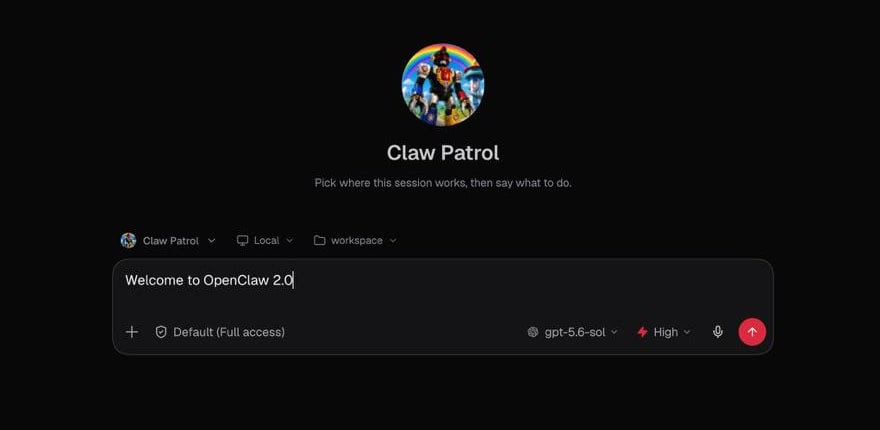
One warning worth repeating in full: sessions and transcripts have moved from file-based storage to SQLite. OpenClaw's own release notes are explicit that users should create a verified backup before upgrading and review the downgrade procedure first, because “sessions created after the migration will not appear in older releases” if you need to roll back.
Bart Slodyczka's fresh macOS install walkthrough of OpenClaw 2.0, putting the rebuilt onboarding and Control UI through a real first-run test.
Security & Permissions
Security is arguably the centrepiece of OpenClaw 2.0, and it needed to be: giving an AI agent standing access to messages, files, browsers and cloud workers is a meaningfully different risk profile from a chatbot, and OpenClaw's 1.x permission model was thin relative to that reality. 2.0 introduces explicit session permission modes - read-only, guarded, workspace, and full access - with filesystem access anchored to the declared workspace boundary rather than the whole machine. Approvals now bind to “the exact request, command, session, and person” that received them, rather than granting a blanket standing permission that persists beyond its original context.
Credential handling changed significantly. Secrets now live in a shared, write-only credential store, scoped to teams, with network egress bound to declared hosts. When an agent needs a secret mid-conversation, it can request it through a masked credential prompt - the value is entered directly and “never enters the chat history or the model context”, closing off a real historical failure mode where a secret typed into chat could end up embedded in a transcript or, worse, in a prompt sent to a model provider. There is also an opt-in proxy that limits protected-secret substitution to approved destinations only, plus an optional 1Password broker for teams that want secret resolution handled by an existing vault rather than OpenClaw's own store.
Other additions: explicit model allowlists that operators can set independently of model aliases and per-model settings, meaning an organisation can restrict exactly which models an agent is allowed to call regardless of what a user requests; team operator roles with named access restrictions; plugin trust disclosure showing capabilities, source, version and artifacts before install (with trust warnings suppressed only for plugins explicitly enabled); and configuration change auditing that records every change with a writer label and automatically redacts sensitive values in the log.
The honest caveat, and one independent coverage flagged directly: these are genuinely strong new capabilities, but OpenClaw 2.0 does not turn them on for you. The hardened settings still require someone to actually go and enable them, and the default posture remains permissive rather than restrictive - suitable for single-operator and single-team deployments, but multi-tenant isolation still requires deliberately setting up separate “cells” rather than flipping a single configuration toggle. If you are deploying OpenClaw for anyone other than yourself, budget time to configure the permission model deliberately rather than assuming the new options protect you automatically.
Messaging & Channel Integrations
The messaging-first architecture that defines OpenClaw got a substantial refresh across every major channel. Telegram gained rich location and video-note message rendering, native Markdown list support, and a Telegram Mini App for dashboard access directly inside the chat client. Discord added voice channel participation with participant awareness, so an agent can join a voice channel and track who else is present rather than being limited to text. Slack now supports Enterprise Grid deployments with proper workspace routing and presence handling - a meaningful gap-closer for larger organisations that were previously stuck on single-workspace Slack setups. WhatsApp and the rest of the channel stack picked up improved media handling: attachments now stay correctly linked across uploads, replies, playback and reloads, with native playback controls and video uploads on both Apple and Android clients.
Beyond the core four, OpenClaw 2.0 adds Teams and Zoom meeting plugins (with browser-based guest join, so the agent doesn't need to be a licensed seat holder to sit in on a meeting), splits iMessage out into its own separate plugin for cleaner maintenance, and introduces email triggers that let inbound IMAP messages kick off agent work directly - extending the “the best UI is no UI” philosophy from chat apps into inboxes.
Performance: Gateway Startup & Concurrency
The number every technical outlet led with: the Gateway - OpenClaw's core interface layer connecting to messaging platforms and managing sessions - now starts in roughly 575 milliseconds, down from approximately 1.6 seconds in 1.x. That is close to a 3x improvement in cold-start latency, and it matters more than a raw benchmark number suggests: a Gateway that restarts quickly recovers faster from crashes, updates, and the routine restarts that come with a long-running always-on agent process. Default agent concurrency now also scales with available CPU capacity, running 8-16 simultaneous agent sessions on a typical machine rather than a fixed, conservative default.
These performance numbers come from OpenClaw's own release documentation and have been repeated consistently across independent technical coverage (MarkTechPost, TechSpot and others), rather than appearing only in marketing materials - a reasonable signal they reflect real, reproducible measurements rather than a single best-case benchmark run.
Reliability work runs alongside the raw speed numbers. OpenClaw's notes list a set of fixes aimed squarely at the kind of failure that erodes trust in an always-on agent: database quarantine recovery into a separate store when corruption is detected, prevention of SQLite write-ahead-log “split-brain” corruption, rollback journaling for shared-filesystem safety, and compaction changes that stop incomplete usage snapshots from being recorded. None of these are headline features on their own, but together they read as the unglamorous debt-paydown that a project growing this fast eventually has to do - fixing the failure modes that only show up once thousands of installations have been running for months, not the kind of thing that shows up in a demo.
Conversation Search & Distributed Cloud Sessions
Two smaller but genuinely useful additions round out the productivity side of the release. Conversation search lets you search the visible text of past conversations by exact words or phrases and reopen the surrounding messages from a matching result - a basic capability that was surprisingly absent in 1.x given how quickly an active OpenClaw install accumulates transcript history across every connected channel. Durable session progress cards now persist across page reloads and continue tracking subagent activity in the background, and structured agent questions can be answered through cards, buttons or plain text, with an explicit skip option when a question isn't relevant.
Distributed cloud sessions let work run on a paired device or a cloud worker rather than only on the machine running the Gateway, with the session's workspace portable between them. OpenClaw can reuse an already-warmed cloud machine and a saved project seed for a later session rather than provisioning fresh infrastructure every time, and it's possible to select machine size for cloud sessions directly. This is also the infrastructure underpinning the shared, “multiplayer” sessions the team says it now uses for its own development - a colleague can join an in-progress agent session and continue the work with full context intact, rather than starting a fresh conversation and re-explaining what's already been done.
Memory & Skills
Memory is now built into OpenClaw core rather than living as a bolt-on. Personal conversation recall - referred to internally as Active Memory - is enabled by default, letting an agent draw on prior conversations without a separate memory plugin. Alongside it, OpenClaw enables what its release notes call “grounded dreaming” by default: background consolidation of memory during idle time, distinct from active recall. This is the official, documented feature behind creator shorthand like “memory dreaming system” - the description in circulation is a fair simplification of a real capability, not an invented one, though it's worth noting the official term is “grounded dreaming” rather than any single fixed marketing name.
On the memory-ownership side, users can now inspect exactly which sessions contributed to a given piece of memory, and remove identifiable derived memory if they no longer want it retained - a meaningful transparency and control addition for anyone uneasy about an agent quietly accumulating a long-term profile of them.
Skills get two additions. Automatic self-learning is enabled by default: OpenClaw now captures successful workflows and proposes them as reusable Agent Skills automatically, rather than requiring a user to manually package a working pattern into a skill file. And a new Skill Workshop provides a guided flow for creating, validating and reviewing skills before they're deployed - useful given how central the ClawHub skill ecosystem has become to how OpenClaw users actually extend their agents. Reassuringly for anyone with an existing skill library, the underlying SKILL.md format is unchanged in 2.0, so skills built for 1.x continue to load without modification.
Breaking Changes
For a release this large, the breaking-change list is short and specific - three items, all documented directly in OpenClaw's own release notes:
- OpenProse is retired. The bundled plugin and its
/prosecommand are removed entirely in 2.0. If you relied on it, the migration path is Agent Skills - OpenClaw's own guidance is to runopenclaw doctor --fix, which will clean up the old configuration and handle the migration automatically. If you have workflows or automations that explicitly call/prose, they will break on upgrade until rebuilt as a skill. - Legacy Codex model routes are consolidated. References to
codex/*andopenai-codex/*model IDs are migrated to the unifiedopenai/*namespace, again handled automatically byopenclaw doctor --fix. - Plugin SDK subpath imports are deprecated from 1 September 2026. External plugin authors need to migrate their SDK imports per OpenClaw's published migration guide ahead of that date, or their plugins will stop working once the deprecation takes effect.
Separately from the formal breaking-change list, the SQLite session storage migration noted above under Installation is the change most likely to bite an unprepared upgrader - not because it breaks functionality outright, but because a downgrade after the fact loses any sessions created post-migration. Back up before you upgrade.
Creator Hands-On Impressions
Three independent creators covered OpenClaw 2.0 within days of launch, and their reactions land in a genuinely useful spread from enthusiastic to mixed - worth reading as opinion rather than fact, but a real signal of how the release lands in practice beyond the release notes.
Julian Goldie SEO, framing the release around its raw scale (“16,000 changes, 933 contributors”), positions OpenClaw 2.0 as a serious step up for anyone running agentic automation workflows rather than a cosmetic refresh - consistent with his broader coverage of OpenClaw as a platform for chaining multiple AI agents together into working automation systems.
Bart Slodyczka put the rebuilt onboarding to a genuine fresh-install test on macOS, walking through the new guided setup and Control UI from a clean machine - exactly the “download to first useful conversation” path OpenClaw says it prioritised. Testing a fresh install rather than an in-place upgrade is a meaningfully different (and arguably more revealing) test than most release-day coverage attempts, since it surfaces exactly what a brand-new user experiences rather than what an existing power user's already-configured environment glosses over.
Alex Finn, a long-time, high-volume OpenClaw user (by his own account, over 210 hours of use in a single prior month), gave the most genuinely mixed take of the three: OpenClaw 2.0, he said, is “the biggest OC update of all time” with “great new features and a slick new interface” - and, in the same breath, “the most frustrating, disappointing release of the year.” That is a real tension worth taking seriously rather than dismissing as clickbait framing: a release this large, touching nearly every subsystem simultaneously, is precisely the kind of upgrade that can deliver genuine capability gains while also introducing rough edges, migration friction and behavioural regressions that a smaller, more incremental release would have avoided. Treat Finn's critique as a useful counterweight to launch-week enthusiasm, not a reason to skip the upgrade outright.
How It Compares
Against OpenClaw 1.x, the honest comparison is that 2.0 is a different class of product on installation, reliability and security, while remaining behaviourally familiar for anyone who already knows the messaging-first workflow described in our OpenClaw explainer. The skill format is unchanged, the core “agent lives in your messaging apps” philosophy is untouched, and existing ClawHub skills keep working - but the onboarding path, permission model, memory architecture and session storage are all substantially rebuilt underneath.
Against alternative agent harnesses such as Hermes, independent comparison coverage draws a fairly clean line: OpenClaw wins on ecosystem breadth and the sheer number of supported channels and integrations, while Hermes has been noted for automatically converting successful workflows into reusable skills earlier and by default, and for shipping security defaults that assume multi-user environments from the start rather than adding permission modes as an opt-in layer later. That framing lines up with the Security & Permissions caveat above: OpenClaw 2.0 gives you the tools to lock things down properly, but - unlike some competing harnesses - it still expects you to do the locking down yourself.
Who Should Upgrade
Upgrade now if you are running OpenClaw for yourself or a small team and want the reliability, memory and Gateway-performance gains - just take a verified backup first given the SQLite session migration, and budget time to configure the new permission modes and credential store deliberately rather than assuming the defaults protect you. If you rely on OpenProse, plan the Agent Skills migration before you upgrade, not after.
Hold off briefly if you are running OpenClaw in a production or multi-tenant context where a “most frustrating release of the year” verdict from an experienced power user is a real risk you can't absorb this week - let the first patch releases land, watch the plugin SDK deprecation deadline (1 September 2026) if you maintain external plugins, and re-evaluate once early adopters have surfaced the inevitable rough edges of a 16,000-PR release.
The Bottom Line
OpenClaw 2.0 earns its name even though the team says it wasn't originally the plan. A rebuild that started as “fix installation, rebuild the browser app” became, by the project's own account, a foundation-level overhaul once security and reliability debt could no longer be deferred - and the result is genuinely the most significant single release in OpenClaw's history by every measurable standard: 16,000+ PRs, 933 contributors, a near-3x Gateway startup improvement, real permission and credential infrastructure, and a rebuilt onboarding flow that meets users where they already are rather than demanding fresh configuration.
What it is not, yet, is a release that makes the hard security decisions for you. The new permission modes and credential store are real, well-designed capabilities - but they ship off by default, and a release this large inevitably carries rough edges, as Alex Finn's mixed verdict makes clear. Back up before you upgrade, migrate off OpenProse deliberately, and treat the new security tooling as something to configure on purpose rather than something that protects you automatically. Do that, and OpenClaw 2.0 is a legitimately major step forward for the project.
Update (3 October 2026): Microsoft says its new Autopilot agent is powered by OpenClaw technology. Read our Copilot Autopilot explainer for what that does and does not mean.
Last updated: 30 August 2026. This review is based on OpenClaw's official release notes at docs.openclaw.ai/releases/2026.8.1, the OpenClaw GitHub release (v2026.8.1), and the OpenClaw blog post “OpenClaw 2.0, Accidentally”, cross-checked against independent technical coverage including MarkTechPost, Decrypt, TechSpot and cellcog.ai; figures may be refined as further patch releases and disclosures land.
Get the free guide: Claude vs ChatGPT, Gemini & Grok
A 20-page playbook covering everything you need to choose and use the big four AI models in 2026, full cost and feature comparisons, what each is best (and worst) at, and how-tos for images, vectors, building a website, Claude Code and more.