 AI Tools Review Editorial Team
Quick Answer:
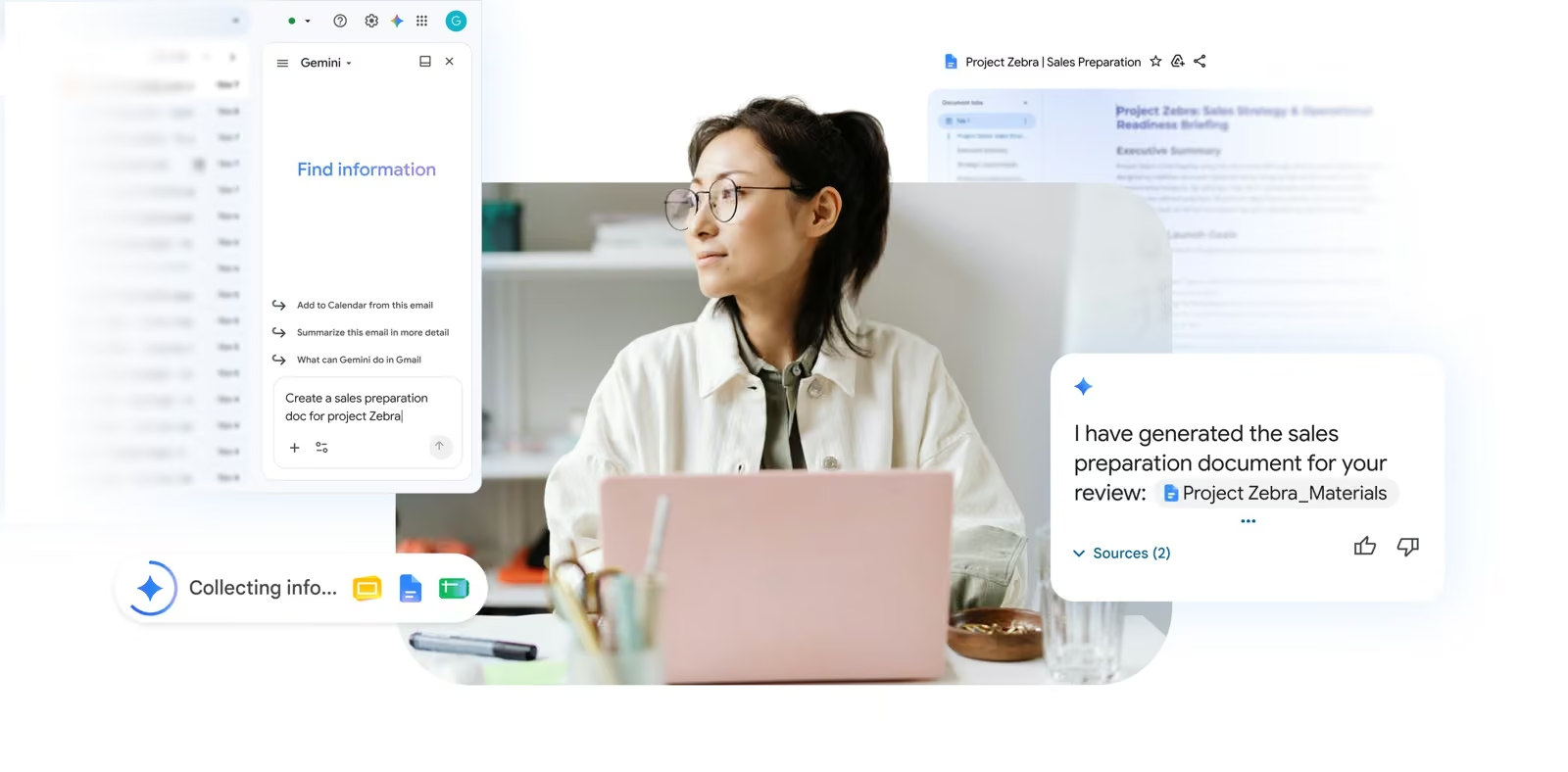
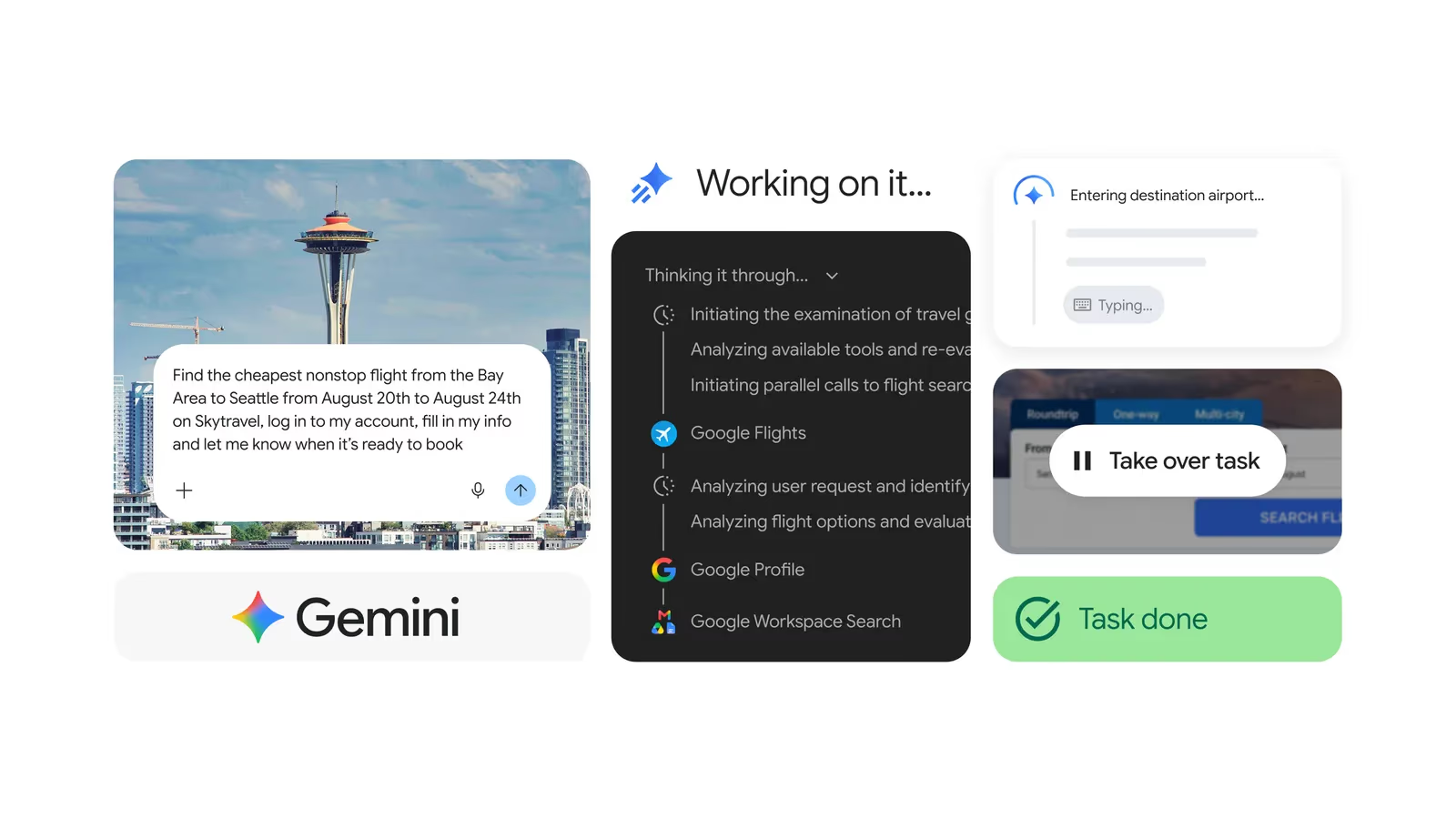
Gemini Spark is Google's 24/7 personal AI agent, announced at Google I/O 2026 and now rolling out to Google AI Ultra and Pro subscribers. Unlike a chatbot you have to keep open, Spark runs on a dedicated Google Cloud virtual machine and keeps working on assigned tasks - parsing statements, drafting documents, booking flights - after you close your laptop. It is powered by Gemini 3.5, integrates natively with Gmail, Docs and Sheets, and now reaches into Chrome, macOS and over 30 third-party apps via MCP. The catch: full access currently requires the roughly $100/month Google AI Ultra tier, and it is US-first with wider international access still rolling out.
Google spent most of 2025 chasing the same question every AI lab was chasing: how do you turn a chatbot into something that actually does the work, rather than just describing how you might do it yourself? Gemini Spark, unveiled at Google I/O 2026, is Google's answer - and it is a genuinely different shape of product from the assistant you are used to.
This is a deep dive into what Spark actually is, what Google has confirmed versus what is still rolling out, the real performance numbers behind the model that powers it, and how it stacks up against the other agentic products fighting for the same job.
Julian Goldie SEO covers the Gemini Spark rollout and what it unlocks for AI-powered workflows.
Summary
Gemini Spark is best understood as Google's bet that the next meaningful step in consumer AI is not a smarter chat window but persistence - an agent that stays running, keeps context across days, and acts inside the tools you already use rather than asking you to copy-paste between them. It sits on top of Gemini 3.5 and Google's Antigravity harness, the same long-horizon task-execution layer behind Google's other 2026 agent pushes, and it is designed explicitly to run unattended for extended periods.
The rollout has been staged deliberately: trusted testers first, then a US beta for Google AI Ultra subscribers, then wider access for Google AI Pro subscribers in more than 160 countries, with macOS and Chrome integrations arriving in separate waves through summer 2026. That staging matters - much of what makes Spark interesting (Chrome browsing, remote macOS task assignment, the full third-party connector list) is not universally available yet, even where the core agent is.
- Best for: people already deep in the Google Workspace ecosystem who want recurring admin work - inbox triage, meeting follow-ups, subscription auditing - handled without babysitting a chat window.
- Headline numbers: Gemini 3.5 Flash scores 76.2% on Terminal-Bench 2.1 versus 70.3% for Gemini 3.1 Pro, at roughly 280 tokens/second - about 4x the throughput Google cites for GPT-5.5 and Opus 4.7 in the same comparison.
- Defining trait: it runs on a cloud VM, not your device or a browser tab, so tasks continue after you close your laptop.
- Main caveat: full functionality currently sits behind the ~$100/month AI Ultra tier and is still US-first for several features.
How Gemini Spark Actually Works
The architectural choice that defines Spark is where it runs. Rather than executing inside a browser session or a phone app - the model most consumer AI agents use, and the reason they stop working the moment you close the tab - Spark runs on a dedicated virtual machine on Google Cloud. That VM keeps executing whatever task you assigned it, continuously, whether or not any of your devices are open. Google's own framing is blunt about this: Spark "keeps working in the background even when you close your laptop or lock your phone."
Underneath, Spark is powered by Gemini 3.5, and it leans on what Google calls the Antigravity harness - an execution layer built to handle parallel sub-agent tasks and extended-duration workflows rather than single-turn Q&A. This is the same connective tissue Google has been building out across its 2026 agent lineup, and it is what lets Spark decompose a vague instruction ("keep an eye on my subscriptions") into a standing, recurring background job instead of a one-off answer.
The other deliberate choice is how Spark talks to the apps it controls. Instead of taking screenshots and clicking around a interface pixel-by-pixel - the approach used by many computer-use agents, including some of Google's own earlier experiments - Spark connects to Google Workspace tools through structured API integrations with zero setup required, and to third-party services through the Model Context Protocol (MCP). API-level access is inherently more reliable than screen-reading: it does not break when a button moves, and it does not misclick. The trade-off is that Spark can only act as deep into an app as that app's API allows, which is part of why Chrome browsing was shipped as a separate, later capability for the services that do not expose a clean API.
Capabilities Deep Dive
Native Google Workspace integration
Spark connects to Gmail, Docs and Sheets natively, with no manual OAuth dance required for a Google account already signed into the ecosystem. Google's worked examples lean heavily on this: parsing a month of credit card statements to flag new or hidden subscription fees, pulling logged hours out of a spreadsheet to generate a client invoice and send the covering email, or synthesising action items out of a thread of emails and chats into a shared project tracker.
Desktop automation on macOS
A macOS app (beta, US-only at launch) lets Spark organise local files, build spreadsheets from documents already on disk, and run scheduled jobs on a timer. The more interesting piece is remote assignment: a task can be handed to the Mac from the phone app while you are away from the machine, and Spark executes it on that desktop in the background.
Chrome browsing
Chrome integration, added in a July 2026 update, lets Spark use your logged-in accounts and saved passwords to handle browser-based errands a Workspace API cannot reach - scheduling apartment viewings on a rental site, researching flight options and starting (but not completing, without confirmation) a booking. Google says this includes specific defences against prompt-injection attacks encountered while browsing, plus a hard requirement to check back in with you before anything involving payment.
Third-party connectors
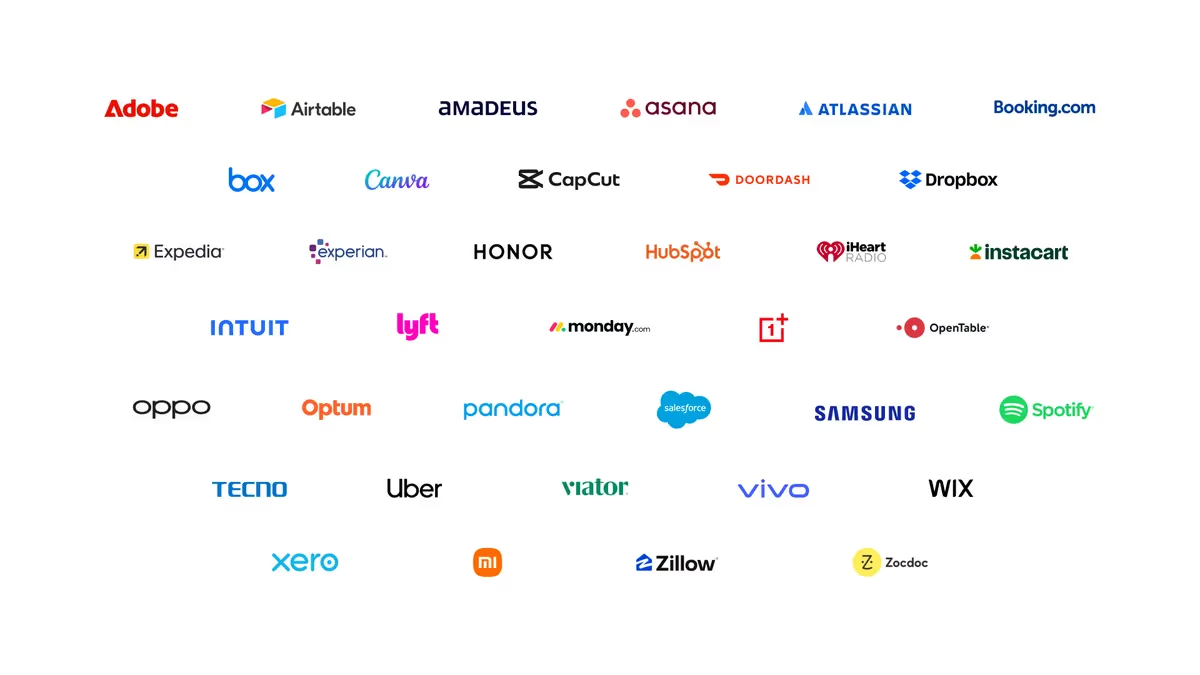
Via MCP, Spark can reach more than 30 third-party services at launch, including Adobe, Canva, Dropbox, DoorDash, Instacart, OpenTable, Uber, Zillow Rentals, HubSpot and Salesforce - a partner list Google published alongside the announcement, shown below. Custom MCP support also lets a user wire in their own preferred tools rather than waiting for an official integration.
Proactive tracking and notifications
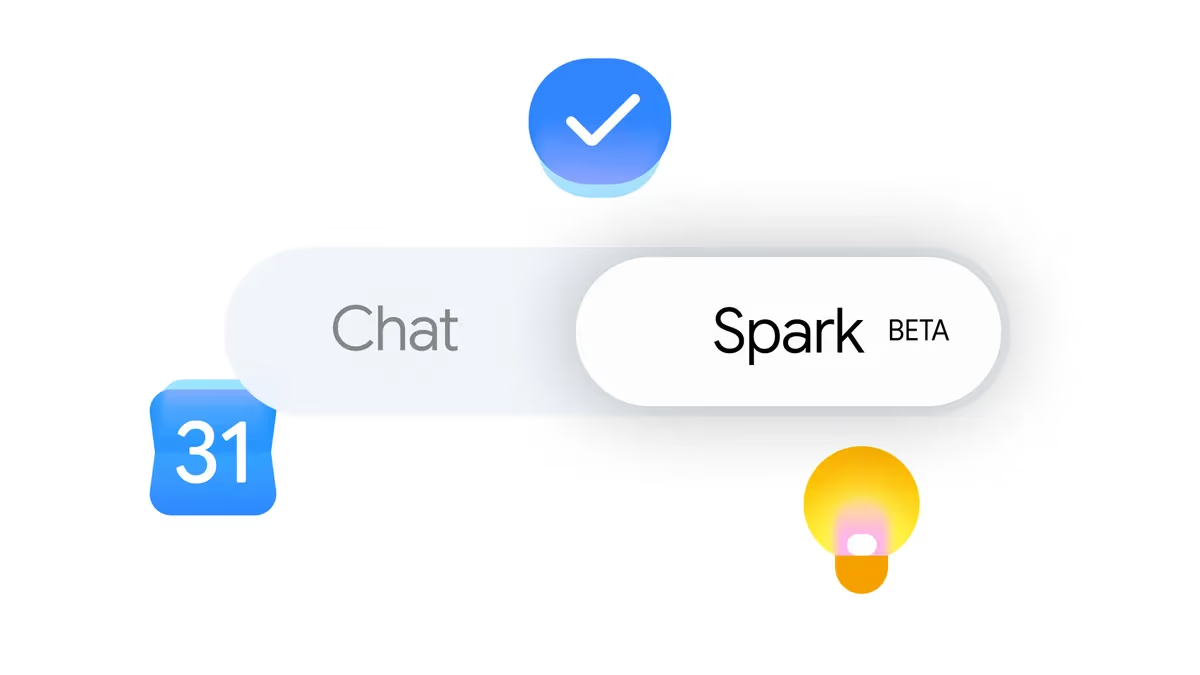
A June 2026 update added real-time topic tracking across blogs, news, social media, finance, shopping, weather and sports, pushing notifications - a goal scored, a stock price move, a restock - without the user manually refreshing anything. The same update connected Spark to Google Tasks and Keep, so notes jotted in Keep can be turned into structured action items in Tasks automatically.
Android Halo
Announced for later in 2026, Android Halo is a live, glanceable progress display for whatever Spark is currently working on - a way of surfacing an always-running background agent's state without requiring a user to open an app and ask "what are you doing right now?"
Performance: The Real Numbers
Spark's underlying model, Gemini 3.5 Flash, is positioned as a speed-optimised agentic engine rather than Google's raw-reasoning flagship, and the benchmarks Google presented at I/O 2026 reflect that trade-off deliberately:
- Terminal-Bench 2.1: 76.2% for Gemini 3.5 Flash, ahead of Gemini 3.1 Pro's 70.3% on the same suite.
- Throughput: roughly 280 tokens per second, versus approximately 60-70 tokens/second that Google cites for GPT-5.5 and Claude Opus 4.7 in the same comparison - close to a 4x speed advantage.
- Price: positioned at "less than half the price of comparable frontier models, sometimes nearly a third," per Google's own framing at the keynote.
Two honest caveats apply here, same as with any vendor-supplied comparison. First, these are Google's own numbers from its own keynote framing - independent third-party benchmarking of Gemini 3.5 Flash against GPT-5.5 and Opus 4.7 on Terminal-Bench 2.1 had not yet been widely published at the time of writing, so treat the gap as directionally credible rather than final. Second, a background agent's real bottleneck is rarely raw model throughput - it is how reliably the harness (Antigravity, in this case) keeps a multi-hour task on track without drifting, which benchmarks like Terminal-Bench only partially capture.
Privacy, Permissions and Safety
An agent that can send emails and spend money on your behalf raises a different risk profile than a chatbot that only produces text, and Google has built the permission model around that explicitly. Per Google's own guidance, Spark is designed to ask before high-stakes actions - anything involving payment or sending a message - rather than acting unilaterally. App connections are opt-in and disabled by default; a user has to explicitly whitelist each service Spark is allowed to touch.
The important nuance, and one worth internalising before granting access: once an app is whitelisted, that is standing access, not a one-off permission. Spark does not re-ask every time it touches an already-approved app - it asks before the specific high-stakes actions Google has flagged (payments, sending mail), not before every single action inside an app you have already approved. That makes the initial whitelisting decision the meaningful control point, not a constant stream of confirmation prompts.
For the Chrome browsing capability specifically, Google says it has built in defences against prompt-injection attacks - malicious instructions hidden in a webpage's content designed to hijack an agent reading that page - alongside the same requirement to confirm before completing purchases. Google's own guidance to users is still to supervise closely and interrupt when needed rather than treat Spark as fully unattended, which is a reasonable posture for any agent this new operating with real account access.
Coverage of the Gemini Spark update wave and what it changes for AI-powered workflows.
Rollout Timeline and Availability
Google staged the release deliberately rather than flipping a single global switch:
- I/O 2026 announcement week: trusted-tester access begins.
- The following week: beta opens to Google AI Ultra subscribers in the United States.
- June 2026: macOS beta, plus Tasks and Keep connections and real-time topic tracking.
- July 2026: Chrome browsing integration ships, and access expands to Google AI Pro subscribers in over 160 additional countries.
- Summer 2026 (later): Android Halo live-progress display, plus continued expansion beyond the US.
Practically, this means the honest answer to "can I use Gemini Spark?" depends heavily on both your subscription tier and your country - AI Ultra subscribers in the US have the fullest feature set today, AI Pro subscribers in supported countries have a more limited version, and everyone else is waiting on further rollout.
Pricing
Google has not published a standalone price for Spark - it is bundled into the existing Google AI subscription tiers rather than sold separately. Google AI Ultra, the tier with full Spark access, launched at approximately $100 per month during its initial expansion phase, alongside higher usage quotas and expanded storage versus the Pro tier. Google AI Pro subscribers get a more limited version of Spark in the countries where it has rolled out. Neither Google nor third-party coverage has confirmed pricing beyond this initial phase, so treat the $100/month figure as a launch-window number rather than a permanent price point.
Limitations
- Gated behind AI Ultra for full functionality: the ~$100/month tier is a real barrier compared to competitors' free or lower-cost agent tiers.
- US-first rollout: Chrome browsing, macOS support and several connectors launched in the US before expanding internationally.
- API-dependent depth: Spark's reliability advantage over screen-reading agents only holds for services with a usable API or MCP connector; everything else routes through the newer, less-proven Chrome browsing path.
- Vendor-reported benchmarks: the Terminal-Bench 2.1 and throughput numbers come from Google's own I/O keynote framing; independent verification against GPT-5.5 and Opus 4.7 was still limited at launch.
- Standing access risk: once an app is whitelisted, Spark retains ongoing access to it rather than re-confirming per action, which puts real weight on getting the initial permission decisions right.
How It Compares
Spark's closest conceptual rival is not another chatbot but the growing field of persistent agent products. Compared to session-based agentic tools built around Claude, Spark's differentiator is that it does not need an open session at all - it lives on a cloud VM rather than in a browser tab or a terminal window, which is a meaningfully different operating model from most 2026 coding and research agents, including open tools like Hermes Agent, which typically run for the duration of an explicit task rather than indefinitely in the background.
Against the rest of Google's own 2026 model lineup - see our coverage of Gemini 3.6 Flash and 3.5 Flash-Lite and what's known so far about Gemini 4 - Spark is best read as the product layer sitting on top of the Gemini 3.5 family rather than a distinct model generation of its own. The interesting competitive question is less "which model is smartest" and more "whose agent do you trust with standing access to your inbox" - and that is a race about infrastructure, permissions and reliability as much as raw capability.
Who Should Use It
Try it now if you already pay for Google AI Ultra, live inside Gmail/Docs/Sheets for daily work, and have a genuine backlog of recurring admin tasks - subscription audits, meeting follow-ups, invoice generation - that are tedious but structured enough for an agent to own reliably.
Wait if you are outside the US and want the full feature set (Chrome browsing and macOS support are still expanding), you are not already paying for a premium Google AI tier and are not ready to add ~$100/month for it, or you would rather see independent benchmarking of Gemini 3.5 Flash's agentic performance before granting an agent standing access to your accounts.
The Bottom Line
Gemini Spark is a genuinely different product shape from the chatbot era - a background agent that keeps working after you close the laptop, built on structured API access rather than fragile screen-reading, with a permission model that at least tries to keep high-stakes actions gated behind explicit confirmation. Whether that is a meaningful leap or an expensive beta depends heavily on how deep you already are in the Google ecosystem and how comfortable you are granting standing access to an agent this new.
The staged rollout is the tell: Google is being deliberately careful with a product that has real account access, which is the right instinct even if it is frustrating for anyone outside the US or the AI Ultra tier waiting to try it. Watch the independent benchmarks and the Chrome browsing safety track record over the next few months - that is where Spark will actually prove itself, not in the keynote numbers.
Spark is only one part of Google's current release pace: see our round-up of the agentic video understanding, WeatherNext 3 and Lyria 3.5 releases Google shipped the same week in early September 2026.
Last updated: 5 August 2026. This piece synthesises Google's official Gemini Spark announcements and update posts (I/O 2026 through the July 2026 Chrome integration) alongside launch-window trade coverage; figures may be refined as independent benchmarks and wider international rollout land.
Get the free guide: Claude vs ChatGPT, Gemini & Grok
A 20-page playbook covering everything you need to choose and use the big four AI models in 2026, full cost and feature comparisons, what each is best (and worst) at, and how-tos for images, vectors, building a website, Claude Code and more.