 AI Tools Review Editorial Team
Quick Answer:
Antigravity v2.17.0 (22 September 2026) added plan review: type /plan and the agent researches the task, drafts an implementation plan you can read and edit, and only starts coding after you approve. A new Plan Review Policy setting lets you review every plan, review only when the agent judges it worthwhile, or skip review entirely.
Every serious coding agent now has to answer the same question: how much of the thinking should happen before the first line of code? Google's answer, in the latest Antigravity 2.0 updates, is to make planning a first-class step you can inspect, edit and approve.
Here is exactly what shipped in September, how the /plan workflow behaves, what else arrived in the same fortnight of releases, and how it compares with the planning modes in Claude Code, Cursor and Manus.
Julian Goldie SEO walks through the new Antigravity 2.0 planning upgrade.
Executive Summary
Antigravity is Google's agentic coding product. Version 2.0, unveiled at Google I/O 2026, turned it from an AI-enhanced IDE into what Analytics Vidhya calls "a multi-agent orchestration platform": a standalone desktop app with an Agent Manager, a new command-line tool and an SDK (Analytics Vidhya).
The September 2026 releases add the missing piece for teams that do not trust an agent to start coding unsupervised. Version 2.17.0, released on 22 September, "adds plan review for agents, letting you read and edit a draft before code is written" (Releasebot). Google's own account describes a dedicated planning mode, "just like the Antigravity CLI": the agent steps back, researches, and generates an implementation plan for review, then asks for approval before it executes (Antigravity on X).
- Best for: developers and teams running multiple agents who want a checkpoint before code changes land.
- How to use it: type /plan in the agent, then read, edit and approve the plan.
- Control: a Plan Review Policy setting with three options: review every plan, review when the agent judges it worthwhile, or skip review.
- Related releases: 2.16.0 (WSL, Office attachments, live subagent cards) and 2.18.1 (plugin marketplace and Customizations tab).
- Caveat: a plan is only as good as the review you give it; skipping review restores the old autonomous behaviour.
Background: What Antigravity 2.0 Is
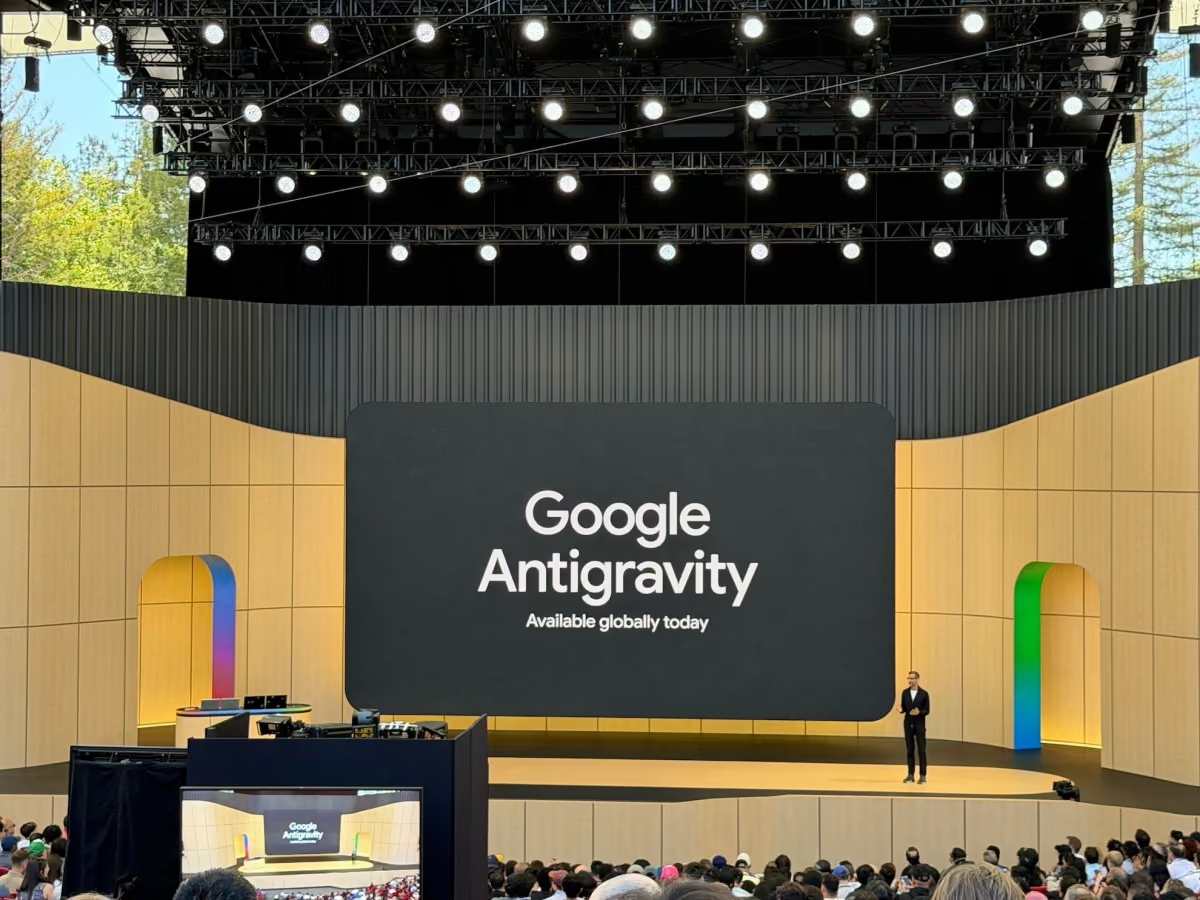
Antigravity 2.0 was announced at Google I/O 2026 on 19 May. TechCrunch described it as an updated desktop app plus a new command-line tool, positioned against agentic coding rivals such as Cursor. The desktop app is built to "orchestrate multiple agents and execute tasks simultaneously", design custom subagent workflows and schedule background tasks, and it connects to Google AI Studio, Android and Firebase (TechCrunch).
Analytics Vidhya adds detail: the app includes native voice control tied into Google's ecosystem, task scheduling so agents can run as continuous background processes, and an Agent Manager acting as mission control. The new CLI, written in Go, replaces the Gemini CLI, with a cut-off of 18 June 2026, while staying compatible with Agent Skills, Hooks and Subagents. An SDK lets you host custom agents on your own infrastructure, and a Managed Agents API deploys agents on the Gemini API with persistent, isolated Linux environments (Analytics Vidhya). The launch model was Gemini 3.5 Flash, which Google says it co-developed using Antigravity itself.
Google also restructured its subscriptions around the launch: an AI Pro plan at $20 a month, a new AI Ultra tier at $100 a month with five times Pro's limits, and a top tier cut from $250 to $200 with twenty times Pro's limits. Dollar prices are as reported at launch; check Google's current pricing page for UK prices.
The Plan Review Feature in Detail
Plan review is a two-part change. The first is the /plan command. Type it and the agent does not start editing. It explores the codebase, researches the task, asks focused questions if the requirements are unclear, and then presents an implementation plan. You can give feedback inline or adjust it. Execution begins only after you approve (Antigravity on X).
The second is the Plan Review Policy, the setting that governs when the review step appears. Per the 2.17.0 release notes, you can review every plan, review only when the agent judges a plan worth reviewing, or skip review entirely (Releasebot). Natural-language requests such as "plan this first" give a lighter-weight version without the full dedicated mode (AlternativeTo).
- Review all plans: the safest setting, and the right default for production code and shared repositories.
- Selective review: the agent decides. Convenient, but it relies on the agent's own judgement about risk.
- Skip review: returns to the fully autonomous flow. Sensible for throwaway scripts and prototypes.
- Editing: the draft is a document you can change, not just a yes/no prompt, so you can correct assumptions before code depends on them.
This matters because the costly failures in agentic coding are usually early ones: a misread requirement, the wrong library, an unwanted refactor. Correcting a paragraph in a plan takes seconds. Unwinding a hundred-line diff takes far longer.
What Else Shipped in September
The plan feature arrived inside an unusually busy run of point releases. According to Releasebot's changelog summary:
- v2.15.0 (18 September): custom agents can disable default prompts and tools, agent selection persists after reload, better keyboard navigation and faster sidebar switching.
- v2.15.1 (19 September): file and network sandboxing on Windows.
- v2.16.0 (22 September): WSL connections, Word, Excel and PowerPoint attachments in prompts, live subagent cards and image copy and save actions.
- v2.17.0 (22 September): plan review, the /plan command and the Plan Review Policy setting.
- v2.18.1 (28 September): plugin management and a marketplace, with a new Customizations tab.
Read together, they describe a product moving from single-agent chat towards managed, extensible automation: sandboxing for safety, live subagent cards for visibility, plan review for control and a plugin marketplace for extension. The sandboxing and plan review changes are the two most relevant if you are deciding how much autonomy to grant.
Antigravity 2.0 vs Antigravity IDE
A source of confusion since May is that "Antigravity" now names two things. A Google Developer Expert migration guide on DEV describes Antigravity 2.0 and Antigravity IDE as "two separate products that share a name". Version 2.0 is a standalone desktop app built on a custom Electron shell, focused on agent orchestration and, per that guide, no longer functionally based on Microsoft's VS Code. The IDE remains the VS Code fork that existing users know, with its keybindings and extensions.
The plan review feature belongs to the 2.0 agent app and its CLI, which is where the multi-agent workflow lives. If you mainly want an editor with an assistant, the IDE remains available and, according to the same guide, has no forced migration deadline, unlike the Gemini CLI, whose deprecation date was 18 June 2026.
- Back up first: the guide warns that past conversations, scratch space and agent history can end up stranded in a backup folder (~/.gemini/antigravity-backup) rather than imported, so copy ~/.gemini/antigravity before updating.
- Expect gaps: chat history from third-party extensions and Gemini agent history from 1.0 do not automatically carry over.
- Install both if unsure: the installer lets you add the IDE alongside 2.0.
These details matter for plan review because a plan is only useful when the agent has context. A fresh 2.0 install starts without your old conversation history, so the first plans you review may ask more clarifying questions than you are used to.
Planning Inside a Multi-Agent Workflow
Plan review looks small in isolation and larger once you remember what the Agent Manager is for. Antigravity 2.0 is built to run several agents at once, define custom subagent workflows and schedule background work. With one agent, a bad assumption wastes one run. With four agents working in parallel, the same bad assumption can be built into four branches of work before anyone looks.
An approved plan acts as the shared brief. It records the scope, the files in play and the order of steps in a form that a human has actually read. The live subagent cards added in 2.16.0 complement this: the plan tells you what should happen, and the cards show what is happening. Together they give you a before and a during, which is the visibility most teams say they lack when adopting agents.
Scheduled and background agents are the second reason the policy setting exists. A task that runs overnight cannot pause for a human, so a sensible pattern is to require review for interactive work and to constrain scheduled agents tightly through permissions and sandboxing, including the Windows file and network sandboxing that arrived in 2.15.1.
A worked example (illustrative)
To make this concrete, imagine asking an agent to add rate limiting to an API. Without review, the agent picks a library, edits middleware, touches configuration and adds tests in one pass. With /plan, you would expect a draft that names the library, the routes affected, where the limits are configured and which tests will be added. That is the moment to say: use the library we already depend on, do not touch the authentication routes, and add a test for the limit-exceeded response. Ten seconds of editing replaces a review comment on a large diff. This example is illustrative, not taken from Google's documentation.
Plan Review as a Safety Control
Agent safety is usually discussed in terms of sandboxes and permissions, but human-readable intent is a control too. A plan is auditable in a way a stream of tool calls is not: you can read it, keep it with the pull request and compare it with what the agent then did. That does not stop a compromised or confused agent, and it is not a substitute for sandboxing. It does reduce the chance that an honest mistake reaches your repository.
Two limits are worth stating. First, a plan describes intent, not effect, so the agent can deviate from it, and you should still review the diff. Second, the selective policy asks the agent to judge which plans deserve your attention, which is precisely the judgement you may not want to delegate for high-stakes changes. For regulated or security-sensitive repositories, review-all is the conservative choice.
The same reasoning appears in the wider agent field. Command-level review in Hermes Agent and the identity and budget controls in Manus Cue are different layers aimed at the same problem: keeping autonomous systems inside boundaries a human has approved.
An Adoption Checklist for Teams
- Decide the default policy per repository: review-all for production services, selective for internal tools, skip for prototypes.
- Write down what a good plan contains: scope, files, dependencies, tests and rollback. Reviewers then know what to look for.
- Keep plans with the change: paste the approved plan into the pull-request description so reviewers see intent and result together.
- Track rework: count how often a plan edit prevents a bad diff. Google has published no such figure, so your own data is the evidence.
- Review the plugin marketplace cautiously: the 2.18.1 marketplace adds convenience and a new supply-chain surface. Install only what you would install into any other developer tool.
- Revisit after each release: with five releases in eleven days, defaults and behaviours can shift.
Teams already using other coding agents will find the workflow familiar. The novelty is not that a plan exists, but that the policy for when it appears is configurable and lives alongside multi-agent orchestration.
Why Planning Modes Are Becoming Standard
Plan-then-execute is now close to a category requirement. Anthropic's Claude Code and Cursor both have planning modes, and Manus added its own in July, which we covered in Manus Plan Mode. Google adding it to Antigravity, and exposing it as a policy setting, shows the industry converging on the same conclusion: a human checkpoint before execution is cheaper than a human cleanup after it.
What distinguishes Antigravity's version is the policy layer. Rather than a manual switch you must remember, the review can be automatic or agent-triggered, which suits teams that want consistent behaviour across many developers. The trade-off is that the selective setting hands part of the risk decision back to the model.
How to Use It Well
- Start with review-all for a week and note how often you edit the plan. If you almost never do, relax to selective.
- Give constraints in the prompt: name the framework, the files not to touch and the tests that must pass. The plan will reflect them.
- Edit, do not just approve: delete unwanted steps and add acceptance criteria before you approve.
- Use plans for multi-agent work: when several agents run at once, an approved plan is a shared brief that keeps them aligned.
- Skip review deliberately, and only in sandboxes or throwaway repositories.
None of this replaces code review. A plan tells you what the agent intends to do, not whether the resulting diff is correct, so the usual tests and pull-request checks still apply.
How It Compares
Against other agent tools, the differences are mostly about who the plan is for and how automatic it is.
- Claude Code: plan mode is a developer-facing checkpoint inside a terminal and desktop workflow.
- Manus Plan Mode: a Markdown plan aimed at a broader, less technical audience building sites, decks and apps.
- Gemini 3.1 Pro in Antigravity: our earlier look at how the model and the IDE fitted together, before the 2.0 rebuild.
- The wider field: see our comparison of the best AI coding agents for how Antigravity stacks up on price and capability.
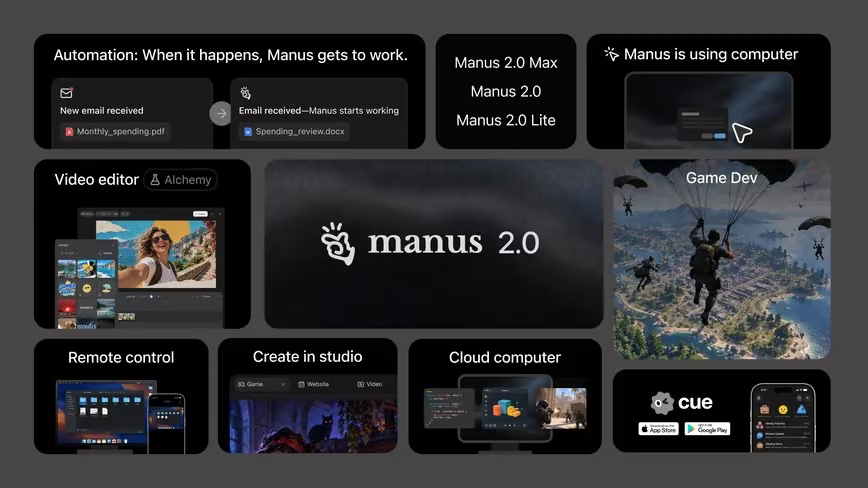
- Manus 2.0 and Cue: a very different approach that emphasises agent identity and wallets rather than plan approval.
For model choice inside these tools, the current frontier is covered in Claude Sonnet 5.5, GPT-6.1 Sol and the Gemini 4 specs and release date round-up.
Limitations and Open Questions
- No published measurement of how much plan review reduces rework or token use; the evidence so far is Google's release notes and demos.
- Selective review depends on the agent's judgement, which can be wrong about what is risky.
- Plans can be plausible but wrong: a well-written plan may hide a flawed assumption you only spot with domain knowledge.
- Fast release cadence: five releases in eleven days means behaviour may change; check the current changelog.
Who Should Use It
- Teams adopting agents on shared codebases: set review-all as policy.
- Solo developers running several agents: use selective review to keep speed without losing control.
- Beginners: the plan is also a learning tool, showing how an agent breaks a task down.
- Anyone on the older Gemini CLI should note the CLI is now Antigravity's, per the migration deadline.
The Bottom Line
Plan review is a small feature with large practical effect. By making the agent's intentions visible and editable before any code changes, Antigravity 2.0 gives teams a cheap way to catch misunderstandings early, and the Plan Review Policy lets you tune how much friction you want.
The sensible approach is to begin with review switched on for anything that matters, relax it only where the plans prove reliably right, and keep normal code review in place regardless. Combined with the sandboxing and plugin work in the same release run, it shows Google treating Antigravity as a managed multi-agent platform, not just a smarter editor.
Last updated: 30/09/2026. Sourced from the Antigravity release notes (via Releasebot), Google's Antigravity account on X, TechCrunch, Analytics Vidhya and AlternativeTo.
Get the free guide: Claude vs ChatGPT, Gemini & Grok
A 20-page playbook covering everything you need to choose and use the big four AI models in 2026, full cost and feature comparisons, what each is best (and worst) at, and how-tos for images, vectors, building a website, Claude Code and more.