 AI Tools Review Editorial Team
Choosing an AI coding agent in late 2026 is less about finding the smartest model and more about picking the right harness, the right plan and the right habits. The three headline tools, Anthropic's Claude Code, OpenAI's Codex and Cursor, can now all run frontier models, all work in the cloud as well as locally, and all meter your usage in ways that can stall a heavy coding day. This guide compares them, plus Devin, Google Antigravity, GitHub Copilot's coding agent and the open-source alternatives, using official pricing pages and vendor-published benchmarks only.
It is written on the day of OpenAI DevDay 2026, one day after Claude Sonnet 5.5 launched, and a week after Claude Opus 5.5, so the landscape has shifted noticeably. Where something is not yet confirmed, we say so.
Method note: prices are taken from each vendor's official pricing page on 29/09/2026, in US dollars, with approximate sterling conversions at ~£0.75 per $1 (excluding VAT). Benchmark figures are vendor-reported unless stated. We have not run our own head-to-head benchmark for this piece.
Nate B Jones on why individual AI coding speed-ups stall at team level, and six principles for turning them into shipped work.
What Is an AI Coding Agent?
An AI coding agent is a tool that takes a goal in plain language, then plans, edits files, runs commands and tests, and iterates on its own until the task is done or it needs your input. That separates it from autocomplete (which suggests the next line) and from chat assistants (which suggest code you paste in yourself). An agent has permission to act inside a repository, a terminal or a cloud sandbox.
In practice, every serious agent now has four ingredients: a model (Claude, GPT, Gemini or an open-weights model), a harness (the loop that decides which tools to call, how to manage context and when to ask for permission), a surface (terminal, IDE, desktop app, browser, phone or chat) and a metering model (subscription limits, credits or per-token billing). When people argue about which agent is "best", they are usually arguing about the harness and the metering, because the same frontier models are increasingly available everywhere.
The Contenders at a Glance
| Agent | Maker | Main surfaces | Headline models | Entry paid price |
|---|---|---|---|---|
| Claude Code | Anthropic | Terminal, VS Code/JetBrains, desktop app, web/cloud, mobile, Slack | Claude Sonnet 5.5, Opus 5.5 | $20/month Pro (approx. £15) |
| OpenAI Codex | OpenAI | CLI (now with voice), IDE, desktop app, cloud, phone | GPT-6.1 Sol, GPT-6 Astra, GPT-6 Luna | $8/month Go; $20/month Plus |
| Cursor | Anysphere (SpaceX's SpaceXAI unit) | AI-native editor, cloud agents, Bugbot reviews | Composer, plus Claude, GPT, Gemini and Grok models | $20/month Pro |
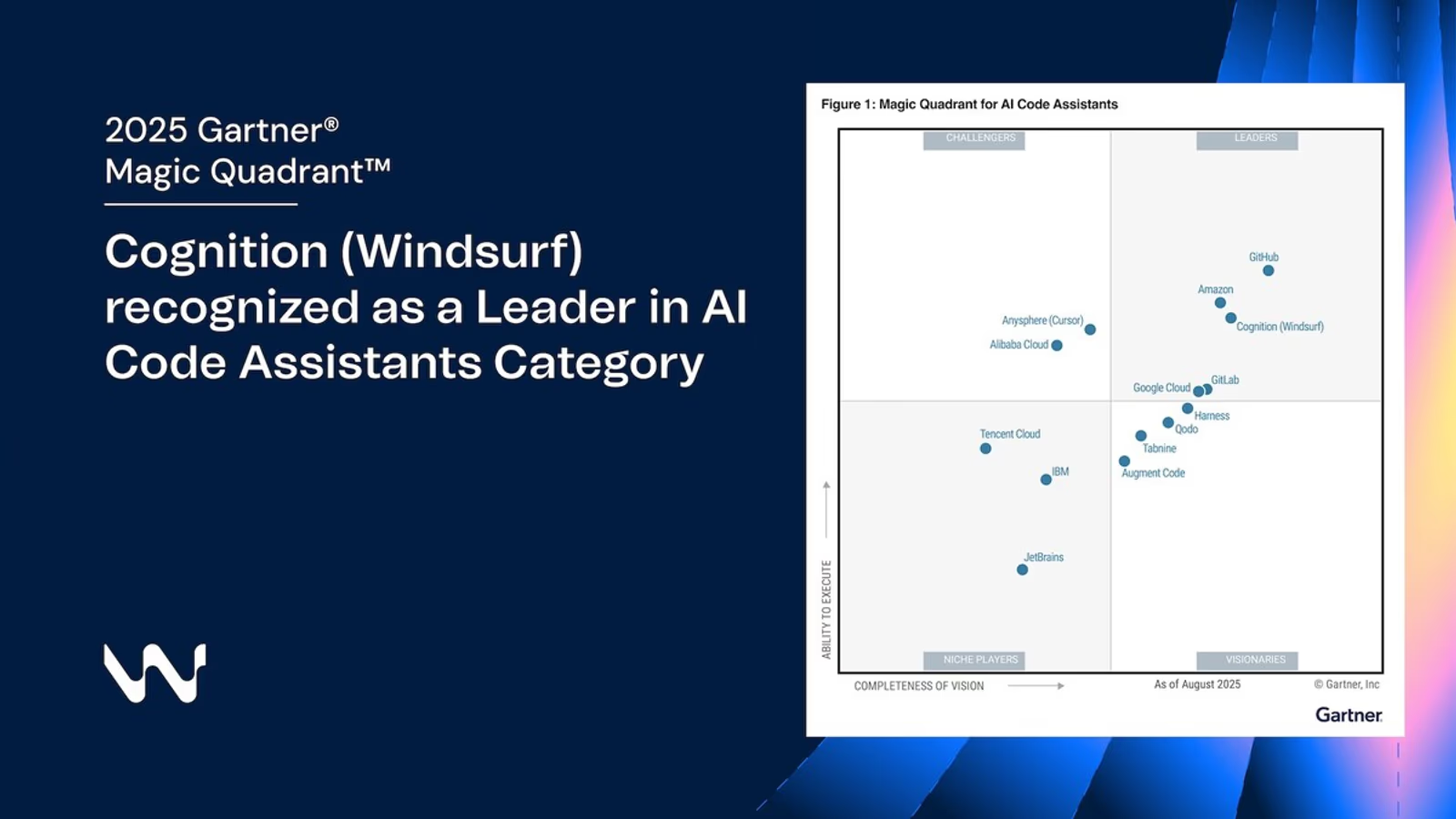
| Devin | Cognition | Devin Cloud, Devin Desktop (ex-Windsurf), CLI | SWE-2, plus OpenAI, Claude, Gemini, SpaceXAI models | $20/month Pro |
| Google Antigravity | Desktop app, Antigravity CLI (agy), SDK | Gemini 3.5 Flash and other Gemini models | Free tier; Google AI Pro/Ultra for more usage | |
| GitHub Copilot | GitHub (Microsoft) | Coding agent on github.com, Copilot CLI, VS Code and 8+ IDEs | 30+ models incl. Sonnet 5.5, Opus 5.5, GPT-6.1 Sol | $10/month Pro |
| OpenCode | Anomaly (open source, MIT) | Terminal, desktop, IDE | Bring your own: 75+ providers | Free; you pay model tokens |
| Hermes Agent | Nous Research (open source) | Desktop/terminal general agent | Bring your own model | Free; you pay model tokens |
Sources: official pricing pages for Claude, ChatGPT/Codex, Cursor, Devin and GitHub Copilot; Google I/O 2026 developer blog; OpenCode and Hermes Agent GitHub repositories. Checked 29/09/2026.
Claude Code: The Terminal-First All-Rounder
Claude Code is Anthropic's agentic coding tool: it reads your codebase, edits files, runs commands and integrates with your development tools, and it is available in the terminal, IDEs, a desktop app and the browser. Every surface runs the same engine, so a repository's CLAUDE.md, settings and MCP servers work wherever you pick it up, according to Anthropic's documentation.
Cloud sessions
A cloud session is a Claude Code session running on Anthropic-managed infrastructure (or your organisation's self-hosted environment) rather than your laptop. You can start one from claude.ai/code, the Code tab in the Claude mobile app, the desktop app, or the terminal with claude --cloud "task", then pull it back to your machine with claude --teleport. Anthropic's cloud docs say sessions run in isolated VMs, keep going after you close your laptop, and can auto-fix pull requests by watching CI failures and review comments. Crucially for budgeting, there is no separate compute charge for the cloud VM, but cloud sessions share rate limits with all your other Claude usage, so running several in parallel burns through your allowance proportionately. Cloud sessions are available on Pro, Max and Team, and for Enterprise users with premium or Chat + Claude Code seats.
Hooks, skills and subagents
Claude Code's customisation layer is its biggest differentiator. Hooks run shell commands before or after agent actions, for example auto-formatting after every edit or running lint before a commit (see our explainer on the proposed Claude Code function hooks). Skills package repeatable workflows such as /review-pr or /deploy-staging that load only when needed. Subagents and experimental agent teams split work across parallel context windows, and routines run scheduled or GitHub-triggered jobs in the cloud. Our advanced Claude Code workflows guide covers how teams combine these.
Desktop app
The desktop app runs Claude Code outside your IDE or terminal: visual diff review, multiple sessions side by side, scheduled tasks and a Local/Cloud toggle for new sessions. It now includes a built-in browser pane, and sessions can message each other. A paid subscription is required.
Models and pricing
Claude Code runs Anthropic's current models. Claude Sonnet 5.5 (launched 28/09/2026, $2/$10 per million input/output tokens on the API) defaults to medium effort in Claude Code, and Opus 5.5 ($4/$20) is the heavyweight for large migrations. Neither can have thinking switched off. On subscriptions, Claude's pricing page lists Pro at $20 a month ($17 billed annually, approx. £15/£13), Max at $100 (5x Pro usage) or $200 (20x), Team Standard seats at $20 annual/$25 monthly and Premium seats at $100/$125, with all paid plans including Claude Code. For the full UK breakdown, see Claude Code pricing and our Claude Code 2.1 update review.
Strengths: strongest published agentic-coding scores, deepest customisation (hooks, skills, plugins, MCP), genuinely seamless local-to-cloud handoff. Weaknesses: Claude models only (bar third-party cloud providers for Claude itself), cloud sessions require GitHub for cloning and pushing, and the Max 20x multiplier applies to the five-hour window, not a 20x weekly ceiling, a frequent source of confusion for heavy users.
OpenAI Codex: What Changed at DevDay 2026
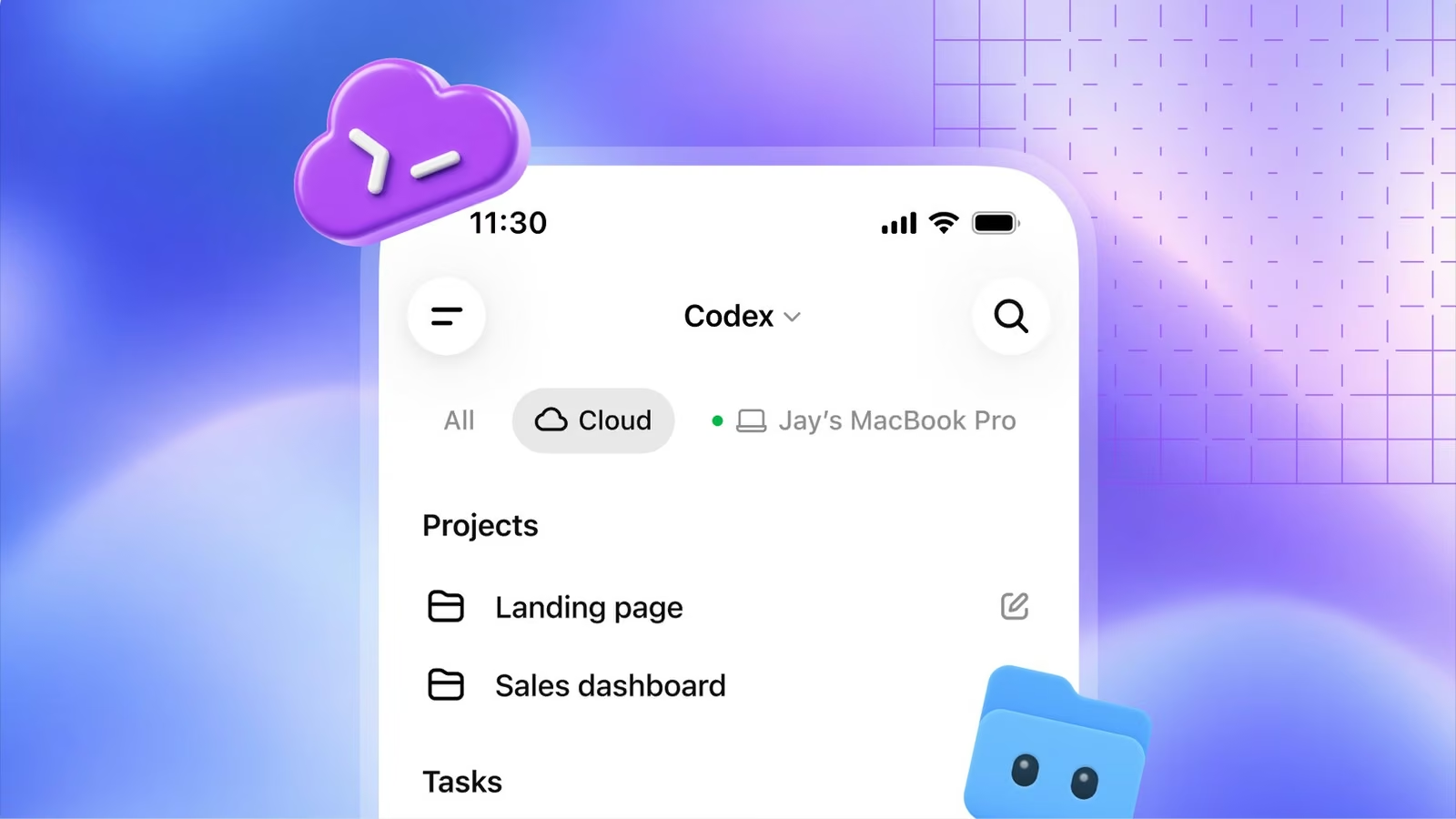
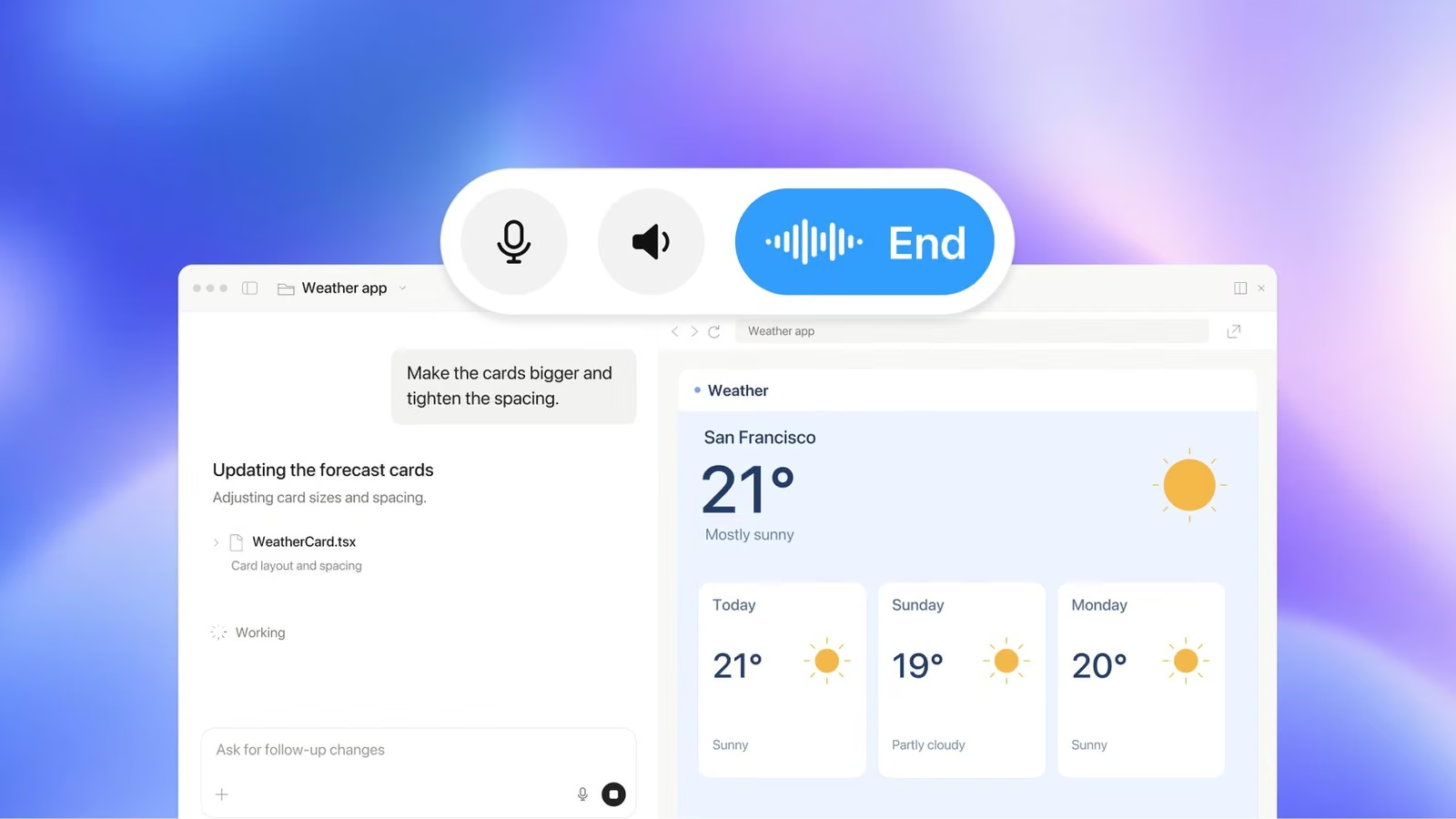
OpenAI Codex is OpenAI's coding agent, bundled with ChatGPT plans and available as a CLI, IDE extension, desktop app and cloud service. At DevDay on 29/09/2026, OpenAI's recap said Codex "can now run on your computer, remotely from your phone or entirely in the cloud", with reusable cloud development environments that give teams shared setups, permissions and configurations without a developer's laptop running.
The headline Codex changes, as reported by OpenAI and The Decoder:
- Codex in the cloud: reusable, shareable cloud environments, so work continues when your machine is off.
- Voice CLI: the redesigned Codex CLI lets you start and steer tasks with your voice, plus a new
/agentsview to delegate and track multiple tasks, and better Git worktree support. - Review: read summaries, explore diffs and ask Codex about issues before commenting on GitHub pull requests or GitLab merge requests; automatic reviews can take a first pass in the cloud.
- Codex Security Cloud: scans entire GitHub repositories on demand or on a schedule and prepares fixes.
- Ultrafast: a premium speed tier offering up to 8x faster generation in Codex (about 300 tokens per second) and up to 6x in the API. GPT-6 Astra Ultrafast is live now; GPT-6.1 Sol Ultrafast is "coming soon".
Models: GPT-6.1 Sol arrives
Also launched today, GPT-6.1 Sol is available in Codex to Plus, Pro, Business, Enterprise and Edu users, priced in the API at $2 input, $0.10 cached input and $10 output per million tokens. OpenAI says it matches GPT-6 Astra on its DeepSWE v1.1 software-engineering benchmark at roughly a fifth of the cost per task, per The Decoder and VentureBeat. For how it stacks up against Anthropic's mid-tier model, see Claude Sonnet 5.5 vs GPT-6.1 Sol.
Plans and usage limits
Codex is priced through ChatGPT. According to OpenAI's Codex pricing page: Free ($0), Go ($8, approx. £6), Plus ($20, approx. £15), Pro at $100, $200 or $500 a month (approx. £75/£150/£375), and Business at $20 per user per month annually ($25 monthly). The DevDay twist: the new Pro 500 plan has the highest allowance and is the only individual plan with Ultrafast, while the existing $200 Pro plan drops from 20x to 10x Plus usage in ChatGPT Work and Codex, as reported by Engadget. Engadget says existing subscribers keep their current limits for a time and receive a one-time credit; OpenAI has not published a precise switchover date that we could find.
OpenAI publishes per-five-hour estimates for Plus and Standard Business: roughly 5–45 local messages on GPT-6 Astra, 15–160 on GPT-6.1 Sol, and 350–3,000 on GPT-6 Luna, and it notes that "local messages and cloud chats share your plan's usage allowance". Fast mode consumes 2.5x included usage and Astra Ultrafast 8x. Background: our August Codex changelog roundup, Codex app review and, for the hardware curious, the Codex Micro keyboard.
Strengths: best mobile and cloud story, huge ChatGPT install base, cheap high-volume models (Luna), voice control. Weaknesses: the most complex limit system of any tool here, the best speed tier locked to a $500 plan, and the $200 plan got materially worse today.
Nick Puru's practical tactics for staying within OpenAI Codex usage limits on heavy coding days, published on DevDay itself.
Cursor: Still the Best AI Editor
Cursor is an AI-native code editor, forked from VS Code, with agent mode, cloud agents and its own Composer coding models built in. It is the choice for developers who want to watch and steer the agent inside a familiar editor rather than in a terminal or chat pane. Cursor's ownership has changed: SpaceX closed its $60bn all-stock acquisition of Anysphere on 14/08/2026, folding it into a new SpaceXAI unit, as reported by Techzine and others.
Cursor's pricing page lists a free Hobby plan, individual plans from $20 a month (Pro, with Pro+ at $60 and Ultra at $200), Teams at $40 per user per month, and custom Enterprise. Paid individual plans include cloud agents, MCPs, skills and hooks, access to frontier models and, since August, SpaceXAI's Grok Bot. Bugbot code review is usage-billed on individual plans and included on Teams. Recent changelog work focuses on self-hosted machines for cloud agents and better token efficiency on long agent runs.
Strengths: best interactive editing experience, model choice, fast in-editor iteration, strong team admin. Weaknesses: usage-based billing beyond included allowances can surprise heavy users; the post-acquisition roadmap is still settling. Read our Cursor 2.0 review for the multi-agent interface and our Cursor tool page.
Devin (Cognition): The Asynchronous Teammate
Devin is Cognition's autonomous software engineer: you assign it a ticket and it works in its own cloud environment, then returns a pull request. Since June, Cognition has also renamed the Windsurf editor to Devin Desktop, so Devin now covers both hands-off and hands-on work.
Devin's pricing page now lists Free, Pro at $20 a month, Max at $200, Teams at $80 a month plus $40 per developer (up to 200 users) and custom Enterprise, a far lower entry point than the old $500 team tier. Pro includes cloud agents (Devin Cloud) and models from OpenAI, Anthropic, Google and SpaceXAI plus open-source options. Cognition's own SWE-2 model, released 10/09/2026 and post-trained from Kimi K3, is included free on Pro through 16/10/2026 per the pricing page. See our Devin review and Devin tool page.
Strengths: the most mature "delegate a ticket" workflow, cheaper than it was. Weaknesses: quotas on Pro are daily plus weekly; asynchronous agents need good tickets and good tests to be worth it.
Google Antigravity and the End of Free Gemini CLI
Google Antigravity is Google's agent-first development platform, relaunched at I/O 2026 as a standalone desktop app, the Antigravity CLI and an SDK, powered by Gemini 3.5 Flash. Google's I/O developer highlights describe orchestrating multiple agents in parallel, dynamic subagents and scheduled background automation, and say Gemini 3.5 Flash outperforms Gemini 3.1 Pro whilst running "four times faster than other frontier models". A Google AI Ultra plan at $100 a month gives 5x higher Antigravity limits than Pro.
The important change for budget-conscious developers: Google's Gemini CLI quota page says Gemini CLI was replaced by the Antigravity CLI on 18/06/2026 for unpaid and Google One users. The old free allowance of 1,000 requests a day via Google login no longer applies to those users, and Google has not published an exact free-tier number for the Antigravity CLI. Paid Gemini API and Vertex users can still use Gemini CLI. See Antigravity skills and our Antigravity 2 tool page.
GitHub Copilot Coding Agent: The Default for GitHub Teams
GitHub Copilot's coding agent takes a GitHub issue, works in a cloud environment and opens a pull request, with the same agent available in Copilot CLI, VS Code and other IDEs. Its advantage is distribution and model breadth: GitHub's plans page lists 30+ models across Claude, GPT, Gemini, Grok and Kimi, and coding agents on every tier, including Free.
Prices: Free, Pro $10 a month ($15 of AI credits), Pro+ $39 ($70 of credits, plus third-party agent delegation) and a Max tier at $100 ($200 of credits). Claude Sonnet 5.5 arrived in Copilot on 28/09/2026 across Pro and above, and GPT-6.1 Sol on 29/09/2026 for Pro+, Max, Business and Enterprise, both billed at provider list pricing under usage-based billing, per GitHub's changelog entries for Sonnet 5.5 and GPT-6.1 Sol. More on our GitHub Copilot tool page.
Open Options: OpenCode and Hermes Agent
OpenCode is an open-source (MIT) coding agent for the terminal, with desktop and IDE options, that connects to almost any model provider. Its GitHub repository showed roughly 210,900 stars on 29/09/2026. You pay nothing for the harness, only for tokens from whichever provider you plug in, which makes it attractive for teams that want to switch models freely, run local models, or avoid per-seat subscriptions.
Hermes Agent is Nous Research's open-source general-purpose agent, around 250,000 GitHub stars on its repository today. It is not coding-specific, but it can drive Claude Code-style work, and recent releases added subagents, voice and Agent-to-Agent support. Start with our Hermes Agent guide and the v0.20 Herald release coverage.
The trade-off with both: you own the setup, security review and model bills. Per-token API costs can exceed a flat subscription quickly on heavy agentic work, because agents re-send large contexts on every step.
What the Benchmarks Actually Say
Coding benchmarks measure models, not agents, and vendors increasingly publish different benchmarks, so direct comparisons are limited. The cleanest shared number right now is Terminal-Bench 4.0, which tests agentic work in a real terminal. These are the figures published in Anthropic's launch tables for Opus 5.5 (22/09/2026) and Sonnet 5.5 (28/09/2026):
| Model | Terminal-Bench 4.0 | CursorBench 4.0 | FrontierCode 1.1 Main |
|---|---|---|---|
| Claude Sonnet 5.5 | 70.6% | 55.5% | 46.2% (max effort) |
| Claude Opus 5.5 | 66.4% (xhigh) | 57.8% | 54.4% |
| GPT-6 Astra | 57.9% (high) | — | 53.3% |
| GPT-6 Sol | — | — | 49.3% / 52.1% (xhigh) |
| GPT-6.1 Sol | Not published in comparable form | — | — |
Sources: Anthropic Claude Opus 5.5 and Claude Sonnet 5.5 launch pages. GPT-6 Astra's Terminal-Bench figure is as reported by OpenAI and reproduced by Anthropic. Dashes mean no score was published for that model in these tables.
Three honest caveats. First, Anthropic itself says benchmark margins at this level are a less reliable guide to real-world differences. Second, OpenAI chose different benchmarks for GPT-6.1 Sol (DeepSWE v1.1, OSWorld 2.0, GDP.pdf, AutomationBench, Terminal-Bench-Science), so there is no official Terminal-Bench 4.0 head-to-head with Sonnet 5.5 yet. OpenAI's claim is that GPT-6.1 Sol ties GPT-6 Astra on DeepSWE at about a fifth of the cost per task. Third, SWE-bench Pro figures circulating online disagree wildly, from low-60s on Scale AI's standardised set to near-90% on vendor-aggregated trackers, because they use different scaffolds and task sets. Neither Anthropic's nor OpenAI's launch tables for these 5.5 and 6.1 models included SWE-bench Pro, so we do not quote a figure here. Treat any single leaderboard number as a starting point for your own trial.
Also remember that the harness changes outcomes: Anthropic notes that Sonnet 5.5 scored lower at max effort than xhigh on FrontierCode because higher effort triggered code-review skills that caused scope creep and timeouts. The same model can behave differently inside Claude Code, Cursor or Copilot.
Pricing Compared (September 2026)
| Tool | Free | Entry | Power user | Team (per user/month) |
|---|---|---|---|---|
| Claude Code | No | Pro $20 (~£15) | Max $100 / $200 (~£75/£150) | $20 Standard / $100 Premium (annual) |
| OpenAI Codex | Yes (limited) | Go $8 / Plus $20 (~£6/£15) | Pro $100 / $200 / $500 (~£75/£150/£375) | Business $20 (annual) |
| Cursor | Hobby | Pro $20 (~£15) | Pro+ $60 / Ultra $200 (~£45/£150) | Teams $40 |
| Devin | Yes | Pro $20 (~£15) | Max $200 (~£150) | $80 base + $40 per developer |
| GitHub Copilot | Yes | Pro $10 (~£7.50) | Pro+ $39 / Max $100 (~£29/£75) | Business / Enterprise (see GitHub) |
| Google Antigravity | Yes (small quota) | Google AI Pro | Google AI Ultra $100 (~£75) | Via Google Cloud |
| OpenCode / Hermes Agent | Yes (open source) | Pay per token to your chosen model provider | ||
US-dollar list prices from official pricing pages on 29/09/2026; sterling figures are approximate at ~£0.75 per $1 and exclude VAT. UK checkout prices may differ.
On raw API rates, the mid-tier models are now priced identically: Claude Sonnet 5.5 and GPT-6.1 Sol are both $2 input / $10 output per million tokens, with cache reads at $0.20 for Sonnet 5.5 and $0.10 for GPT-6.1 Sol. Opus 5.5 is $4/$20. For enterprise budgeting, Anthropic's cost documentation says Claude Code averages around $13 per developer per active day and $150–250 per developer per month across enterprise deployments, with 90% of users under $30 per active day.
Which AI Coding Agent Should You Choose?
| If you… | Pick | Why |
|---|---|---|
| Live in the terminal and want the deepest customisation | Claude Code | Hooks, skills, subagents, routines, cloud handoff; top Terminal-Bench 4.0 scores |
| Already pay for ChatGPT and want phone, voice and cloud control | OpenAI Codex | Included with ChatGPT; cloud environments, voice CLI, GPT-6.1 Sol |
| Want to see and steer every edit in an editor | Cursor | Best interactive editor; multi-model; cloud agents when needed |
| Run a GitHub-centric team on a tight budget | GitHub Copilot | $10 entry, 30+ models, issue-to-PR agent on every tier |
| Want to hand off well-specified tickets asynchronously | Devin | Mature delegate-and-review workflow; now from $20 |
| Build on Google Cloud, Android or Firebase | Google Antigravity | Native integration with AI Studio, Android and Firebase; Gemini 3.5 Flash speed |
| Need model freedom, local models or no vendor lock-in | OpenCode (or Hermes Agent) | Open source, 75+ providers, pay only for tokens |
| Need raw speed above all and can pay for it | Codex on Pro 500 | Ultrafast: up to 8x faster in Codex, ~300 tokens/sec (8x usage) |
How to Control Usage Limits and Costs
Usage limits are now the practical ceiling on AI coding agents: Claude plans and ChatGPT plans both reset on rolling five-hour windows with a weekly cap on top, and cloud tasks draw from the same pool as local ones. Nick Puru's DevDay-day video (embedded above) is aimed squarely at Codex users hitting that wall, and it arrived alongside OpenAI halving the relative allowance on the $200 plan. These are the levers that actually move the needle, drawn from the vendors' own documentation:
- Match the model to the job. Anthropic's docs say Sonnet handles most coding tasks well and costs less than Opus; reserve Opus for complex architecture. In Codex, OpenAI's own estimates show GPT-6 Luna allows roughly 350–3,000 messages per five hours versus 5–45 for GPT-6 Astra on Plus, with GPT-6.1 Sol (15–160) in between.
- Skip the speed tiers unless time is money. Codex Fast mode uses 2.5x included usage and Astra Ultrafast 8x. Claude Code's Fast mode for Opus 5.5 is billed at double the standard rates ($8/$40).
- Lower effort for routine work. Thinking tokens are billed as output. Sonnet 5.5 already defaults to medium effort in Claude Code; drop it further with
/effortfor simple edits. - Clear context between unrelated tasks. Agents re-send the whole conversation on every step. Use
/clearin Claude Code, and custom/compactinstructions when you need continuity. - Move specialised instructions out of always-loaded files. Anthropic recommends keeping
CLAUDE.mdunder 200 lines and moving workflow-specific guidance into skills, which load on demand. - Use hooks to shrink tool output. A pre-tool hook that filters test output to failures only can cut tens of thousands of tokens to hundreds.
- Be deliberate with parallelism. Every cloud session, subagent and teammate consumes its own tokens. Anthropic says agent teams use roughly 7x more tokens than standard sessions when teammates run in plan mode.
- Watch the meters. Claude Code's
/usagenow breaks down usage by skills, subagents, MCP servers and scheduled loops; teams can set spend limits on usage credits in admin settings.

Why Faster Coders Don't Automatically Mean Faster Teams
Individual AI coding gains often fail to show up as shipped work because the bottleneck moves downstream, to review, integration, testing and coordination. That is the core argument of Nate B Jones' video embedded at the top of this article: when one developer speeds up with AI and the rest of the system does not, output stalls, and he sets out six principles for turning individual gains into shipped work.
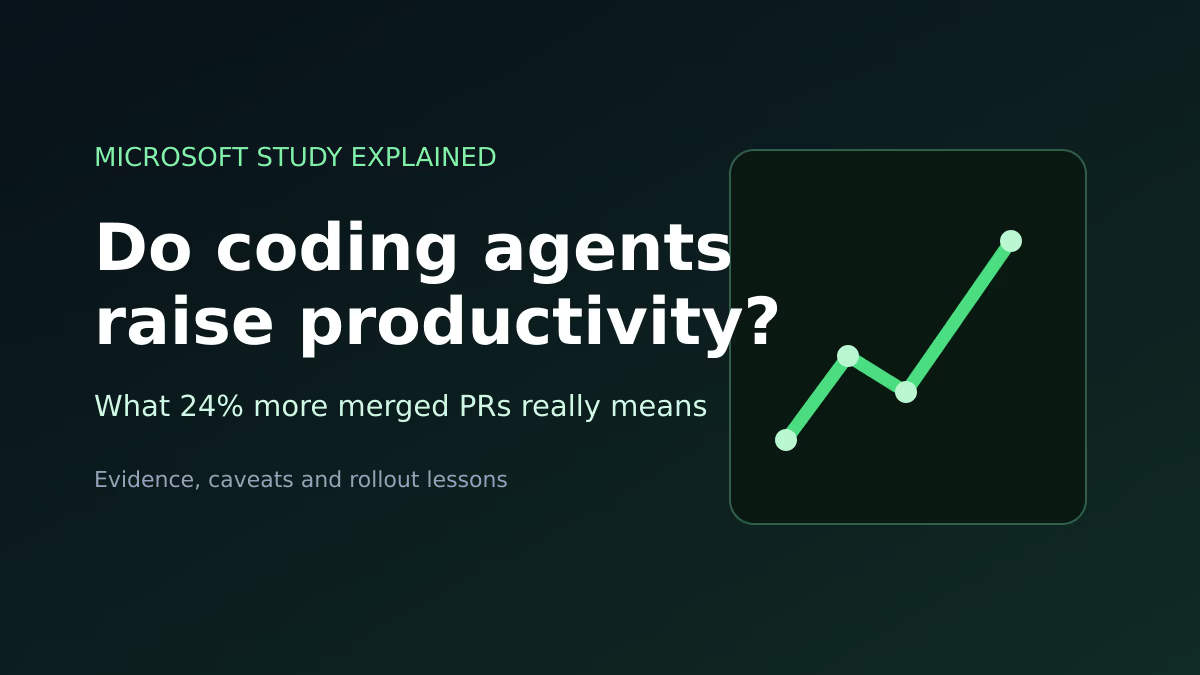
The evidence base is mixed but directionally consistent. Our write-up of a Microsoft study on coding-agent adoption found adopters merged roughly 24% more pull requests, a real but far smaller gain than the multiples individuals often report. The gap is where process lives. In practical terms:
- Review capacity is the new constraint. Agents that open five pull requests an hour are useless if reviewers can handle two. This is why every vendor shipped AI review this year: Codex's PR review, Claude Code's auto-fix and code review, Cursor's Bugbot.
- Specs and tests are the interface. Asynchronous agents (Devin, Codex cloud, Claude Code cloud sessions) do their best work on well-scoped tickets with verification targets.
- Shared configuration beats personal prompts. Team-level skills, hooks,
AGENTS.md/CLAUDE.mdfiles and Codex's shareable cloud environments turn one person's workflow into a team default. - Measure shipped outcomes, not tokens. Merged PRs, cycle time and incident rates tell you more than seat utilisation dashboards.
Matthew Berman's launch-day tests of Claude Sonnet 5.5, the new default model behind Claude Code, building full playable game projects.
Who Should Use What
Solo developers and freelancers: start with Claude Code on Pro or Codex on Plus, both $20 (approx. £15). Choose on ecosystem: if you already use ChatGPT daily, Codex is effectively free to try; if you want hooks, skills and the strongest published terminal scores, go Claude Code. Upgrade to a $100 tier only after you hit limits consistently.
Editor-centric developers: Cursor Pro, possibly alongside Claude Code in Cursor's terminal. Many developers run both.
Small teams on GitHub: Copilot Pro or Business for broad coverage at the lowest cost, with a couple of Claude Code Premium or Cursor seats for your heaviest users.
Engineering organisations: pilot two agents with a small group, measure merged work rather than activity, and budget from real data. Anthropic's $150–250 per developer per month enterprise average is a reasonable planning anchor for Claude Code.
Tinkerers and privacy-sensitive teams: OpenCode or Hermes Agent with your preferred provider, or local models, accepting that you own the setup and security.
Sources
- OpenAI: DevDay 2026 Recap
- OpenAI: ChatGPT and Codex pricing and usage limits
- The Decoder: OpenAI expands Codex and its API at DevDay
- The Decoder: GPT-6.1 Sol comes close to Astra at a fifth of the price
- VentureBeat: GPT-6.1 Sol and the Ultrafast tier
- Engadget: OpenAI adds $500 Pro subscription, cuts $200 tier
- Anthropic: Introducing Claude Sonnet 5.5
- Anthropic: Claude plans and pricing
- Claude Code docs: Use Claude Code in the cloud
- Claude Code docs: Manage costs effectively
- Cursor pricing
- Techzine: SpaceX completes acquisition of Cursor
- Devin pricing
- GitHub Copilot plans
- Google: I/O 2026 developer highlights
- Gemini CLI: Quotas and pricing
- OpenCode on GitHub and Hermes Agent on GitHub
The Bottom Line
The best AI coding agent in September 2026 depends on where you work. Claude Code is our default recommendation for most professional developers: the strongest published agentic-coding scores via Sonnet 5.5 and Opus 5.5, the richest customisation through hooks and skills, and cloud sessions that cost nothing extra beyond your plan's limits. Codex is the most improved after today's DevDay and the obvious choice for ChatGPT households, though its limits are the most complicated and its best speed tier costs $500 a month. Cursor remains the best place to pair with an agent in an editor, Copilot the best value for GitHub teams, and Devin the best for fire-and-forget tickets.
The bigger lesson is that the agent is no longer the bottleneck. Limits, review capacity and team process are. Pick a tool, learn its cost levers, and invest as much in how your team reviews and ships agent output as in the seats themselves.
Last updated: 29/09/2026. Prices, plans and limits change frequently, particularly after OpenAI's DevDay changes to Pro plans; check each vendor's official pricing page before buying. Benchmark figures are vendor-reported.
Get the free guide: Claude vs ChatGPT, Gemini & Grok
A 20-page playbook covering everything you need to choose and use the big four AI models in 2026, full cost and feature comparisons, what each is best (and worst) at, and how-tos for images, vectors, building a website, Claude Code and more.