 AI Tools Review Editorial Team
Quick Answer:
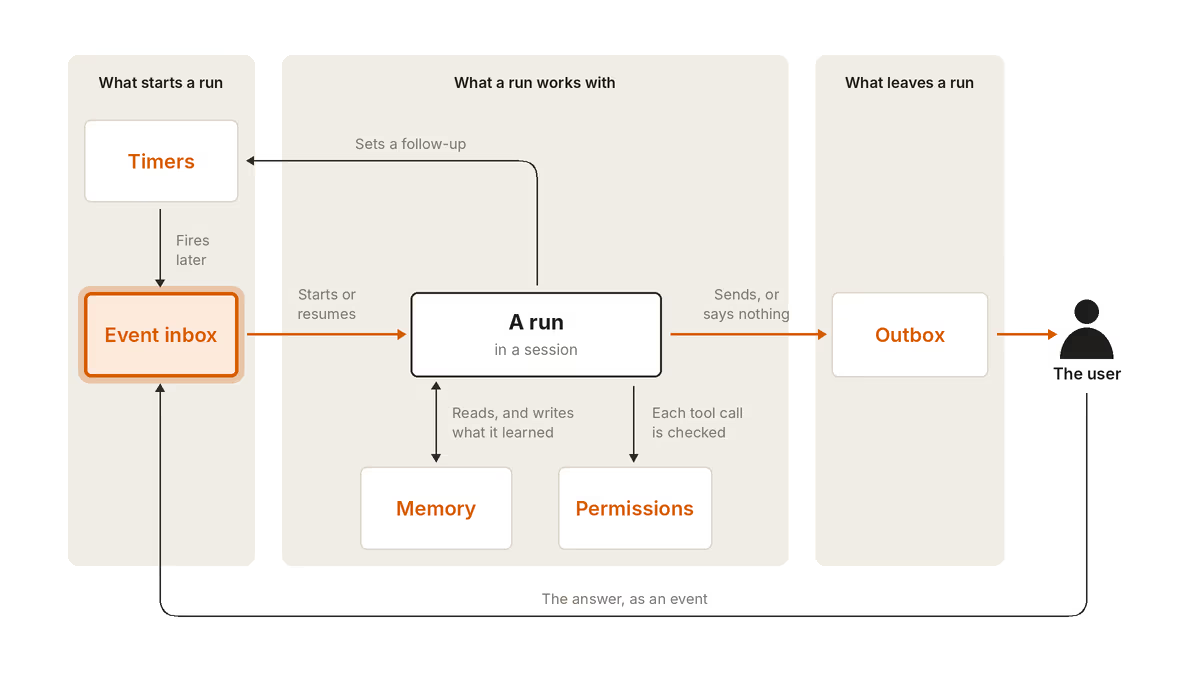
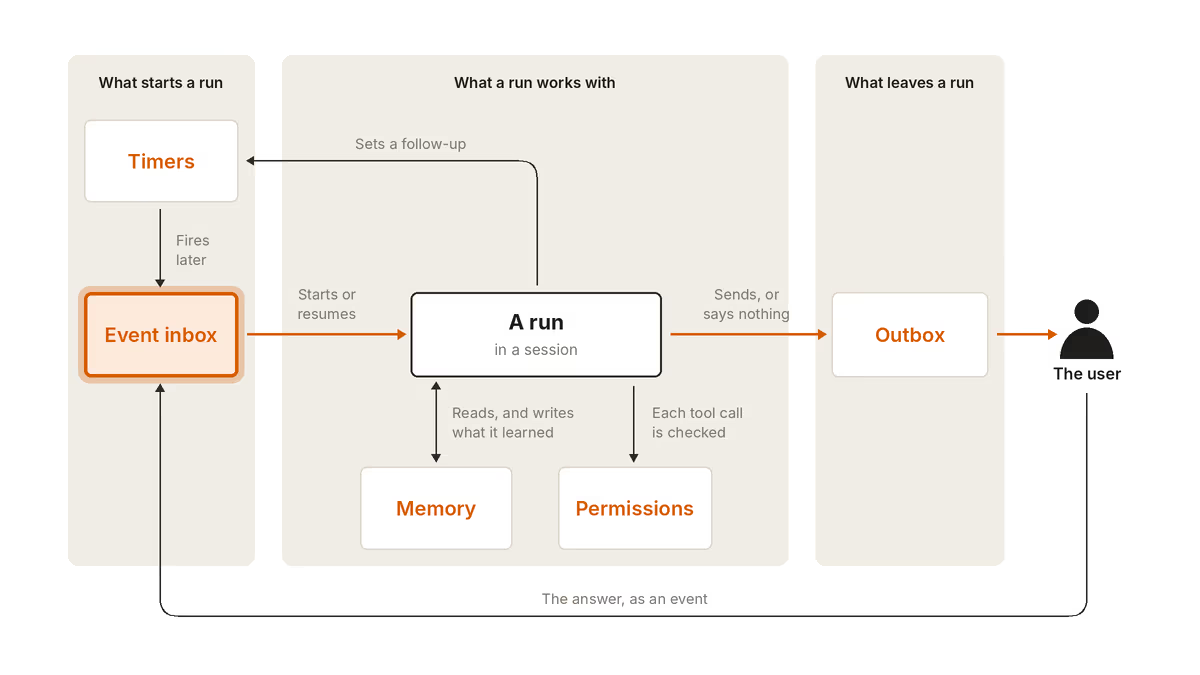
An always-on AI agent is an agent that keeps working after you close the tab. It is mostly asleep, wakes when something happens, does a short run of work, saves its state and sleeps again. Anthropic's guide, published on 13/11/2026, says every such agent needs five pieces: an event inbox, timers, memory, permissions and an outbox. Claude Duet, Grok Bot, Hermes Agent and OpenClaw are products built on the idea.
5
Building blocks in Anthropic's guide
Inbox, timers, memory, permissions, outbox
13/11/2026
Anthropic guide published
Building always-on agents, by William Hu
3
Ways a run can end
Send a message, send nothing, or ask for approval
1
Active worker per inbox
Anthropic's rule to avoid duplicate work
Source: Anthropic, Building always-on agents (13/11/2026), as summarised in our guide article
Bart Slodyczka walks through the five pieces in Anthropic's always-on agent guide.
What Is an Always-On AI Agent?
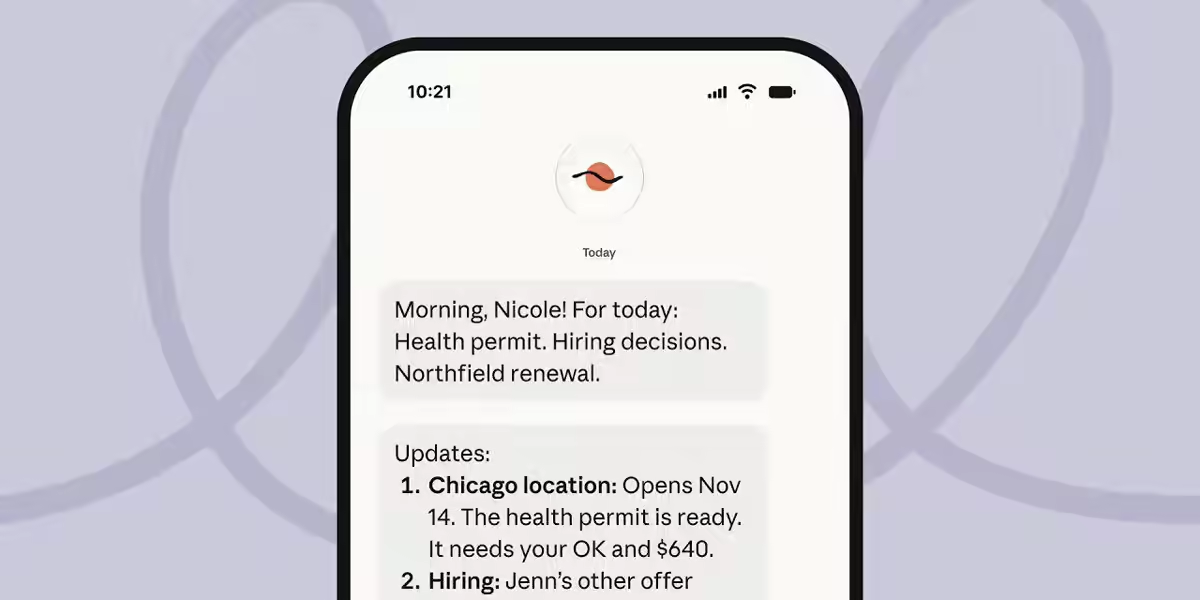
An always-on AI agent is an AI agent that works in the background without you starting each task, carrying context across many sessions and acting without supervision at every step. Think of an assistant that triages your inbox overnight, chases a supplier on Thursday if they have not replied, and messages you only when something needs a decision.
The name is slightly misleading. Anthropic's guide points out that such an agent is not actually "always on". It spends almost all of its time asleep, which costs nothing, and wakes for a short run when an event arrives. Each run loads the agent's memory, does the work, saves what it learned and ends. Repeating that cycle is "what makes the agent feel like it's always on".
How Is an Always-On Agent Different From a Chatbot?
An always-on agent differs from a chatbot because it starts work itself, while a chatbot only replies when you type. With a chatbot, nothing happens between your messages. With an always-on agent, something can happen at 03:00 because a webhook arrived or a timer fired.
The agent loop inside is the same as in any Claude agent. What changes is the scaffolding around it, which decides when to wake up and what to remember. That is why the cost sits in the runs, the risk sits in what a run can touch while you are away, and the engineering sits in the plumbing.
How Does an Always-On Agent Work?
An always-on agent works in a cycle of wake, run and sleep. An event arrives, a worker starts or resumes a session, the agent loop runs, the agent writes its state back, and it either messages you or stays quiet.
- Wake: a webhook, a timer, a finished background job or a message from you creates an event.
- Run: the agent works through its normal loop inside a session, reading its memory first.
- Sleep: it saves what it learned and ends the run, spending no tokens until the next event.
Anthropic names two reasons this is practical now: models show better judgement, which an unattended agent needs, and long-running tasks have become cheaper. If a new event arrives mid-run, the guide lists three options: push it to the next run, fold it into the current run, or interrupt and restart.
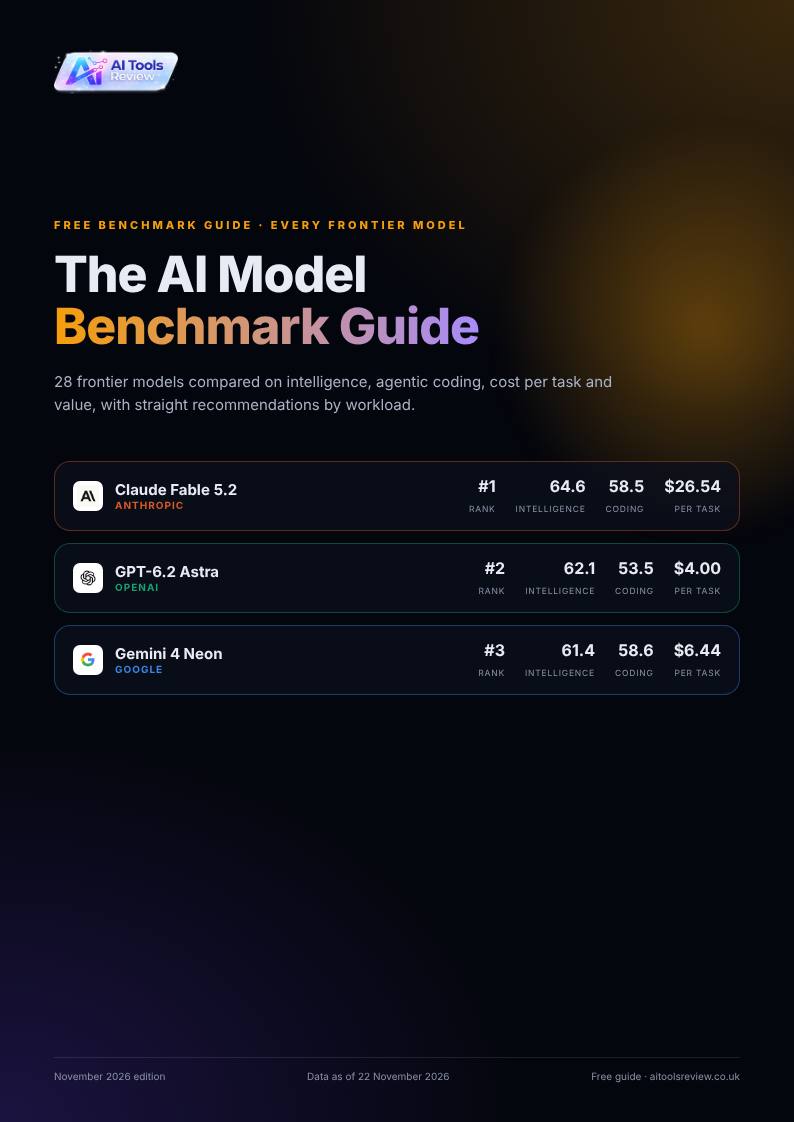
Get the free guide: The AI Model Benchmark Guide
Every frontier model compared on intelligence, coding, cost per task and value, with straight recommendations. November 2026 edition. Updated 22/11/2026.
What Are the Five Building Blocks of an Always-On Agent?
The five building blocks of an always-on agent are the event inbox, timers, memory, permissions and the outbox. Most are ordinary systems engineering, such as queues and schedulers, applied to an AI agent.
| Building block | What it does | Key rule from Anthropic's guide |
|---|---|---|
| Event inbox | A durable table of incoming events that starts runs | Acknowledge quickly, deduplicate, one active worker per inbox |
| Timers | Follow-ups the agent sets and schedules the user sets | Timers feed the inbox rather than starting runs directly |
| Memory | Files stored outside the worker so state survives between runs | Hold only what the agent cannot look up again |
| Permissions | Controls what the agent can do unattended | Credential proxy, classifiers and deferred tool calls |
| Outbox | Outgoing messages and a dispatcher that delivers them | Start quiet and earn the user's attention over time |
Our full walkthrough, How to Build Always-On AI Agents: Anthropic's Guide, covers each piece in detail, including the memory layout and a worked invoice-chaser example. You do not need Claude Managed Agents to use the pattern: it is an architecture, not a product, and can be built with a database, a small web handler, a background worker and the Messages API or the Claude Agent SDK.
Which Always-On Agents Can You Use Today?
You can use always-on agents today from several labs, packaged so you do not build the plumbing yourself. Claude Duet, Grok Bot, Hermes Agent and OpenClaw package the whole pattern for end users, according to our guide, and the major labs have each shipped something similar this autumn.
| Product | Maker | Read more |
|---|---|---|
| Claude Duet | Anthropic | Claude Duet: Anthropic's Proactive Agent |
| Grok Bot | xAI | Grok Bot 1.0 |
| Hermes Agent | n/a | Hermes Agent Explained |
| Cloud agents API | OpenAI | OpenAI cloud agents API |
| Gemini Spark | Gemini Spark agent | |
| Muse agent | Meta | Meta Muse agent |
For the models underneath, see which one fits your budget in How to Choose an AI Model in November 2026. An agent that wakes many times a day rewards a model with low cost per task.
What Are the Risks of an Always-On Agent?
The main risk of an always-on agent is permissions, because a run holds your access and works unattended. A chat agent that misreads an instruction wastes your time, while an unattended one can email a client, delete a file or pay an invoice while you are asleep.
Anthropic recommends three layers. A credential proxy keeps credentials out of the agent's environment. Classifiers review risky actions, and Anthropic points to Claude Code's auto mode as an example. Deferred tool calls pause important actions until you approve them, and your answer returns as a new inbox event. A second risk is noise: Anthropic warns that an agent which sends too many messages becomes irritating, so build evaluations for message volume and begin quiet.
Model safety documents are part of the picture, because the model's own safeguards sit underneath the agent's permissions. Our explainer What Is a System Card? shows how to read what a vendor says about a model's behaviour.
When Is an Always-On Agent Worth Using?
An always-on agent is worth using when a task is recurring, event-driven and low-risk to get slightly wrong, such as triaging email, chasing replies or preparing a daily digest. Idle time is free, so it suits work that needs to act only a few times a week.
It is a poor fit for one-off questions, where a chatbot is simpler, and for high-stakes actions you are unwilling to approve. A sensible start, which is our own suggestion built on Anthropic's advice, is read-only access, its own scoped accounts and a daily digest rather than real-time alerts. Then widen its permissions as you build trust.