 AI Tools Review Editorial Team
Quick Answer:
Claude Code Projects turn one long conversation into a coordinator for parallel work. You describe what needs doing; Claude starts a "thread" for each task. Each thread is usually a full Claude Code cloud session with its own context, working on its own Git branch and opening a pull request when needed, so threads run side by side and keep going after you close your laptop. An update on 13/11/2026 added a more proactive coordinator, reminders, and /btw and /fork commands for side tasks and alternative approaches. Projects are in public beta on Pro, Max and Ultra plans, with no extra fee, but they use your plan limits faster. Team and Enterprise plans are not supported yet.
Anyone who uses AI coding agents seriously ends up with a dozen tabs: one fixing a test, one refactoring, one researching a library, and you in the middle copying context between them. Anthropic's redesigned Projects hand that job to Claude. You talk to one coordinator; it runs the sessions, tracks them and tells you which ones need you.
This guide draws on Anthropic's official Claude Code documentation for Projects, Anthropic's launch post "Projects redesigned: from folder to conversation" (17/09/2026), AlphaSignal's report on the 13/11/2026 update and Julian Goldie's walkthrough of the new features. Where reports and the documentation disagree, we say so and favour the documentation. For the foundations, read our guides to Claude Code cloud sessions and cross-session messaging.
Julian Goldie walks through Claude Code Projects threads, the /btw and /fork commands, four easy-to-miss features and how to get beta access.
Executive Summary
- What it is: a long-running project conversation in which Claude acts as coordinator, plus the threads it starts to do the work.
- Threads: each is a separate session with its own context window. Cloud threads work on their own branch and copy of the repository and open pull requests.
- Parallel by default: several threads can run at once and continue after you close your laptop. You can steer them from your phone.
- Shared context: project instructions (up to 16,000 characters) and project memory reach every new cloud thread.
- New on 13/11/2026 (per AlphaSignal): a proactive coordinator that posts status updates, reminders that hide a thread until a set time,
/btwand/fork, a recent-threads row and artifact thumbnails. - Local threads: a thread can run on your own computer through Remote Control when it needs a local database, emulator or VPN.
- Availability: public beta on Pro, Max and Ultra; web, desktop and mobile apps. Not the terminal CLI or IDE plugins. Not Team or Enterprise yet.
- Cost: no separate fee; uses your Claude Code plan limits, faster than a single session. Hard limit of 500 new threads per day.
- Defaults: Opus everywhere, high effort for threads and low effort for the coordinator.
Timeline: From Folders to Coordinators
The word "Projects" has meant different things at Anthropic. The original Projects in claude.ai chat grouped conversations and reference files in a folder. On 17/09/2026, Anthropic announced a redesign for Claude Code under the title "Projects redesigned: from folder to conversation". Its summary: "Now in a Claude Code project, you describe what needs to get done and Claude manages the work."
The redesign launched as a beta for selected Pro and Max subscribers who already used cloud sessions and had no existing projects, with a waitlist for everyone else. Running threads on your own machine was promised as "coming very soon" and is now documented. On 13/11/2026, Anthropic shipped the update covered in Julian Goldie's video and AlphaSignal's report, which made the coordinator more proactive and added the new slash commands. The current documentation also lists the Ultra plan.
The old chat and Cowork Projects keep working as before until the redesigned experience reaches them. If you use Claude Cowork, expect the same coordinator-and-threads model to arrive there in time.
How a Project Is Organised
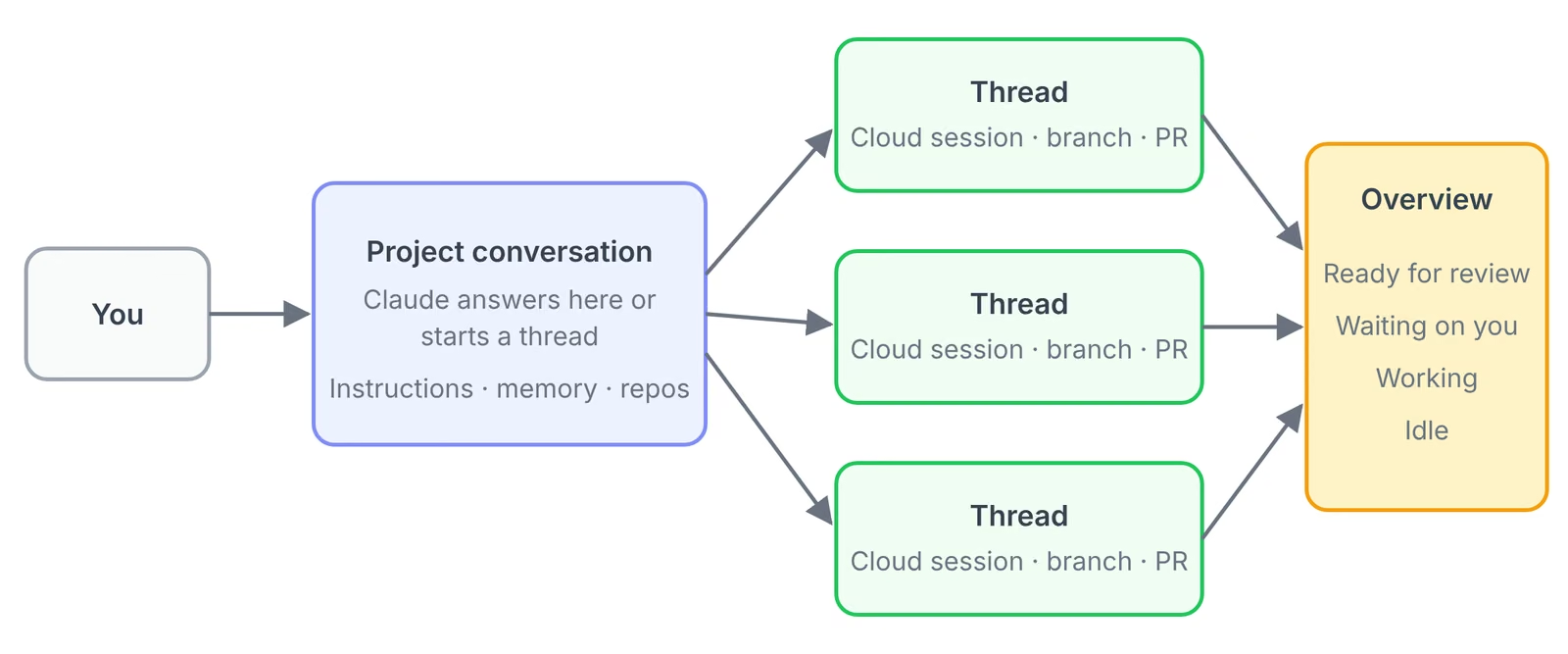
Anthropic's documentation describes four parts:
- The project conversation. One long-running session where Claude coordinates. It takes what you send, decides what becomes a thread and keeps track of every thread it started. Crucially, "it sees what threads report back, not every step they take."
- Threads. The workers. Each is a separate session with its own context window that does one piece of work and reports back when it finishes. A cloud thread works on its own branch and opens a pull request when the work calls for one.
- What every cloud thread starts with. The project's repositories and files, its instructions and memory, the
CLAUDE.mdin each repository (but not repository skills,.claude/settings.jsonor.mcp.json), the connectors on your claude.ai account and a cloud environment that sets network access, environment variables and tools. - The Overview pane. Where you see every thread and which ones need you.
This design solves the context problem that limits long agent sessions. The coordinator never fills up with file contents or test logs, because those stay in the threads. The documentation says the conversation "works from recent messages, recent threads, and project memory rather than its full history, so it keeps going for as long as the project runs", and threads compact automatically. You do not manage context windows at all.
Conflicts are handled the boring, reliable way. Because each thread has its own copy of the repository, threads cannot overwrite each other mid-task. As Anthropic's launch post puts it, overlapping changes are resolved as a merge conflict "just like any other PR".
What Changed on 13/11/2026
AlphaSignal's report on the November update lists these changes:
- Proactive coordinator: answers questions in the project chat and posts status updates as threads progress, so pending decisions, completed tasks and blocked work show up in the main conversation.
- Reminders: a thread can hide itself until a set time, then return to the thread list and notify the coordinator.
/btwand/fork(see below).- Threads panel: a row for recently opened, updated and pinned threads, plus thumbnails for artifacts such as documents and diagrams.
- Simpler settings: project settings and local-folder access were simplified.
- Thread sharing: AlphaSignal reports a read-only share link for a single thread. Note that Anthropic's documentation, as we read it on 17/11/2026, still says a project belongs to one user and thread transcripts "don't have the share option other cloud sessions have". Check the share menu in your own account before relying on this.
/btw and /fork
These two commands answer the most common frustration with focused agents: what do you do with a good idea that is off-topic?
/btwopens a separate thread for a tangent while keeping the current thread's goal and context. The main thread stays on task; the side question gets its own worker. In standalone Claude Code sessions,/btwhas existed since earlier in 2026 as a quick side question that runs without interrupting the main turn./forkcreates a new thread from the current thread's state. Use it when you want to try a different approach, for example a second caching strategy, without losing the first. If both work, you compare two pull requests rather than two half-remembered attempts.
The proactive coordinator
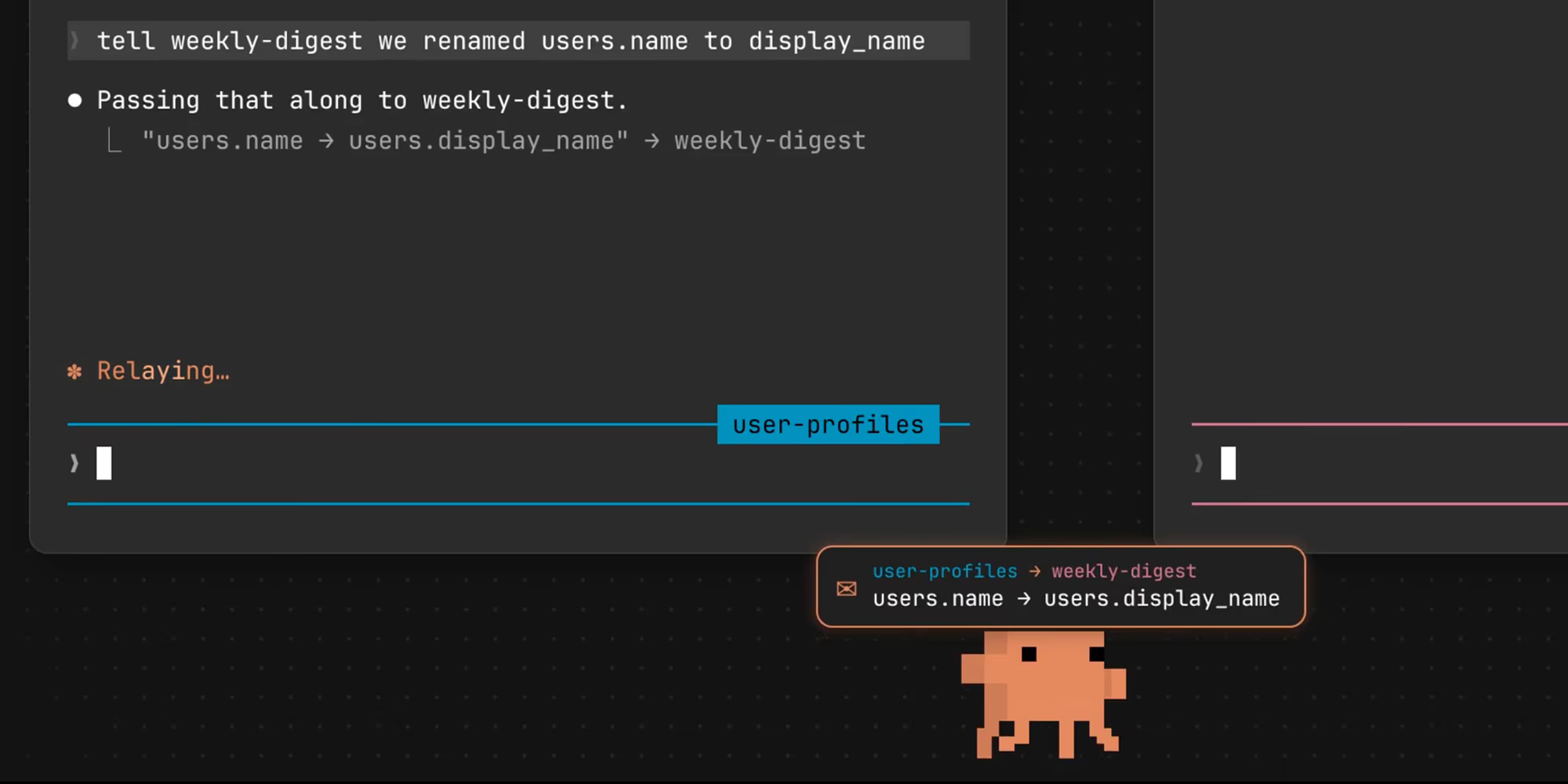
Before the update, you had to ask for status. Now the coordinator reports as threads progress. That matters more than it sounds: the hardest part of running parallel agents is noticing the one that is stuck waiting for an answer. Combined with notifications in the desktop app (on by default when Claude posts, a thread errors or a thread needs input), it means you can genuinely walk away and come back to a list of what needs you. This is the same idea behind Anthropic's Claude Duet and its always-on agents guidance: agents that come to you, not the other way round.
Setting Up a Project
You create projects at claude.ai/code, in the Code tab of the desktop app, or in the Claude mobile app for iOS and Android. If Projects is not in your sidebar, look under More; if it is missing there too, the rollout has not reached you and you can join the waitlist.
There are two ways in:
- From scratch: open New project, name it, and optionally give it a one-line goal, such as "Hold p95 API latency under 200 ms". Add repositories, files and folders as context.
- From a cloud session already doing the work: in that session's sidebar menu, choose Continue in project, then Continue as new project. Claude proposes the setup based on what the session was doing.
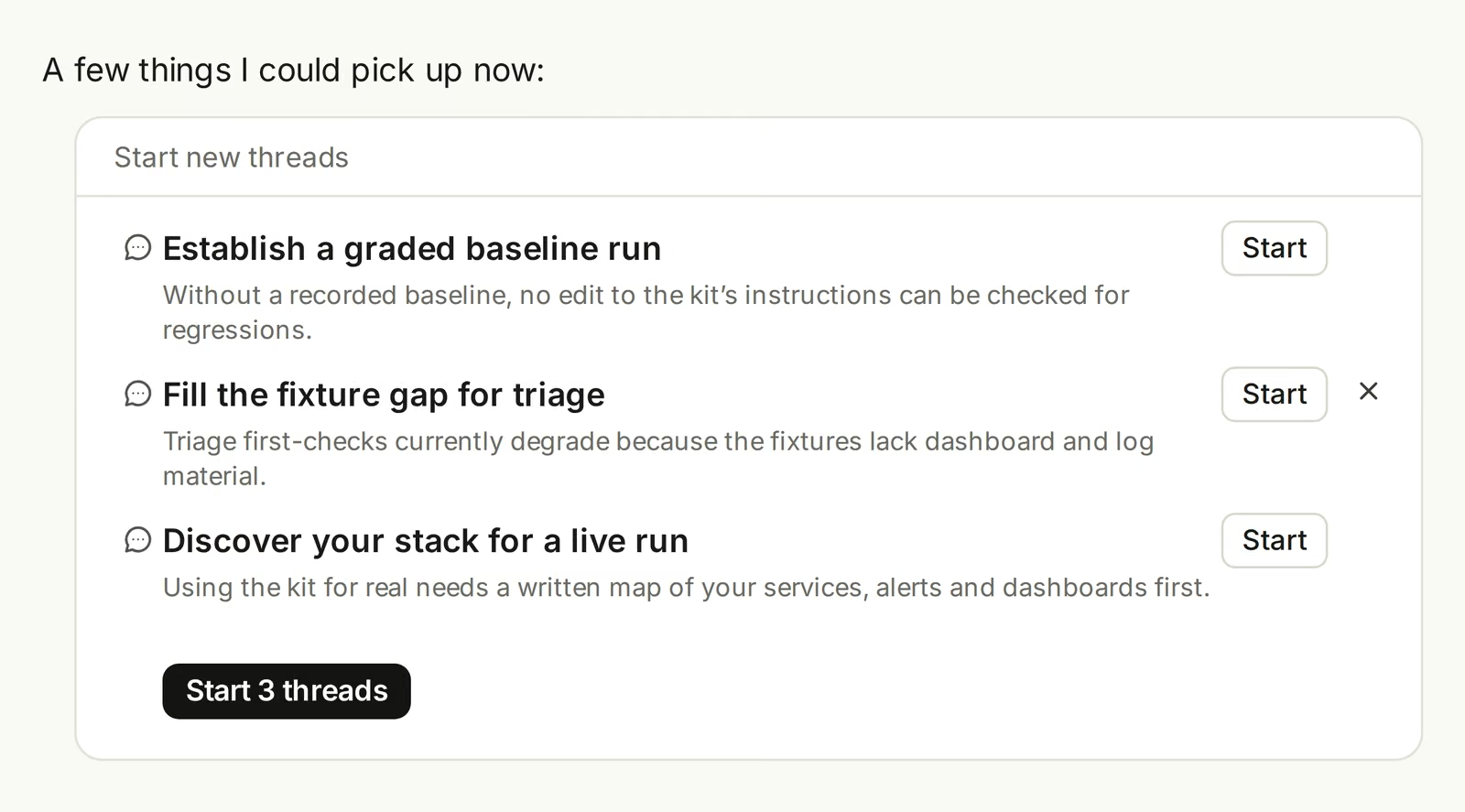
Before you start, Anthropic recommends checking three settings to avoid burning through your plan: set Thread model and Thread effort in Project settings (the default is Opus at high effort), and ask Claude to propose threads before starting them and to run only a few at a time until you trust its routing.
When a project is the right tool
The documentation suggests a project when the work has a goal that outlasts one session and keeps producing tasks:
- One goal across many repositories: "Bring every service up to the new lint config", one thread and one pull request per repository.
- An area you keep feeding: the bugs and stack traces for one service, pasted in as they arrive.
- A build or migration bigger than a session: "Build what
docs/spec.mddescribes." - Work that is not code: a folder of contracts or a support-ticket export, with each write-up delivered to the project's Library.
It is the wrong tool for a single task that fits in one session (start a cloud session), work where every task needs your machine (use local sessions or agent view), a job that simply repeats on a schedule (use a scheduled task), or team work steered in Slack (that is Claude Tag, on Team and Enterprise plans).
Working With Threads Day to Day
Claude decides where each message goes. A quick question is answered in the conversation. New work goes to a new thread or to a thread already working in that area, and Claude tells you which. Several unrelated tasks in one message become separate threads. If Claude routes something wrongly, tell it, for example "answer that here instead of starting a thread".
The Overview pane groups threads by state:
| Group | What's in it |
|---|---|
| Ready for review | Threads whose pull request is open and awaiting review |
| Waiting on you | Threads that need your reply or approval, or that failed |
| Working | Threads still running |
| Landing | Threads whose pull request is approved or queued to merge |
| Idle | Finished threads not waiting on anything |
| Resolved | Threads marked done, by you, by Claude after the last step, or automatically after a week of inactivity |
When a cloud thread changes code, it works on a new branch from the default branch, opens a pull request when you ask (or on its own for a concrete fix), and then watches that pull request with auto-fix turned on: it pushes fixes when CI fails, addresses review comments and tells you when checks pass. You can open any thread to read what it did step by step, message it directly, answer a permission prompt or stop it.
Useful instructions to give the coordinator, from Anthropic's own list: "Run at most two threads at a time", "Only post when something finishes or is blocked", "Don't open a pull request until I've seen the plan", and "Tell me what's wrong in these repositories and don't fix anything yet". Claude saves these preferences to project memory, but they are preferences, not enforced caps.
Memory, Instructions and Context
Three things carry context across threads, and each is set once:
- Project memory: notes Claude keeps about requirements, decisions and pitfalls, stored as files. Every cloud thread reads the
MEMORY.mdindex when it starts. Ask Claude to remember or forget something from any thread. - Project instructions: up to 16,000 characters sent to every new thread and to the coordinator. Treat it as the brief: what the project is for, which repositories and branches, how a thread checks its work, what to do when something is missing, and what needs your go-ahead.
- Repositories, files and environment: what every thread clones and can read, and the cloud environment it runs in.
Anthropic's sample instructions are worth copying almost word for word: branch from main and open one draft pull request per thread; run tests and lint and paste the summary before calling work done; if something is missing, say exactly what and stop rather than mock or guess; and never merge, force-push or change CI without asking. The "don't guess" rule is the single most useful line for avoiding confident but fabricated fixes.
Two practical tips. First, put rules about one repository, such as build commands, in that repository's CLAUDE.md, not in project instructions. Second, for projects spanning many repositories, add only the one or two that nearly every task touches and name the rest in the instructions; threads can add others to themselves when needed. Our Claude Code workflows guide covers CLAUDE.md in depth.
Running a Thread on Your Own Computer
Cloud threads cannot reach a local database, a device emulator or an API behind your VPN. For those tasks, you can ask Claude to run that one thread on your computer through Remote Control. You connect a folder either in the desktop app (Settings > Code, turn on "Use this computer from your phone and claude.ai") or by running claude remote-control in a terminal; both need Claude Code v2.1.280 or later. In a Git repository, --spawn worktree gives each local thread its own worktree.
Local threads use your machine's files, tools, MCP servers and Claude Code settings, including hooks and permission rules. They start with the project's instructions but not its memory files, and they run only while the computer is awake. If your account requires trusted devices, the option is greyed out. This hybrid design, mostly cloud with occasional local threads, is a pragmatic answer to the biggest weakness of cloud agents, and it builds on the same Remote Control plumbing as Claude Code's desktop features.
Plans, Usage and Cost
Projects have no separate fee. They count against the same plan limits as your other Claude Code sessions, and they use them faster. The documentation is blunt: on a Pro plan in particular, "you should expect to reach your limit sooner on days you run one." Usage comes from three places:
- Running threads: each is a full session and several can run at once. The enforced limit is 500 new threads per day across your projects. (AlphaSignal reported 200; the documentation says 500.)
- The coordinator: reading thread reports and deciding what to do next.
- Threads watching pull requests: an idle thread wakes up when CI fails or a review comment arrives.
A thread that hits your five-hour or weekly limit waits and, by default, continues when the limit resets. You can turn that off with "Auto-continue when usage limits reset". Work only goes beyond your plan if you have turned on usage credits, and a thread cannot do that for you. An idle or archived project uses nothing.
To keep costs down: pick a smaller model or lower effort for threads that do routine work; start fresh threads for new work rather than reviving big old ones (the prompt cache lasts an hour, after which a thread re-reads its whole conversation); and ask the coordinator to run fewer threads at once. Project usage is shown separately, by thread and by model, in Project settings > Usage. For plan prices in pounds, see our Claude Code pricing guide.
Permissions and Safety
Threads run in auto mode when the model supports it, so most tool calls run without asking. When a thread does need approval, the prompt sits inside that thread and waits; telling the coordinator to "go ahead" does not reach it. Cloud threads do not read permission rules from a repository's .claude/settings.json, so your protection comes from auto mode's safeguards, the approvals you give and your project instructions.
That has implications. Parallel agents with broad permissions can open many pull requests quickly, and auto-fix will push changes in response to CI failures and review comments. Treat thread pull requests like any external contribution: require review, protect your main branch, and keep secrets in the cloud environment's network secrets rather than in files. Our coverage of the Cathedral agent breach and Anthropic's multi-agent safety research explains why many cooperating agents need more guardrails, not fewer.
One more operational risk: a cloud sandbox pauses between turns. If it cannot resume, the thread continues from a fresh clone and uncommitted changes can be lost. On long tasks, tell threads to commit and push work in progress.
Limitations
- Not in the terminal or IDEs. Projects work at claude.ai/code, in the desktop and mobile apps only; not in the CLI, VS Code or JetBrains, and not via Bedrock, Google Cloud or Microsoft Foundry.
- Single user. A project belongs to one person. There are no organisation-level controls during the beta, and Team and Enterprise plans are not supported.
- Threads are stuck to their project. You cannot move, copy or merge threads or projects.
- Repository extras are ignored. Cloud threads read
CLAUDE.mdbut not repository skills, settings or.mcp.json. - Usage burn. Default Opus-at-high-effort threads drain Pro limits quickly.
- Soft controls. "Run two at a time" is a preference Claude follows, not a hard cap.
- Possible lost work if a sandbox cannot resume before changes are committed.
- Beta inconsistencies. Reports and documentation disagree on details such as thread sharing and the daily thread limit.
How It Compares
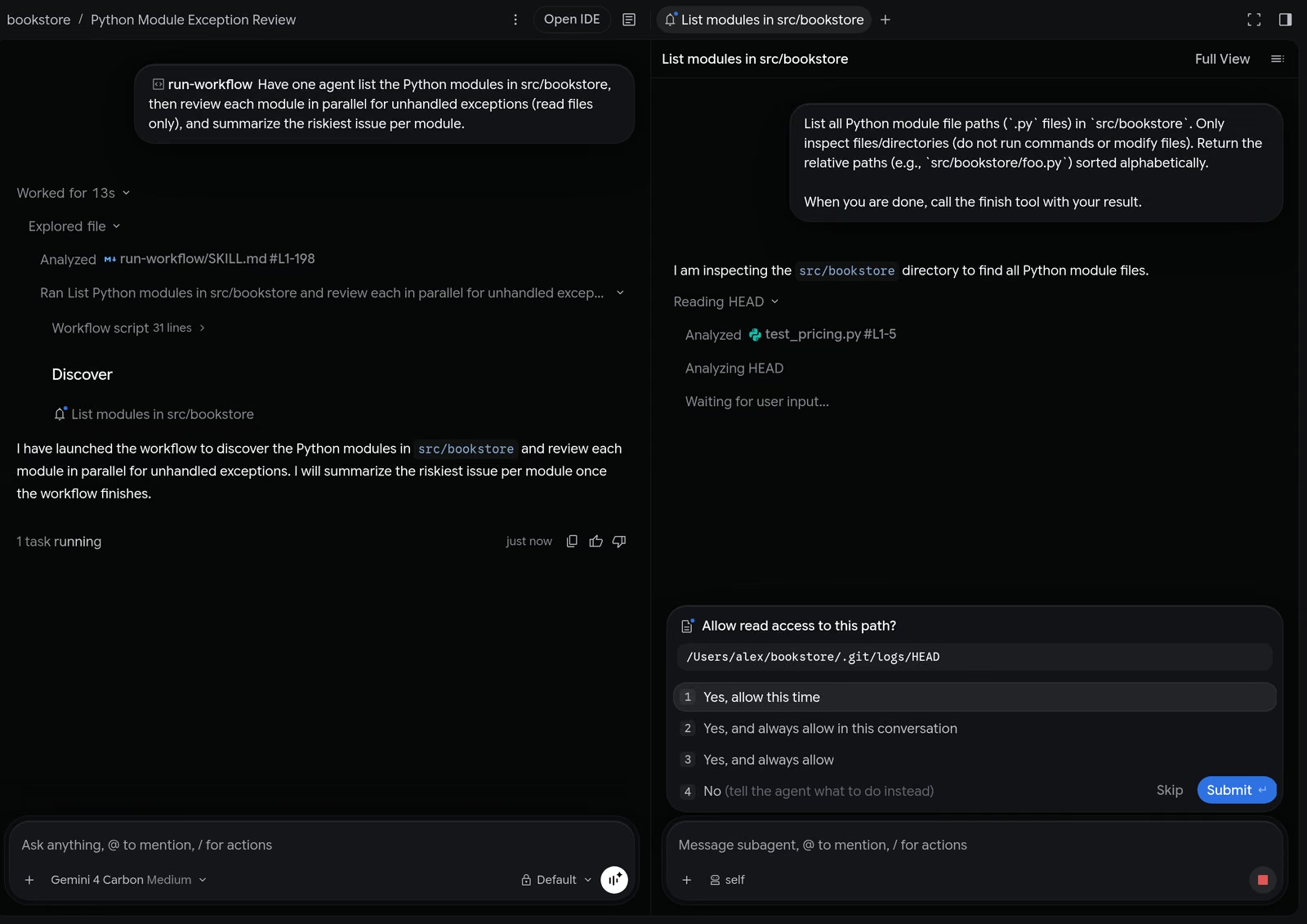
Against Google Antigravity Dynamic Workflows: Google's approach, covered in our Dynamic Workflows guide, has the agent write a Python script that orchestrates helpers, which you approve and can rerun. Claude Projects keep the plan in natural language and focus on an ongoing stream of work over days or weeks. Antigravity is better for a repeatable batch job; Claude Projects is better for a living backlog.
Against Claude Code agent teams and subagents: these run inside one session and end with one task. A project's threads are whole sessions that the coordinator starts and tracks, and a thread can still use subagents for its own side jobs.
Against OpenAI Codex: the Codex app and OpenAI's cloud agents also run parallel tasks with pull requests. Claude's distinguishing features are the coordinating conversation, shared project memory and the ability to send individual threads to your own machine.
Against Perplexity Teammates: Teammates are aimed at business roles such as marketing and support rather than code, and cost far more (Max only). Claude Projects are the stronger choice for engineering work.
Who Should Use It
- Good fit: solo developers and small teams on Max or Ultra running migrations, multi-repository changes or a steady stream of bug fixes.
- Good fit: technical founders who want to queue work from their phone and review pull requests later.
- Good fit: analysts with document-heavy jobs (contracts, ticket exports) who want write-ups delivered to a library.
- Be careful: Pro subscribers. Lower thread effort and limit concurrency or you will hit limits fast.
- Not yet: organisations on Team or Enterprise, and anyone who needs shared, audited projects across a team.
The Bottom Line
Claude Code Projects are Anthropic's clearest step yet from "AI pair programmer" to "AI team lead". The structure is sound: a coordinator with a small context, workers with full sessions on isolated branches, shared memory and instructions, and pull requests as the hand-off. The November update makes it far more usable by having the coordinator report progress and by giving you /btw and /fork for the tangents and alternatives every real project produces.
The trade-offs are cost and control. Parallel full sessions eat plan limits, concurrency limits are preferences not caps, and the beta is single-user with no organisation controls. Start with a project for one well-defined stream of work, set a smaller thread model, ask Claude to propose threads before starting them, and copy Anthropic's "don't guess, stop and say what's missing" instruction.
Last updated: 17/11/2026. Details from Anthropic's Claude Code documentation as read on 17/11/2026 and launch coverage of the 13/11/2026 update.
Sources
- Anthropic: Let Claude coordinate ongoing work with Projects (Claude Code docs)
- Anthropic: Projects redesigned: from folder to conversation (17/09/2026)
- AlphaSignal: Anthropic Upgrades Claude Code Projects to Run Parallel AI Workers Hands-Free (13/11/2026)
- The Decoder: Anthropic keeps pushing Claude Code toward autonomous coding
- Julian Goldie SEO: Claude Code Can Now Coordinate Parallel Threads?!
More from AI Tools Review: cross-session messaging, cloud sessions guide, function hooks, mods and plugins, background computer use, best AI coding agents. Tools: Claude Code, Cursor, GitHub Copilot.