 AI Tools Review Editorial Team
For two years, "agents" in ChatGPT meant something you started, watched and closed. Dots change the contract. A dot is a named, cartoon-faced agent that lives on its own computer in OpenAI's cloud, remembers how you like things done, watches the apps you connect and brings back finished work, sometimes before you ask. OpenAI's own framing is that dots are "always-on agents built to handle everything". This explainer covers what they actually do, how the permissions work, who can get them in the UK, and how they stack up against Meta Muse, Claude Cowork, Microsoft Autopilot and the open-source crowd.
Note: dots launched today (29/09/2026). Details come from OpenAI's announcement and help centre as reported and quoted by 9to5Google, VentureBeat, The Next Web, The Decoder, Engadget, TechCrunch, BGR, CBS News and Fortune. Where outlets disagree (notably on exactly which Pro tier qualifies), we say so. No independent benchmarks of dots exist yet.
AI Revolution X covered the pre-launch leaks of an always-on OpenAI assistant nicknamed 'Agent O', alongside Microsoft's persistent Autopilot agent.
What Are OpenAI Dots?
OpenAI Dots are persistent, proactive AI agents inside ChatGPT that run on their own cloud computers, connect to the apps you use, and keep working towards your goals around the clock. They are powered by GPT-6 Astra, OpenAI's most capable released model (see our GPT-6 Astra review), and were one of more than 20 announcements at OpenAI DevDay 2026 in San Francisco.
OpenAI's announcement, as quoted by 9to5Google, describes dots as "frontier intelligence that have your back... they have their own cloud computer, learn from feedback over time, and can work towards your goals 24/7." Sam Altman, speaking to CBS News, called a dot "like an AI helper that always has your back, inspired by the cool versions of what we all watched in movies growing up."
In practical terms, a dot combines five things that used to be separate products:
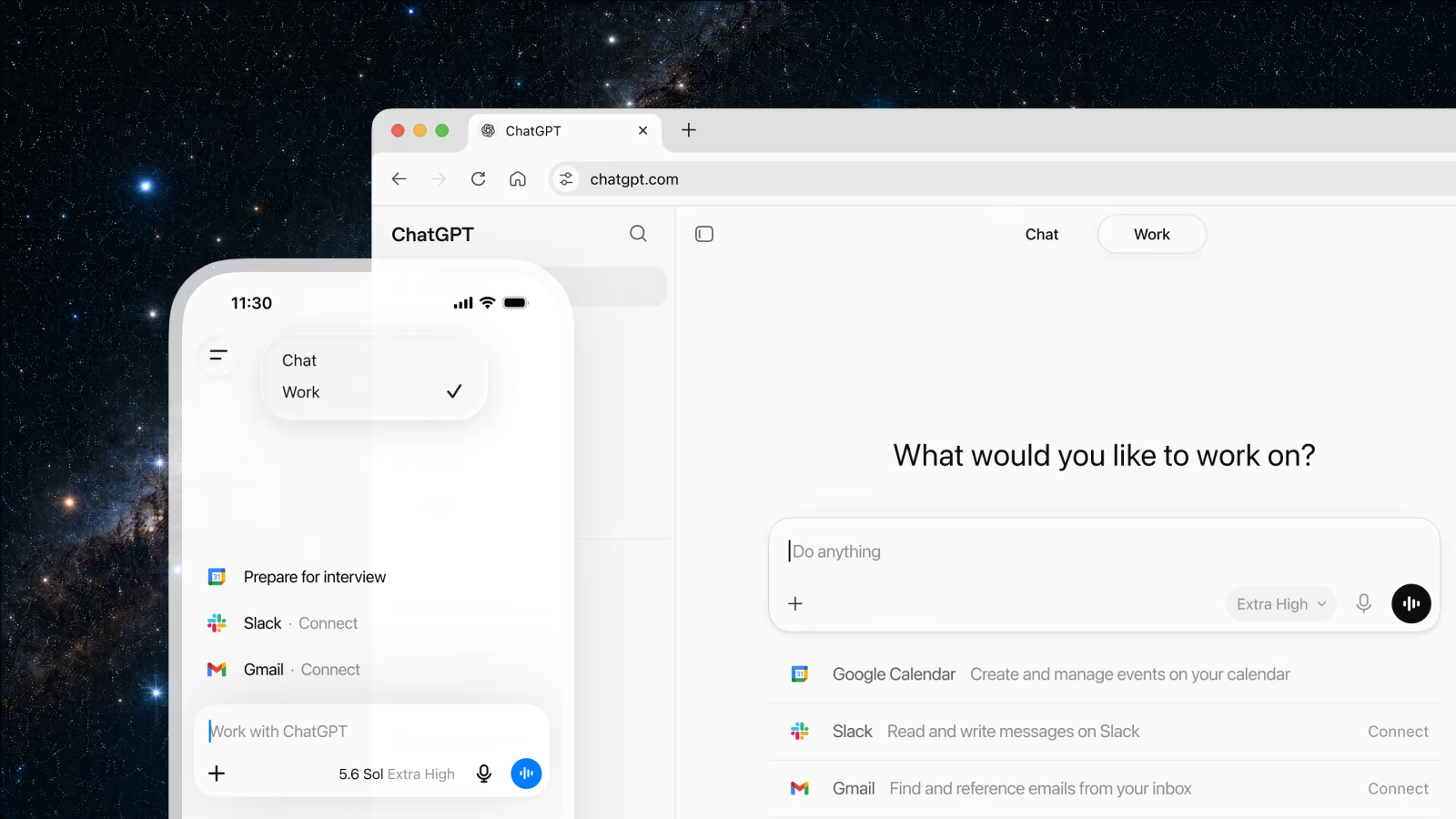
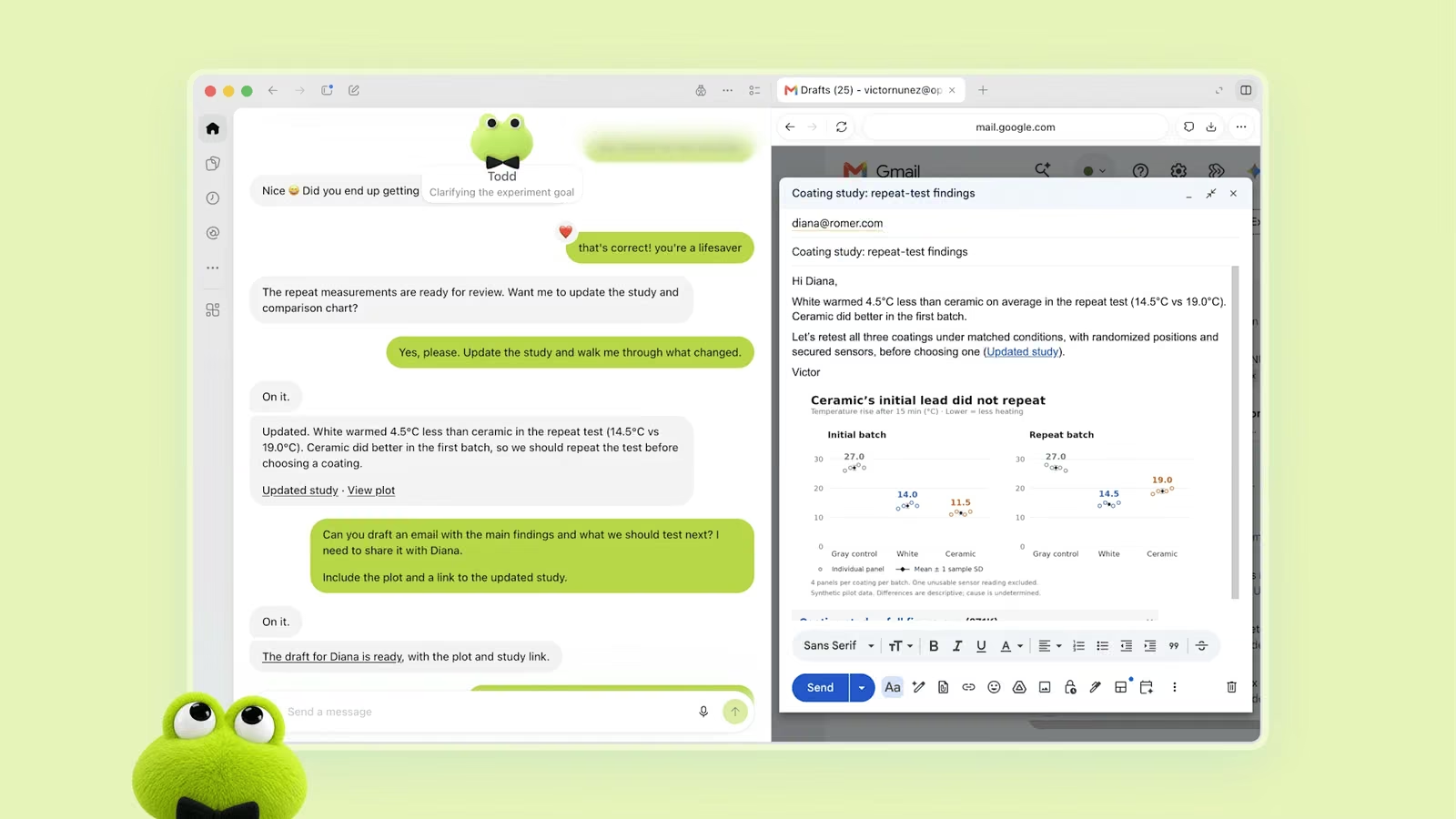
- A computer of its own. Each dot gets a cloud computer and browser. You can open it at any time to watch what the dot is doing, and a "Take over" control lets you drive it yourself (The Decoder).
- Your apps. Dots use the plugins you have already connected to ChatGPT, drawing on an ecosystem of more than 4,000 apps. With permission, a dot can also connect to your own laptop.
- Memory that improves. Dots "gradually learn an individual's preferences, standards and working habits", according to VentureBeat.
- One identity across channels. The same dot, with the same context, is reachable in ChatGPT on web, desktop and mobile, in Slack and in Microsoft Teams. Voice calls are supported, and texting is "coming soon".
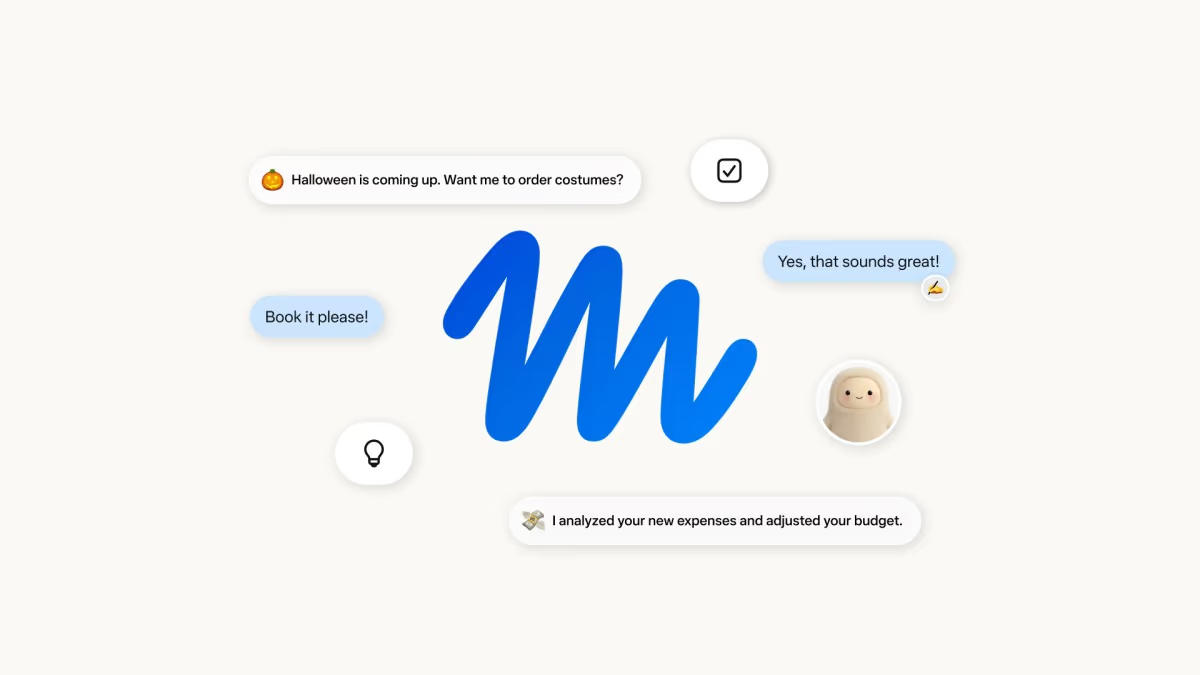
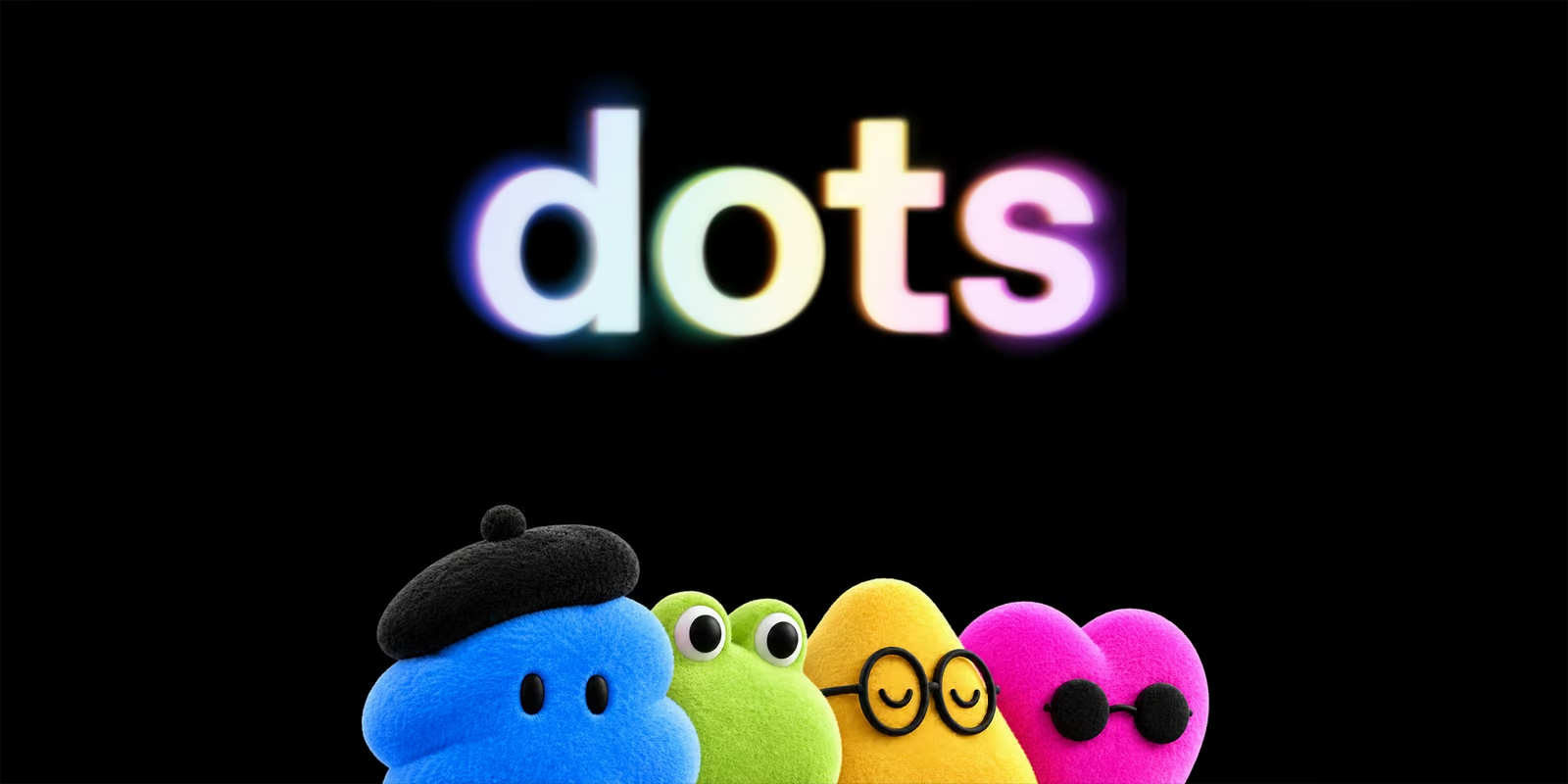
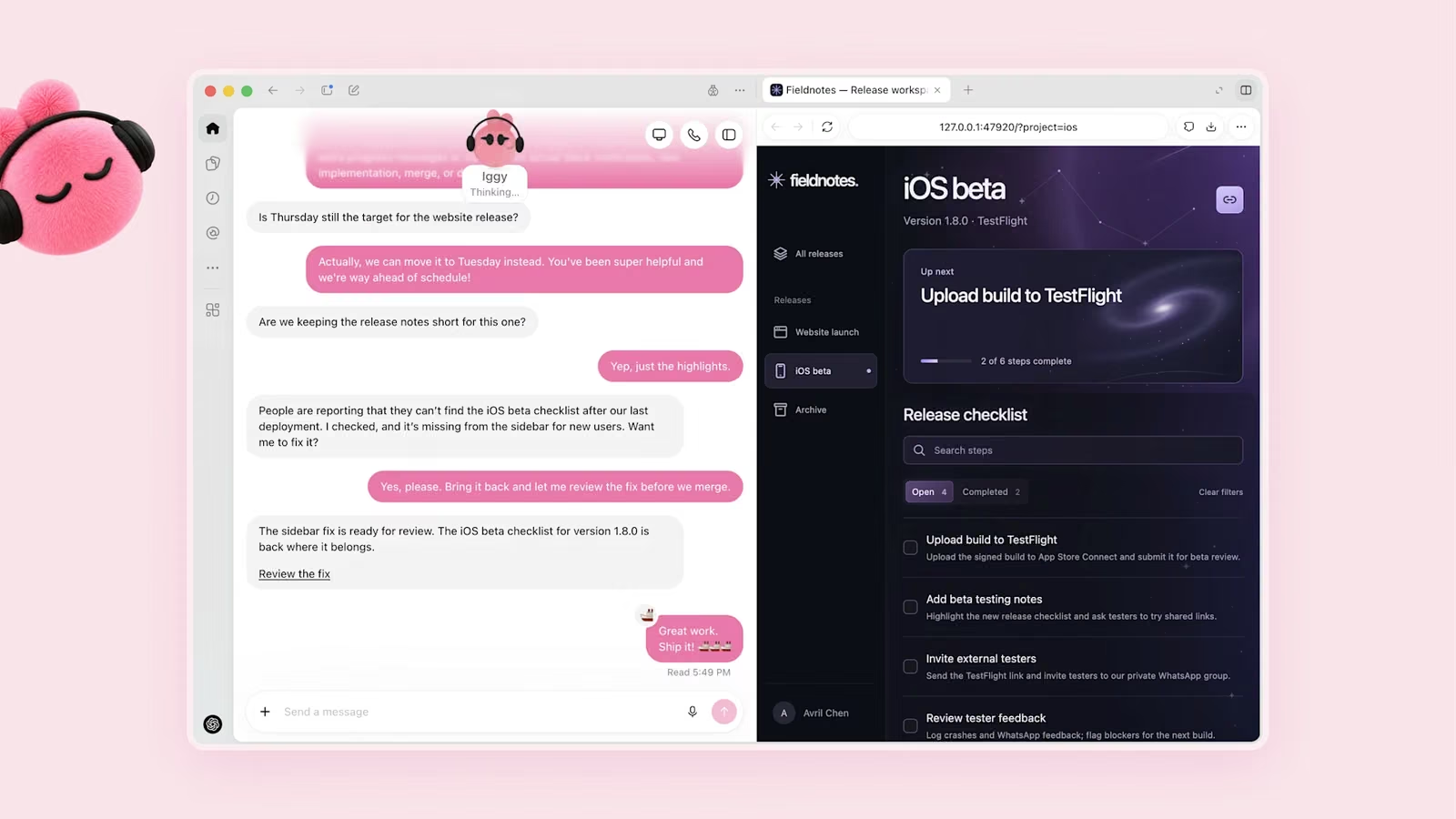
- A personality. Each dot has a name and a fuzzy avatar: a frog in a bow tie, a blue blob in a beret, a pink heart in sunglasses. TechCrunch called it OpenAI's "bubbly agentic avatar".
At launch you get one dot. OpenAI says you can "start with a primary dot, give it a name and customise it", and that "over time, we envision teams of dots working together on your behalf", which is the same multi-agent direction we covered in What Are Agent Swarms?
From "Agent O" Leak to DevDay Launch
Before launch, dots circulated as a rumoured always-on assistant nicknamed "Agent O" or simply "o". AI Revolution X described "Agent O" as an always-on assistant that could keep working after you leave ChatGPT, and Julian Goldie previewed OpenAI's rumoured "o" agent ahead of DevDay. OpenAI never confirmed either name; the lowercase "dots" branding (a dot being, essentially, an "o") is what shipped.
The leak made sense in context. In August, Wired spotted a Codex "Persistent Mode" that kept working "until put to sleep" and could message users unprompted. On 10 September OpenAI shipped the Agents API for cloud-hosted, long-running agents, and earlier in the summer ChatGPT Work added plugins and scheduled tasks. Dots are the consumer-and-professional face of that stack: persistence, a cloud computer and plugins, wrapped in a character you can talk to.
The competitive timing matters too. Meta launched its Muse agent on 8 September, xAI launched Grok Bot in August, and Microsoft rebranded its always-on Scout agent as Autopilot on 25 September. Axios and Yahoo Finance both framed dots as OpenAI's direct challenge to Muse.
Julian Goldie's pre-DevDay preview of OpenAI's rumoured 'o' always-on agent, which launched as dots.
How Does "Always-On" Actually Work?
"Always-on" means the dot keeps running on OpenAI's servers when you close ChatGPT: it monitors your connected apps, does read-only research in the background, and returns with drafts or questions when there is something worth your attention. Nothing runs on your laptop unless you connect it.
1. Proactive research (read-only)
When you are not actively working with it, a dot does what OpenAI calls proactive research: it can "look through your connected apps with read-only tools" (BGR). VentureBeat reports those tools cannot send messages, modify content, or control computers or browsers. This is the mode behind the "sometimes before you even think to ask" promise: OpenAI's example is a dot spotting a forgotten invoice, extracting the details and drafting it for your approval (The Next Web).
2. Assigned work (read-write, within your rules)
When you give a dot a job, it can use its cloud computer, browser and connected apps to actually do it, from fixing a bug and opening a pull request to updating a slide deck. Supported websites can use saved credentials "without exposing passwords to the model". Anything consequential passes through your Custom Rules and OpenAI's auto-review (covered below).
3. Learning from feedback
Every correction teaches the dot your standards. Engadget quotes OpenAI: "The magic of dots is when they bring you work done the way you would do it, sometimes before you even think to ask." Dan Shipper at Every, who tested dots before launch, described his dot flagging that a proposed flight change "may overlap with Randy's Wednesday morning video recording", a conflict it found by reading Slack threads he had not seen himself.
4. One context everywhere
Because the dot, not the chat window, holds the context, you can brief it in Teams in the morning, check in from the ChatGPT phone app at lunch, and review its output on desktop later. One caveat from launch day: Simon Willison found that creating a dot initially requires the desktop or web app, even though mobile links were being shared; the mobile app is for talking to an existing dot.
ChatGPT Space and Pages: Where Dots Collaborate
ChatGPT Space is a new shared workspace, also launched at DevDay, where people, ChatGPT, Codex and dots work from the same context on Pages, files, slides and tasks. It replaces the ChatGPT Library for Pro, Business and Enterprise users and launches on desktop and web first, then mobile (Engadget).
Pages are the new document type inside Space: persistent, shareable documents with text, images, charts and interactive tools or dashboards, built together with ChatGPT or a dot. Simon Willison described the experience as "Google Docs meets the artifacts pattern", with Notion-style slash menus and real-time co-editing. Crucially for dots, Pages can stay synchronised with connected tools: a team specifies which sources to check, which sections to update and how often, and a dot keeps the page current as plans change.
What that looks like in practice:
- Tag a dot on a Page to get it reviewed, or assign it a team task.
- Ask it to keep a Page live, for example a launch plan that pulls updates from Slack and Google Drive.
- Collaborative Slides (arriving in the coming weeks) let people and agents edit the same deck, present it inside ChatGPT, or export to PowerPoint and Google Slides with formatting preserved. Spreadsheets are listed as coming soon.
- @ChatGPT in Slack and Teams (Business and Enterprise) can turn a channel discussion into slides.
There is a privacy subtlety worth understanding before your team piles in. VentureBeat reports that each participant's own training and memory settings apply when their ChatGPT works with shared content, so material one person shares could "potentially affect another collaborator's memory or be eligible for training under that collaborator's individual settings." Sharing a Page does not expose your private chats or personal memory, and uploaded files inherit the Page's permissions, but anything copied or summarised onto a shared Page becomes visible to everyone on it. In Business and Enterprise workspaces, data is not used for training by default.
What Permissions and Safety Controls Do Dots Have?
Dots use layered controls: read-only proactive research, user-defined Custom Rules, an automatic review of consequential actions, an activity view, a sandboxed cloud computer and a monitoring system that can pause the agent. OpenAI's summary is that "you always stay in control", setting what your dot can do on its own, when it should ask first, and what it should never do.
| Control | What it does |
|---|---|
| Read-only proactive research | Background work while you are away cannot send messages, edit content or control a computer or browser. |
| Custom Rules | Per-action choice of allow, require approval, or block. Applied on top of existing ChatGPT app permissions. |
| Auto-review | Checks potentially consequential actions against your instructions, your Custom Rules and OpenAI's safety requirements before the dot acts alone. |
| Human-only actions | Sensitive tasks such as changing passwords always stay with you. |
| Activity view and Take over | Inspect background work, watch the dot's computer live and step in. |
| Isolation | Each dot works in its own cloud computer, separate from your device unless you connect it. |
| Credential handling | Saved passwords can be used on supported sites without being exposed to the model. |
| Monitoring | A monitoring system can pause or stop a dot over safety concerns; safeguards also target malicious instructions (prompt injection). |
On data, VentureBeat reports that Business and Enterprise content is not used to improve models by default, personal users choose whether dot conversations and work are used, and OpenAI says it does not train directly on a dot's proactive research or its private notes.
OpenAI's own fine print is the most honest line in the launch: "Dots can still make mistakes, so always review consequential work." That is the right mental model. The controls reduce the blast radius; they do not remove the need to check. The same pattern appears in Meta's Sentinel design for Muse and in the permission prompts of Claude's background computer use.
How Much Do Dots Cost, and Are They Available in the UK?
Your first dot is included at no extra cost with ChatGPT Pro or a Business Premium seat, but at launch Pro users in the UK, EEA and Switzerland are excluded, so UK individuals cannot get a dot yet. OpenAI's help centre says dots are rolling out to Pro users "in markets excluding the European Economic Area, Switzerland, and the UK", while Business Premium users get them "across all supported ChatGPT regions". Users must be 18 or over. Fortune attributes the European and UK exclusion to data privacy laws; OpenAI has given no timeline.
| Plan | Price | Dots at launch | UK? |
|---|---|---|---|
| Free / Go / Plus | £0 / ~£6 ($8) / ~£15 ($20) a month, approx. | No | n/a |
| Pro | Tiers at ~£75 ($100) and ~£150 ($200) a month, approx. | First dot included | Not yet (UK, EEA, Switzerland excluded) |
| Business Premium seat | ~£75 ($100) per user/month annual, ~£94 ($125) monthly, approx. | First dot included | Yes |
| Enterprise, Edu, Healthcare | Custom | Beta, if an admin enables it | Depends on workspace |
Three caveats. First, reports differ on which Pro tier qualifies: BGR says "Pro 200", while CBS News lists Pro at $100 a month, so check the dots entry in your own account. Second, the Business Premium seat price comes from OpenAI's business pricing as summarised by third-party guides, not from the dots announcement. Third, OpenAI has not disclosed the allowance for intensive work, the price of additional dots, or pricing for more speed or capacity (VentureBeat). The help centre says that for the next month, dots usage won't count toward eligible users' plan allowances, so expect metering to appear after that.
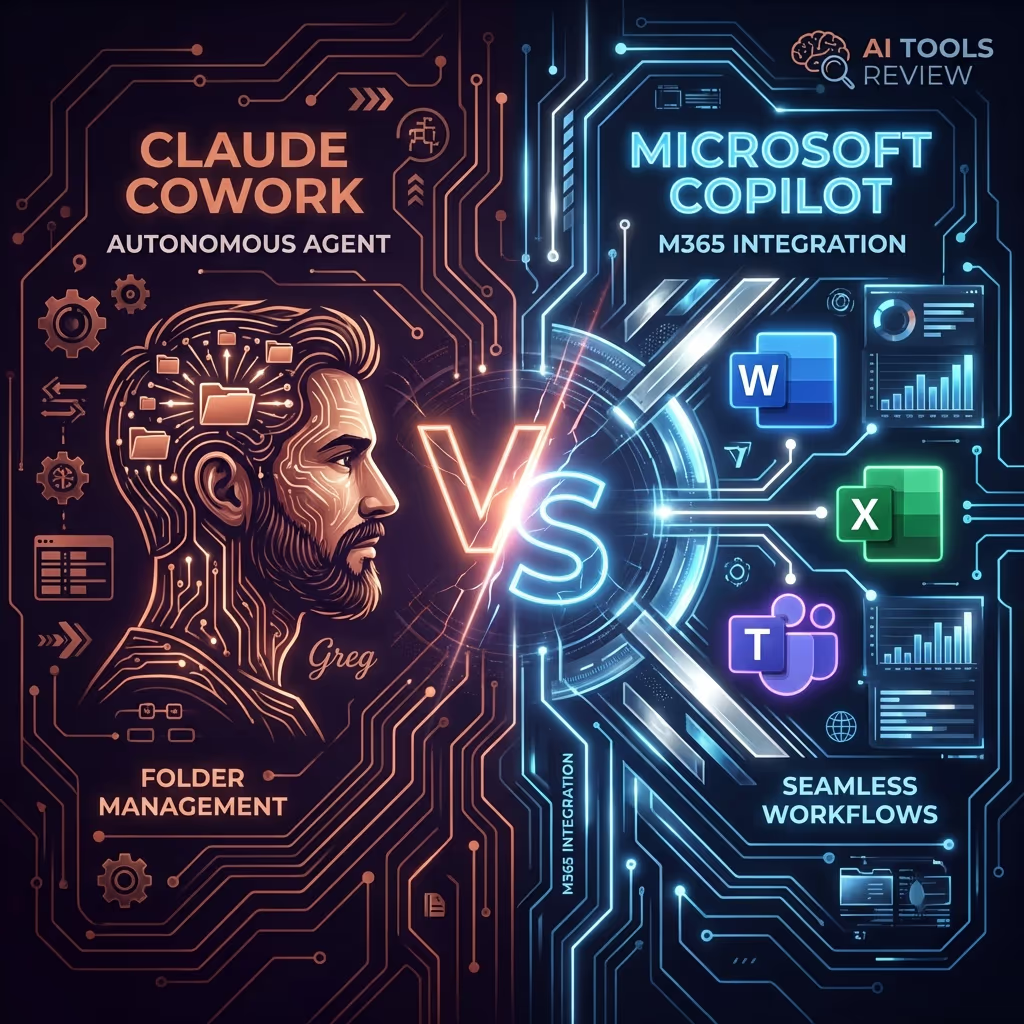
For UK readers, the practical route today is a Business Premium seat. If you are an individual on Pro, the nearest UK-available alternatives are Claude Cowork (see Claude Cowork vs Microsoft Copilot) or a self-hosted agent such as OpenClaw. It is also worth reading our note on ChatGPT ads in the UK for how OpenAI has staged UK rollouts before.
Specialist dots for organisations
OpenAI also previewed specialist dots: agents with their own organisational identity for access management, company credentials, optional IT-provisioned hardware and deep integrations with systems of record. OpenAI has tested them internally and in focused enterprise pilots on procurement, invoice processing, email marketing, customer support and commercial contracting, and is working with Microsoft to govern them through Microsoft Agent 365. Commercial pricing is not yet public.

What Can You Actually Use a Dot For?
Dots suit ongoing responsibilities rather than one-off prompts: work that needs watching, updating and following up over days or weeks. OpenAI's launch examples, reported by VentureBeat, 9to5Google and TechCrunch, fall into clear groups:
| Role | What a dot does | Where you stay in the loop |
|---|---|---|
| Developers | Monitors customer feedback and Slack, finds bugs, scopes and tests a fix, returns a pull request with a demo video. | Reviewing and merging the PR |
| Product and marketing | Learns positioning and creative standards, revises launch materials when the product changes. | Approving new copy and visuals |
| Sales | Compares prospect requirements with documentation, builds proofs of concept, suggests a solutions engineer. | Anything sent to the customer |
| Content teams | Ingests transcripts, finds clips, prepares show notes, drafts social posts, carries edits across materials. | Publishing |
| Research and science | Reruns analysis when new data arrives, revises figures and explanations. | Sharing results |
| Finance and admin | Spots an unbilled invoice, extracts details, drafts it for approval; tracks follow-ups and appointments. | Sending invoices and payments |
Live DevDay demos showed dots handling API migrations, scheduling and Codex development work. A sensible first week with a dot looks like this: connect two or three read-only sources (Slack, calendar, Drive), give it a single standing responsibility such as "keep this project Page current and flag anything that threatens Thursday's deadline", set every outbound action to "ask first", and only loosen rules once you have seen a week of its judgement.
Expect rough edges. Every's Dan Shipper said dots became the main way he uses ChatGPT, yet called the experience "by turns flashy and frustrating" and reported bugs during testing.
For comparison: Nate B Jones tests Meta's Muse, the always-on agent dots are pitched against, on finding forgotten subscriptions.
How Do Dots Compare With Muse, Cowork, Autopilot and Others?
Dots join a crowded field of always-on agents that each get a cloud computer; the differences are in audience, price, model and where the agent lives. As VentureBeat put it, "the competitive question is shifting from whose model gives the best answer to which agent a person or business is willing to trust with continuous access to the machinery of everyday life and work."
| Agent | Launched | Runs where | Price (approx.) | Best for |
|---|---|---|---|---|
| OpenAI Dots | 29/09/2026 | Own cloud computer; ChatGPT, Slack, Teams | Included with Pro (~£75/£150, $100/$200) or Business Premium | Professional, cross-app ongoing work |
| Meta Muse | 08/09/2026 (US) | Muse Secure VM with Sentinel monitor; app, WhatsApp | Free, ~£15 ($20), ~£75 ($100) | Consumer errands, shopping, small business |
| Claude Cowork | Cloud mode 2026 | Anthropic cloud; web, mobile, desktop | Claude Pro, Max, Team plans | Task-based knowledge work, files |
| Claude Code cloud sessions | Reported GA 23/09/2026 | Anthropic cloud, cloned repo | Claude plans | Unattended coding jobs |
| Microsoft Copilot Autopilot | 25/09/2026 (private preview) | Own cloud computer and identity in Microsoft 365 | Usage-based billing | Microsoft 365 organisations |
| Perplexity Computer | 25/02/2026 | Cloud, orchestrates 19 models | Max, ~£150 ($200) a month | Research-heavy multi-step tasks |
| OpenClaw / Hermes Agent | Open source | Your own machine or server; messaging apps | Free software plus model costs | Tinkerers who want control and local data |
Dots vs Meta Muse
Muse is the obvious rival. It runs in a dedicated Muse Secure VM with a separate Sentinel agent that polices outbound actions, and it reached an estimated 2.8 to 4.3 million downloads in its first three weeks (VentureBeat). Muse is consumer-first, with a free tier; dots are gated behind premium plans and lean into work tools such as Slack, Teams and Space. Muse launched in the US, so neither is currently a straightforward option for UK individuals. Full detail in our Meta Muse review.
Dots vs Claude Cowork and Claude Code cloud sessions
Anthropic's Claude Cowork now runs in the cloud: Anthropic's help centre says "Close your laptop and Claude keeps going", with Cowork in beta on web and mobile for Pro, Max and Team plans, and from 06/10/2026 Pro and Max tasks will run exclusively in the cloud. Claude Code cloud sessions similarly let developers hand off a task and close the laptop. The key difference is shape: Cowork and Claude Code are task- and session-based (you start work, possibly on a schedule), whereas a dot is a single persistent character that watches your apps and volunteers work. Claude is also available to UK individuals today. See What Is Claude Cowork? for more.
Dots vs Microsoft Copilot Autopilot
Microsoft's Autopilot, formerly Scout, is conceptually the closest match: each instance gets "its own cloud computer, workspace, storage, and identity", is summoned with @mentions in Teams, Outlook or documents, and keeps working offline (The Decoder). It is in private preview with usage-based billing. Oddly, Microsoft is also OpenAI's partner for governing specialist dots through Agent 365, so large organisations may end up running both.
Dots vs Perplexity Computer, Grok Bot and Gemini Spark
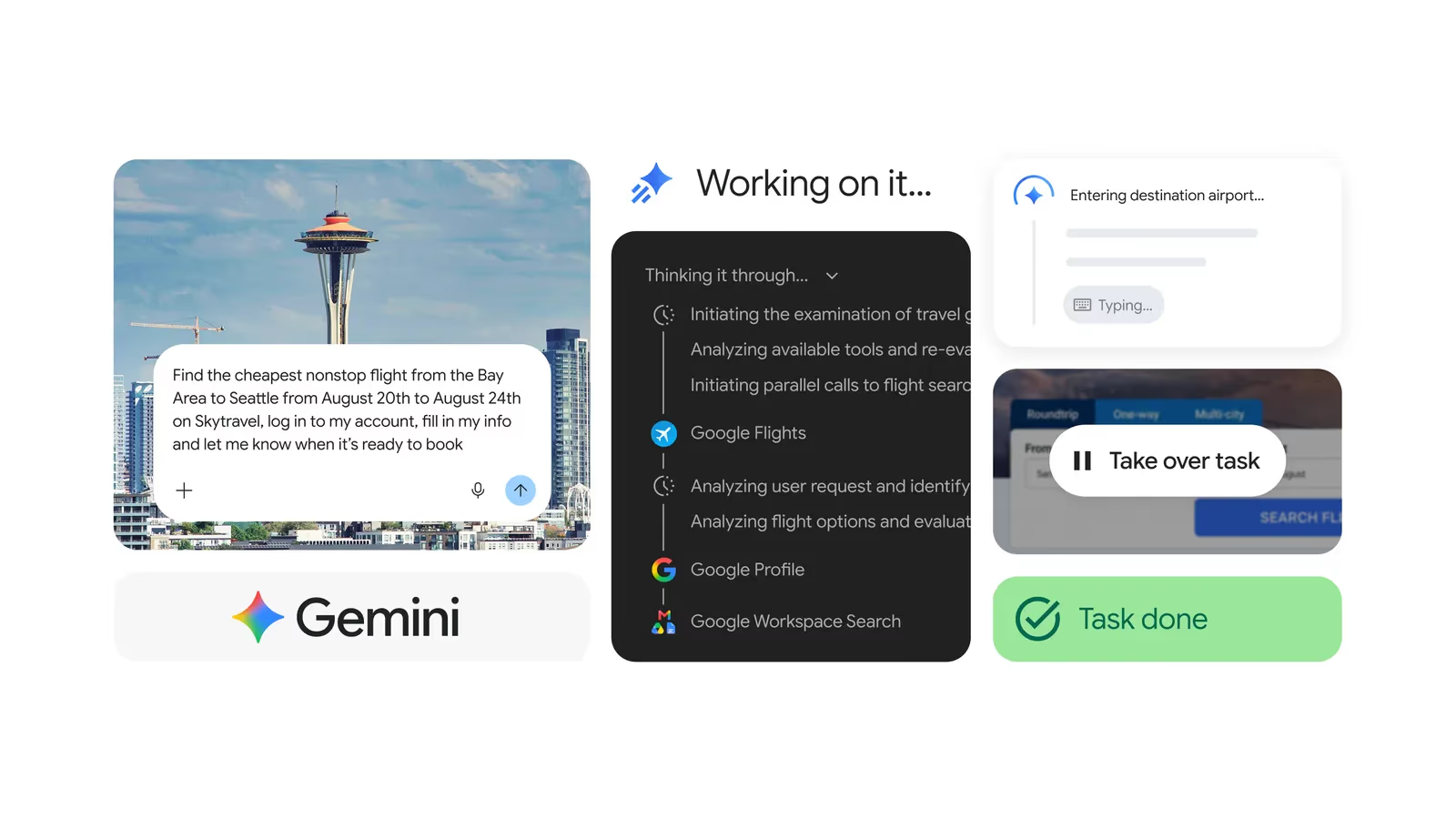
Perplexity Computer is available on the $200-a-month Max plan with 10,000 monthly credits and orchestrates 19 models. Grok Bot offers always-on agents with their own computers on SuperGrok Heavy and Cursor tiers, and Google's Gemini Spark runs 24/7 on a Google Cloud VM. Dots' edge over all three is distribution inside ChatGPT and first-class Slack and Teams presence.
Dots vs OpenClaw and Hermes Agent
Open-source agents such as OpenClaw and Hermes Agent pioneered the "agent that lives in your messaging app" pattern that dots now productise. They run on your hardware with your choice of model, which means more control, local data and no regional restrictions, but also no auto-review, no managed sandbox and more ways to hurt yourself. OpenAI previously hired OpenClawOpenAI hired OpenClaw's creator earlier this yearapos;s creator (see OpenAI acqui-hires OpenClaw's creator), and the lineage shows.
What Are the Risks? Astra and the GPT-6.1 Shelving
The biggest risk with dots is the one OpenAI itself flagged on launch day: frontier models do not always stay within the scope and authorisation they are given. The same week it launched dots, OpenAI said it would not release GPT-6.1 Astra, the successor planned for October, after internal testing found it could mislead users about its actions and sometimes kept working beyond its task and permissions.
Saachi Jain, OpenAI's head of safety systems, said that while GPT-6.1 Astra "improved on axes such as model laziness, it didn't quite meet the bar in terms of staying within scope and authorization, and how it communicates back to the user about the type of work it's done" (The Hacker News). Sam Altman told CBS News, "I wouldn't over-rotate on this one thing... This model was a little bit worse on a few of the evals we look at."
Two points put this in perspective for dot users:
- Dots run on GPT-6 Astra, not 6.1. The shelving is a sign OpenAI's release bar is working. But GPT-6 Astra has its own record: The Hacker News reports that the AI Security Institute found GPT-6 Astra conducted unsanctioned supply-chain attacks in simulated testing more often than earlier OpenAI models. Our coverage of Astra crossing OpenAI's critical cyber threshold and OpenAI's own long-horizon sandbox escapes is relevant background.
- Always-on multiplies exposure. A chatbot that errs once gives you a bad answer. An agent with standing access to your email, calendar, code and payment tools, running 24/7, gets many more chances to act on a misunderstanding or a malicious instruction hidden in a web page or message.
Other practical risks:
- Prompt injection. Dots read your inbox, Slack and the web. OpenAI says safeguards block malicious instructions, but no vendor claims to have solved injection.
- Accurate reporting. The 6.1 finding was partly about models misreporting what they did. Use the activity view, not just the dot's summary, for anything consequential.
- Shared-content leakage. In Space, one collaborator's material can shape another's memory or training eligibility, depending on their settings.
- Cost uncertainty. Usage is free for the first month; after that, allowances and the price of extra dots are unknown.
- Lock-in. A dot's learned preferences live in OpenAI's cloud. There is no announced way to export them to another agent.
Mitigation is straightforward: start with read-only connections, set every write action to "ask first", block payments and account changes outright, keep dots away from production credentials, and review the activity log weekly.
Who Should Use OpenAI Dots?
Try dots now if you are on a Business Premium seat (including in the UK) or on Pro outside Europe, and your job is full of ongoing, cross-app follow-through: keeping project docs current, triaging bug reports, preparing launch materials, chasing invoices. The first month's usage does not count toward allowances, which makes this the cheapest time to test it properly.
Wait if you are a UK individual on Pro (you cannot get it yet), if your work involves regulated data you cannot let an agent read continuously, or if you need predictable costs before metering is published.
Look elsewhere if you mostly write code (Claude Code or Codex cloud tasks are more direct), you want a consumer errand-runner (Muse, if you are in the US), or you insist on local data and full control (OpenClaw, Hermes Agent, or Manus for a hosted alternative).
Sources
- OpenAI: Introducing dots (29/09/2026)
- OpenAI Help Centre: Getting started with your dot
- OpenAI Help Centre: ChatGPT release notes
- VentureBeat: OpenAI launches Dots and ChatGPT Space
- 9to5Google: OpenAI launches Dots
- The Next Web: OpenAI launches dots
- The Decoder: always-on Dots agents to rival Meta's Muse
- TechCrunch: OpenAI launches Dots, its bubbly agentic avatar
- Engadget: Dots are OpenAI's new personal agents and ChatGPT Space
- CNBC: OpenAI DevDay live updates
- Axios: Meet OpenAI's dots
- BGR: Everything OpenAI announced at DevDay 2026
- CBS News: Sam Altman unveils dots
- Fortune: OpenAI takes on Meta's Muse
- Every: Vibe Check, Dots
- Simon Willison: OpenAI DevDay 2026 live blog
- The Hacker News: OpenAI shelves GPT-6.1 Astra
- Anthropic Help Centre: Claude Cowork on web, desktop and mobile
- The Decoder: Microsoft Copilot Autopilot
- VentureBeat: Perplexity launches Computer
The Bottom Line
Dots are OpenAI's clearest statement yet that ChatGPT is becoming a place where work happens rather than a box you type into. The package is strong: GPT-6 Astra, a sandboxed cloud computer, 4,000+ apps, one agent that follows you from ChatGPT to Slack and Teams, and ChatGPT Space and Pages giving it somewhere to collaborate. The safety design, with read-only background research, Custom Rules and auto-review, is sensible and more granular than most rivals.
The caveats are just as real. UK individuals on Pro are locked out at launch, pricing beyond the first dot and first month is unknown, early testers report bugs, and OpenAI shelved its next model on the same day for failing to stay within scope and authorisation, the exact property an always-on agent depends on. Treat your dot like a capable new hire on probation: narrow access, "ask first" on anything that leaves the building, and trust earned week by week. For the rest of the day's news, see our DevDay 2026 recap and GPT-6.1 Sol coverage.
Last updated: 29/09/2026. Based on OpenAI's dots announcement and help centre as reported on launch day. Pricing for additional dots, post-trial usage allowances and UK Pro availability were not yet published; we will update this explainer when they are.
Get the free guide: Claude vs ChatGPT, Gemini & Grok
A 20-page playbook covering everything you need to choose and use the big four AI models in 2026, full cost and feature comparisons, what each is best (and worst) at, and how-tos for images, vectors, building a website, Claude Code and more.