 AI Tools Review Editorial Team
Quick Answer:
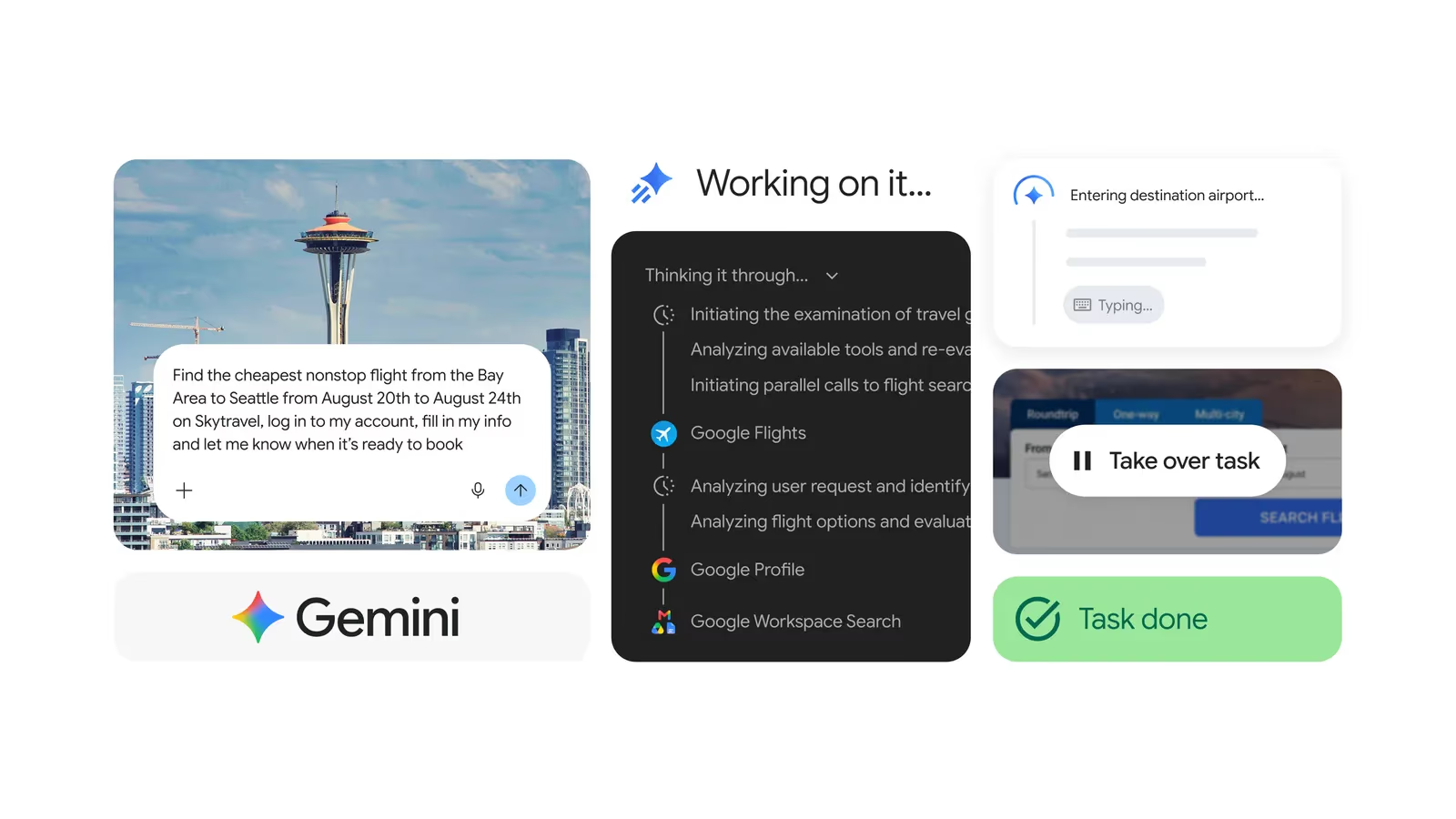
Tasks in Gemini is Google's agent mode inside the Gemini app: you describe a job, and Gemini plans it, works through it in the background using a browser, your connected apps and files, and checks with you before sensitive steps. On 17/11/2026 Google made it free for adults (18+) with personal Google Accounts in the US, Canada, Australia, India, Japan and South Korea. Phone calls to businesses, texting Gemini, emailing [email protected] and Google Pay checkout are US only. The UK is not included, with or without a paid plan: Google's help page excludes the European Economic Area, Nigeria, Switzerland and the United Kingdom. Free accounts can keep 10 active schedules that run at most once a day; Google AI Pro and Ultra get 50 and more trigger types.
Until this week, getting Gemini to do work for you rather than talk to you about it needed a paid Google AI plan. That has changed in six countries. Google has put its task agent in front of what it calls "hundreds of millions of people" at no charge, and in the US it has added the three things that make an assistant feel like an assistant: it can ring a business, reply to a text and pay at a checkout. This guide sets out what Google has actually published, where the feature is and is not available, what the limits are on each plan, and the risks you take on when software phones people and spends money in your name.
6
Countries where Tasks is free
US, Canada, Australia, India, Japan, South Korea
0
European countries included
UK, EEA and Switzerland excluded on every plan
15
Tasks that can run at once
Same cap on every plan
10
Active schedules on the free tier
50 with Google AI Pro or Ultra
Source: Google Keyword blog, Gemini release notes and Gemini Apps Help, 17/11/2026 to 19/11/2026.
Julian Goldie, 18/11/2026: five example jobs for Task mode, from lead research to a daily AI news briefing. His examples are his own tests, not Google benchmarks.
Executive Summary
- What changed: on 17/11/2026 Google removed the subscription requirement in six countries and said the free version runs on Gemini 4 Hydrogen.
- US-only extras: calls to US businesses, texting Gemini from Google Messages or iMessage, forwarding email to [email protected] and checkout with Google Pay.
- UK status: not available. Google's help page excludes the EEA, Nigeria, Switzerland and the UK even for Google AI Pro and Ultra subscribers. No date has been given.
- Limits: up to 15 tasks running at once; 10 active schedules without a plan or on Google AI Plus, 50 on Pro or Ultra; free and Plus schedules run at most once a day.
- Safety model: each account's tasks run in a dedicated, hardware-isolated virtual machine; Gemini is designed to ask before buying, sending, booking or signing in. Google itself calls the feature experimental and says tasks can fail.
What Is Tasks in Gemini?
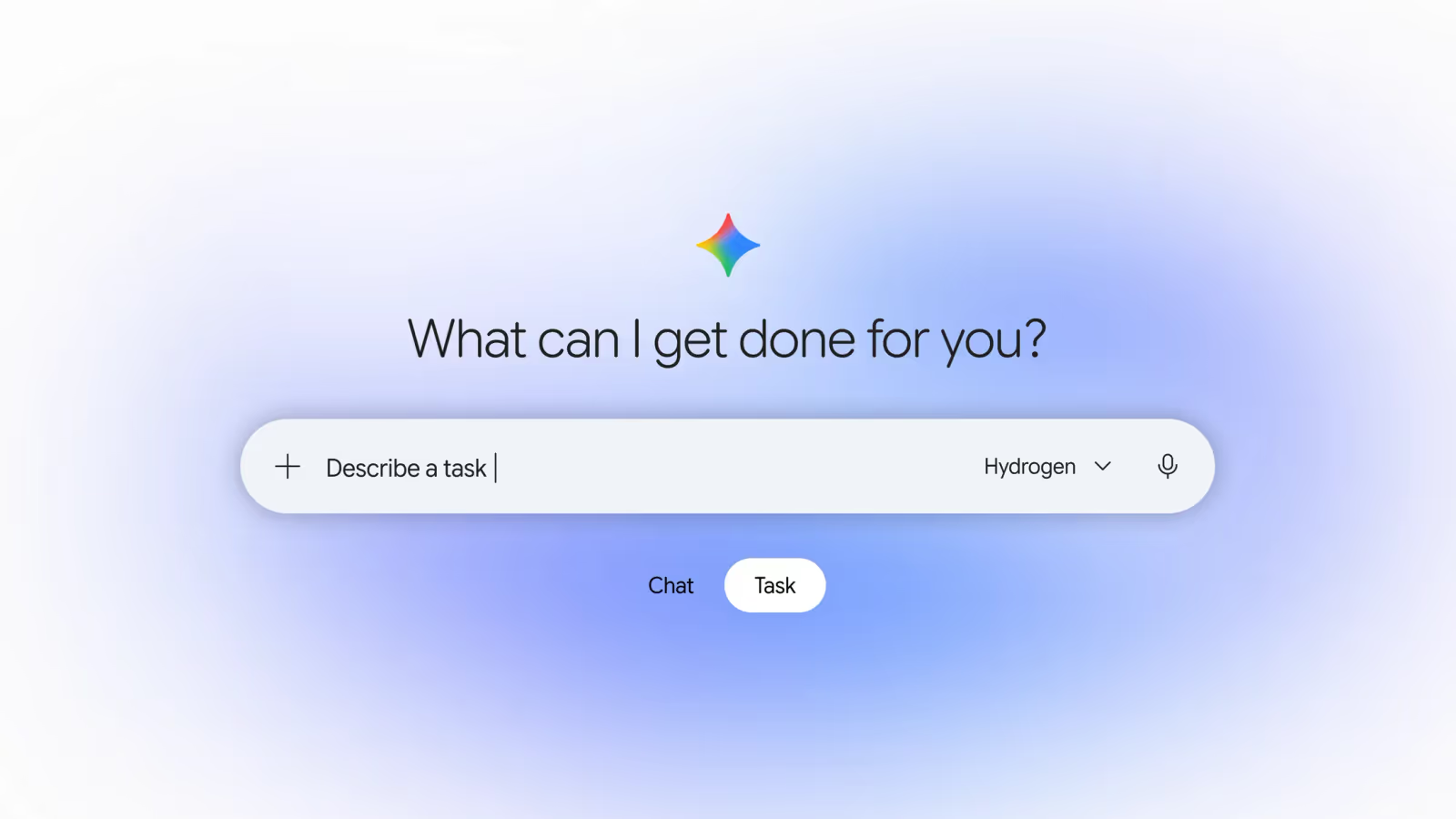
Tasks in Gemini is a mode of the Gemini app in which Gemini carries out a goal for you instead of answering a question. You switch the toggle beside the prompt box from Chat to Task, describe what you want done, and Gemini shows a plan, works through the steps and reports back. Google's help page says it can draw on "connected apps, skills, chats, websites that you're signed in to, Personal Intelligence, location and more".
If the name is unfamiliar, the product is not new. This is Gemini Spark under a different label. Google's own help page answers the question "Where did Spark go?" by saying it had been testing Spark in beta with subscribers since May, that users kept describing what they wanted as "tasks", and so "we renamed it Task to make it easier to understand". Existing tasks and schedules carried over. We covered the original product in Google Gemini Spark Explained, and most of what that guide says about how the agent works still applies.
Google describes three building blocks, which it sums up as the what, the when and the how:
- A task is the goal you hand over, such as planning and managing a trip.
- A schedule is the trigger that tells Gemini when to run a task, either at a time or in response to an event.
- A skill is a reusable set of instructions and context that tells Gemini how to do a particular job. Skills replaced Gems earlier this autumn, as we explained in Gemini Skills Replace Gems.
A task can browse websites, read and write files, and act inside Google services. The help page lists Calendar, Docs, Drive, Gmail, Keep, Sheets, Slides and Google Tasks, plus Contacts, Photos, Maps, Flights, Hotels, YouTube, Google Pay and Wallet, Gemini Notebook and "several third-party apps". Google's announcement puts the total at more than 60 connected apps. Gemini can also produce finished files such as PDFs, spreadsheets and presentations.
For web work, Gemini uses one of two browsers. On a desktop it can connect to your own Chrome, where it has "access to all the same sites that you do, including sites that you're signed in to". Otherwise it uses a remote browser in the cloud, which keeps working when your device is closed. On mobile it only uses the remote browser.
What Changed on 17/11/2026?
Google published two things on 17/11/2026: a Keyword post, "Put Gemini to work for you", by Josh Woodward, Vice President of Labs, the Gemini app and AI Studio, and a set of five entries in the Gemini release notes. They confirm the reports from Android Authority and Droid Life.
The announcements fall into two groups. The first is the price change. In Woodward's words, the update is "rolling out free of charge for hundreds of millions of people across the U.S., Japan, Korea, Canada, Australia, and India, using our new Gemini 4 Hydrogen model". The second is what Google calls "a set of advanced features, starting in the U.S.". The release notes list four:
| Feature | What it does | Who gets it (per Google) |
|---|---|---|
| Tasks, free tier | Background multi-step tasks and recurring routines on Gemini 4 Hydrogen | 18+ with a personal account in the US, Canada, Australia, India, Japan and South Korea |
| Checkout with Google Pay | Watches for restocks and price drops, stages a checkout within your price limit, buys after your approval | US, English, 18+, personal accounts; web, Android and iOS |
| Text with Gemini | Start and steer tasks from Google Messages or iMessage after a one-time phone verification | US, English, 18+, verified US number on an eligible carrier |
| Email with Gemini | Forward emails or PDFs to [email protected] from Gmail, Apple Mail or Outlook; Gemini replies privately | US, English, 18+, personal accounts |
| Calls to businesses | Places calls for you, including several at once, after you approve a call plan; returns a summary and transcript | US businesses only; not available in Indiana, Louisiana, Minnesota, Montana or Nebraska |
The earlier timeline is less clearly documented. The release notes record Spark's beta launch for US Google AI Ultra subscribers on 19/05/2026 and its arrival in the macOS app on 30/06/2026. PPC Land reports that the Chat and Task toggle appeared on 13/10/2026 for Google AI Pro and Ultra subscribers, and Android Authority says the rename from Spark happened "just last month". Google's release notes for 13/10/2026 do not mention the rename, so treat that exact date as press-reported rather than confirmed.
How Do Tasks Differ From Scheduled Actions?
Scheduled actions are timed chat prompts; Tasks are an agent. The two are easy to confuse because both live in the Gemini app and both appear on a page called Scheduled.
Scheduled actions arrived on 19/06/2025. The release note from that day describes asking Gemini for "a daily summary of your calendar, to-do's and important unread emails" or a weekly list of local events, and limited the feature to Google AI Pro and Ultra subscribers and qualifying Workspace plans. The current help page, which now calls them "schedules in chats", says Gemini prepares the response "within the hour leading up to your delivery time" and that they work best for "daily summaries and wrap-ups". The output is a chat message.
Tasks go further in four ways. They take actions rather than only writing text. They can run on triggers as well as times. They work in a browser and a cloud computer, so they can reach sites that have no connector. And they pause for your confirmation. Google's task help page says so directly: "Schedules in tasks are different from schedules in chats."
| Scheduled actions (schedules in chats) | Tasks in Gemini | |
|---|---|---|
| Launched | 19/06/2025 | As Gemini Spark, beta from 19/05/2026; free tier from 17/11/2026 |
| What runs | A saved prompt, producing a chat response | A multi-step plan using browser, apps, files and code |
| Triggers | Time only | Time; plus Gmail and topic monitors on Pro and Ultra |
| Takes actions | No; it reports | Yes, with confirmation for sensitive steps |
| Active limit | 10 schedules | 10 schedules (no plan or Plus) or 50 (Pro or Ultra); 15 tasks running at once |
| Accounts | Personal, plus qualifying Workspace work or school accounts | Personal accounts only, aged 18+ |
| Free tier | Not ticked for no-plan users in Google's limits table | Ticked for no-plan users (in the six countries) |
There is an odd consequence in that last row. In Google's limits and upgrades table, as we read it on 19/11/2026, the older and simpler feature still needs a paid plan while the newer and more powerful one does not. The schedules help page adds that Google is "gradually making this feature available to all personal Google Accounts", so this may change. For UK readers it matters because scheduled actions are the nearest thing on offer: that help page lists no UK exclusion, whereas the Tasks page does.
Where Is It Available, and Is the UK Included?
The UK is not included. Google's help page is explicit. Tasks in Gemini are:
- "Available without a Google AI subscription in Australia, Canada, India, Japan, South Korea and the US."
- "Available with a Google AI Pro or Ultra subscription everywhere else Gemini Apps are supported, except in the European Economic Area, Nigeria, Switzerland and the United Kingdom."
- "Only available in the Gemini mobile app, the Gemini app on Mac and the Gemini web app at gemini.google.com."
So there are three tiers of country. In six, Tasks is free. In most of the rest of the world it needs Google AI Pro, which Google's US plans page lists at $19.99 a month (about £15.17), or Ultra, from $99.99 a month (about £75.93). In the UK, the 30 EEA countries, Switzerland and Nigeria it is unavailable at any price. A British Google AI Ultra subscriber cannot use it.
Google has not said why, or when that will change. PPC Land recorded the same exclusion list when Gemini Spark expanded to more than 160 countries on 30/07/2026, so it predates this week's news. Nothing in the blog post, the release notes or the help pages gives a UK or European timetable.
Three other conditions apply everywhere:
- Age: you must be 18 or over.
- Account type: a personal Google Account. "For now, this feature isn't available if you sign in with a work or school Google Account."
- Activity setting: Keep activity must be on, which means your Gemini activity is saved to your account.
Inside the six free countries there is a further split. Calling, texting, email forwarding and Google Pay checkout are described as US only, and in English. A user in Canada, Australia, India, Japan or South Korea gets the core task agent for free but, on Google's published wording, not those four extras.
What Are the Limits on Each Plan?
Google does not publish a number of tasks per day. Several outlets reported on launch day that no limits had been stated, and that is true of the blog post, but the help pages do set out a structure. There are four separate limits.
1. Concurrent tasks
"You can have up to 15 tasks running at a given time," the help page says, and "a schedule will not run if there are already 15 tasks running". Google states no difference between plans.
2. Active schedules
The schedules help page says the limit "is 50 with Google AI Pro or Ultra and 10 with Google AI Plus or without a subscription".
Active task schedules allowed per account
Number of schedules that can be active at once, by Google AI plan. Higher means more automations.
No Google AI plan · free in six countries
Google AI Plus
Google AI Pro
Google AI Ultra
Show data table
| Benchmark | Active schedules |
|---|---|
| No Google AI plan | 10 |
| Google AI Plus | 10 |
| Google AI Pro | 50 |
| Google AI Ultra | 50 |
Source: Google, Create and manage schedules for tasks in Gemini (Gemini Apps Help), read 19/11/2026.
3. Schedule types and frequency
This is the limit that changes what the free tier is good for. Without a subscription, or with Google AI Plus, "you can schedule tasks to run up to once a day during a general time window: overnight, daytime or evening". You do not pick an exact time. Pro and Ultra subscribers get three schedule types: time-based schedules that can run once, hourly, daily, weekly, monthly or yearly; Gmail monitors that fire when an email matches a filter; and topic monitors that watch news, finance, sport or local events. Google adds a caution that monitors "are still not ideal for tracking fast-moving data or performing time-critical tasks", and that run times are approximate.
4. Compute-based usage
Everything in Gemini Apps now draws on one compute-based allowance. Google says how much a task uses "will depend on how many you assign each day and how complex each task is". The allowance refreshes every five hours until you hit a weekly limit, and the plans are defined relative to each other rather than in absolute numbers: Plus is twice the standard no-plan limit, Pro is four times, and Ultra is five or 20 times Pro depending on the subscription. A schedule will not run if you have hit your limit at the time it is due.
Gemini usage allowance by plan, relative to no plan
Multiples of the standard no-plan limit. Ultra figures are our arithmetic from Google's '5x or 20x higher than AI Pro'. Google does not publish the absolute allowance.
No Google AI plan · standard
Google AI Plus
Google AI Pro
Google AI Ultra · 5x Pro tier
Google AI Ultra · 20x Pro tier
Show data table
| Benchmark | Usage allowance |
|---|---|
| No Google AI plan | 1x |
| Google AI Plus | 2x |
| Google AI Pro | 4x |
| Google AI Ultra | 20x |
| Google AI Ultra | 80x |
Source: Google, Gemini Apps limits and upgrades for Google AI subscribers, read 19/11/2026.
| Limit | No plan | AI Plus | AI Pro | AI Ultra |
|---|---|---|---|---|
| Tasks in Gemini included | Yes, in six countries | Yes, in six countries | Yes, except UK, EEA, Switzerland, Nigeria | Yes, except UK, EEA, Switzerland, Nigeria |
| Tasks running at once | 15 | 15 | 15 | 15 |
| Active schedules | 10 | 10 | 50 | 50 |
| Schedule frequency | Up to once a day, general time window | Up to once a day, general time window | Hourly to yearly, exact times | Hourly to yearly, exact times |
| Gmail and topic monitors | No | No | Yes | Yes |
| Usage allowance | Standard | 2x standard | 4x standard | 5x or 20x Pro |
| Context window | 32K tokens | 128K tokens | 1 million tokens | 1 million tokens |
| US list price per month | $0 | $4.99 (about £3.79), per PPC Land | $19.99 (about £15.17) | From $99.99 (about £75.93) |
Two warnings sit alongside the table. Google says limits "may change without notice, including due to capacity constraints", and that if capacity tightens, "limits for users without a Google AI plan may be limited before users with a plan". Free is free, but it is also first in the queue to be squeezed.
How Do You Set Up a Task?
These steps follow Google's help page. They apply if you are in a supported country and meet the age and account conditions above.
- Open Gemini. Use gemini.google.com, the Gemini mobile app or the Gemini app on Mac, signed in with a personal account.
- Switch to Task. On the web the Task option sits below the text box; in the mobile app it sits above it.
- Describe the job and the timing. Say what you want, and when: "around a specific time or after an event". If you are unsure where to start, Google suggests typing "set up", "get started" or "interview me".
- Add context. Type @ to pick a skill, or use Upload and tools to attach files. You can type further instructions while the task runs.
- Submit and read the plan. Gemini is designed to show what it intends to do, then its progress. The first time it needs to browse on a device, Chrome asks permission to connect; after that, "for every task that involves web browsing, Gemini will ask for confirmation first".
- Check the work panel. Click the progress chip at the top of the thread to see completed, current and planned steps, the files Gemini read or changed, and any schedules attached.
- Take over when asked. For sign-in pages and similar steps Gemini pauses. In a remote browser session, click View live, then Take over task, do your part, and hand back.
To make a task repeat, either say so in the prompt or open Scheduled in the sidebar and choose Create a scheduled task. A Run now option lets you test it, and you can pause, resume or delete schedules from the same page.
Setting up text and email (US only)
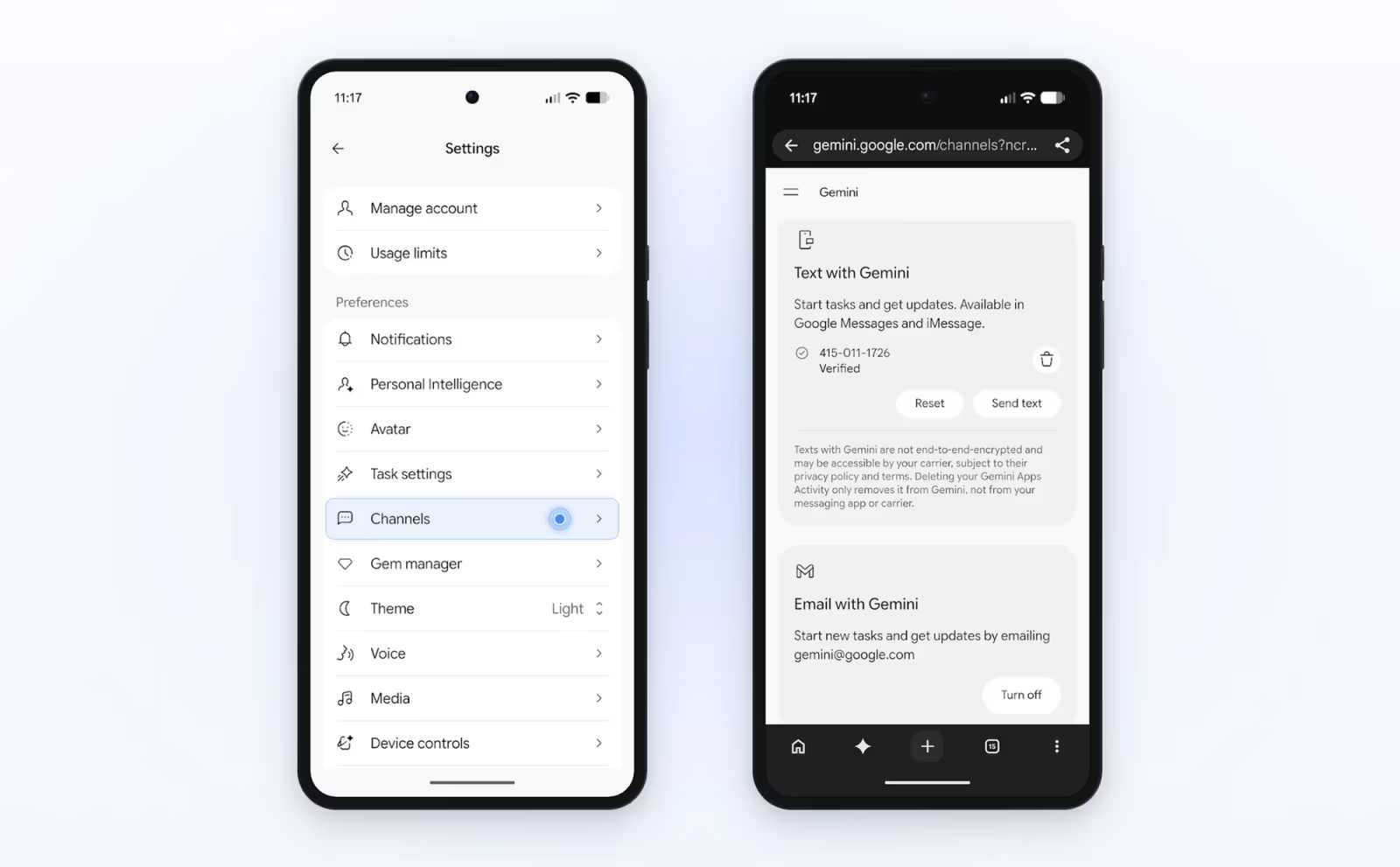
Google's blog gives four steps for texting: open Gemini on Android or iOS and tap Settings, tap Channels, tap Set up under Text with Gemini, and verify your phone number. The release notes give gemini.google.com/channels as the same opt-in page. Droid Life adds that Email with Gemini has its own Turn on button on that screen. Once it is on, you forward messages to [email protected] from Gmail, Apple Mail or Outlook, and Gemini "always replies privately 1:1 to you (never Reply-All) with a link to review and confirm your results".
How to turn it off
In the web app, go to Settings, then Task settings, and under "Use task mode to hand off work" click Turn off. Google says this deletes your remote browser data and remote code execution data, pauses your schedules and leaves your threads and files in place. It does not erase the browsing data in your own Chrome.
What Is It Actually Useful For?
Google's published examples fall into household administration, and they are worth reading as a guide to what the company thinks works today. All of the following come from Woodward's post or the help pages. They are Google's own anecdotes and have not been independently tested.
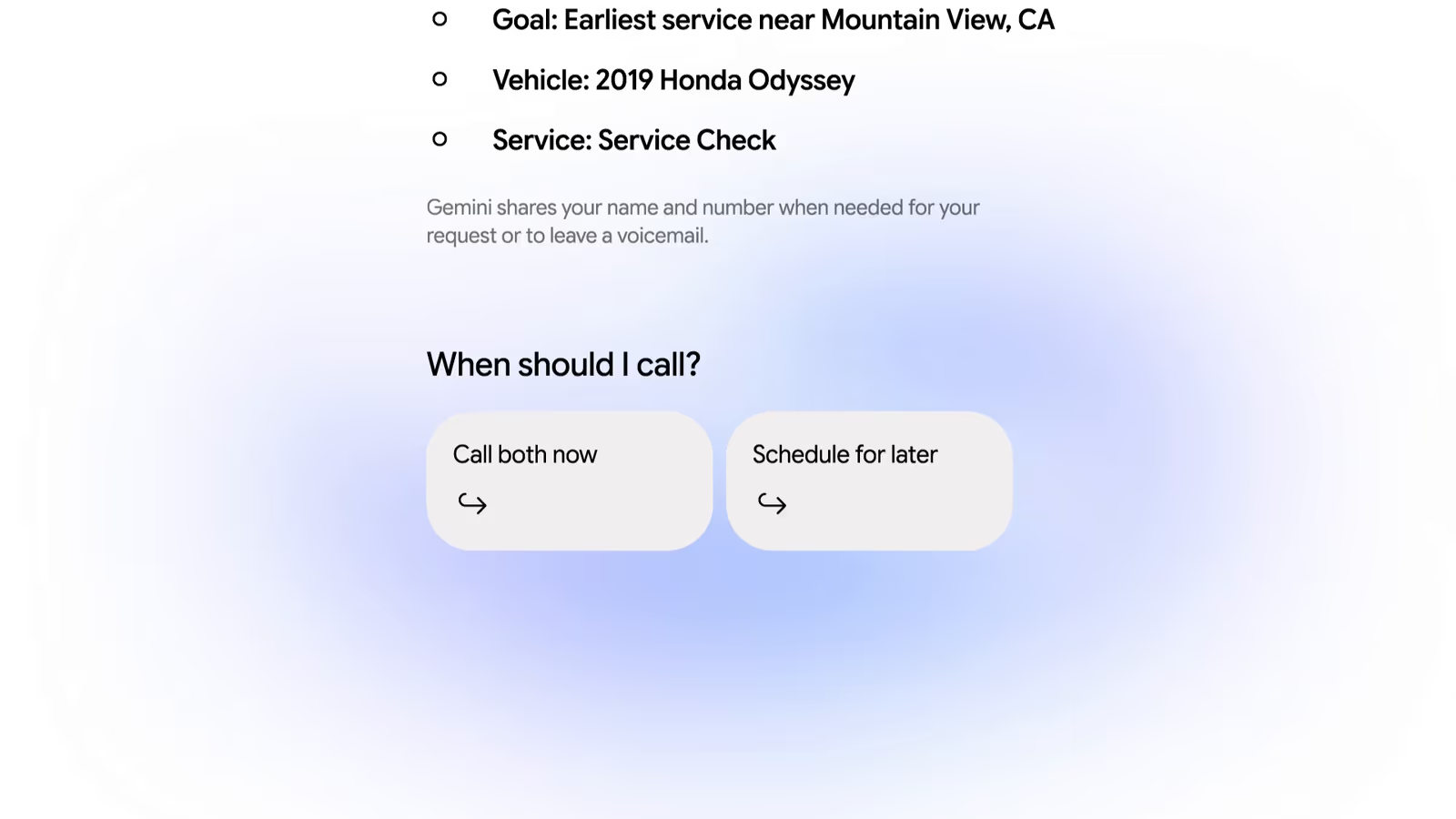
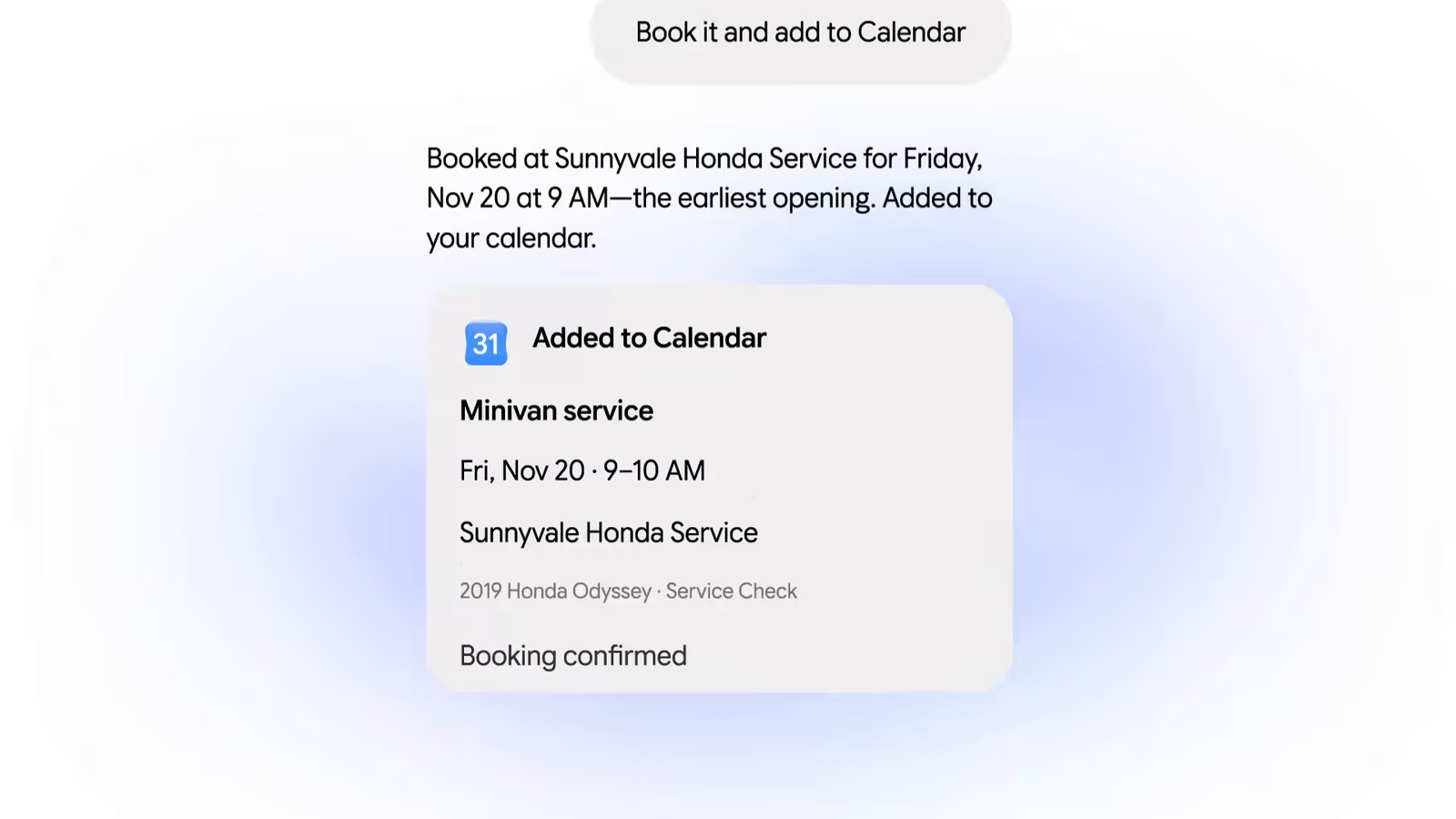
- Booking a car service. Woodward asked Gemini to call the two nearest dealerships about an early Friday appointment. It found them on Google Maps, called both at once, booked one and added it to his calendar "in less than five minutes".
- Explaining a bill. After a $389 (about £295) electricity bill, he gave Gemini access to the utility portal through Google Password Manager and asked it to analyse past statements in his email. It identified a heat pump switching on at around 4 p.m., during peak pricing.
- Shopping with a budget. Gemini compared USB-C chargers using Google's Shopping Graph, asked about wattage and colour, checked out with Google Pay and found a discount code worth $10 (about £7.59).
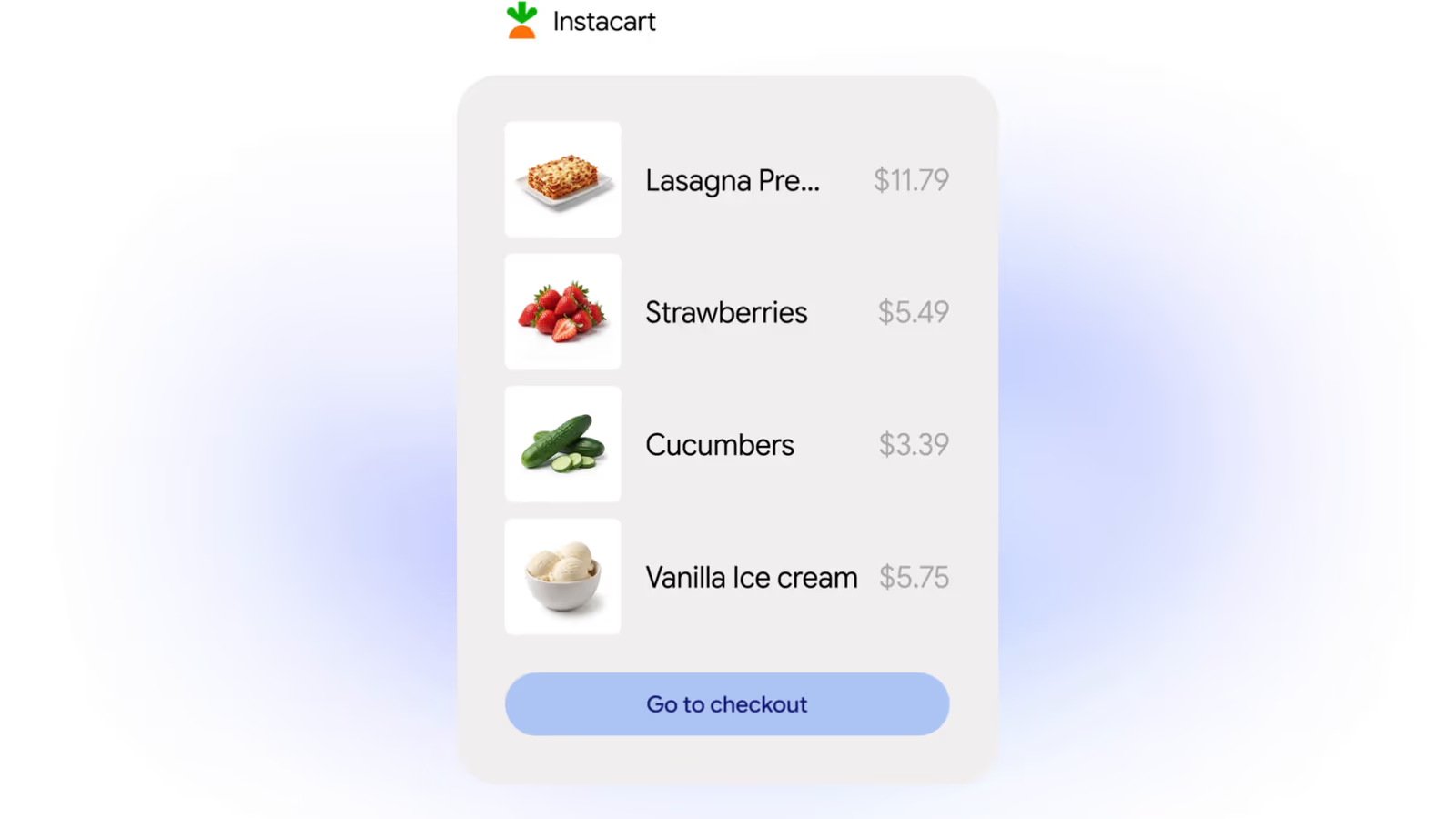
- Groceries by text. A text message and a photo of an empty cereal box added items to an Instacart order. Gemini then "handed me off to Instacart to complete the order", so the final purchase was made by the person, not the agent.
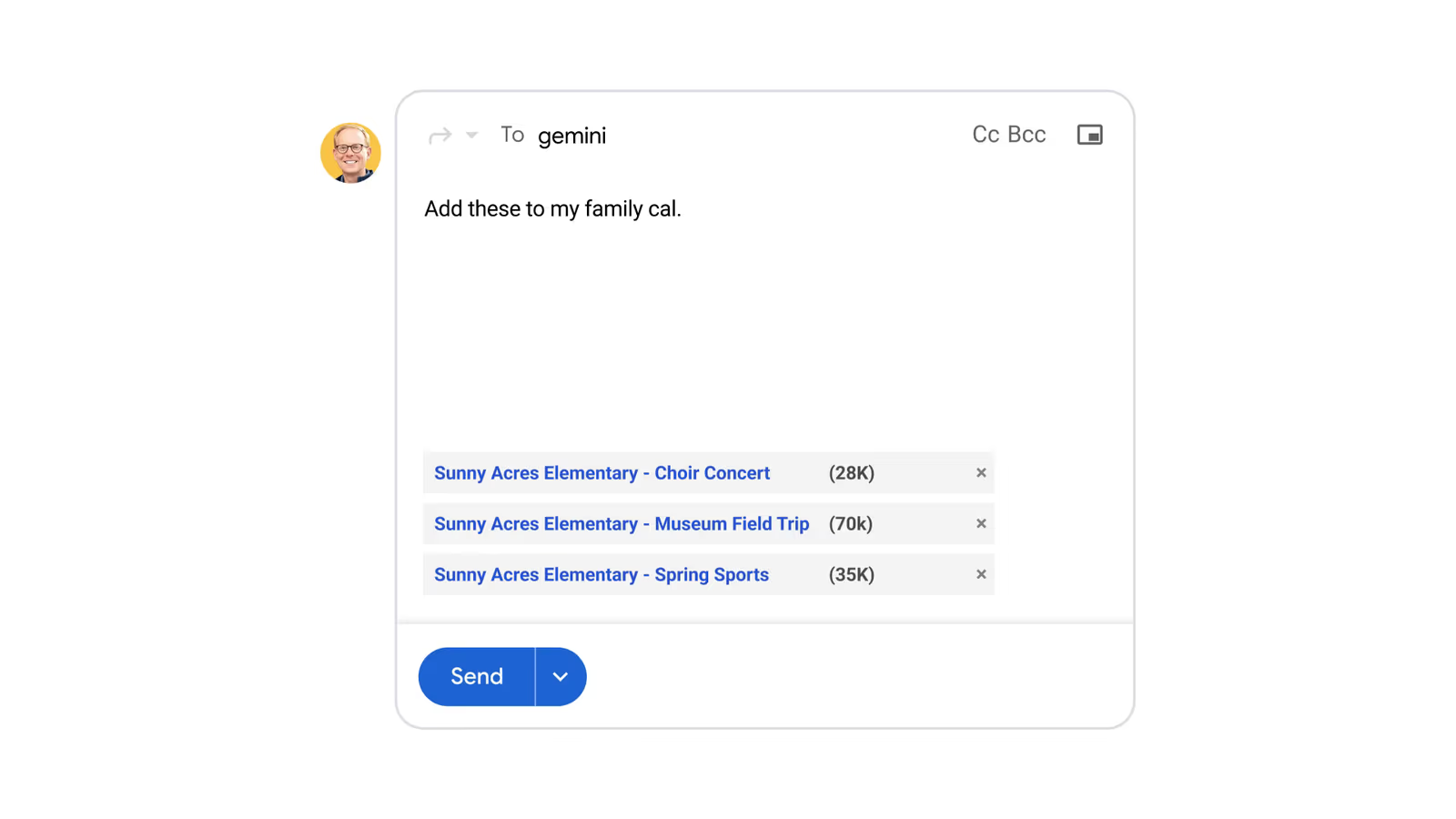
- School admin. A batch of forwarded school emails became calendar entries in under a minute, and Gemini flagged a clash with basketball practice.
- From the help page: inbox clean-up, flight and hotel price alerts, and cited research packaged as a PDF, spreadsheet or presentation.
Creators have been quick to translate this into work use. In the video above, Julian Goldie runs five jobs he describes as an agency lead scout, post ideas for a course owner, a weekly website check, a daily AI news briefing and a SaaS competitor teardown. Those are his tests and his framing, and all five are research-and-report jobs that fit the free tier's once-a-day schedule limit. We have not been able to test Tasks ourselves from the UK, so we cannot vouch for the quality of the output.
A practical way to choose a first task: pick something you already do weekly, where a mistake costs little and the result is easy to check. A daily briefing, a competitor price check or an inbox tidy all qualify. Anything involving money, medical records or messages sent in your name does not, at least until you have seen how the agent behaves.
WorldofAI's 18/11/2026 news round-up covers the Gemini Tasks expansion from around the 27-minute mark, alongside the week's other releases.
How Do Calling and Buying Work?
Phone calls
According to the release notes, Gemini can place calls on your behalf, "even dialing multiple shops at once, scheduling calls during business hours, or placing recurring calls", to "compare quotes, check inventory, or negotiate bills". Four safeguards are stated. You review and approve a call plan before it dials. Gemini "identifies itself as an AI assistant". It "won't share payment or sensitive account details over the phone". And businesses can opt out, through a Google Business Profile setting. Afterwards you get a summary and a full transcript in the chat.
Calling is not available in Indiana, Louisiana, Minnesota, Montana or Nebraska. Google's footnote does not say why. PPC Land notes that these are the same five states excluded when Google added AI business calling to US Search in July 2025.
Purchases
The release notes describe a staged process. You set an item and a maximum price when you start the task. When Gemini finds the item within budget it "stages the checkout and sends you an itemized summary to review". Then: "Nothing is purchased without your go-ahead: once you give your explicit 1-tap and device approval, Gemini finishes checkout with Google Pay so your actual card number stays separated from the merchant". Google calls this a single-use virtual card checkout.
Underneath, Woodward says Gemini uses the Agent Payments Protocol (AP2), and that Google is working with Mastercard and Visa, with American Express "coming soon", to secure purchases "with digital tokens on supported cards". You keep your card's points, cashback and purchase protections. Receipts and tracking go to Google Wallet, which launched on iOS in the US the same day. Integration of Google's Universal Commerce Protocol is described as "up next", with no date.
One wording point deserves attention. Woodward writes that you can "set a hard spending cap upfront, and Gemini is designed to stay within your budget". "Designed to" is not "cannot exceed". Neither the post nor the release notes say what happens if a total changes at checkout because of delivery charges or tax, or who is liable if the agent buys the wrong item. The approval step is your real protection, so read the itemised summary every time.
Privacy and Safety Risks
An agent that can read your email, sign in to your accounts, phone strangers and pay for things has a much larger capacity for harm than a chatbot. Google is unusually candid about this. Its help page says: "Gemini's ability to handle tasks is experimental", and "Remember that Gemini can make mistakes and do unexpected things."
What Google says it has built
Woodward's post says each task runs on Google Cloud's Agent Compute Engine "in a hardware-isolated virtual machine that's dedicated to your account and never shared with other users". A companion post by Gautham Thambidorai, "How Gemini's defense-in-depth approach works", describes five layers:
- Agent Compute Engine: browsing and code run in isolated cloud microVMs.
- Prompt-injection defences: classifiers scan incoming content before it reaches the planner, and outbound link rules plus Google Safe Browsing limit where Gemini can go or send data.
- Policy Guardian: checks shell commands, scripts, file edits and outbound requests before they execute.
- Action Safety Agent: sits between the planner and external tools, blocks abusive automation such as bulk messaging or bulk purchasing, and pauses for confirmation before high-impact actions even where you have granted Always allow.
- User takeover: Gemini hands the live browser to you for sign-in walls and account creation.
That post publishes no attack success rates or other measurements, so the strength of these layers cannot be judged from outside. Google invites researchers to test them through its AI Vulnerability Reward Program.
The risks Google lists itself
- Prompt injection. Prompt injection is when a web page, email or document contains hidden instructions that an AI agent reads and follows. Google's examples include posting private information from your emails publicly and sending your Gmail to an external service.
- Sharing your information. Gemini "can share information from your chat and other available sources" with websites. "This could include your name, contact info, files, preferences and info that you might find sensitive."
- Access to your logged-in sites. If you let it use your local Chrome, it can reach every site you are signed in to.
- Saved sign-ins in the cloud. The remote browser keeps cookies containing "your website authentication info" for future sessions until you delete them or a period of inactivity passes.
- Offline schedules. "If a schedule runs when you are offline, you may not be able to stop Gemini from completing an unintended action."
Risks we would add
- Texts are not private. Google's own Channels screen says texts with Gemini "are not end-to-end encrypted and may be accessible by your carrier", and that deleting Gemini activity does not delete them from your messaging app.
- Calls disclose you. The call plan screen says Gemini shares your name and number when needed. A transcript of each call is kept in your chat.
- Always allow is convenient and risky. Each permission you make permanent removes a checkpoint. Google says sensitive actions still prompt every time, and that health, financial and government ID details trigger a pause, but these are classifications made by software.
- Businesses may refuse. Android Authority points out that companies are increasingly restricting agents, citing reports of Amazon blocking Meta's Muse and a United Airlines policy on AI agents. A task that depends on a third-party site can simply stop working.
A sensible safety routine
- Do not type passwords or card details into the task thread. Google says to take control of the browser and enter them on the page instead.
- Start with read-only tasks. Add actions that send, book or buy only after you trust the results.
- Use Always allow sparingly, and never for purchases.
- Set a price limit on every shopping task and check the itemised summary before approving.
- Delete remote browser data after sensitive sessions (Settings, then Browser, in the web app).
- Avoid schedules for anything you would not want to happen while you are asleep or offline.
For more background on how agents get tricked, see our pieces on hallusquatting and agent security and AI browser automation agents.
How Does It Compare With ChatGPT, Claude and Grok Bot?
Every large AI company now sells some form of background agent. What separates Google this week is price and reach, not a capability nobody else has. The comparison below uses each vendor's own pages where we could read them, and says where we could not.
ChatGPT
OpenAI has three overlapping features. Scheduled tasks are the closest match to Gemini's scheduled actions: OpenAI's help article says they are available to Plus, Pro, Business and Enterprise users, lists active-task limits of 3 on Go, 5 on Plus and 15 on Pro, Business and Enterprise, and says tasks "cannot run more than once per hour" and cannot be triggered by events. The article is inconsistent about whether Go is included, and ChatGPT's pricing page shows scheduled tasks from Go upwards but not on Free. ChatGPT Work is the agent mode for longer jobs. Dots are the always-on agents; TechCrunch reported at launch that they were for Pro and Business Premium users in eligible markets. On purchases, several outlets including PPC Land report that OpenAI launched ChatGPT Wallet on 13/11/2026 for US Pro subscribers; we could not load OpenAI's own page to confirm the details. Plan details are in our ChatGPT pricing guide.
Claude
Anthropic's equivalent is scheduled tasks in Claude Cowork. Its help article says they are available on all paid plans (Pro, Max, Ultra, Team and Enterprise), run remotely so they keep their schedule when your computer is off, and can run hourly, daily, weekly, on weekdays or manually. Scheduled tasks cannot use linked Personal Finance accounts, and a connector set to Always ask may pause the run. Claude's pricing page lists "Hand off and schedule tasks" as unavailable on Free, with Pro at $20 a month (about £15.19) billed monthly. Neither Anthropic page mentions phone calls or a built-in checkout. Neither help page lists a UK exclusion. See our guides to Cowork on mobile and Claude Duet.
Grok Bot
xAI's Grok Bot gives each agent its own cloud computer that signs in to your tools, runs scheduled routines and works from desktop, iOS, Slack and Teams. The pricing section lists Premium at $30 a month (about £22.78), Super at $100 (about £75.94) and Ultra at $200 (about £151.88), with weekly usage included and extra usage billed by token cost. There is no free plan in that list. The page does not mention phone calls or purchases. It is aimed more at work than at household errands, particularly since Grok Bot 1.0 added shared Team Bots. See also Grok Bot's cost problem.
Lowest monthly list price for a cloud agent with scheduled tasks
US$ per month, billed monthly, lower is better. ChatGPT is omitted because we could not read OpenAI's current prices directly.
Gemini Tasks · no plan, six countries
Gemini Tasks · Google AI Pro, most other countries
Claude scheduled tasks · Claude Pro
Grok Bot · Premium
Gemini Tasks in the UK · not available
Show data table
| Benchmark | Monthly price |
|---|---|
| Gemini Tasks | $0.00 |
| Gemini Tasks | $19.99 |
| Claude scheduled tasks | $20.00 |
| Grok Bot | $30.00 |
| Gemini Tasks in the UK | n/a |
Source: Google Gemini Apps Help and Google One plans page; claude.com/pricing; x.ai/bot. All read 19/11/2026.
| Gemini Tasks | ChatGPT scheduled tasks | Claude Cowork scheduled tasks | Grok Bot | |
|---|---|---|---|---|
| Free tier | Yes, six countries | Not on Free, per pricing page | No | None listed |
| Cheapest paid route | AI Pro, $19.99 | Go (price not verified) | Pro, $20 | Premium, $30 |
| Active limit | 10 or 50 schedules; 15 running | 3, 5 or 15 tasks by plan | Not stated | Usage-based |
| Fastest repeat | Daily (free, Plus); hourly (Pro, Ultra) | Hourly | Hourly | Not stated |
| Event triggers | Gmail and topic monitors (Pro, Ultra) | No | Not stated | Not stated |
| Phone calls | Yes, US only | Not stated | Not stated | Not stated |
| Built-in checkout | Google Pay, US only | ChatGPT Wallet for Dots, US Pro (press-reported) | Not stated | Not stated |
| UK | No | "Available globally" per help article | No exclusion listed | Not stated |
Two other routes are worth knowing about. Perplexity Teammates are persistent, role-based agents on Perplexity's top plan. And if you would rather run an agent on your own machine or server, the open-source Hermes Agent, covered in our complete guide, avoids the regional lock entirely at the cost of doing the setup and security yourself. Anthropic's always-on agents guide explains how such systems are built.
Limitations and Open Questions
- It fails sometimes, and Google says so. "While we've tested tasks extensively to minimize mistakes, we haven't eliminated all of them." On some sites Gemini gets most of the way and then hands the screen back for the final click.
- No per-day number. The compute-based allowance means nobody can tell you how many tasks a free account gets. It depends on complexity, and Google can change it without notice.
- Free schedules are coarse. Once a day in a general window rules out the release notes' own restock-watching example at any useful speed. That is our inference from the two documents; Google does not address it.
- Liability is unaddressed. Google has not said who bears the cost of an agent error in a purchase or booking, beyond your card's existing protections.
- No independent testing yet. Every success story so far is either Google's or a creator's launch-week demo.
Who Should Use It
- Adults in the six countries who already live in Google's apps: try it. It costs nothing, and a daily briefing or inbox tidy is a low-risk first task.
- US users who hate phone queues: the calling feature is the standout, provided you are comfortable with your name and number being shared and a transcript being kept.
- Anyone needing exact timing or event triggers: you need Google AI Pro or Ultra for hourly schedules and Gmail or topic monitors.
- UK and EU readers: you cannot use it. Scheduled actions in Gemini, scheduled tasks in Claude Cowork or ChatGPT, or a general automation tool such as Zapier are the alternatives today.
- Anyone handling other people's sensitive data: wait for independent security testing.
The Bottom Line
Making Tasks free is a distribution move more than a technical one. The agent is the same Spark that Ultra subscribers have had since May, now on a cheaper model and offered to anyone over 18 in six countries. What is new, and only in the US, is that it can make a phone call, answer a text and complete a checkout. Those are also the features where a mistake costs real money or embarrassment.
Google's documentation is better than most on the risks, and the confirmation steps for purchases and sign-ins are the right design. But the free tier's limits are relative and changeable, the security claims are unmeasured from outside, and the whole of Europe, including the UK, is excluded with no explanation. If you can use it, start small and keep approvals switched on. If you are in the UK, the honest answer is that this launch does not reach you yet.
Last updated: 19/11/2026. Prices are US list prices as published by each vendor. Sterling conversions are approximate at $1 = £0.759, the Frankfurter (European Central Bank reference) rate for 18/11/2026. We could not test Tasks in Gemini directly because it is not available in the UK.
Sources
- Google Keyword: Put Gemini to work for you (17/11/2026)
- Gemini release notes (entries for 17/11/2026, 30/06/2026, 19/05/2026 and 19/06/2025)
- Gemini Apps Help: Manage your tasks and workflows in Gemini Apps
- Gemini Apps Help: Create and manage schedules for tasks in Gemini
- Gemini Apps Help: Schedules in Gemini Apps (scheduled actions)
- Gemini Apps Help: Gemini Apps limits and upgrades for Google AI subscribers
- Google: How Gemini's defense-in-depth approach works (17/11/2026)
- Google One: Google AI plans and prices
- Android Authority: Gemini can now handle task requests for free (17/11/2026)
- Droid Life: Go Ahead and Text or Email With Gemini to Do Your Tasks (17/11/2026)
- PPC Land: Gemini's $19.99 task mode goes free in 6 countries (17/11/2026)
- OpenAI Help Center: Scheduled tasks in ChatGPT
- TechCrunch: OpenAI launches Dots (29/09/2026)
- Claude Help Center: Schedule recurring tasks in Claude Cowork
- Claude pricing
- xAI: Grok Bot